
 数据结构
数据结构 网络
网络 RDBMS
RDBMS 操作系统
操作系统 Java
Java MS Excel
 iOS
iOS HTML
HTML CSS
CSS Android
 Python
 C 编程
C 编程 C++
C++ C#
C# MongoDB
 MySQL
MySQL Javascript
 PHP
PHP 物理
物理 化学
化学 生物
生物 数学
数学 英语
英语 经济学
经济学 心理学
心理学 社会研究
社会研究 时尚研究
时尚研究 法律研究
法律研究HTML DOM Input Week min 属性
HTML DOM Input Week min 属性返回/设置 Input Week 的 min 属性。
语法
以下是语法 −
- 返回字符串值
inputWeekObject.min
- 将 min 设置为字符串值
inputWeekObject.min = YYYY-Www
字符串值
此处,“YYYY-Www”可以是以下格式 −
| stringValue | 详细信息 |
|---|---|
| YYYY | 它定义了年份 (例如:1990) |
| W | 它是年份和周数的分隔符 |
| WW | 它定义了周数 (例如:07) |
示例
让我们看看 Input Week min 属性的一个示例 −
<!DOCTYPE html>
<html>
<head>
<title>Input Week min</title>
<style>
   form {
      width:70%;
      margin: 0 auto;
      text-align: center;
   }
   * {
      padding: 2px;
      margin:5px;
   }
   input[type="button"] {
      border-radius: 10px;
   }
</style>
</head>
<body>
<form>
<fieldset>
<legend>Week-min</legend>
<label for="WeekSelect">Vacation Week:
<input type="week" id="WeekSelect" value="2019-W45" min="2020-W05">
</label>
<input type="button" onclick="getMinimum()" value="Go on a vacation">
<div id="divDisplay"></div>
</fieldset>
</form>
<script>
   var divDisplay = document.getElementById("divDisplay");
   var inputWeek = document.getElementById("WeekSelect");
   function getMinimum() {
      divDisplay.textContent = 'You can go on a vacation after: Week: '+inputWeek.min.split("-W")[1]+' ,'+inputWeek.min.split("-W")[0]
   }
</script>
</body>
</html>
输出
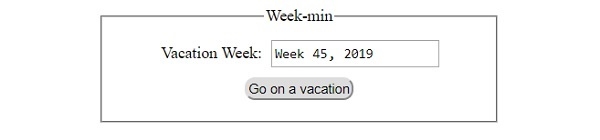
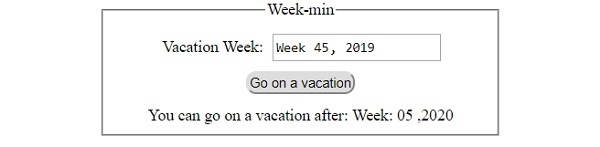
它将产生以下输出 −
在点击 ‘开始度假’ 按钮之前 −
点击 ‘开始度假’ 按钮之后 −

更新于: 30-Jul-2019
85 查看

广告