
 数据结构
数据结构 网络
网络 RDBMS
RDBMS 操作系统
操作系统 Java
Java MS Excel
 iOS
iOS HTML
HTML CSS
CSS Android
 Python
 C 编程
C 编程 C++
C++ C#
C# MongoDB
 MySQL
MySQL Javascript
 PHP
PHP 物理学
物理学 化学
化学 生物学
生物学 数学
数学 英语
英语 经济学
经济学 心理学
心理学 社会学
社会学 时尚研究
时尚研究 法律研究
法律研究HTML DOM console.info() 方法
HTML DOM console.info() 方法用于向控制台写入信息消息。此方法对于调试和测试目的很有用。某些浏览器(例如 Firefox、Chrome)会使用蓝色的小 i 图标显示使用此方法打印的语句。
语法
以下是 HTML DOM console.info() 方法的语法 −
console.info( message )
在此处,message 是一个必需参数,可以为字符串或对象类型。它显示在控制台中。
示例
我们来看一个 HTML DOM console.info() 方法的示例 −
<!DOCTYPE html>
<html>
<body>
<h1>console.info() Method</h1>
<p>Press F12 key to view the message in the console view.</p>
<button onclick="printInfo()">INFO</button>
<script>
   function printInfo(){
      console.info("Information is printed");
      console.info("This is some other information ");
   }
</script>
</body>
</html>
输出
这会产生以下输出 −
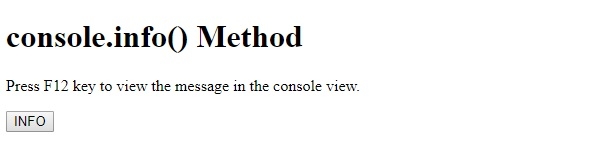
在单击 INFO 按钮并查看控制台视图 −

在上例中 −
我们创建了一个 INFO 按钮,当用户单击该按钮时,将执行 function printInfo() −
<button onclick="printInfo()">INFO</button>
printInfo() 方法内部有 console.info() 方法,该方法将信息消息打印到控制台。如输出所示,在使用 console.info() 写入的消息旁边有一个 i 图标 −
function printInfo(){
   console.info("Information is printed");
   console.info("This is some other information ");
}

更新于: 20-Feb-2021
21 浏览量

广告