- JasmineJS 教程
- JasmineJS - 首页
- JasmineJS - 概述
- JasmineJS - 环境搭建
- JasmineJS - 书写测试用例及执行
- JasmineJS - BDD 架构
- JasmineJS - 测试的构建块
- JasmineJS - 断言
- JasmineJS - 跳过块
- JasmineJS - 等值检查
- JasmineJS - 布尔值检查
- JasmineJS - 顺序检查
- JasmineJS - 空值检查
- JasmineJS - 不等值检查
- JasmineJS - 非数值检查
- JasmineJS - 异常检查
- JasmineJS - beforeEach()
- JasmineJS - afterEach()
- JasmineJS - 间谍 (Spies)
- JasmineJS 有用资源
- JasmineJS 快速指南
- JasmineJS - 有用资源
- JasmineJS - 讨论
JasmineJS 快速指南
JasmineJS - 概述
Jasmine 是一个开源的 JavaScript 框架,能够测试任何类型的 JavaScript 应用程序。Jasmine 遵循行为驱动开发 (BDD) 流程,以确保每一行 JavaScript 语句都经过了正确的单元测试。通过遵循 BDD 流程,Jasmine 提供了一个简洁的语法来测试整个应用程序的最小单元,而不是将其作为一个整体进行测试。
为什么要使用 Jasmine?
以下是使用 Jasmine 相对于其他可用的 JavaScript 测试框架的优势:
Jasmine 不依赖于任何其他 JavaScript 框架。
Jasmine 不需要任何 DOM。
Jasmine 中使用的所有语法都简洁明了。
Jasmine 深受 Rspec、JS Spec 和 Jspec 的影响。
Jasmine 是一个开源框架,并且可以轻松获得不同的版本,例如独立版本、Ruby gem、Node.js 等。
如何使用 Jasmine?
Jasmine 非常容易在任何类型的开发方法中实现。您只需要从官方网站 https://jasmine.node.org.cn/ 下载独立库文件,并将其应用到您的应用程序中。
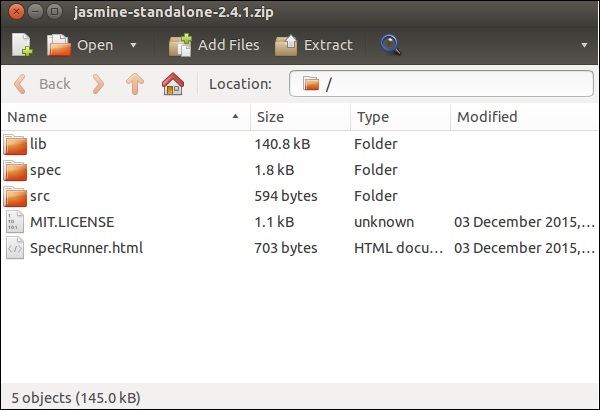
详细的环境设置将在下一章“环境设置”中介绍。成功下载并解压 zip 文件后,您将在该 zip 文件中找到以下子文件夹。

JasmineJS - 环境搭建
在本章中,我们将讨论如何逐步设置基于 Jasmine 的 BDD 测试应用程序。
步骤 1 - 前往 Jasmine 官方网站 https://jasmine.node.org.cn/
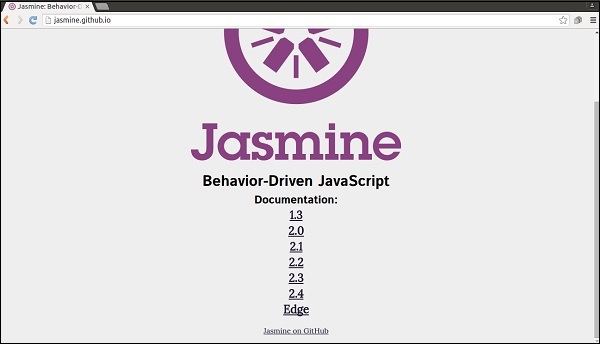
步骤 2 - 点击任意版本链接。最好使用最新的“Edge”版本。您将被重定向到所选版本的首页。
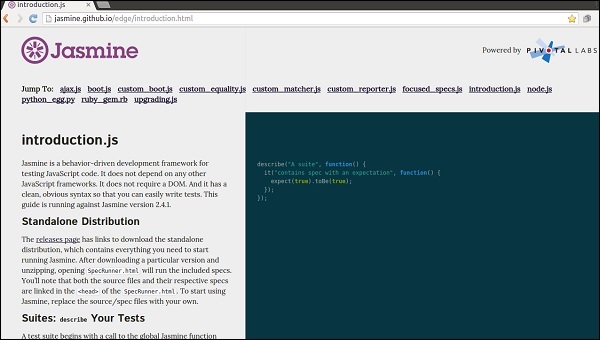
步骤 3 - 前往主页的“下载”部分,然后点击独立版本发布页面。
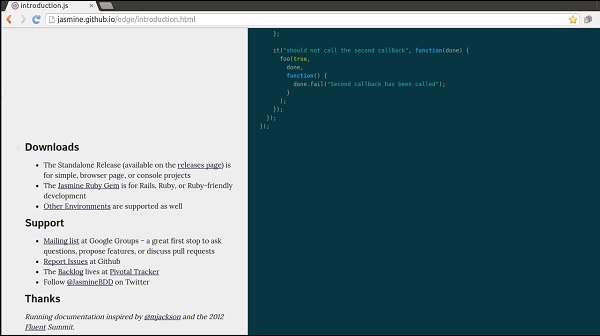
步骤 4 - 重定向到 Github 发布页面后,从那里下载 Zip 文件。
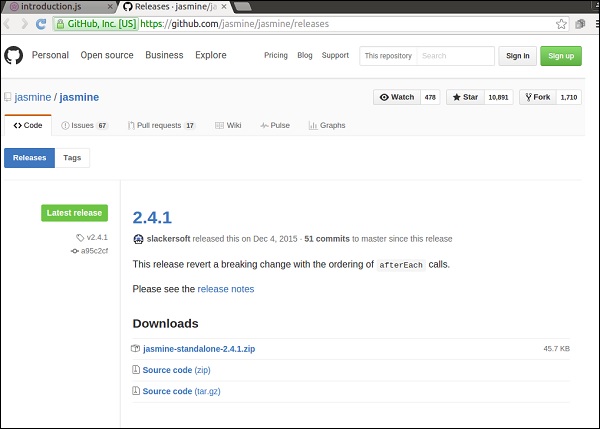
步骤 5 - 解压下载的 jasmine-standalone-2.4.1 文件夹。您将看到以下文件夹结构。
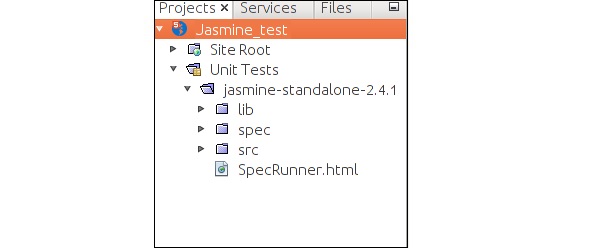
步骤 6 - 现在在您喜欢的 IDE 中创建一个 Web 应用程序项目,并将这些下载的库文件添加到应用程序中。这里我们使用了 NetBeans IDE。添加 Jasmine 框架后,应用程序的目录结构如下所示。
我们的环境设置已完成。现在我们的应用程序已准备好由 Jasmine 框架进行测试。
JasmineJS - 书写测试用例及执行
在本章中,我们将创建一个Hello World 应用程序,它将测试我们的“helloworld.js”文件。在开发 Hello World 应用程序之前,请返回上一章,确保您的环境已准备好使用 Jasmine 进行测试。
步骤 1 - 在您的 IDE 中创建一个 Web 应用程序
这里我们使用 NetBeans 8.1 在 Jasmine 中开发我们的 Hello World 应用程序。在 NetBeans 中,转到文件 → 新建项目 → Html5/JS 应用程序并创建一个项目。创建项目后,项目目录应如下图所示。我们将项目命名为Jasmine_Demo。

步骤 2 - 将 Jasmine 库文件包含到应用程序中
创建演示项目后,您需要做的就是将 Jasmine 库的解压文件夹包含到创建的应用程序的“单元测试”文件夹中。将所有库文件添加到我们的应用程序文件夹后,项目的结构将如下图所示。
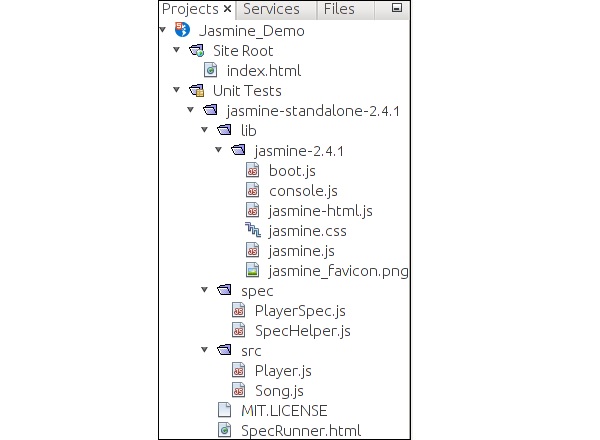
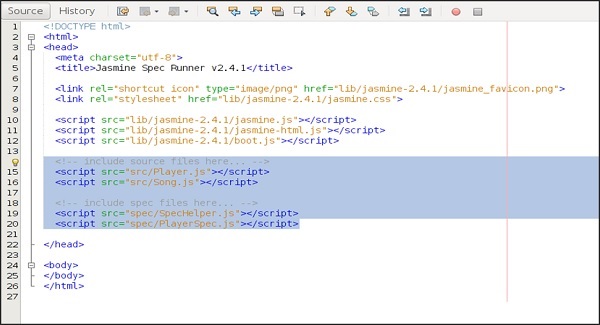
spec 和 src 文件夹下的文件是 Jasmine 团队提供的演示文件。删除这些文件,因为我们将创建我们自己的测试文件和测试用例。删除这些 JavaScript 文件时,我们需要删除在我们的输出 html 文件(即SpecRunner.html)中对这些文件的引用。
以下是 SpecRunner.html 文件的屏幕截图,其中将删除spec和src中不同 JavaScript 文件的引用。
步骤 3 - 创建一个 JavaScript 文件
在此步骤中,我们将在src文件夹下创建一个名为helloworld.js的 JavaScript 文件。我们将通过 Jasmine 测试此文件。创建 JavaScript 文件后,将以下代码添加到文件中。
/*
* This is the JavaScript file that need to be tested through jasmine
* Below is the helloworld function that will return 'Hello World'
*
*/

var helloworld = function() {
   return 'Hello World';
};
步骤 4 - 创建一个测试用例
在此步骤中,我们将创建另一个 JavaScript 文件,其中包含上述 JavaScript 文件的测试用例。继续并在“Spec”文件夹下创建一个 JavaScript 文件,并将其命名为“HelloWorldsSpec.js”。将以下代码添加到此js文件中。
/*
* This is the file which will call our java script file that need to be tested.
* Each describe block is equivalent to one test case
*
*/

describe("Hello World", function() {

   it("should Return Hello world",function() {
      expect(helloworld()).toEqual('Hello World');
   });

});
步骤 5 - 添加对输出文件的引用
我们成功创建了我们自己的待测试文件和相应的测试用例。我们将它们保存在两个不同的文件夹中。在此步骤中,我们将修改“SpecRunner.html”以包含这两个新创建文件的引用。
<!DOCTYPE html>

<html>
   <head>
      <meta charset = "utf-8">

      <title>Jasmine Spec Runner v2.4.1</title>

      <link rel = "shortcut icon" type = "image/png" href =
      "lib/jasmine2.4.1/jasmine_favicon.png">
      <link rel = "stylesheet" href = "lib/jasmine-2.4.1/jasmine.css">

      <script src = "lib/jasmine-2.4.1/jasmine.js"></script>
      <script src = "lib/jasmine-2.4.1/jasmine-html.js"></script>
      <script src = "lib/jasmine-2.4.1/boot.js"></script>

      <!--Lines to be deleted
      <script src = "src/Player.js"></script>
      <script src = "src/Song.js"></script>
      <script src = "spec/SpecHelper.js"></script>
      <script src = "spec/PlayerSpec.js"></script> -->

      <!--adding the reference of our newly created file --->

      <script src = "src/helloworld.js"></script>
      <script src = "spec/HelloWorldsSpec.js"></script>
   </head>

   <body>
   </body>

</html>
步骤 6 - 通过运行 SpecRunner.html 来执行
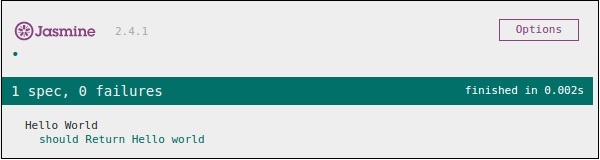
这是我们应用程序开发的最后一步。在您喜欢的任何浏览器中运行 SpecRunner.html。结果将显示以下屏幕截图。绿色屏幕表示成功,红色屏幕表示测试用例失败。
步骤 7 - 理解失败案例
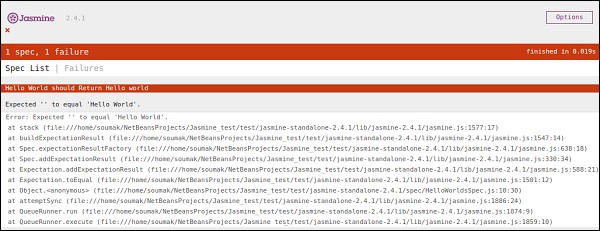
到目前为止,我们已经看到了 Hello World 应用程序的成功测试用例。现在让我们看看如果出现问题并且测试失败会怎样。要实现失败案例,我们需要编写失败测试用例。为此,我们将使用以下代码修改helloworld.js文件。
var helloworld = function () {
   return '';
};

// we are not returning any string whereas in the spec file
//we are expecting a // string as “Hello World”
以上代码肯定会失败,因为我们的规范文件没有从helloworld()获得预期的字符串输出。specRunner.html文件的以下屏幕截图显示有一个错误及其红色指示器。
JasmineJS - BDD 架构
Jasmine 遵循行为驱动开发 (BDD) 框架。在学习 Jasmine 的工作原理之前,让我们了解什么是 BDD 框架。
下图描述了 BDD 框架的不同阶段。
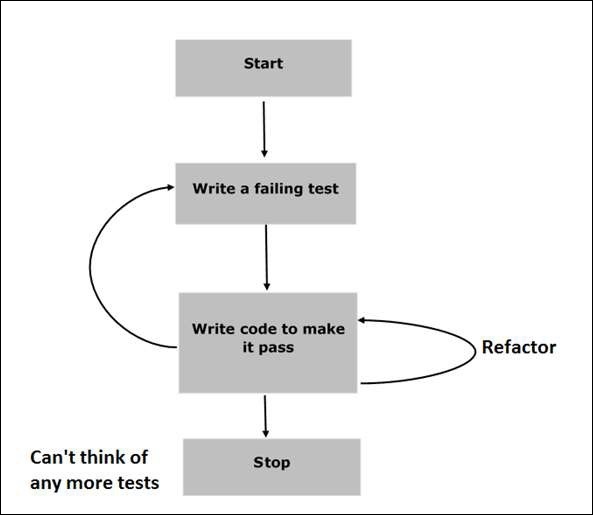
步骤 1 - 开始
在此阶段,我们将为 Jasmine 应用程序准备环境。
步骤 2 - 编写失败的测试
在此步骤中,我们将编写我们的第一个测试用例。很明显,此测试将失败,因为没有要测试的文件或函数。
步骤 3 - 编写代码使其通过
在此阶段,我们将准备需要测试的 JavaScript 文件或函数。此阶段至关重要,因为我们需要确保在早期阶段准备的所有测试用例都将成功。
步骤 4 - 重构
重构是 BDD 模型中非常重要的阶段,我们需要为该特定应用程序或函数准备尽可能多的测试用例。
步骤 5 - 停止
如果一切顺利,那么您的应用程序必须已准备就绪并启动。因此,我们可以将此步骤视为 BDD 应用程序的结束。
示例
我们现在已经了解了 BDD 框架的工作原理。让我们看看 Jasmine 如何在 JavaScript 测试中遵循此 BDD 框架。
如屏幕截图所示,我们需要使用 Jasmine 框架测试 Abc.js。SpecRunner.html 是输出文件,它将Spec.js(测试用例文件)、Abc.js(待测试文件)和 LIB 作为输入,运行 spec 文件中存在的所有测试用例并将结果呈现到浏览器中。
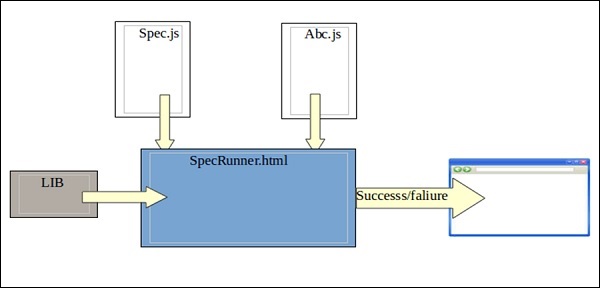
Lib - 这些是内置的 JavaScript 文件,有助于测试项目中使用的不同函数和其他 JavaScript 文件。
Spec.js(测试用例文件) - 此 JavaScript 文件包含测试任何 JavaScript 函数或文件所需的所有测试用例。在 BDD 方法中,我们将首先编写测试,因此这是需要首先更新的文件。当然,这会失败,因为我们的项目中不存在可以测试的文件或函数。此文件可以无限次重构,直到所有功能都经过测试。
Abc.js(待测试文件) - 此文件包含将使用 Spec.js 和 Lib 文件进行单元测试的功能。
SpecRunner.html - SpecRunner.html 是一个普通的 html 文件,它将在嵌入式 JavaScript 代码的帮助下呈现单元测试的输出。
JasmineJS - 测试的构建块
在本章中,我们将讨论 Jasmine 的测试构建块。
套件块
Jasmine 是一个用于 JavaScript 的测试框架。套件是 Jasmine 框架的基本构建块。为特定文件或函数编写的类似类型测试用例的集合称为一个套件。它包含另外两个块,一个是“Describe()”,另一个是“It()”。
一个套件块只能有两个参数,一个是“该套件的名称”,另一个是“函数声明”,它实际上会调用我们要测试的单元功能。
在下面的示例中,我们将创建一个套件,该套件将对add.js文件中的 add 函数进行单元测试。在此示例中,我们的 JS 文件名为“calculator.js”,它将通过 Jasmine 进行测试,相应的 Jasmine 规范文件为“CalCulatorSpec.js”。
Calculator.js
window.Calculator = {

   currentVal:0,
   varAfterEachExmaple:0,

   add:function (num1) {
      this.currentVal += num1;
      return this.currentVal;
   },

   addAny:function () {
      var sum = this.currentVal;

      for(var i = 0; i < arguments.length; i++) {
         sum += arguments[i];
      }

      this.currentVal = sum;
      Return  this.currentVal;
   },
};
CalCulatorSpec.js
describe("calculator",function() {

   //test case: 1
   it("Should retain the current value of all time", function () {
      expect(Calculator.currentVal).toBeDefined();
      expect(Calculator.currentVal).toEqual(0);
   });

   //test case: 2
   it("should add numbers",function() {
      expect(Calculator.add(5)).toEqual(5);
      expect(Calculator.add(5)).toEqual(10);
   });

   //test case :3
   it("Should add any number of numbers",function () {
      expect(Calculator.addAny(1,2,3)).toEqual(6);
   });
});
在上面的函数中,我们声明了两个函数。函数add将添加作为参数传递给该函数的两个数字,另一个函数addAny应添加作为参数传递的任何数字。
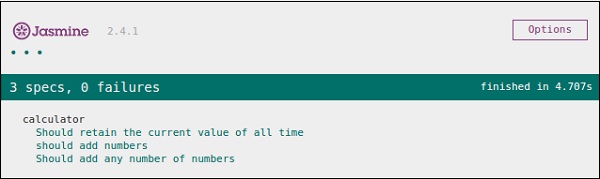
创建此文件后,我们需要在“SpecRunner.html”的 head 部分中添加此文件。成功编译后,这将生成以下输出结果。
嵌套套件块
套件块(Suite block)可以包含许多套件块在另一个套件块内。以下示例将向您展示如何在另一个套件块内创建不同的套件块。我们将创建两个 JavaScript 文件,一个名为“NestedSpec.js”,另一个名为“nested.js”。
NestedSpec.js
describe("nested",function() {

   // Starting of first suite block
   // First block

   describe("Retaining values ",function () {

      //test case:1
      it ("Should retain the current value of all time", function () {
         expect(nested.currentVal).toBeDefined();
         expect(nested.currentVal).toEqual(0);
      });
   }); //end of the suite block

   //second suite block
   describe("Adding single number ",function () {

      //test case:2
      it("should add numbers",function() {
         expect(nested.add(5)).toEqual(5);
         expect(nested.add(5)).toEqual(10);
      });
   }); //end of the suite block

   //third suite block
   describe("Adding Different Numbers",function () {

      //test case:3
      it("Should add any number of numbers",function() {
         expect(nested.addAny(1,2,3)).toEqual(6);
      });
   }); //end of the suite block
});
Nested.js
window.nested = {

   currentVal: 0,

   add:function (num1) {
      this.currentVal += num1;
      return this.currentVal;
   },

   addAny:function () {
      Var sum = this.currentVal;

      for(var i = 0;i < arguments.length; i++) {
         sum += arguments[i];
      }

      this.currentVal = sum;
      return this.currentVal;
   }
};
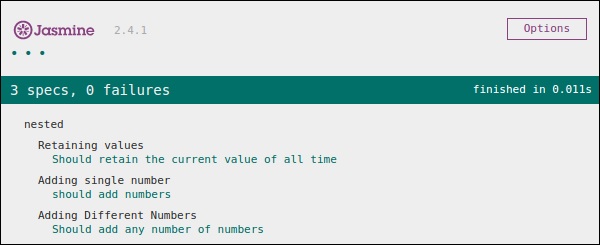
在将此文件添加到 head 部分后,运行specRunner.html文件,以上代码将生成以下输出。
Describe 块
如前所述,describe 块是 Suite 块的一部分。与 Suite 块一样,它包含两个参数,一个是“describe 块的名称”,另一个是“函数声明”。在我们接下来的示例中,我们将学习许多 describe 块以了解 Jasmine 套件块的工作流程。以下是一个完整的 describe 块示例。
describe("Adding single number ",function () {

   it("should add numbers",function() {
      expect(nested.add(5)).toEqual(5);
      expect(nested.add(5)).toEqual(10);
   });
}
IT 块
就像我们已经介绍的 describe 块一样,我们也介绍了 IT 块。它位于 describe 块内。这个块实际上包含每个单元测试用例。在以下代码中,在一个 describe 块内包含几段IT块。
describe("Adding single number ",function () {

   // test case : 1
   it("should add numbers",function() {
      expect(nested.add(5)).toEqual(5);
      expect(nested.add(5)).toEqual(10);
   });

   //test case : 2
   it("should add numbers",function() {
      expect(nested.addAny(1,2,3)).toEqual(6);
   });
}
Expect 块
Jasmine 的Expect允许您编写对所需函数或 JavaScript 文件的期望。它位于IT块内。一个 IT 块可以包含多个 Expect 块。
以下是 Expect 块的示例。此 expect 块提供各种方法来单元测试您的 JavaScript 函数或 JavaScript 文件。每个 Expect 块也称为匹配器。匹配器有两种类型,一种是内置匹配器,另一种是用户自定义匹配器。
describe("Adding single number ",function () {

   // test case : 1
   it("should add numbers",function() {
      expect(nested.add(5)).toEqual(5);
      expect(nested.add(5)).toEqual(10);
   });

   //test case : 2
   it("should add numbers",function() {
      expect(nested.addAny(1,2,3)).toEqual(6);
   });
}
在接下来的章节中,我们将讨论 Expect 块中各种内置方法的多种用途。
JasmineJS - 断言
Jasmine 是一个测试框架,因此它始终旨在将 JavaScript 文件或函数的结果与预期结果进行比较。匹配器在 Jasmine 框架中的工作方式类似。
匹配器是 JavaScript 函数,它在实际输出和预期输出之间进行布尔比较。匹配器有两种类型:内置匹配器和自定义匹配器。
内置匹配器
Jasmine 框架中内置的匹配器称为内置匹配器。用户可以隐式地轻松使用它。
以下示例显示了内置匹配器如何在 Jasmine 框架中工作。我们在上一章中已经使用了一些匹配器。
describe("Adding single number ", function () {

   //example of toEqual() matcher
   it("should add numbers",function() {
      expect(nested.add(5)).toEqual(5);
      expect(nested.add(5)).toEqual(10);
   });

   it("should add numbers",function() {
      expect(nested.addAny(1,2,3)).toEqual(6);
   });
}
在此示例中,toEqual() 是内置匹配器,它将比较add()和addAny()方法的结果与传递给toEqual()匹配器的参数。
自定义匹配器
Jasmine 内置系统库中不存在的匹配器称为自定义匹配器。需要显式定义自定义匹配器。在以下示例中,我们将看到自定义匹配器如何工作。
describe('This custom matcher example', function() {

   beforeEach(function() {
      // We should add custom matched in beforeEach() function.
      jasmine.addMatchers ({
         validateAge: function() {
            Return {
               compare: function(actual,expected) {
                  var result = {};
                  result.pass = (actual > = 13 && actual < = 19);
                  result.message = 'sorry u are not a teen ';
                  return result;
               }
            };
         }
      });
   });

   it('Lets see whether u are teen or not', function() {
      var myAge = 14;
      expect(myAge).validateAge();
   });

   it('Lets see whether u are teen or not ', function() {
      var yourAge = 18;
      expect(yourAge).validateAge();
   });
});
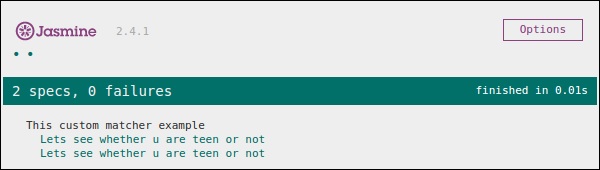
在上面的示例中,validateAge()充当匹配器,它实际上正在根据某个范围验证您的年龄。在此示例中,validateAge() 充当自定义匹配器。将此 JS 文件添加到SpecRunner.html并运行它。它将生成以下输出。
JasmineJS - 跳过块
Jasmine 还允许开发人员跳过一个或多个测试用例。这些技术可以应用于规范级别或套件级别。根据应用级别,此块可以分别称为跳过规范和跳过套件。
在以下示例中,我们将学习如何使用“x”字符跳过特定的规范或套件。
跳过规范
我们将在it语句之前使用“x”修改之前的示例。
describe('This custom matcher example ', function() {

   beforeEach(function() {
      // We should add custom matched in beforeEach() function.

      jasmine.addMatchers({
         validateAge: function() {
            return {
               compare: function(actual,expected) {
                 var result = {};
                 result.pass = (actual > = 13 && actual < = 19);
                 result.message = 'sorry u are not a teen ';
                 return result;
               }
            };
         }
      });
   });

   it('Lets see whether u are teen or not', function() {
      var myAge = 14;
      expect(myAge).validateAge();
   });

   xit('Lets see whether u are teen or not ', function() {
      //Skipping this Spec
      var yourAge = 18;
   });
});
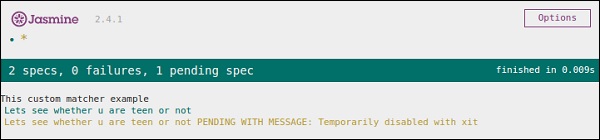
如果我们运行此 JavaScript 代码,我们将在浏览器中获得以下输出结果。Jasmine 本身将使用“xit”通知用户特定的it块已暂时禁用。
跳过套件
同样,我们可以禁用 describe 块以实现跳过套件技术。在以下示例中,我们将学习跳过套件块的过程。
xdescribe('This custom matcher example ', function() {

   //Skipping the entire describe  block
   beforeEach(function() {

      // We should add custom matched in beforeEach() function.
      jasmine.addMatchers({
         validateAge: function() {
            return {
               compare: function(actual,expected) {
                 var result = {};
                 result.pass = (actual >=13 && actual<=19);
                 result.message ='sorry u are not a teen ';
                 return result;
               }
            };
         }
      });
   });

   it('Lets see whether u are teen or not', function() {
      var myAge = 14;
      expect(myAge).validateAge();
   });

   it('Lets see whether u are teen or not ', function() {
      var yourAge = 18;
      expect(yourAge).validateAge();
   });
});
以上代码将生成以下屏幕截图作为输出。
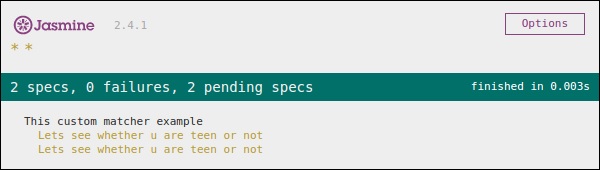
正如我们在消息栏中看到的那样,它显示了两个处于挂起状态的规范块,这意味着这两个规范块已使用“x”字符禁用。在接下来的章节中,我们将讨论不同类型的 Jasmine 测试场景。
JasmineJS - 等值检查
Jasmine 提供了大量方法,可以帮助我们检查任何 JavaScript 函数和文件的相等性。以下是检查相等条件的一些示例。
ToEqual()
ToEqual()是 Jasmine 内置库中最简单的匹配器。它只是匹配给此方法作为参数的操作结果是否与它的结果匹配。
以下示例将帮助您了解此匹配器的工作原理。我们有两个要测试的文件,一个名为“expectexam.js”,另一个我们需要测试的文件名为“expectSpec.js”。
Expectexam.js
window.expectexam = {
   currentVal: 0,
};
ExpectSpec.js
describe("Different Methods of Expect Block",function () {

   it("The Example of toEqual() method",function () {
      //this will check whether the value of the variable
      // currentVal is equal to 0 or not.
      expect(expectexam.currentVal).toEqual(0);
   });
});
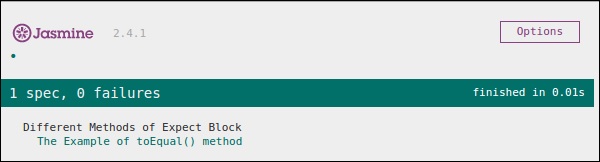
成功执行后,这些代码段将产生以下输出。请记住,您需要按照前面示例中的说明,将这些文件添加到specRunner.html文件的 header 部分。
not.toEqual()
not.toEqual()的工作方式与 toEqual() 正好相反。当我们需要检查值是否与任何函数的输出不匹配时,使用not.toEqual()。
我们将修改上述示例以显示其工作原理。
ExpectSpec.js
describe("Different Methods of Expect Block",function () {

   it("The Example of toEqual() method",function () {
      expect(expectexam.currentVal).toEqual(0);
   });

   it("The Example of not.toEqual() method",function () {
      //negation  testing expect(expectexam.currentVal).not.toEqual(5);
   });
});
Expectexam.js
window.expectexam = {
   currentVal: 0,
};
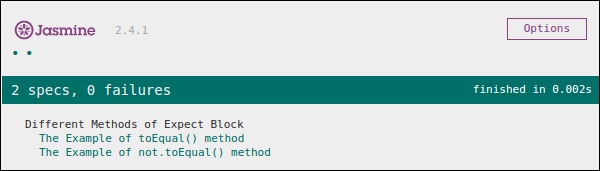
在第二个 expect 块中,我们正在检查currentVal的值是否等于 5,因为 currentVal 的值为零,因此我们的测试通过并为我们提供绿色输出。
ToBe()
toBe()匹配器的工作方式与 toEqual() 类似,但它们在技术上彼此不同。toBe() 匹配器与对象的类型匹配,而toEqual()与结果的等效性匹配。
以下示例将帮助您了解 toBe() 匹配器的工作原理。此匹配器完全等效于 JavaScript 的“===”运算符,而 toEqual() 类似于 JavaScript 的“==”运算符。
ExpectSpec.js
describe("Different Methods of Expect Block",function () {

   it("The Example of toBe() method",function () {
      expect(expectexam.name).toBe(expectexam.name1);
   });
});
Expectexam.js
window.expectexam = {
   currentVal: 0,
   name:"tutorialspoint",
   name1:tutorialspoint
};
我们将稍微修改我们的expectexam JavaScript 文件。我们添加了两个新变量,name和name1。请查找这两个添加的变量之间的区别——一个是字符串类型,另一个不是字符串类型。
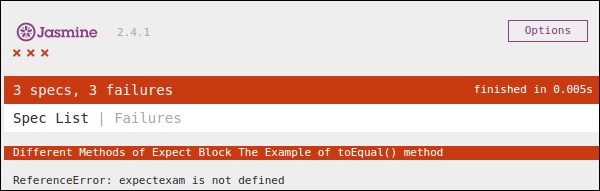
以下屏幕截图是我们的测试结果,其中红色叉号表示这两个值不相等,而预期它们相等。因此,我们的测试失败。
让我们将两个变量name和name1都转换为字符串类型变量,并再次运行相同的SpecRunner.html。现在检查输出。它将证明 toBe() 不仅与变量的等效性匹配,而且还与变量的数据类型或对象类型匹配。
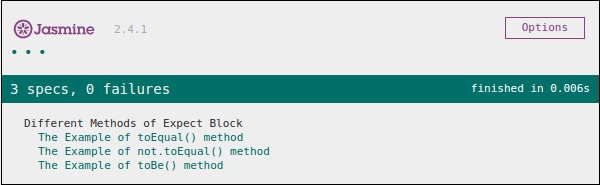
not.toBe()
如前所述,not 只是 toBe() 方法的否定。当预期结果与函数或 JavaScript 文件的实际输出匹配时,它会失败。
以下是一个简单的示例,将帮助您了解 not.toBe() 匹配器的工作原理。
describe("Different Methods of Expect Block",function () {
   it("The Example of not.toBe() method",function () {
      expect(true).not.toBe(false);
   });
});
在这里,Jasmine 将尝试将 true 与 false 匹配。由于 true 不能与 false 相同,因此此测试用例将有效并通过。
JasmineJS - 布尔值检查
除了相等性检查之外,Jasmine 还提供一些方法来检查布尔条件。以下是帮助我们检查布尔条件的方法。
ToBeTruthy()
此布尔匹配器用于 Jasmine 中检查结果是否等于 true 或 false。
以下示例将帮助我们了解 toBeTruthy() 函数的工作原理。
ExpectSpec.js
describe("Different Methods of Expect Block",function () {
   it("The Example of toBeTruthy() method",function () {
      expect(expectexam.exampleoftrueFalse(5)).toBeTruthy();
   });
});
Expectexam.js
window.expectexam = {
   exampleoftrueFalse: function (num) {
      if(num < 10)
         return true;
      else
         return false;
   },
};
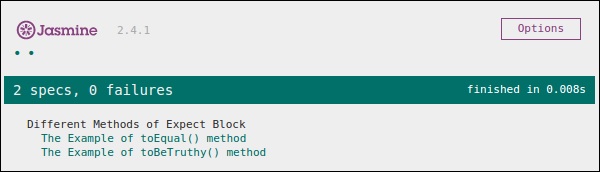
由于我们传递的数字 5 小于 10,因此此测试用例将通过并为我们提供以下输出。
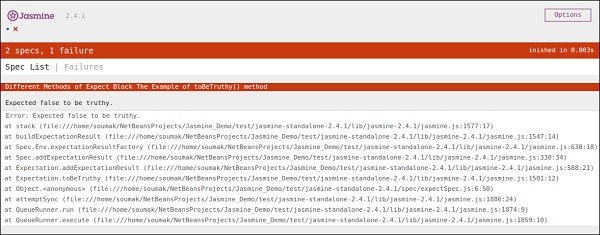
如果我们传递一个大于 10 的数字,则此绿色测试将变为红色。在第二个屏幕截图中,您可以看到,在传递某个大于 10 的值时,预期的测试用例失败并生成红色输出,指出“Expected false to be truthy”。
toBeFalsy()
toBeFalsy() 的工作方式与 toBeTruthy() 方法相同。它将输出与 false 匹配,而 toBeTruthy 将输出与 true 匹配。以下示例将帮助您了解 toBeFalsy() 的基本工作原理。
ExpectSpec.js
describe("Different Methods of Expect Block",function() {
   it("The Example of toBeTruthy() method",function () {
      expect(expectexam.exampleoftrueFalse(15)).toBeFalsy();
   });
});
Expectexam.js
window.expectexam = {
   exampleoftrueFalse: function (num) {
      if(num < 10)
         Return true;
      else
         return false;
   },
};
上面的代码将通过 Jasmine 测试用例,因为我们传递的值大于 10,并且预期输出为 false。因此,浏览器将向我们显示绿色标志,这意味着它已通过。
JasmineJS - 顺序检查
Jasmine 还提供不同的方法来提供 JS 输出的顺序性。以下示例显示如何使用 Jasmine 实现顺序检查。
ToContain()
toContain()匹配器使我们可以检查任何元素是否是同一数组或其他顺序对象的一部分。以下示例将帮助我们了解 Jasmine toContain() 方法的工作方法。让我们将以下代码添加到前面创建的customerMatcherSpec.js文件中。
describe("Different Methods of Expect Block",function () {
   it("The  Example of toContain() method",function () {
      expect([1,2, 3, 4]).toContain(3);
   });
});
在上面的示例中,我们正在检查 3 是否存在于该数组中。我们得到一个绿色输出,因为 3 存在于数组中。
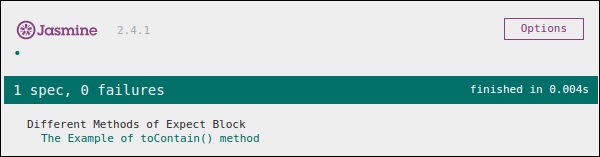
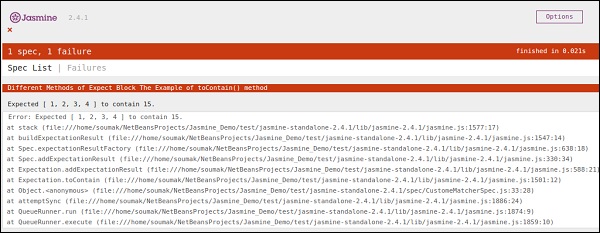
在上面的示例中,让我们将 3 的值更改为 15 并再次运行规范。我们将获得以下红色屏幕,因为 15 不属于我们作为该函数参数传递的数组。
ToBeCloseTo()
toBeCloseTo()匹配器匹配实际值是否接近预期值。在以下示例中,我们将修改customerMatcherSpec.js文件,看看它实际上是如何工作的。
describe("Different Methods of Expect Block", function () {
   it("Example of toBeCloseTo()", function () {
      expect(12.34).toBeCloseTo(12.3, 1);
   });
});
在上面的 Describe 块中,我们正在检查实际结果“12.3”是否更接近预期输出“12.34”。由于这满足我们的要求,我们将获得以下绿色屏幕截图作为我们的输出。此方法的第二个参数是要比较的小数位数。
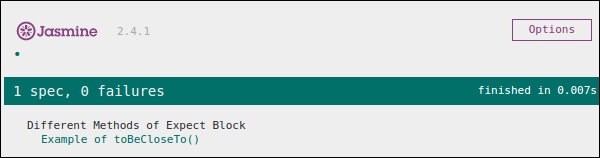
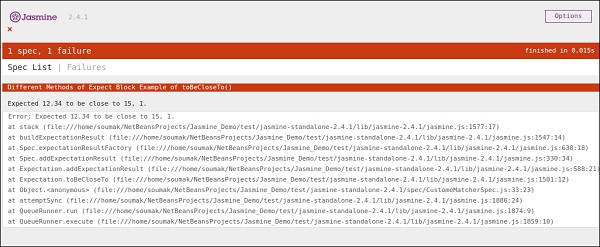
在上面的代码中,让我们将预期值修改为 15 并运行SpecRunner.html。
describe("Different Methods of Expect Block",function () {
   it("Example of  toBeCloseTo()", function () {
      expect(12.34).toBeCloseTo(15, 1);
   });
});
在这种情况下,15 与 15 完全不接近,因此它将生成错误并显示红色屏幕截图作为错误。
ToMatch()
ToMatch()匹配器适用于字符串类型变量。它有助于查找特定字符串是否存在于预期输出中。以下是我们的customerMatcherSpec.js的样子。
describe("Different Methods of Expect Block",function () {
   it("Example of toMatch()", function () {
      expect("Jasmine tutorial in tutorials.com").toMatch(/com/);
   });
});
这段代码将测试“com”是否存在于给定的预期字符串中。由于com存在于字符串中,它将生成绿色屏幕截图并通过测试条件。
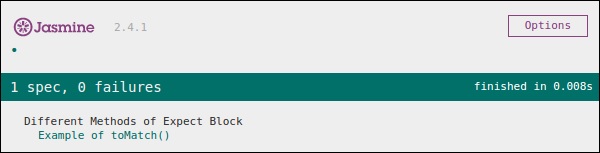
现在让我们将输出更改为其他不在预期值中的字符串。然后我们的customerMatcherSpec.js将如下所示。
describe("Different Methods  of Expect Block",function () {
   it("Example of toMatch()", function () {
      expect("Jasmine tutorial in tutorials.com").toMatch(/XYZ/);
   });
});
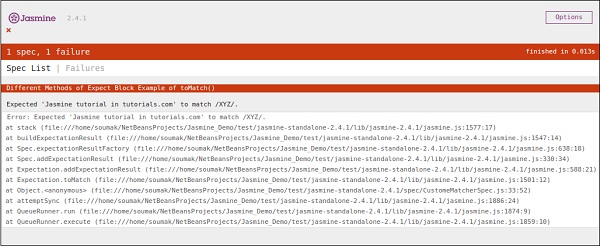
上面的代码将在预期值中查找字符串“XYZ”。由于它不存在于预期字符串中,它将抛出错误,并且输出屏幕将相应地变为红色。
JasmineJS - 空值检查
Jasmine 提供了多种方法来检查实际输出是否为 Null、已定义或未定义。在本章中,我们将学习如何实现不同的 Jasmine 方法来检查上述场景。
ToBedefined()
此匹配器用于检查代码中任何变量是否已预定义。让我们根据此示例修改我们的customerMatcherSpec.js文件。
currentVal = 0;

describe("Different Methods  of Expect Block",function () {
   it("Example of  toBeDefined", function () {
      expect(currentVal).toBeDefined();
   });
});
在上面的代码中,toBeDefined() 将检查变量currentVal是否在系统中定义。由于currentVal 最初定义为 0,因此此测试将通过并生成绿色屏幕截图作为输出。
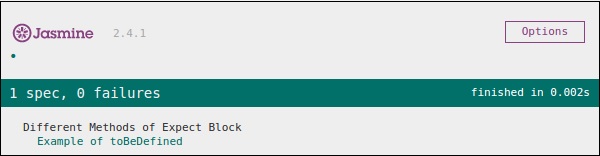
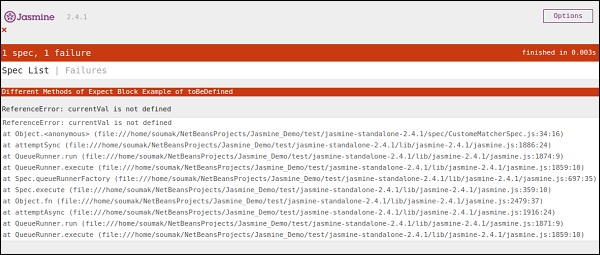
同样在上面的示例中,让我们删除第一行(我们实际定义“currentVal”的地方)并再次运行。然后我们将看到一个红色屏幕,这意味着测试实际上失败了,因为我们期望一个未定义的值被定义。以下屏幕截图将是输出文件。
ToBeUndefined()
此匹配器有助于检查任何变量是否以前未定义,基本上它与之前的匹配器 toBeDefined 的作用相反。在下面的示例中,我们将学习如何使用此匹配器。让我们用以下条目修改我们的规范文件,即customerMatcher.js文件。
describe("Different Methods of Expect Block",function () {
   it("Example of toBeUndefine()", function () {
      var undefineValue;
      expect(undefineValue).toBeUndefined();
   });
});
在上一节中,我们将验证我们的变量“undefineValue”是否实际上未定义。将此文件添加到 SpecRunner 后,我们将收到绿色屏幕截图作为输出,这告诉我们此值实际上以前未定义。
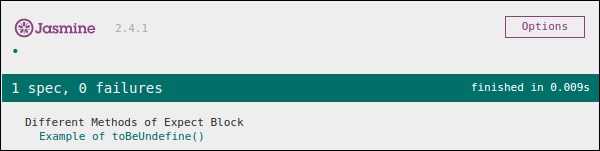
让我们再次使用一些预定义的值定义变量,看看它是否会抛出错误。新的customerMatcher.js如下所示。
describe("Different Methods of Expect Block",function () {
   it("Example oftoBeUndefine()", function () {
      var undefineValue = 0;
      expect(undefineValue).toBeUndefined();
   });
});
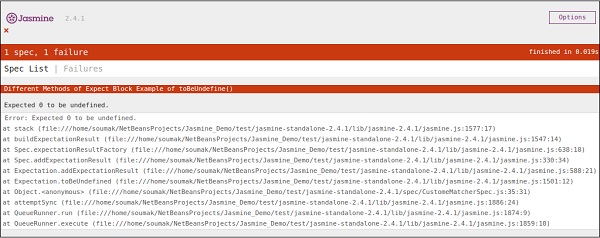
上面的代码段将抛出错误并生成红色屏幕截图,因为我们已经将“undefineValue”的值定义为“0”并期望它未定义。运行SpecRunner.html文件时将生成以下屏幕截图。
toBeNull()
顾名思义,此匹配器有助于检查空值。让我们再次使用以下代码段修改我们的customerMatcherSpec.js文件。
describe("Different Methods of Expect Block",function () {
   var value = null;

   it("Example of toBeNull()", function () {
      expect(value).toBeNull();
   });
});
在上面的代码中,我们提到一个变量”value”,并且我们明确地将此值设置为 null。在 expect 块中,toBeNull() 匹配器将检查此值并相应地给出结果。以下是上述代码在 SpecRunner.html 文件的帮助下运行时的输出。
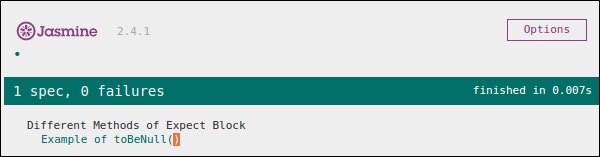
现在让我们尝试提供一些除 null 之外的已定义值进行测试。请相应地修改customerMatcher.js文件。
describe("Different Methods of Expect Block",function () {
   var value = "TutorialsPoint";

   it("Example of  toBeNull()", function () {
      expect(value).toBeNull();
   });
});
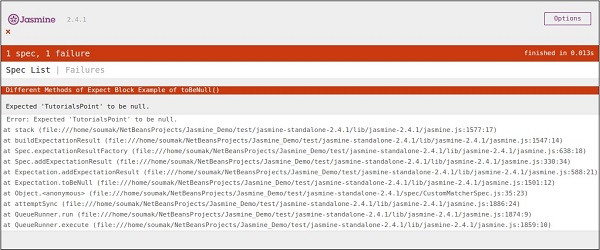
在上面的示例中,我们已将变量值修改为“TutorialsPoint”,它不是空值。因此,此测试将失败并产生红色屏幕截图作为输出。
JasmineJS - 不等值检查
到目前为止,我们已经讨论了 Jasmine 中的不同方法,这些方法可以帮助我们根据我们的需求测试不同的场景。在本章中,我们将学习不同的匹配器,这些匹配器将帮助我们检查 JS 文件中的不等式条件。以下是为此目的使用的匹配器。
ToBeGreaterThan()
顾名思义,此匹配器有助于检查大于条件。让我们使用以下代码段修改我们的customerMatcher.js。
describe("Different Methods of Expect Block",function () {
   var exp = 8;

   it("Example of  toBeGreaterThan()", function () {
      expect(exp).toBeGreaterThan(5);
   });
});
在上面的代码段中,我们期望变量“exp”的值大于 5。现在,由于变量“exp”的值为“8”,大于“5”,因此这段代码将生成绿色屏幕截图。
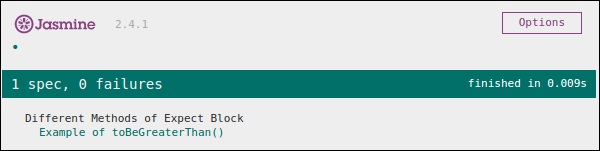
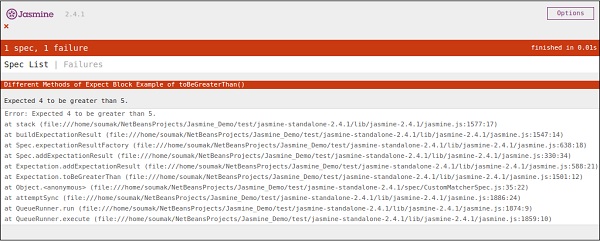
现在让我们再次将变量的值修改为“4”并使此测试失败。为此,我们需要使用以下代码段修改js文件。
describe("Different Methods of Expect Block",function () {
   var exp = 4;

   it ("Example of toBeGreaterThan()", function () {
      expect(exp).toBeGreaterThan(5);
   });
});
这段代码将失败,因为值 4 不能大于 5。因此,它将产生以下输出。
ToBeLessThan()
此匹配器有助于检查测试场景的小于条件。它的行为与 toBeGreaterThan() 匹配器完全相反。现在让我们看看此匹配器是如何工作的。让我们相应地修改customerMatcher.js文件。
describe("Different Methodsof Expect Block",function () {
   var exp = 4;

   it("Example of toBeLessThan()", function() {
      expect(exp).toBeLessThan(5);
   });
});
与前面的示例一样,我们有一个值为“4”的变量。在这段代码中,我们正在检查此变量的值是否小于 5。这段代码将生成以下输出。
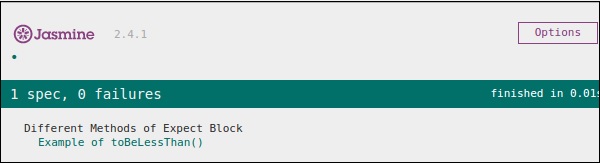
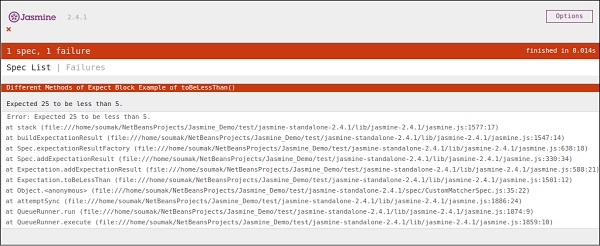
现在要使其失败,我们需要为变量 exp 分配一些更大的数字。让我们这样做并测试应用程序。我们将为exp分配 25 作为值,这肯定会抛出错误并在红色中产生以下屏幕截图。
JasmineJS - 非数值检查
Jasmine 提供了一个特殊的匹配器来检查这种特殊的测试场景,即toBeNaN()。
让我们使用以下代码修改我们的customerMatcher.js。
describe("Different Methods of Expect Block",function () {
   it("Example of toBeNaN()", function () {
      expect(0 / 0).toBeNaN();
   });
});
在这里,我们想测试“0/0”的值是什么,这是无法确定的。因此,这段代码将生成以下绿色屏幕截图。
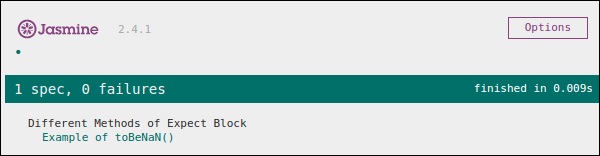
现在让我们再次使用以下逻辑修改代码,我们将一个变量exp赋值为 25,并期望结果不是用 5 除以它得到的数字。
describe("Different Methods of Expect Block",function () {
   var exp = 25;

   it("Example of toBeNaN()", function () {
      expect(exp/5).toBeNaN();
   });
});
这段代码将产生以下输出。
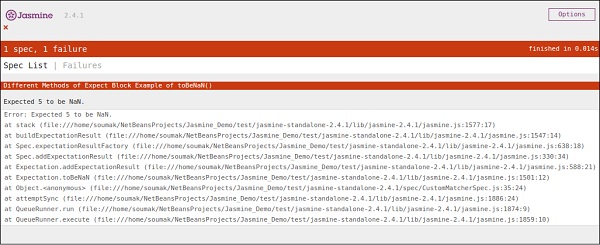
JasmineJS - 异常检查
除了不同的计算匹配器外,Jasmine 还提供了一些有用的匹配器来检查程序的异常。让我们用以下代码集修改我们的 JavaScript。
var throwMeAnError = function() {
   throw new Error();
};

describe("Different Methods of Expect Block", function() {
   var exp = 25;

   it ("Hey this will throw an Error ", function() {
      expect(throwMeAnError).toThrow();
   });
});
在上面的示例中,我们创建了一个方法,该方法故意从该方法抛出异常,并且在 expect 块中,我们期望捕获错误。如果一切顺利,则这段代码将产生以下输出。
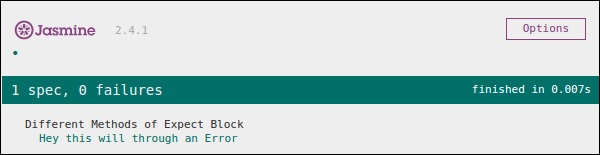
现在,为了使此测试用例失败,我们需要省略throwMeAnError函数中的 throw 语句。以下是将产生红色屏幕截图作为输出的代码,因为代码不满足我们的要求。
var throwMeAnError = function() {
   //throw new Error();
};

describe("Different Methods of Expect Block",function() {
   var exp = 25;

   it("Hey this will throw an Error ", function() {
      expect(throwMeAnError).toThrow();
   });
});
如您所见,我们已经注释掉了我们的方法抛出异常的那一行。以下是上述代码在成功执行 SpecRunner.html 后的输出。
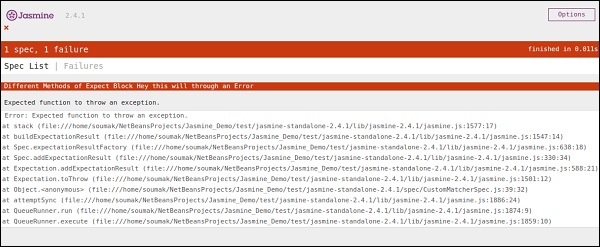
Jasmine.Any()
Any 是一个特殊的匹配器,当我们不确定输出时使用。在下面的示例中,我们将学习它的工作原理。让我们用以下代码段修改customerMatcher.js。
var addAny = function() {
   var sum = this.currentVal;

   for (var i = 0; i < arguments.length; i++) {
      sum += arguments[i];
   }

   this.currentVal = sum;
   return this.currentVal;
}

describe("Different Methods of Expect Block",function () {

   it("Example of any()", function() {
      expect(addAny(9,9)).toEqual(jasmine.any(Number));
   });
});
在这里,我们声明了一个函数,它将给我们提供作为参数提供的数字的总和。在 expect 块中,我们期望结果可以是任何东西,但它应该是一个数字。
由于 9 和 9 相加后的结果 18 是一个数字,因此此测试将通过,并且它将生成以下绿色屏幕截图作为输出。
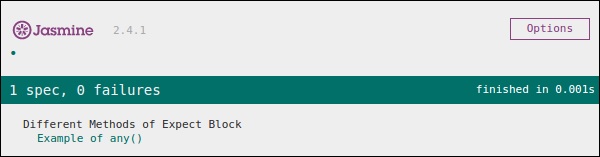
现在让我们根据以下代码段更改代码,其中我们期望一个字符串类型变量作为函数AddAny()的输出。
var addAny = function() {
   var sum = this.currentVal;

   for(var i = 0; i < arguments.length; i++) {
      sum += arguments[i];
   }

   this.currentVal = sum;
   return this.currentVal;
}

describe("Different Methodsof Expect Block",function () {
   it("Example of any()", function () {
      expect(addAny(9,9)).toEqual(jasmine.any(String));
   });
});
以下是上述代码的输出。
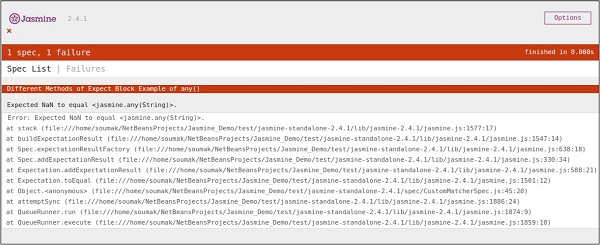
JasmineJS - beforeEach()
Jasmine 的另一个值得注意的功能是 beforeEach 和 afterEach 函数。使用这两个功能,我们可以在每个规范执行之前和之后执行一些代码段。此功能对于在应用程序中运行公共代码非常有用。让我们创建一个如下所示的规范文件。
var currentVal = 0;

beforeEach(function() {
   currentVal = 5;
});

describe("Different Methods of Expect Block",function() {
   it("after each function ", function() {
      expect(currentVal).toEqual(5);
   });
});
在这里,尽管我们一开始将一个变量声明为“0”,但我们期望此值在预期块中应等于 5。上面的代码将生成以下输出。
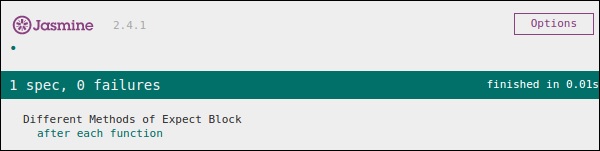
在上面的代码中,将在执行 expect 块之前将 5 分配给变量currentVal。因此,它会生成一个没有错误的绿色屏幕截图。
JasmineJS - afterEach()
与 beforeEach() 一样,afterEach() 的工作方式完全相同。它在 spec 块执行后执行。让我们使用以下代码修改前面的示例。
var currentVal = 0;

afterEach(function() {
   currentVal = 5;
});

describe("Different Methods of Expect Block",function() {
   it("first call ", function() {
      expect(currentVal).toEqual(0);
   });

   it("second call ",  function() {
      expect(currentVal).toEqual(5);
   });
});
在上面的示例中,在运行第一个 spec 块时,currentVal的值为 0。因此,它将通过测试用例,但在运行第一个 it 块后,Jasmine 编译运行了 afterEach() 块,这使得 currentVal 的值变为 5。因此,它也满足第二种情况并产生绿色屏幕截图作为输出。
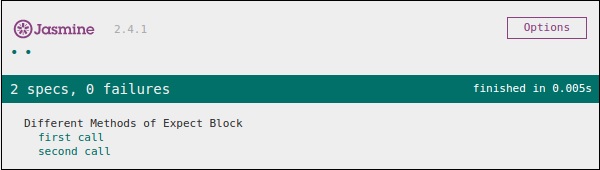
JasmineJS - 间谍 (Spies)
Jasmine spy 是另一个功能,它的作用与其名称完全相同。它允许您监视应用程序函数调用。Jasmine 中有两种间谍技术。第一种方法可以使用spyOn()实现,第二种方法可以使用createSpy()实现。在本章中,我们将进一步了解这两种方法。
spyOn()
spyOn() 内置于 Jasmine 库中,允许您监视一段确定的代码。让我们创建一个新的规范文件“spyJasmineSpec.js”和另一个名为“spyJasmine.js”的js文件。以下是这两个文件的条目。
SpyJasmine.js
var Person = function() {};

Person.prototype.sayHelloWorld = function(dict) {
   return dict.hello() + " " + dict.world();
};

var Dictionary = function() {};

Dictionary.prototype.hello = function() {
   return "hello";
};

Dictionary.prototype.world = function() {
   return "world";
};
SpyJasmineSpec.js
describe("Example Of jasmine Spy using spyOn()", function() {

   it('uses the dictionary to say "hello world"', function() {
      var dictionary = new Dictionary;
      var person = new Person;

      spyOn(dictionary, "hello");  // replace hello function with a spy
      spyOn(dictionary, "world");  // replace world function with another spy

      person.sayHelloWorld(dictionary);
      expect(dictionary.hello).toHaveBeenCalled();
      // not possible without first spy

      expect(dictionary.world).toHaveBeenCalled();
      // not possible withoutsecond spy
   });
});
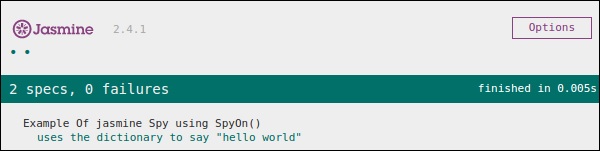
在上面的代码段中,我们希望 person 对象说“Hello world”,但我们也希望 person 对象应该咨询 dictionary 对象以给我们提供文字“Hello world”。
请查看规范文件,您可以在其中看到我们使用了 spyOn() 函数,该函数实际上模拟了hello和world函数的功能。因此,我们实际上并没有调用该函数,而是模拟了函数调用。这就是 Spies 的特点。上面的代码段将产生以下输出。
createSpy()
获得间谍功能的另一种方法是使用 createSpy()。让我们使用以下代码修改我们的两个js文件。
SpyJasmine.js
var Person = function() {};

Person.prototype.sayHelloWorld = function(dict) {
   return dict.hello() + " " + dict.world();
};

var Dictionary = function() {};

Dictionary.prototype.hello = function() {
   return "hello";
};

Dictionary.prototype.world = function() {
   return "world";
};
SpyJasmineSpec.js
describe("Example Of jasmine Spy using Create Spy", function() {

   it("can have a spy function", function() {
      var person = new Person();
      person.getName11 = jasmine.createSpy("Name spy");
      person.getName11();
      expect(person.getName11).toHaveBeenCalled();
   });
});
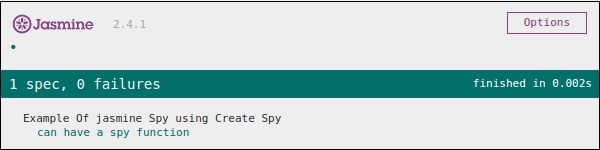
请查看规范文件,我们正在调用Person对象的getName11()。尽管此函数不存在于spy Jasmine.js中的 person 对象中,但我们没有收到任何错误,因此输出为绿色且为正。在此示例中,createSpy() 方法实际上模拟了 getName11() 的功能。
上面的代码将生成以下输出。