
- WPF 教程
- WPF - 主页
- WPF - 概述
- WPF - 环境设置
- WPF - Hello World
- WPF - XAML 概述
- WPF - 元素树
- WPF - 依赖属性
- WPF - 路由事件
- WPF - 控件
- WPF - 布局
- WPF - 布局嵌套
- WPF - 输入
- WPF - 命令行
- WPF - 数据绑定
- WPF - 资源
- WPF - 模板
- WPF - 样式
- WPF - 触发器
- WPF - 调试
- WPF - 自定义控件
- WPF - 异常处理
- WPF - 本地化
- WPF - 交互
- WPF - 2D 图形
- WPF - 3D 图形
- WPF - 多媒体
- WPF 有用资源
- WPF - 快速指南
- WPF - 有用资源
- WPF - 讨论
WPF - 键盘
键盘输入有多种类型,例如 KeyDown、KeyUp、TextInput 等。在下例中,将处理一些键盘输入。以下示例定义了一个 Click 事件处理程序和一个 KeyDown 事件处理程序。
让我们创建一个名称为 WPFKeyboardInput 的新 WPF 项目。
将一个文本框和一个按钮拖到堆栈面板,并设置以下属性和事件,如以下 XAML 文件中所示。
<Window x:Class = "WPFKeyboardInput.MainWindow"
   xmlns = "http://schemas.microsoft.com/winfx/2006/xaml/presentation"
   xmlns:x = "http://schemas.microsoft.com/winfx/2006/xaml"
   xmlns:d = "http://schemas.microsoft.com/expression/blend/2008"
   xmlns:mc = "http://schemas.openxmlformats.org/markup-compatibility/2006"
   xmlns:local = "clr-namespace:WPFKeyboardInput"
   mc:Ignorable = "d" Title = "MainWindow" Height = "350" Width = "604">

   <Grid>
      <StackPanel Orientation = "Horizontal" KeyDown = "OnTextInputKeyDown">
         <TextBox Width = "400" Height = "30" Margin = "10"/>
         <Button Click = "OnTextInputButtonClick"
            Content = "Open" Margin = "10" Width = "50" Height = "30"/>
      </StackPanel>
   </Grid>

</Window>
以下是处理不同键盘和单击事件的 C# 代码。
using System.Windows;
using System.Windows.Input;

namespace WPFKeyboardInput {
   /// <summary>
      /// Interaction logic for MainWindow.xaml
   /// </summary>

   public partial class MainWindow : Window {

      public MainWindow() {
         InitializeComponent();
      }

      private void OnTextInputKeyDown(object sender, KeyEventArgs e) {

         if (e.Key == Key.O && Keyboard.Modifiers == ModifierKeys.Control) {
            handle();
            e.Handled = true;
         }

      }

      private void OnTextInputButtonClick(object sender, RoutedEventArgs e) {
         handle();
         e.Handled = true;
      }

      public void handle() {
         MessageBox.Show("Do you want to open a file?");
      }

   }
}
编译并执行上述代码后,将生成以下窗口 −
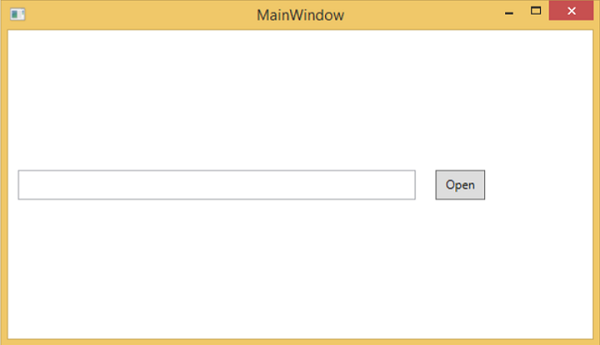
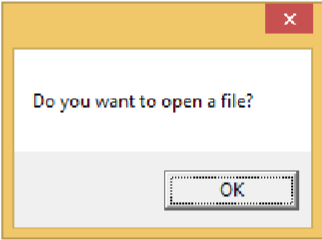
如果你在文本框内单击“Open”按钮或按 CTRL+O 键,它将显示相同的消息。
wpf_input.htm
广告