
 数据结构
数据结构 网络
网络 RDBMS
RDBMS 操作系统
操作系统 Java
Java MS Excel
 iOS
iOS HTML
HTML CSS
CSS Android
 Python
 C 语言
C 语言 C++
C++ C#
C# MongoDB
 MySQL
MySQL Javascript
 PHP
PHP 物理
物理 化学
化学 生物
生物 数学
数学 英语
英语 经济学
经济学 心理学
心理学 社会科学
社会科学 时装设计
时装设计 法律研究
法律研究HTML DOM fullscreenEnabled() 方法
HTML DOM fullscreenEnabled() 方法用于指定当前文档是否可用全屏模式。它的返回类型为 boolean,并且是一个只读属性。如果全屏模式可用,则返回 true,否则返回 false。使用不同的前缀使它能够在您的浏览器中工作。
语法
以下是 fullscreenEnabled() 方法的语法 −
document.fullscreenEnabled()
让我们看一个示例,了解 fullscreenEnabled() 方法 −
注意 − 您需要为 fullscreenEnabled() 方法使用浏览器前缀才能工作。查看最后的注释,了解浏览器特定的前缀。
示例
让我们看一个示例 −
<!DOCTYPE html>
<html>
<body>
<h1>fullscreenEnabled() method</h1>
<p>Click the below button to know if this document can be viewed in full screen mode or not</p>
<button onclick="EnableFullScreen();">CHECK</button>
<p id="Sample"></p>
<script>
   function EnableFullScreen() {
      var FullS=(document.fullscreenEnabled || /* Standard syntax */
      document.webkitFullscreenEnabled) /* Chrome, Safari and Opera */
      if(FullS==true)
         document.getElementById("Sample").innerHTML="This document can be viewed in fullscreen mode.";
      else
         document.getElementById("Sample").innerHTML="This document cannot be viewed in fullscreen mode.";
   }
</script>
</body>
</html>
输出
这将产生以下输出 −
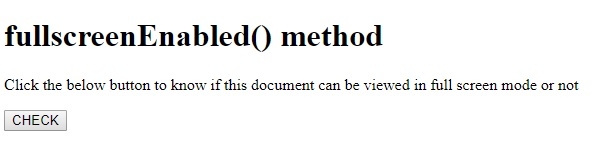
点击 CHECK 按钮 −
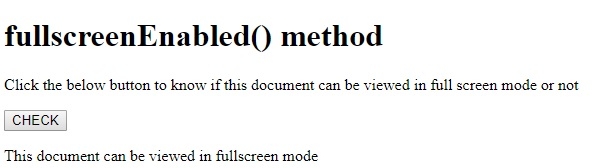
在上面的示例中 −
我们首先创建一个按钮 CHECK,用户点击该按钮将执行 EnableFullScreen() 方法。
<button onclick="EnableFullScreen();">CHECK</button>
EnableFullScreen() 函数获取 document.FullScreenEnabled 属性值并将其赋值给变量 FullS。返回值可以是 true 或 false。然后使用其 innerHTML 属性将其显示在带有 id“Sample”的段落中。
function EnableFullScreen() {
   var FullS=(document.fullscreenEnabled || /* Standard syntax */
   document.webkitFullscreenEnabled) /* Chrome, Safari and Opera */
   if(FullS==true)
      document.getElementById("Sample").innerHTML="This document can be viewed in fullscreen mode.";
   else
      document.getElementById("Sample").innerHTML="This document cannot be viewed in fullscreen mode.";
}注− 已指定 fullscreenEnabled() 标准语法,以及 Chrome、Safari 和 Opera 浏览器的语法。如使用其他浏览器,应使用以下前缀。
- Firefox: document.mozFullScreenEnabled
- IE/Edge: document.msFullscreenEnabled

更新时间:20-8-2019
63 次浏览

广告