
- ReactJS 教程
- ReactJS - 首页
- ReactJS - 简介
- ReactJS - 路线图
- ReactJS - 安装
- ReactJS - 特性
- ReactJS - 优点与缺点
- ReactJS - 架构
- ReactJS - 创建 React 应用
- ReactJS - JSX
- ReactJS - 组件
- ReactJS - 嵌套组件
- ReactJS - 使用新创建的组件
- ReactJS - 组件集合
- ReactJS - 样式
- ReactJS - 属性 (props)
- ReactJS - 使用属性创建组件
- ReactJS - props 验证
- ReactJS - 构造函数
- ReactJS - 组件生命周期
- ReactJS - 事件管理
- ReactJS - 创建一个事件感知组件
- ReactJS - 在 Expense Manager 应用中引入事件
- ReactJS - 状态管理
- ReactJS - 状态管理 API
- ReactJS - 无状态组件
- ReactJS - 使用 React Hooks 进行状态管理
- ReactJS - 使用 React Hooks 进行组件生命周期管理
- ReactJS - 布局组件
- ReactJS - 分页
- ReactJS - Material UI
- ReactJS - Http 客户端编程
- ReactJS - 表单编程
- ReactJS - 受控组件
- ReactJS - 非受控组件
- ReactJS - Formik
- ReactJS - 条件渲染
- ReactJS - 列表
- ReactJS - Keys
- ReactJS - 路由
- ReactJS - Redux
- ReactJS - 动画
- ReactJS - Bootstrap
- ReactJS - Map
- ReactJS - 表格
- ReactJS - 使用 Flux 管理状态
- ReactJS - 测试
- ReactJS - CLI 命令
- ReactJS - 构建和部署
- ReactJS - 示例
- Hooks
- ReactJS - Hooks 简介
- ReactJS - 使用 useState
- ReactJS - 使用 useEffect
- ReactJS - 使用 useContext
- ReactJS - 使用 useRef
- ReactJS - 使用 useReducer
- ReactJS - 使用 useCallback
- ReactJS - 使用 useMemo
- ReactJS - 自定义 Hooks
- ReactJS 高级
- ReactJS - 可访问性
- ReactJS - 代码分割
- ReactJS - Context
- ReactJS - 错误边界
- ReactJS - 转发 Refs
- ReactJS - 片段
- ReactJS - 高阶组件
- ReactJS - 与其他库集成
- ReactJS - 性能优化
- ReactJS - Profiler API
- ReactJS - Portals
- ReactJS - 无 ES6 ECMAScript 的 React
- ReactJS - 无 JSX 的 React
- ReactJS - 调和
- ReactJS - Refs 和 DOM
- ReactJS - 渲染 Props
- ReactJS - 静态类型检查
- ReactJS - Strict Mode
- ReactJS - Web Components
- 其他概念
- ReactJS - 日期选择器
- ReactJS - Helmet
- ReactJS - 内联样式
- ReactJS - PropTypes
- ReactJS - BrowserRouter
- ReactJS - DOM
- ReactJS - 轮播图
- ReactJS - 图标
- ReactJS - 表单组件
- ReactJS - 参考 API
- ReactJS 有用资源
- ReactJS - 快速指南
- ReactJS - 有用资源
- ReactJS - 讨论
ReactJS - static getDerivedStateFromError() 方法
当 React 中的组件或其子组件在渲染过程中遇到错误时,处理和向用户传达该错误可能很困难。`getDerivedStateFromError` 函数在这里发挥作用。在本教程中,我们将了解其工作原理。
在 React 中,我们可以在类组件中定义一个名为 `getDerivedStateFromError` 的特定函数。当任何子组件(无论其在层次结构中有多深)遇到错误时,React 将调用此函数。我们可以显示详细的错误消息,而不是显示空白或损坏的用户界面。
语法
static getDerivedStateFromError(error)
参数
error − `getDerivedStateFromError` 中的 `error` 参数提供错误信息。它通常是 Error 实例,但也可能是其他类型。
返回值
此方法应返回更新后的状态,表明组件应显示错误消息。
示例
示例 1
创建使用 `getDerivedStateFromError` 函数的基本 React 应用需要创建一个具有错误限制的简单类组件。以下是一个使用 `getDerivedStateFromError()` 函数的小示例:
import React, { Component } from 'react';

class ErrorBoundary extends Component {
   constructor(props) {
      super(props);
      this.state = { hasError: false, errorMessage: '' };
   }
   static getDerivedStateFromError(error) {
      return { hasError: true, errorMessage: error.message };
   }
   componentDidCatch(error, errorInfo) {
      // Log the error here
      console.error(error, errorInfo);
   }
   render() {
   if (this.state.hasError) {
      return (
         <div>
            <h2>Something went wrong</h2>
            <p>{this.state.errorMessage}</p>
         </div>
      );
   }
   return this.props.children;
   }
}

class App extends Component {
   render() {
      return (
         <div>
            <h1>Simple Error Handling App</h1>
            <ErrorBoundary>
               {/* error in a child component */}
               <ChildComponent />
            </ErrorBoundary>
         </div>
      );
   }
}
class ChildComponent extends Component {
   componentDidMount() {
      // Simulate an error
      throw new Error('Error in ChildComponent');
   }

   render() {
      return <p>This is a child component</p>;
   }
}

export default App;
输出
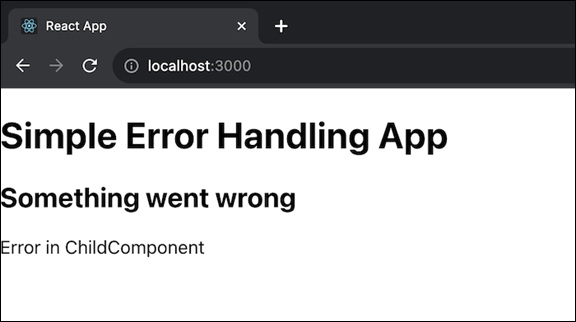
此示例演示如何使用 `getDerivedStateFromError` 和 `componentDidCatch` 函数创建一个具有 ErrorBoundary 类组件的简单 React 应用。为了演示错误处理,ChildComponent 在其 `componentDidMount` 生命周期函数中故意抛出错误。
启动应用程序时,我们将在用户界面中收到错误消息。我们可以修改和扩展此代码以满足我们自己的需求。
示例 2
这是另一个在 React 组件中使用 `getDerivedStateFromError` 函数进行错误处理的示例。这次,我们将模拟在渲染图像的子组件中发生的错误:
import React, { Component } from 'react';
import './App.css';

class ErrorBoundary extends Component {
   constructor(props) {
      super(props);
      this.state = { hasError: false, errorMessage: '' };
   }
   static getDerivedStateFromError(error) {
      return { hasError: true, errorMessage: error.message };
   }
   componentDidCatch(error, errorInfo) {
      // Log the error here
      console.error(error, errorInfo);
   }
   render() {
   if (this.state.hasError) {
      return (
         <div>
            <h2>Something went wrong</h2>
            <p>{this.state.errorMessage}</p>
         </div>
      );
   }

   return this.props.children;
   }
}
class App extends Component {
   render() {
      return (
         <div className='App'>
            <h1>Error Handling with Images</h1>
            <ErrorBoundary>
               {/* error in a child component */}
               <ImageComponent />
            </ErrorBoundary>
         </div>
      );
   }
}
class ImageComponent extends Component {
   state = {
      hasError: false,
   };

   // Error occur by attempting to load an invalid image
   loadImage = () => {
      const img = new Image();
      img.src = 'image-url1';
      img.onload = () => {
         // This will not execute because the image source is invalid
      };
      img.onerror = () => {
         // Error and catch it in the ErrorBoundary
         this.setState({ hasError: true });
      };
   };
   componentDidMount() {
      this.loadImage();
   }

   render() {
      if (this.state.hasError) {
         // Render an alternative content when an error occurs
         return <p>Failed to load the image</p>;
      }

      return <img src="image-url2" alt="A Valid Image" />;
   }
}

export default App;
输出
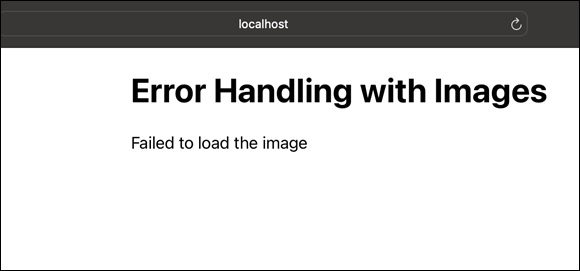
在此示例中,`ImageComponent` 组件尝试加载具有无效 URL 的图像,这会触发错误。`ErrorBoundary` 捕获错误,并且当发生错误时,我们可以自定义组件的渲染。
示例 3
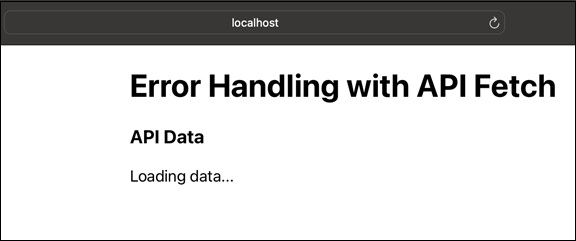
在此示例中,我们将创建一个从 API 获取数据的子组件中的错误。`getDerivedStateFromError` 函数将用于管理错误并显示用户友好的消息。代码如下:
import React, { Component } from 'react';
import './App.css';

class ErrorBoundary extends Component {
   constructor(props) {
      super(props);
      this.state = { hasError: false, errorMessage: '' };
   }
   static getDerivedStateFromError(error) {
      return { hasError: true, errorMessage: error.message };
   }
   componentDidCatch(error, errorInfo) {
      // Log the error here
      console.error(error, errorInfo);
   }
   render() {
      if (this.state.hasError) {
         return (
            <div>
               <h2>Something went wrong</h2>
               <p>{this.state.errorMessage}</p>
            </div>
         );
      }

      return this.props.children;
   }
}
class App extends Component {
   render() {
      return (
         <div>
            <h1>Error Handling with API Fetch</h1>
            <ErrorBoundary>
               {/* error in a child component */}
               <ApiDataComponent />
            </ErrorBoundary>
         </div>
      );
   }
}
class ApiDataComponent extends Component {
   state = {
      data: null,
   };

   componentDidMount() {
      // Error by trying to fetch data from an invalid API endpoint
      fetch('https://invalid-api-endpoint')
      .then((response) => response.json())
      .then((data) => this.setState({ data }))
      .catch((error) => {
      // Error and catch it in the ErrorBoundary
      throw new Error('Error fetching data from the API');
      });
   }

   render() {
      return (
         <div className='App'>
            <h3>API Data</h3>
            {this.state.data ? (
               <ul>
               {this.state.data.map((item) => (
                  <li key={item.id}>{item.name}</li>
               ))}
               </ul>
               ) : (
               <p>Loading data...</p>
            )}
         </div>
      );
   }
}

export default App;
输出
限制
`getDerivedStateFromError` 应该是一个没有副作用的纯函数。如果我们必须执行诸如调用分析服务之类的活动,我们也应该使用 `componentDidCatch`。
在使用函数组件时,`getDerivedStateFromError` 没有直接等效项。为了提供类似的功能,我们可以构建单个 ErrorBoundary 组件或使用诸如 `react-error-boundary` 之类的包。
总结
理解 `getDerivedStateFromError` 对于正确管理 React 应用中的错误至关重要。通过将此方法纳入您的错误处理策略,您可以通过显示有用的错误消息而不是令人困惑的 UI 问题来提供更好的用户体验。