- BabelJs 教程
- BabelJs - 首页
- BabelJs - 概述
- BabelJs - 环境搭建
- BabelJs - 命令行界面 (CLI)
- BabelJs - ES6 代码执行
- BabelJs - 使用 Babel 6 进行项目设置
- BabelJs - 使用 Babel 7 进行项目设置
- 将 ES6 特性转译为 ES5
- 将 ES6 模块转译为 ES5
- 将 ES7 特性转译为 ES5
- 将 ES8 特性转译为 ES5
- BabelJs - Babel 插件
- BabelJs - Babel Polyfill
- BabelJs - Babel CLI
- BabelJs - Babel 预设
- Babel 和 Webpack 的结合使用
- Babel 和 JSX 的结合使用
- Babel 和 Flow 的结合使用
- BabelJS 和 Gulp 的结合使用
- BabelJs - 示例
- BabelJs 有用资源
- BabelJs - 快速指南
- BabelJs - 有用资源
- BabelJs - 讨论
BabelJS - 将 ES7 特性转译为 ES5
本章我们将学习如何将 ES7 特性转译为 ES5。
ECMA Script 7 添加了以下新特性:
- Async-Await
- 指数运算符
- Array.prototype.includes()
我们将使用 babeljs 将它们编译为 ES5。根据您的项目需求,也可以将代码编译到任何 Ecma 版本,例如 ES7 到 ES6 或 ES7 到 ES5。由于 ES5 版本最稳定,并且在所有现代和旧浏览器上都能正常工作,因此我们将代码编译为 ES5。
Async-Await
Async 是一个异步函数,它返回一个隐式 Promise。该 Promise 或者被 resolve,或者被 reject。Async 函数与普通的标准函数相同。该函数可以包含 await 表达式,该表达式会暂停执行,直到它返回一个 Promise,一旦获得 Promise,执行就会继续。只有当函数为 async 时,await 才能工作。
这是一个关于 async 和 await 的工作示例。
示例
let timer = () => {
   return new Promise(resolve => {
      setTimeout(() => {
         resolve("Promise resolved after 5 seconds");
      }, 5000);
   });
};
let out = async () => {
   let msg = await timer();
   console.log(msg);
   console.log("hello after await");
};
out();
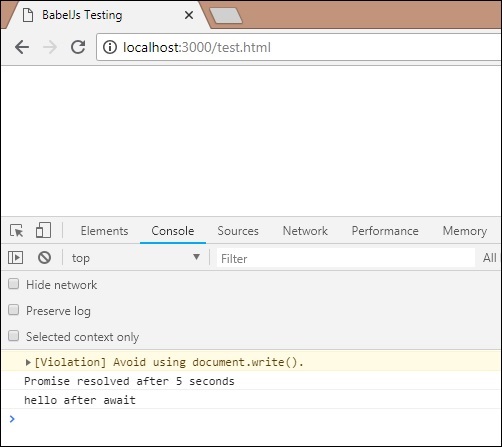
输出
Promise resolved after 5 seconds
hello after await
在调用 timer 函数之前添加了 await 表达式。timer 函数将在 5 秒后返回 Promise。因此,await 将暂停执行,直到 timer 函数上的 Promise 被 resolve 或 reject,然后继续执行。
现在让我们使用 babel 将上述代码转译为 ES5。
ES7 - Async-Await
let timer = () => {
   return new Promise(resolve => {
      setTimeout(() => {
         resolve("Promise resolved after 5 seconds");
      }, 5000);
   });
};
let out = async () => {
   let msg = await timer();
   console.log(msg);
   console.log("hello after await");
};
out();
命令
npx babel asyncawait.js --out-file asyncawait_es5.js
BabelJS - ES5
"use strict";

var timer = function timer() {
   return new Promise(function (resolve) {
      setTimeout(function () {
         resolve("Promise resolved after 5 seconds");
      }, 5000);
   });
};
var out = async function out() {
   var msg = await timer();
   console.log(msg);
   console.log("hello after await");
};

out();
Babeljs 不会编译对象或方法;因此,此处使用的 Promise 不会被转译,并将原样显示。为了在旧版浏览器上支持 Promise,我们需要添加支持 Promise 的代码。目前,让我们安装 babel-polyfill,如下所示:
npm install --save babel-polyfill
它应该保存为依赖项,而不是开发依赖项。
要在浏览器中运行代码,我们将使用 node_modules\babel-polyfill\dist\polyfill.min.js 中的 polyfill 文件,并使用 script 标签调用它,如下所示:
<!DOCTYPE html>
<html>
   <head>
      <title>BabelJs Testing</title>
   </head>
   <body>
      <script src="node_modules\babel-polyfill\dist\polyfill.min.js" type="text/javascript"></script>
      <script type="text/javascript" src="aynscawait_es5.js"></script>
   </body>
</html>
当您运行上述测试页面时,您将在控制台中看到如下所示的输出
指数运算符
** 是 ES7 中用于指数运算的运算符。以下示例展示了 ES7 中指数运算符的工作方式,以及使用 babeljs 转译的代码。
示例
let sqr = 9 ** 2;
console.log(sqr);
输出
81
ES6 - 指数运算
let sqr = 9 ** 2;
console.log(sqr);
要转译指数运算符,我们需要安装如下所示的插件:
命令
npm install --save-dev babel-plugin-transform-exponentiation-operator
将插件详细信息添加到 **.babelrc** 文件中,如下所示:
{
   "presets":[
      "es2015"
   ],
   "plugins": ["transform-exponentiation-operator"]
}
命令
npx babel exponeniation.js --out-file exponeniation_es5.js
BabelJS - ES5
"use strict";

var sqr = Math.pow(9, 2);
console.log(sqr);
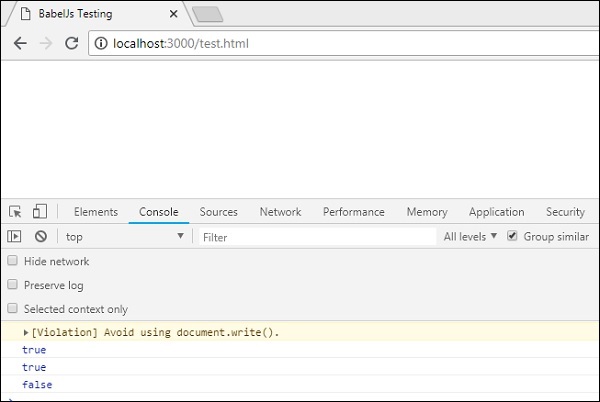
Array.prototype.includes()
如果传递给它的元素存在于数组中,则此特性返回 true,否则返回 false。
示例
let arr1 = [10, 6, 3, 9, 17];
console.log(arr1.includes(9));
let names = ['Siya', 'Tom', 'Jerry', 'Bean', 'Ben'];
console.log(names.includes('Tom'));
console.log(names.includes('Be'));
输出
true
true
false
我们在这里必须再次使用 babel-polyfill,因为 **includes** 是数组上的一个方法,它不会被转译。我们需要额外的步骤来包含 polyfill 以使其在旧版浏览器中工作。
ES6 - array.includes
let arr1 = [10, 6, 3, 9, 17];
console.log(arr1.includes(9));
let names = ['Siya', 'Tom', 'Jerry', 'Bean', 'Ben'];
console.log(names.includes('Tom'));
console.log(names.includes('Be'));
命令
npx babel array_include.js --out-file array_include_es5.js
Babel-ES5
'use strict';

var arr1 = [10, 6, 3, 9, 17];
console.log(arr1.includes(9));
var names = ['Siya', 'Tom', 'Jerry', 'Bean', 'Ben'];
console.log(names.includes('Tom'));
console.log(names.includes('Be'));
要在旧版浏览器中测试它,我们需要使用 polyfill,如下所示:
<!DOCTYPE html>
<html>
   <head>
      <title>BabelJs Testing</title>
   </head>
   <body>
      <script src="node_modules\babel-polyfill\dist\polyfill.min.js" type="text/javascript"></script>
      <script type="text/javascript" src="array_include_es5.js"></script>
   </body>
</html>
输出