- ASP.NET WP 教程
- ASP.NET WP - 首页
- ASP.NET WP - 概述
- ASP.NET WP - 环境设置
- ASP.NET WP - 入门
- ASP.NET WP - 视图引擎
- 项目文件夹结构
- ASP.NET WP - 全局页面
- ASP.NET WP - 编程概念
- ASP.NET WP - 布局
- ASP.NET WP - 使用表单
- ASP.NET WP - 页面对象模型
- ASP.NET WP - 数据库
- ASP.NET WP - 向数据库添加数据
- ASP.NET WP - 编辑数据库数据
- ASP.NET WP - 删除数据库数据
- ASP.NET WP - WebGrid
- ASP.NET WP - 图表
- ASP.NET WP - 处理文件
- ASP.NET WP - 处理图像
- ASP.NET WP - 处理视频
- ASP.NET WP - 添加电子邮件
- ASP.NET WP - 添加搜索
- 向网站添加社交网络功能
- ASP.NET WP - 缓存
- ASP.NET WP - 安全性
- ASP.NET WP - 发布
- ASP.NET WP 有用资源
- ASP.NET WP - 快速指南
- ASP.NET WP - 有用资源
- ASP.NET WP - 讨论
ASP.NET WP - 安全性
在本章中,我们将介绍如何保护网站安全,以便某些页面仅对登录的用户可用。要保护您的网站,您可以使您的网站能够让用户登录。保护您的网站安全出于多种原因都很有用。
您的网站可能有一些页面应该仅供会员访问。
有时您需要用户登录才能向您的网站发送反馈或留下评论。
如果用户未登录,他们仍然可以浏览某些页面,但并非所有页面。
未登录的用户称为匿名用户。
如何使用身份验证保护网站安全?
用户首先需要在您的网站上注册,然后才能登录网站。要注册网站,用户需要一个用户名和一个电子邮件地址,以及一个密码以确认用户就是他们声称的那个人。此登录和确认用户身份的过程称为身份验证。
WebMatrix 提供了一个名为入门站点的内置模板来创建网站,其中包含以下属性。
一个可以存储用户用户名和密码的数据库。
一个用户可以注册的注册页面。
一个登录/注销页面。
一个密码恢复和重置页面。
让我们通过创建一个新的入门站点来了解一个简单的示例。
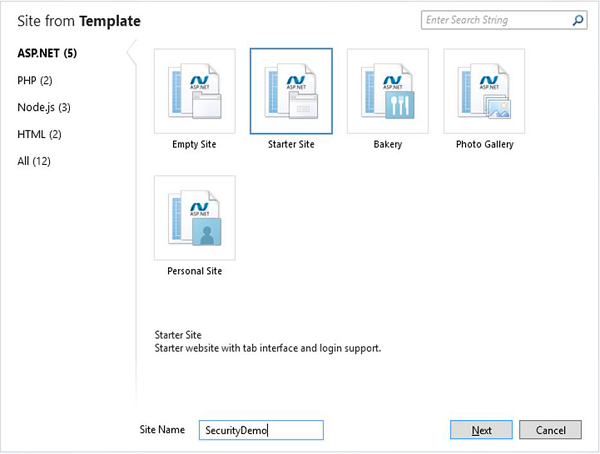
在“站点名称”字段中输入SecurityDemo,然后单击“下一步”。这将安装和配置所需的包。
安装完成后,让我们运行应用程序,您将看到以下网页。
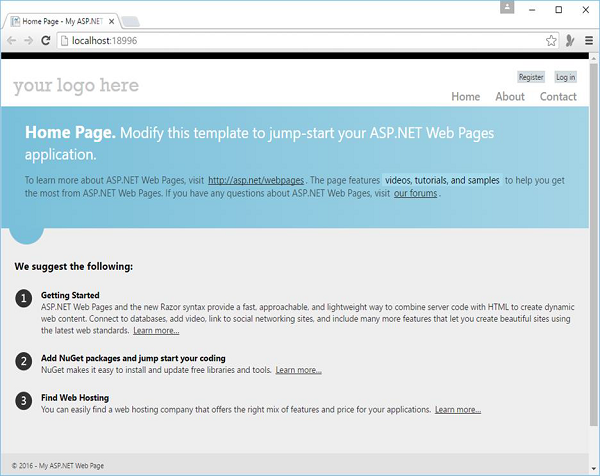
如您所见,页面右上方有两个按钮注册和登录。
让我们点击注册链接,您将看到以下网页,您可以在其中通过提供以下信息进行注册。
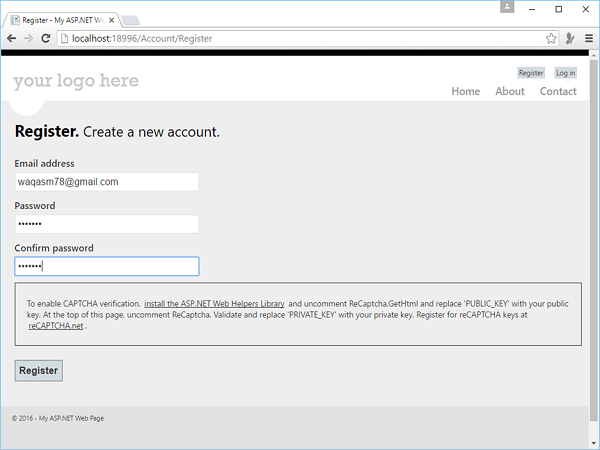
以下是位于站点“Account”文件夹下的Register.cshtml文件的实现。
@* 如果您使用捆绑,请删除此部分 *@
@section Scripts {
   <script src = "~/Scripts/jquery.validate.min.js"></script>
   <script src = "~/Scripts/jquery.validate.unobtrusive.min.js"></script>
}
@{
   Layout = "~/_SiteLayout.cshtml";
   Page.Title = "Register";

   // Initialize general page variables
   var email = "";
   var password = "";
   var confirmPassword = "";

   // Setup validation
   Validation.RequireField("email", "You must specify an email address.");
   Validation.RequireField("password", "Password cannot be blank.");
   Validation.Add("confirmPassword",
   Validator.EqualsTo("password", "Password and confirmation password do not match."));
   Validation.Add("password",
      Validator.StringLength(
         maxLength: Int32.MaxValue,
         minLength: 6,
         errorMessage: "Password must be at least 6 characters"));

   // If this is a POST request, validate and process data
   if (IsPost) {
      AntiForgery.Validate();
      email = Request.Form["email"];
      password = Request.Form["password"];
      confirmPassword = Request.Form["confirmPassword"];

      // Validate the user's captcha answer
      // if (!ReCaptcha.Validate("PRIVATE_KEY")) {
         // ModelState.AddError("recaptcha", "Captcha response was not correct");
      // }

      // If all information is valid, create a new account
      if (Validation.IsValid()) {
         // Insert a new user into the database
         var db = Database.Open("StarterSite");

         // Check if user already exists
         var user = db.QuerySingle("SELECT Email FROM UserProfile WHERE LOWER(Email) =
            LOWER(@0)", email);

         if (user == null) {
            // Insert email into the profile table
            db.Execute("INSERT INTO UserProfile (Email) VALUES (@0)", email);
            // Create and associate a new entry in the membership database.
            // If successful, continue processing the request

            try {
               bool requireEmailConfirmation = !WebMail.SmtpServer.IsEmpty();
               var token = WebSecurity.CreateAccount(email, password,
                  requireEmailConfirmation);

               if (requireEmailConfirmation) {
                  var hostUrl = Request.Url.GetComponents(UriComponents.SchemeAndServer,
                     UriFormat.Unescaped);
                  var confirmationUrl = hostUrl + VirtualPathUtility.ToAbsolute
                     ("~/Account/Confirm?confirmationCode = "
                     + HttpUtility.UrlEncode(token));
                  WebMail.Send(
                     to: email,
                     subject: "Please confirm your account",
                     body: "Your confirmation code is: " + token + ".
                     Visit <a href = \"" + confirmationUrl + "\">" +
                     confirmationUrl + "</a> to activate your account."
                  );
               }

               if (requireEmailConfirmation) {
                  // Thank the user for registering and let them know an
                     email is on its way
                  Response.Redirect("~/Account/Thanks");
               } else {
                  // Navigate back to the homepage and exit
                  WebSecurity.Login(email, password);
                  Response.Redirect("~/");
               }
            }catch (System.Web.Security.MembershipCreateUserException e) {
               ModelState.AddFormError(e.Message);
            }
         } else {
            // User already exists
            ModelState.AddFormError("Email address is already in use.");
         }
      }
   }
}

<hgroup class = "title">
   <h1>@Page.Title.</h1>
   <h2>Create a new account.</h2>
</hgroup>

<form method = "post">
   @AntiForgery.GetHtml()
   @* If at least one validation error exists, notify the user *@
   @Html.ValidationSummary("Account creation was unsuccessful.
      Please correct the errors and try again.",
      excludeFieldErrors: true, htmlAttributes: null)

   <fieldset>
      <legend>Registration Form</legend>
      <ol>
         <li class = "email">
            <label for = "email" @if(!ModelState.IsValidField("email")){
               <text>class = "error-label"</text>}>Email address</label>
            <input type = "text" id = "email" name = "email" value = "@email"
               @Validation.For("email") />

            @* Write any email validation errors to the page *@
            @Html.ValidationMessage("email")
         </li>

         <li class = "password">
            <label for = "password" @if(!ModelState.IsValidField("password")) {<text>
               class = "error-label"</text>}>Password</label>
            <input type = "password" id = "password" name = "password"
               @Validation.For("password") />

            @* Write any password validation errors to the page *@
            @Html.ValidationMessage("password")
         </li>

         <li class = "confirm-password">
            <label for = "confirmPassword"
               @if(!ModelState.IsValidField("confirmPassword"))
               {<text>class = "error-label"</text>}>Confirm password</label>
            <input type = "password" id = "confirmPassword" name = "confirmPassword"
               @Validation.For("confirmPassword") />

            @* Write any password validation errors to the page *@
            @Html.ValidationMessage("confirmPassword")
         </li>

         <li class = "recaptcha">
            <div class = "message-info">
               <p>
                  To enable CAPTCHA verification, <a href =
                  "http://go.microsoft.com/fwlink/?LinkId=204140">install the
                  ASP.NET Web Helpers Library</a> and uncomment ReCaptcha.GetHtml
                  and replace 'PUBLIC_KEY' with your public key. At the top of this
                  page, uncomment ReCaptcha. Validate and replace 'PRIVATE_KEY' with
                  your private key.Register for reCAPTCHA keys at <a href =
                  "http://recaptcha.net"> reCAPTCHA.net</a>.
               </p>
            </div>
            @*
               @ReCaptcha.GetHtml("PUBLIC_KEY", theme: "white")
               @Html.ValidationMessage("recaptcha")
            *@
         </li>
      </ol>
      <input type = "submit" value = "Register" />

   </fieldset>
</form>
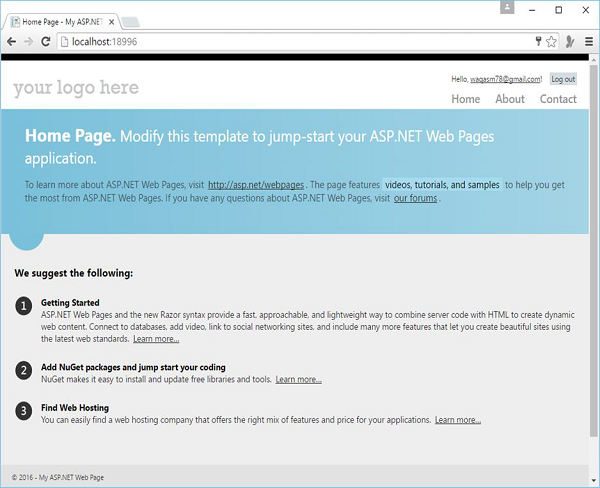
当您点击“注册”按钮时,您将再次看到“主页”,但您会看到现在您已登录,并显示了您的电子邮件 ID。
创建仅供会员访问的页面
在网站中,您可能希望某些页面仅供会员访问。ASP.NET 允许您配置页面,以便只有已登录的成员才能访问它们。通常,如果匿名用户尝试访问仅供会员访问的页面,您会将他们重定向到登录页面。
让我们来看一个简单的示例,其中我们修改关于页面。当用户登录时,用户可以访问此页面,否则用户将被重定向到登录页面。因此,让我们在About.cshtml文件中替换以下代码。
@if (!WebSecurity.IsAuthenticated) {
   Response.Redirect("~/Account/Login");
}
@{
   Layout = "~/_SiteLayout.cshtml";
   Page.Title = "About My Site";
}

<hgroup class = "title">
   <h1>@Page.Title.</h1>
   <h2>Your app description page.</h2>
</hgroup>

<article>
   <p>Use this area to provide additional information.</p>
   <p>Use this area to provide additional information.</p>
   <p>Use this area to provide additional information.</p>
</article>

<aside>
   <h3>Aside Title</h3>
   <p>Use this area to provide additional information.</p>

   <ul>
      <li><a href = "~/">Home</a></li>
      <li><a href = "~/About">About</a></li>
      <li><a href = "~/Contact">Contact</a></li>
   </ul>

</aside>
让我们运行应用程序,您将看到以下主页。
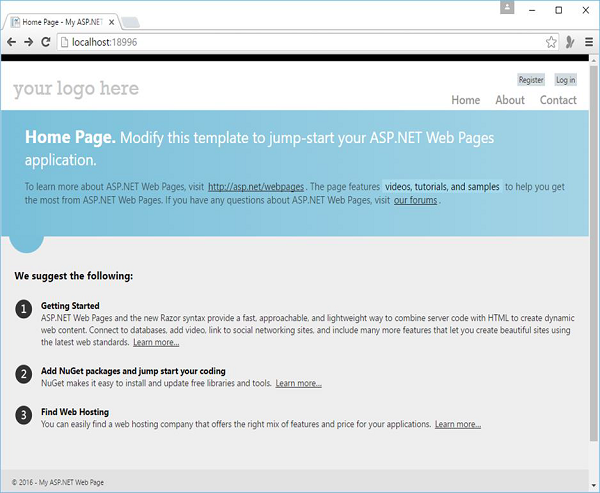
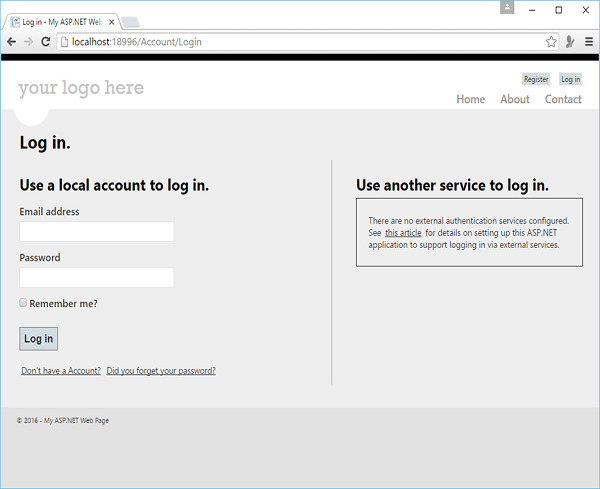
用户目前尚未登录,因此当您点击“关于”链接时,您会看到您被重定向到登录页面,如下面的屏幕截图所示。
让我们输入凭据。
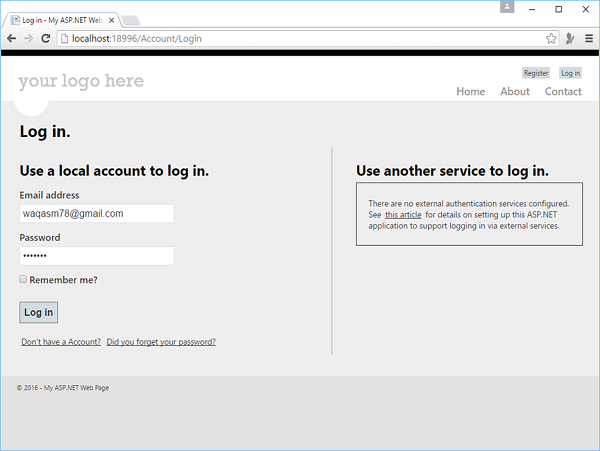
现在点击“登录”,您将看到“主页”。
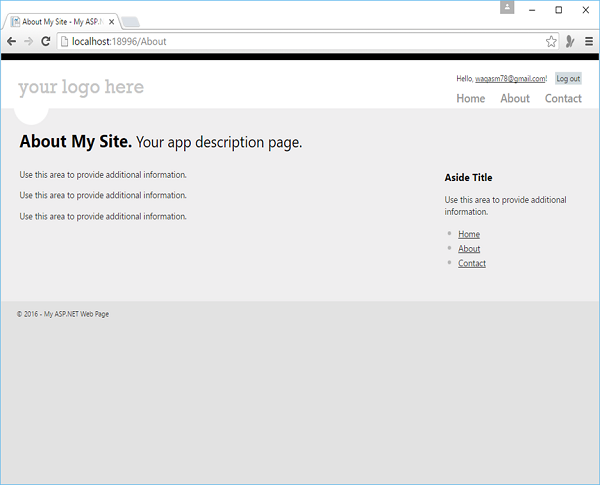
现在当您点击“关于”链接时,您会看到“关于”页面现在对您可用,如下面的屏幕截图所示。