
- OpenCV 教程
- OpenCV - 首页
- OpenCV - 概述
- OpenCV - 环境配置
- OpenCV - 图片存储
- OpenCV - 读取图片
- OpenCV - 写入图片
- OpenCV - 图形用户界面 (GUI)
- 绘图函数
- OpenCV - 绘制圆形
- OpenCV - 绘制直线
- OpenCV - 绘制矩形
- OpenCV - 绘制椭圆
- OpenCV - 绘制多边形
- OpenCV - 绘制凸多边形
- OpenCV - 绘制带箭头的线段
- OpenCV - 添加文本
- 滤波
- OpenCV - 双边滤波
- OpenCV - 方框滤波
- OpenCV - 平方盒滤波
- OpenCV - Filter2D
- OpenCV - 膨胀
- OpenCV - 腐蚀
- OpenCV - 形态学操作
- OpenCV - 图像金字塔
- Sobel 算子
- OpenCV - Sobel 算子
- OpenCV - Scharr 算子
- OpenCV 有用资源
- OpenCV - 快速指南
- OpenCV - 有用资源
- OpenCV - 讨论
OpenCV - 绘制带箭头的线段
您可以使用 `imgproc` 类中的 `arrowedLine()` 方法在图像上绘制带箭头的线段。以下是此方法的语法:
arrowedLine(Mat img, Point pt1, Point pt2, Scalar color)
此方法接受以下参数:
mat − 表示要绘制带箭头线段的图像的 Mat 对象。
pt1 和 pt2 − 两个 Point 对象,表示要绘制带箭头线段的两个点。
scalar − 一个 Scalar 对象,表示带箭头线段的颜色。(BGR)
示例
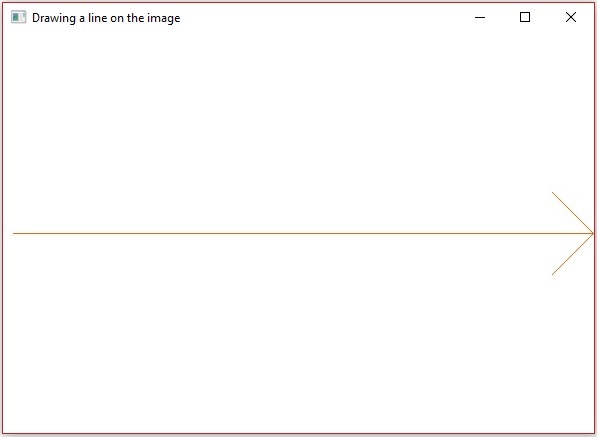
以下程序演示了如何在图像上绘制带箭头线段,并使用 JavaFX 窗口显示它。
import java.awt.image.BufferedImage;

import java.io.ByteArrayInputStream;
import java.io.InputStream;
import javax.imageio.ImageIO;

import javafx.application.Application;
import javafx.embed.swing.SwingFXUtils;
import javafx.scene.Group;
import javafx.scene.Scene;
import javafx.scene.image.ImageView;
import javafx.scene.image.WritableImage;
import javafx.stage.Stage;

import org.opencv.core.Core;
import org.opencv.core.Mat;
import org.opencv.core.MatOfByte;
import org.opencv.core.Point;
import org.opencv.core.Scalar;
import org.opencv.imgcodecs.Imgcodecs;
import org.opencv.imgproc.Imgproc;

public class DrawingArrowedLine extends Application {
   Mat matrix = null;

   @Override
   public void start(Stage stage) throws Exception {
      // Capturing the snapshot from the camera
      DrawingArrowedLine obj = new DrawingArrowedLine();
      WritableImage writableImage = obj.LoadImage();

      // Setting the image view
      ImageView imageView = new ImageView(writableImage);

      // setting the fit height and width of the image view
      imageView.setFitHeight(600);
      imageView.setFitWidth(600);

      // Setting the preserve ratio of the image view
      imageView.setPreserveRatio(true);

      // Creating a Group object
      Group root = new Group(imageView);

      // Creating a scene object
      Scene scene = new Scene(root, 600, 400);

      // Setting title to the Stage
      stage.setTitle("Drawing a line on the image");

      // Adding scene to the stage
      stage.setScene(scene);

      // Displaying the contents of the stage
      stage.show();
   }
   public WritableImage LoadImage() throws Exception {
      // Loading the OpenCV core library
      System.loadLibrary( Core.NATIVE_LIBRARY_NAME );

      // Reading the Image from the file and storing it in to a Matrix object
      String file ="C:/EXAMPLES/OpenCV/Aish.jpg";
      Mat matrix = Imgcodecs.imread(file);

      //Drawing a line
      Imgproc.arrowedLine(
         matrix,                       // Matrix obj of the image
         new Point(10, 200),           // p1
         new Point(590, 200),          // p2
         new Scalar(0, 100, 255)       // Scalar object for color
      );

      // arrowedLine(Mat img, Point pt1, Point pt2, Scalar color)
      // Encoding the image
      MatOfByte matOfByte = new MatOfByte();
      Imgcodecs.imencode(".jpg", matrix, matOfByte);

      // Storing the encoded Mat in a byte array
      byte[] byteArray = matOfByte.toArray();

      // Displaying the image
      InputStream in = new ByteArrayInputStream(byteArray);
      BufferedImage bufImage = ImageIO.read(in);
      this.matrix = matrix;

      // Creating the Writable Image
      WritableImage writableImage = SwingFXUtils.toFXImage(bufImage, null);

      return writableImage;
   }
   public static void main(String args[]) {
      launch(args);
   }
}
执行上述程序后,您将获得以下输出:
广告