- Yii 教程
- Yii - 首页
- Yii - 概述
- Yii - 安装
- Yii - 创建页面
- Yii - 应用程序结构
- Yii - 入口脚本
- Yii - 控制器
- Yii - 使用控制器
- Yii - 使用操作
- Yii - 模型
- Yii - 小部件
- Yii - 模块
- Yii - 视图
- Yii - 布局
- Yii - 资源
- Yii - 资源转换
- Yii - 扩展
- Yii - 创建扩展
- Yii - HTTP 请求
- Yii - 响应
- Yii - URL 格式
- Yii - URL 路由
- Yii - URL 规则
- Yii - HTML 表单
- Yii - 验证
- Yii - 特设验证
- Yii - AJAX 验证
- Yii - 会话
- Yii - 使用闪存数据
- Yii - Cookie
- Yii - 使用 Cookie
- Yii - 文件上传
- Yii - 格式化
- Yii - 分页
- Yii - 排序
- Yii - 属性
- Yii - 数据提供者
- Yii - 数据小部件
- Yii - ListView 小部件
- Yii - GridView 小部件
- Yii - 事件
- Yii - 创建事件
- Yii - 行为
- Yii - 创建行为
- Yii - 配置
- Yii - 依赖注入
- Yii - 数据库访问
- Yii - 数据访问对象
- Yii - 查询构建器
- Yii - 活动记录
- Yii - 数据库迁移
- Yii - 主题
- Yii - RESTful API
- Yii - RESTful API 实战
- Yii - 字段
- Yii - 测试
- Yii - 缓存
- Yii - 片段缓存
- Yii - 别名
- Yii - 日志记录
- Yii - 错误处理
- Yii - 身份验证
- Yii - 授权
- Yii - 本地化
- Yii - Gii
- Gii – 创建模型
- Gii – 生成控制器
- Gii – 生成模块
- Yii 有用资源
- Yii - 快速指南
- Yii - 有用资源
- Yii - 讨论
Yii - 快速指南
Yii - 概述
Yii[ji:] 框架是一个开源的 PHP 框架,用于快速开发现代 Web 应用程序。它构建在模型-视图-控制器组合模式的基础上。
Yii 提供安全且专业的特性,可以快速创建强大的项目。Yii 框架具有基于组件的架构和完整的缓存支持。因此,它适用于构建各种 Web 应用程序:论坛、门户、内容管理系统、RESTful 服务、电子商务网站等。它还有一个名为 Gii 的代码生成工具,其中包括完整的 CRUD(创建-读取-更新-删除)接口生成器。
核心特性
Yii 的核心特性如下:
- Yii 实现了 MVC 架构模式。
- 它提供了关系型数据库和 NoSQL 数据库的功能。
- Yii 从不为了遵循某种设计模式而过度设计。
- 它具有极强的扩展性。
- Yii 提供多级缓存支持。
- Yii 提供 RESTful API 开发支持。
- 它具有高性能。
总的来说,如果您只需要一个用于底层数据库的简洁界面,那么 Yii 就是正确的选择。目前,Yii 有两个版本:1.1 和 2.0。
1.1 版现在处于维护模式,2.0 版采用了最新的技术,包括用于包分发的 Composer 工具、PSR 1、2 和 4 级别以及许多 PHP 5.4+ 功能。未来几年,2.0 版将获得主要的开发工作。
Yii 是一个纯 OOP(面向对象编程)框架。因此,它需要具备 OOP 的基本知识。Yii 框架还使用了 PHP 的最新特性,如 trait 和命名空间。如果您理解这些概念,那么学习 Yii 2.0 会更容易。
环境
Yii2 的主要要求是 PHP 5.4+ 和 Web 服务器。Yii 是一个强大的控制台工具,它管理数据库迁移、资源编译和其他内容。建议您对开发应用程序的机器具有命令行访问权限。
出于开发目的,我们将使用:
- Linux Mint 17.1
- PHP 5.5.9
- PHP 内置 Web 服务器
预安装检查
要检查您的本地机器是否可以使用最新的 Yii2 版本,请执行以下操作:
步骤 1 - 安装最新版本的 php。
sudo apt-get install php5
步骤 2 - 安装最新版本的 mysql。
sudo apt-get install mysql-server
步骤 3 - 下载 Yii2 基本应用程序模板。
composer create-project --prefer-dist --stability=dev yiisoft/yii2-app-basic basic
步骤 4 - 要启动 PHP 内置服务器,在 basic 文件夹中运行。
php -S localhost:8080
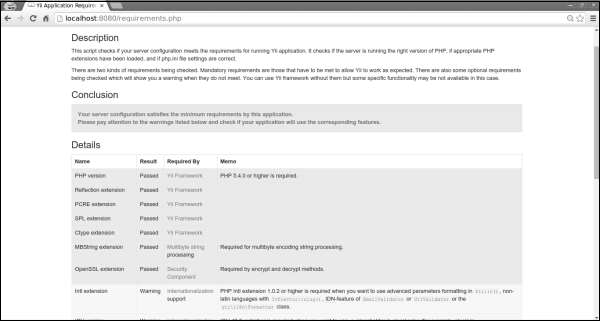
有一个有用的脚本,requirements.php。它检查您的服务器是否满足运行应用程序的要求。您可以在应用程序的根文件夹中找到此脚本。
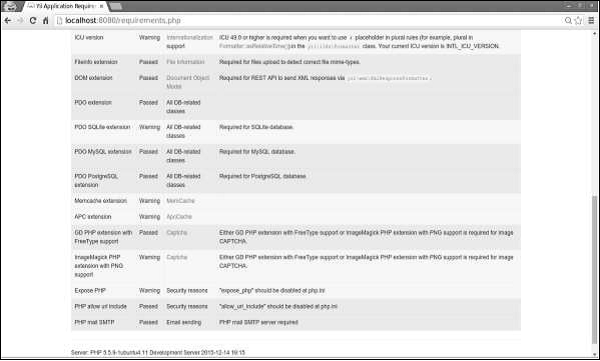
如果您在 Web 浏览器的地址栏中键入 https://:8080/requirements.php,则页面将如下面的屏幕截图所示:
Yii - 安装
开始使用 Yii2 最简单的方法是使用 Yii2 团队提供的基本应用程序模板。此模板也可通过 Composer 工具获得。
步骤 1 - 在您的硬盘驱动器中找到一个合适的目录,并通过以下命令下载 Composer PHAR(PHP 存档)。
curl -sS https://composer.php.net/installer | php
步骤 2 - 然后将此存档移动到 bin 目录。
mv composer.phar /usr/local/bin/composer
步骤 3 - 安装 Composer 后,您可以安装 Yii2 基本应用程序模板。运行以下命令。
composer global require "fxp/composer-asset-plugin:~1.1.1"
composer create-project --prefer-dist yiisoft/yii2-app-basic helloworld
第一个命令安装 composer asset 插件,该插件管理 npm 和 bower 依赖项。第二个命令在名为 helloworld 的目录中安装 Yii2 基本应用程序模板。
步骤 4 - 现在打开 helloworld 目录并启动 PHP 中内置的 Web 服务器。
php -S localhost:8080 -t web
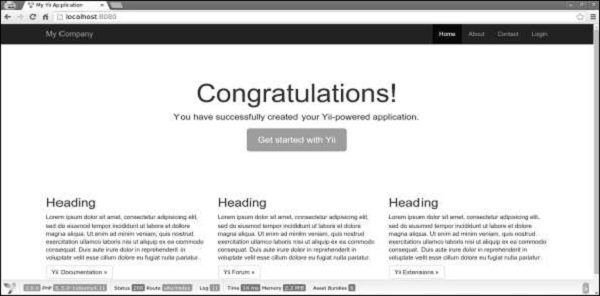
步骤 5 - 然后在浏览器中打开 https://:8080。您可以看到欢迎页面。
Yii - 创建页面
现在我们将创建应用程序中的 “Hello world” 页面。要创建页面,我们必须创建一个操作和一个视图。
操作在控制器中声明。最终用户将收到操作的执行结果。
步骤 1 - 在现有的 SiteController 中声明 speak 操作,该操作在类文件 controllers/SiteController.php 中定义。
<?php
   namespace app\controllers;
   use Yii;
   use yii\filters\AccessControl;
   use yii\web\Controller;
   use yii\filters\VerbFilter;
   use app\models\LoginForm;
   use app\models\ContactForm;
   class SiteController extends Controller {
      /* other code */
      public function actionSpeak($message = "default message") {
         return $this->render("speak",['message' => $message]);
      }
   }
?>
我们将 speak 操作定义为名为 actionSpeak 的方法。在 Yii 中,所有操作方法都以单词 action 为前缀。这就是框架区分操作方法和非操作方法的方式。如果操作 ID 需要多个单词,则它们将用连字符连接。因此,操作 ID add-post 对应于操作方法 actionAddPost。
在上面给出的代码中,‘out’ 函数获取一个 GET 参数 $message。我们还调用一个名为 ‘render’ 的方法来渲染名为 speak 的视图文件。我们将 message 参数传递给视图。渲染结果是一个完整的 HTML 页面。
视图是一个生成响应内容的脚本。对于 speak 操作,我们创建一个打印消息的 speak 视图。当调用 render 方法时,它会查找一个名为 view/controllerID/vewName.php 的 PHP 文件。
步骤 2 - 因此,在 views/site 文件夹内创建一个名为 speak.php 的文件,其中包含以下代码。
<?php
   use yii\helpers\Html;
?>
<?php echo Html::encode($message); ?>
请注意,我们在打印 message 参数之前对其进行了 HTML 编码,以避免 XSS 攻击。
步骤 3 - 在您的 Web 浏览器中键入 https://:8080/index.php?r=site/speak&message=hello%20world。
您将看到以下窗口:
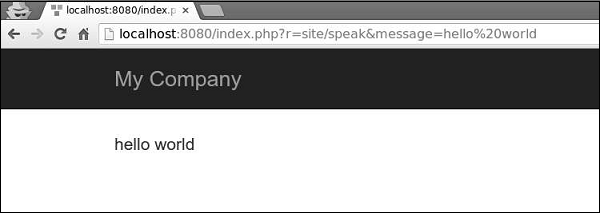
URL 中的 ‘r’ 参数代表路由。路由的默认格式为 controllerID/actionID。在我们的例子中,路由 site/speak 将由 SiteController 类和 speak 操作解析。
Yii - 应用程序结构
在整个代码库中,只有一个文件夹对 Web 服务器公开可用。它是 web 目录。web 根目录之外的其他文件夹无法被 Web 服务器访问。
注意 - 所有项目依赖项都位于 composer.json 文件中。Yii2 有几个重要的包已由 Composer 包含在您的项目中。这些包如下:
- Gii – 代码生成工具
- 调试控制台
- Codeception 测试框架
- SwiftMailer 库
- Twitter Bootstrap UI 库
前三个包仅在开发环境中才有用。
Yii2 的应用程序结构精确且清晰。它包含以下文件夹:
Assets - 此文件夹包含 Web 页面中引用的所有 .js 和 .css 文件。
Commands - 此文件夹包含可从终端使用的控制器。
Config - 此文件夹包含用于管理数据库、应用程序和应用程序参数的 config 文件。
Mail - 此文件夹包含邮件布局。
Models - 此文件夹包含应用程序中使用的模型。
Runtime - 此文件夹用于存储运行时数据。
Tests - 此文件夹包含所有测试(验收、单元、功能)。
Vendor - 此文件夹包含由 Composer 管理的所有第三方包。
Views - 此文件夹用于由控制器显示的视图。layout 文件夹用于页面模板。
Web - Web 的入口点。
应用程序结构
以下是应用程序结构的示意图表示。
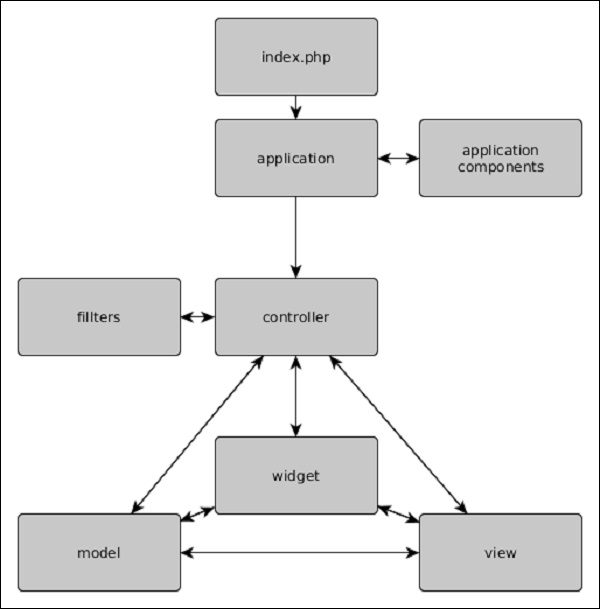
Yii2 – 对象
以下列表包含所有 Yii2 的对象:
模型、视图和控制器
模型用于数据表示(通常来自数据库)。视图用于显示数据。控制器用于处理请求并生成响应。
组件
要创建可重用的功能,用户可以编写自己的组件。组件只是包含逻辑的对象。例如,组件可以是重量转换器。
应用程序组件
这些是在整个应用程序中仅实例化一次的对象。组件和应用程序组件之间的主要区别在于后者在整个应用程序中只能有一个实例。
小部件
小部件是可重用的对象,包含逻辑和渲染代码。例如,小部件可以是图库滑块。
过滤器
过滤器是在控制器操作执行之前或之后运行的对象。
模块
您可以将模块视为可重用的子应用程序,包含模型、视图、控制器等。
扩展
扩展是可以由 Composer 管理的包。
Yii - 入口脚本
入口脚本负责启动请求处理周期。它们只是用户可以访问的 PHP 脚本。
下图显示了应用程序的结构:
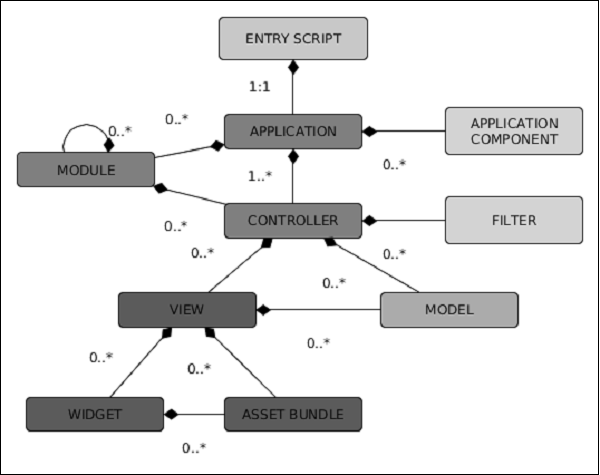
Web 应用程序(以及控制台应用程序)具有单个入口脚本。最终用户向入口脚本发出请求。然后,入口脚本实例化应用程序实例并将请求转发给它们。
控制台应用程序的入口脚本通常存储在项目基本路径中,并命名为 yii.php。Web 应用程序的入口脚本必须存储在 Web 可访问的目录下。它通常称为 index.php。
入口脚本执行以下操作:
- 定义常量。
- 注册 Composer 自动加载器。
- 包含 Yii 文件。
- 加载配置。
- 创建并配置应用程序实例。
- 处理传入的请求。
以下是 基本应用程序模板的入口脚本:
<?php
   //defining global constants
   defined('YII_DEBUG') or define('YII_DEBUG', true);
   defined('YII_ENV') or define('YII_ENV', 'dev');

   //register composer autoloader
   require(__DIR__ . '/../vendor/autoload.php');
   //include yii files
   require(__DIR__ . '/../vendor/yiisoft/yii2/Yii.php');

   //load application config
   $config = require(__DIR__ . '/../config/web.php');

   //create, config, and process reques
   (new yii\web\Application($config))->run();
?>
以下是 控制台应用程序的入口脚本:
#!/usr/bin/env php
<?php
   /**
   * Yii console bootstrap file.
   * @link https://yiiframework.cn/
   * @copyright Copyright (c) 2008 Yii Software LLC
   * @license https://yiiframework.cn/license/
   */
   //defining global constants
   defined('YII_DEBUG') or define('YII_DEBUG', true);

   //register composer autoloader
   require(__DIR__ . '/vendor/autoload.php');
   require(__DIR__ . '/vendor/yiisoft/yii2/Yii.php');

   //load config
   $config = require(__DIR__ . '/config/console.php');

   //apply config the application instance
   $application = new yii\console\Application($config);

   //process request
   $exitCode = $application->run();
   exit($exitCode);
?>
定义全局常量的最佳位置是入口脚本。Yii 支持三个常量:
YII_DEBUG - 定义您是否处于调试模式。如果设置为 true,我们将看到更多日志数据和详细的错误调用堆栈。
YII_ENV - 定义环境模式。默认值为 prod。可用值为 prod、dev 和 test。它们用于配置文件中定义不同的数据库连接(本地和远程)或其他值。
YII_ENABLE_ERROR_HANDLER - 指定是否启用默认的 Yii 错误处理程序。
要定义全局常量,使用以下代码:
//defining global constants
defined('YII_DEBUG') or define('YII_DEBUG', true);
which is equivalent to:
if(!defined('YII_DEBUG')) {
   define('YII_DEBUG', true);
}
注意 − 全局常量应定义在入口脚本的开头,以便在包含其他 PHP 文件时生效。
Yii - 控制器
控制器负责处理请求并生成响应。在用户请求后,控制器将分析请求数据,将其传递给模型,然后将模型结果插入视图,并生成响应。
理解操作
控制器包含操作。它们是用户可以请求执行的基本单元。一个控制器可以有一个或多个操作。
让我们看一下基本应用程序模板的SiteController −
<?php
   namespace app\controllers;
   use Yii;
   use yii\filters\AccessControl;
   use yii\web\Controller;
   use yii\filters\VerbFilter;
   use app\models\LoginForm;
   use app\models\ContactForm;
   class SiteController extends Controller {
      public function behaviors() {
         return [
            'access' => [
               'class' => AccessControl::className(),
               'only' => ['logout'],
               'rules' => [
                  [
                     'actions' => ['logout'],
                     'allow' => true,
                     'roles' => ['@'],
                  ],
               ],
            ],
            'verbs' => [
               'class' => VerbFilter::className(),
               'actions' => [
                  'logout' => ['post'],
               ],
            ],
         ];
      }
      public function actions() {
         return [
            'error' => [
               'class' => 'yii\web\ErrorAction',
            ],
            'captcha' => [
               'class' => 'yii\captcha\CaptchaAction',
               'fixedVerifyCode' => YII_ENV_TEST ? 'testme' : null,
            ],
         ];
      }
      public function actionIndex() {
         return $this->render('index');
      }
      public function actionLogin() {
         if (!\Yii::$app->user->isGuest) {
            return $this->goHome();
         }
         $model = new LoginForm();
         if ($model->load(Yii::$app->request->post()) && $model->login()) {
            return $this->goBack();
         }
         return $this->render('login', [
            'model' => $model,
         ]);
      }
      public function actionLogout() {
         Yii::$app->user->logout();
         return $this->goHome();
      }
      public function actionContact() {
         //load ContactForm model
         $model = new ContactForm();
         //if there was a POST request, then try to load POST data into a model
         if ($model->load(Yii::$app->request->post()) && $model>contact(Yii::$app->params
            ['adminEmail'])) {
            Yii::$app->session->setFlash('contactFormSubmitted');
            return $this->refresh();
         }
         return $this->render('contact', [
            'model' => $model,
         ]);
      }
      public function actionAbout() {
         return $this->render('about');
      }
      public function actionSpeak($message = "default message") {
         return $this->render("speak",['message' => $message]);
      }
   }
?>
使用 PHP 内置服务器运行基本应用程序模板,并在 Web 浏览器中访问https://:8080/index.php?r=site/contact。您将看到以下页面 −
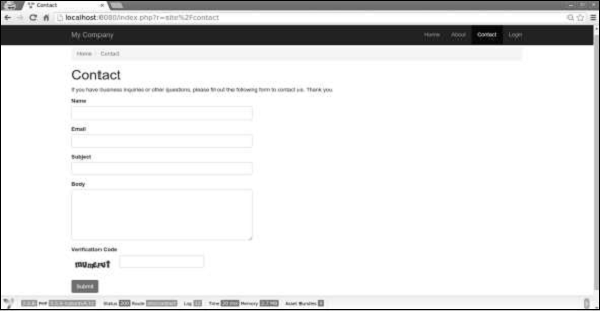
当您打开此页面时,SiteController 的 contact 操作将被执行。代码首先加载ContactForm 模型。然后它呈现 contact 视图并将模型传递给它。
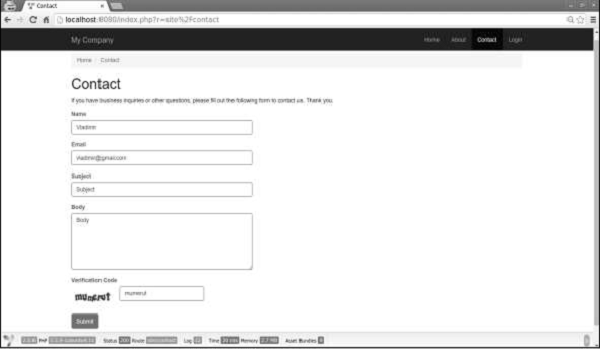
如果您填写表单并单击提交按钮,您将看到以下内容 −
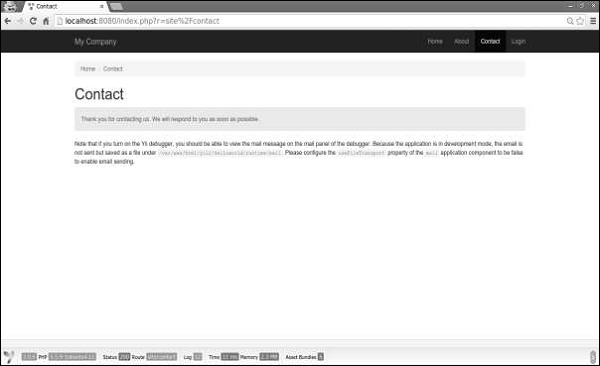
请注意,这次执行了以下代码 −
if ($model->load(Yii::$app->request->post()) && $model->contact(Yii::$app>params ['adminEmail'])) {
   Yii::$app->session->setFlash('contactFormSubmitted');
   return $this->refresh();
}
如果存在 POST 请求,我们将 POST 数据分配给模型并尝试发送电子邮件。如果成功,我们将设置一条带有文本“感谢您的联系。我们会尽快回复您。”的闪存消息并刷新页面。
理解路由
在上面的示例中,在 URL https://:8080/index.php?r=site/contact 中,路由是site/contact。SiteController 中的 contact 操作(actionContact)将被执行。
路由由以下部分组成 −
moduleID − 如果控制器属于某个模块,则路由的这部分存在。
controllerID(上例中的 site)− 一个唯一的字符串,用于在同一模块或应用程序中的所有控制器中标识该控制器。
actionID(上例中的 contact)− 一个唯一的字符串,用于在同一控制器中的所有操作中标识该操作。
路由的格式为controllerID/actionID。如果控制器属于某个模块,则其格式如下:moduleID/controllerID/actionID。
Yii - 使用控制器
Web 应用程序中的控制器应扩展自yii\web\Controller或其子类。在控制台应用程序中,它们应扩展自yii\console\Controller或其子类。
让我们在controllers文件夹中创建一个示例控制器。
步骤 1 − 在Controllers文件夹中,创建一个名为ExampleController.php的文件,其中包含以下代码。
<?php
   namespace app\controllers;
   use yii\web\Controller;
   class ExampleController extends Controller {
      public function actionIndex() {
         $message = "index action of the ExampleController";
         return $this->render("example",[
            'message' => $message
         ]);
      }
   }
?>
步骤 2 − 在views/example文件夹中创建一个示例视图。在该文件夹中,创建一个名为example.php的文件,其中包含以下代码。
<?php
   echo $message;
?>
每个应用程序都有一个默认控制器。对于 Web 应用程序,站点是控制器,而对于控制台应用程序,帮助是控制器。因此,当打开https://:8080/index.php URL 时,站点控制器将处理请求。您可以在应用程序配置中更改默认控制器。
考虑给定的代码 −
'defaultRoute' => 'main'
步骤 3 − 将上述代码添加到以下config/web.php中。
<?php
   $params = require(__DIR__ . '/params.php');
   $config = [
      'id' => 'basic',
      'basePath' => dirname(__DIR__),
      'bootstrap' => ['log'],
      'components' => [
         'request' => [
            // !!! insert a secret key in the following (if it is empty) - this is
               //required by cookie validation
            'cookieValidationKey' => 'ymoaYrebZHa8gURuolioHGlK8fLXCKjO',
         ],
         'cache' => [
            'class' => 'yii\caching\FileCache',
         ],
         'user' => [
            'identityClass' => 'app\models\User',
            'enableAutoLogin' => true,
         ],
         'errorHandler' => [
            'errorAction' => 'site/error',
         ],
         'mailer' => [
            'class' => 'yii\swiftmailer\Mailer',
            // send all mails to a file by default. You have to set
            // 'useFileTransport' to false and configure a transport
            // for the mailer to send real emails.
            'useFileTransport' => true,
         ],
         'log' => [
            'traceLevel' => YII_DEBUG ? 3 : 0,
            'targets' => [
               [
                  'class' => 'yii\log\FileTarget',
                  'levels' => ['error', 'warning'],
               ],
            ],
         ],
         'db' => require(__DIR__ . '/db.php'),
      ],
      //changing the default controller
      'defaultRoute' => 'example',
      'params' => $params,
   ];
   if (YII_ENV_DEV) {
      // configuration adjustments for 'dev' environment
      $config['bootstrap'][] = 'debug';
      $config['modules']['debug'] = [
         'class' => 'yii\debug\Module',
      ];
      $config['bootstrap'][] = 'gii';
      $config['modules']['gii'] = [
         'class' => 'yii\gii\Module',
      ];
   }
   return $config;
?>
步骤 4 − 在 Web 浏览器的地址栏中键入https://:8080/index.php,您将看到默认控制器是示例控制器。
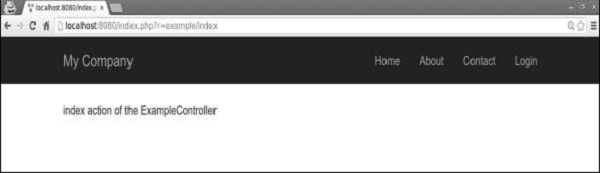
注意 − 控制器 ID 应包含小写英文字母、数字、正斜杠、连字符和下划线。
要将控制器 ID 转换为控制器类名,您应该执行以下操作 −
- 从由连字符分隔的所有单词中获取第一个字母并将其转换为大写。
- 删除连字符。
- 将正斜杠替换为反斜杠。
- 添加 Controller 后缀。
- 添加控制器命名空间。
示例
page 变成app\controllers\PageController。
post-article 变成app\controllers\PostArticleController。
user/post-article 变成app\controllers\user\PostArticleController。
userBlogs/post-article 变成app\controllers\userBlogs\PostArticleController。
Yii - 使用操作
要在控制器类中创建操作,您应该定义一个以 action 开头的公共方法。操作的返回值表示要发送给最终用户的响应。
步骤 1 − 让我们在ExampleController中定义 hello-world 操作。
<?php
   namespace app\controllers;
   use yii\web\Controller;
   class ExampleController extends Controller {
      public function actionIndex() {
         $message = "index action of the ExampleController";
         return $this->render("example",[
            'message' => $message
         ]);
      }
      public function actionHelloWorld() {
         return "Hello world!";
      }
   }
?>
步骤 2 − 在 Web 浏览器的地址栏中键入https://:8080/index.php?r=example/hello-world。您将看到以下内容。
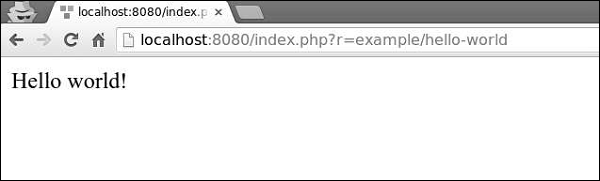
操作 ID 通常是动词,例如 create、update、delete 等。这是因为操作通常设计为对资源执行特定的更改。
操作 ID 只能包含以下字符 − 小写英文字母、数字、连字符和下划线。
操作有两种类型:内联和独立。
内联操作在控制器类中定义。操作的名称以此方式从操作 ID 派生 −
- 将操作 ID 中所有单词的第一个字母转换为大写。
- 删除连字符。
- 添加 action 前缀。
示例 −
- index 变成 actionIndex。
- hello-world(如上例所示)变成 actionHelloWorld。
如果您计划在不同的地方重用相同的操作,则应将其定义为独立操作。
创建独立操作类
要创建独立操作类,您应该扩展yii\base\Action或子类,并实现run()方法。
步骤 1 − 在项目根目录中创建一个 components 文件夹。在该文件夹中创建一个名为GreetingAction.php的文件,其中包含以下代码。
<?php
   namespace app\components;
   use yii\base\Action;
   class GreetingAction extends Action {
      public function run() {
         return "Greeting";
      }
   }
?>
我们刚刚创建了一个可重用的操作。要在ExampleController中使用它,我们应该通过重写 actions() 方法在操作映射中声明我们的操作。
步骤 2 − 以这种方式修改ExampleController.php文件。
<?php
   namespace app\controllers;
   use yii\web\Controller;
   class ExampleController extends Controller {
      public function actions() {
         return [
            'greeting' => 'app\components\GreetingAction',
         ];
      }
      public function actionIndex() {
         $message = "index action of the ExampleController";

         return $this->render("example",[
            'message' => $message
         ]);
      }
      public function actionHelloWorld() {
         return "Hello world!";
      }
   }
?>
actions()方法返回一个数组,其值为类名,键为操作 ID。
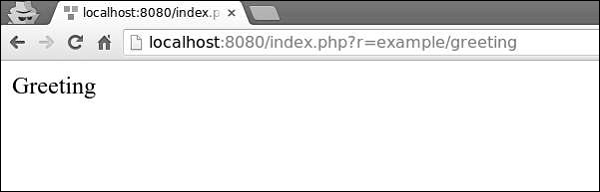
步骤 3 − 访问https://:8080/index.php?r=example/greeting。您将看到以下输出。
步骤 4 − 您还可以使用操作将用户重定向到其他 URL。将以下操作添加到ExampleController.php。
public function actionOpenGoogle() {
   // redirect the user browser to http://google.com
   return $this->redirect('http://google.com');
}
现在,如果您打开https://:8080/index.php?r=example/open-google,您将被重定向到http://google.com。
操作方法可以接收参数,称为操作参数。它们的值使用参数名称作为键从$_GET中检索。
步骤 5 − 将以下操作添加到我们的示例控制器。
public function actionTestParams($first, $second) {
   return "$first $second";
}
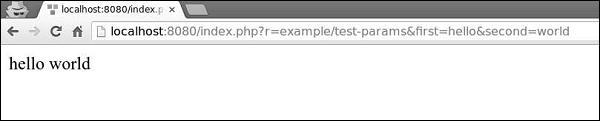
步骤 6 − 在 Web 浏览器的地址栏中键入 URLhttps://:8080/index.php?r=example/testparams&first=hello&second=world,您将看到以下输出。
每个控制器都有一个默认操作。当路由仅包含控制器 ID 时,表示请求了默认操作。默认情况下,操作为index。您可以在控制器中轻松覆盖此属性。
步骤 7 − 以这种方式修改我们的ExampleController。
<?php
   namespace app\controllers;
   use yii\web\Controller;
   class ExampleController extends Controller {
      public $defaultAction = "hello-world";
      /* other actions */
   }
?>
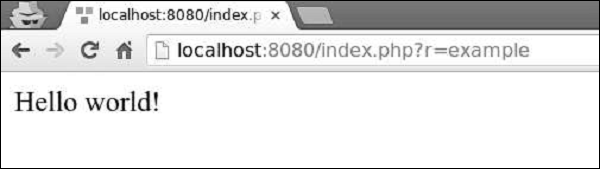
步骤 8 − 现在,如果您访问https://:8080/index.php?r=example,您将看到以下内容。
为了满足请求,控制器将经历以下生命周期 −
调用yii\base\Controller:init()方法。
控制器根据操作 ID 创建一个操作。
控制器依次调用 Web 应用程序、模块和控制器的beforeAction()方法。
控制器运行操作。
控制器依次调用 Web 应用程序、模块和控制器的afterAction()方法。
应用程序将操作结果分配给响应。
重要事项
控制器应 −
- 非常轻量级。每个操作都应只包含几行代码。
- 使用视图进行响应。
- 不嵌入 HTML。
- 访问请求数据。
- 调用模型的方法。
- 不处理请求数据。这些应在模型中处理。
Yii - 模型
模型是表示业务逻辑和规则的对象。要创建模型,您应该扩展yii\base\Model类或其子类。
属性
属性表示业务数据。它们可以像数组元素或对象属性一样访问。每个属性都是模型的一个公共可访问属性。要指定模型拥有哪些属性,您应该重写yii\base\Model::attributes()方法。
让我们看一下基本应用程序模板的ContactForm模型。
<?php
   namespace app\models;
   use Yii;
   use yii\base\Model;
   /**
   * ContactForm is the model behind the contact form.
   */
   class ContactForm extends Model {
      public $name;
      public $email;
      public $subject;
      public $body;
      public $verifyCode;
      /**
      * @return array the validation rules.
      */
      public function rules() {
         return [
            // name, email, subject and body are required
            [['name', 'email', 'subject', 'body'], 'required'],
            // email has to be a valid email address
            ['email', 'email'],
            // verifyCode needs to be entered correctly
            ['verifyCode', 'captcha'],
         ];
      }
      /**
      * @return array customized attribute labels
      */
      public function attributeLabels() {
         return [
            'verifyCode' => 'Verification Code',
         ];
      }
      /**
      * Sends an email to the specified email address using the information
         collected by this model.
      * @param  string  $email the target email address
      * @return boolean whether the model passes validation
      */
      public function contact($email) {
         if ($this->validate()) {
            Yii::$app->mailer->compose()
               ->setTo($email)
               ->setFrom([$this->email => $this->name])
               ->setSubject($this->subject)
               ->setTextBody($this->body)
               ->send();
            return true;
         }
         return false;
      }
   }
?>
步骤 1 − 在SiteController中创建一个名为actionShowContactModel的函数,其中包含以下代码。
public function actionShowContactModel() {
   $mContactForm = new \app\models\ContactForm();
   $mContactForm->name = "contactForm";
   $mContactForm->email = "user@gmail.com";
   $mContactForm->subject = "subject";
   $mContactForm->body = "body";
   var_dump($mContactForm);
}
在上面的代码中,我们定义了ContactForm模型,设置了属性,并在屏幕上显示了模型。
步骤 2 − 现在,如果您在 Web 浏览器的地址栏中键入https://:8080/index.php?r=site/show-contact-model,您将看到以下内容。
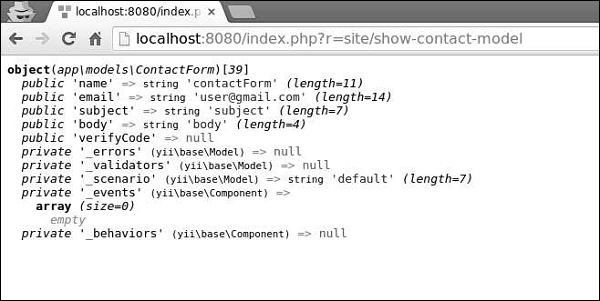
如果您的模型扩展自yii\base\Model,则其所有成员变量(公共和非静态)都是属性。ContactForm模型中有五个属性 − name、email、subject、body、verifyCode,您可以轻松添加新的属性。
属性标签
您通常需要显示与属性关联的标签。默认情况下,属性标签由yii\base\Model::generateAttributeLabel()方法自动生成。要手动声明属性标签,您可以重写yii\base\Model::attributeLabels()方法。
步骤 1 − 如果您打开https://:8080/index.php?r=site/contact,您将看到以下页面。
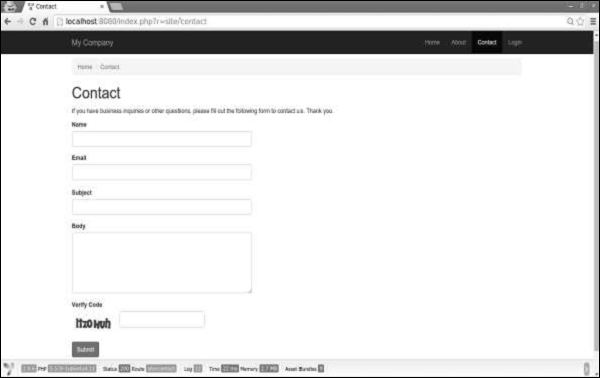
请注意,属性标签与其名称相同。
步骤 2 − 现在,以以下方式修改ContactForm模型中的attributeLabels函数。
public function attributeLabels() {
   return [
      'name' => 'name overridden',
      'email' => 'email overridden',
      'subject' => 'subject overridden',
      'body' => 'body overridden',
      'verifyCode' => 'verifyCode overridden',
   ];
}
步骤 3 − 如果您再次打开https://:8080/index.php?r=site/contact,您会注意到标签已更改,如下面的图像所示。
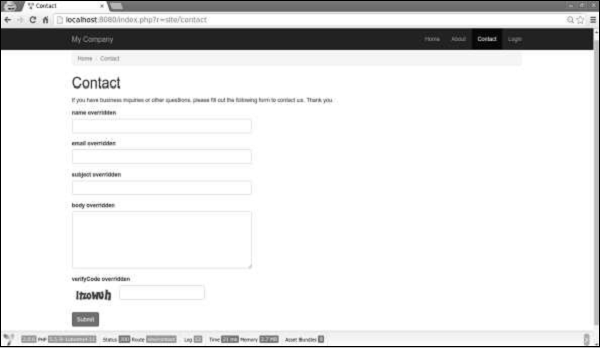
场景
您可以在不同的场景中使用模型。例如,当访客想要发送联系表单时,我们需要所有模型属性。当用户想要执行相同操作时,他已登录,因此我们不需要他的姓名,因为我们可以轻松地从数据库中获取它。
要声明场景,我们应该重写scenarios()函数。它返回一个数组,其键为场景名称,值为活动属性。活动属性是要验证的属性。它们也可以被批量赋值。
步骤 1 − 以以下方式修改ContactForm模型。
<?php
   namespace app\models;
   use Yii;
   use yii\base\Model;
   /**
   * ContactForm is the model behind the contact form.
   */
   class ContactForm extends Model {
      public $name;
      public $email;
      public $subject;
      public $body;
      public $verifyCode;
      const SCENARIO_EMAIL_FROM_GUEST = 'EMAIL_FROM_GUEST';
      const SCENARIO_EMAIL_FROM_USER = 'EMAIL_FROM_USER';
      public function scenarios() {
         return [
            self::SCENARIO_EMAIL_FROM_GUEST => ['name', 'email', 'subject',
               'body', 'verifyCode'],
            self::SCENARIO_EMAIL_FROM_USER => ['email' ,'subject', 'body',
               'verifyCode'],
         ];
      }
      /**
      * @return array the validation rules.
      */
      public function rules() {
         return [
            // name, email, subject and body are required
            [['name', 'email', 'subject', 'body'], 'required'],
            // email has to be a valid email address
            ['email', 'email'],
            // verifyCode needs to be entered correctly
            ['verifyCode', 'captcha'],
         ];
      }
      /**
      * @return array customized attribute labels
      */
      public function attributeLabels() {
         return [
            'name' => 'name overridden',
            'email' => 'email overridden',
            'subject' => 'subject overridden',
            'body' => 'body overridden',
            'verifyCode' => 'verifyCode overridden',
         ];
      }
      /**
      * Sends an email to the specified email address using the information
         collected by this model.
      * @param  string  $email the target email address
      * @return boolean whether the model passes validation
      */
      public function contact($email) {
         if ($this -> validate()) {
            Yii::$app->mailer->compose()
               ->setTo($email)
               ->setFrom([$this->email => $this->name])
               ->setSubject($this->subject)
               ->setTextBody($this->body)
               ->send();
            return true;
         }
         return false;
      }
   }
?>
我们添加了两个场景。一个用于访客,另一个用于已认证的用户。当用户已认证时,我们不需要他的姓名。
步骤 2 − 现在,修改SiteController的actionContact函数。
public function actionContact() {
   $model = new ContactForm();
   $model->scenario = ContactForm::SCENARIO_EMAIL_FROM_GUEST;
   if ($model->load(Yii::$app->request->post()) && $model->
      contact(Yii::$app->params ['adminEmail'])) {
         Yii::$app->session->setFlash('contactFormSubmitted');
         return $this->refresh();
   }
   return $this->render('contact', [
      'model' => $model,
   ]);
}
步骤 3 − 在 Web 浏览器中键入https://:8080/index.php?r=site/contact。您会注意到当前所有模型属性都是必需的。
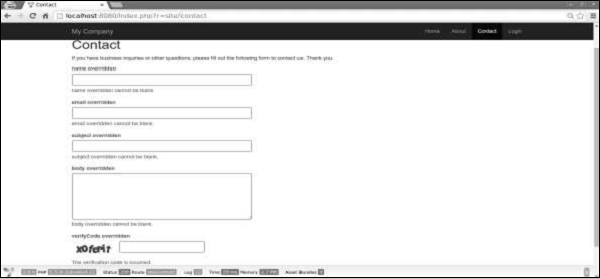
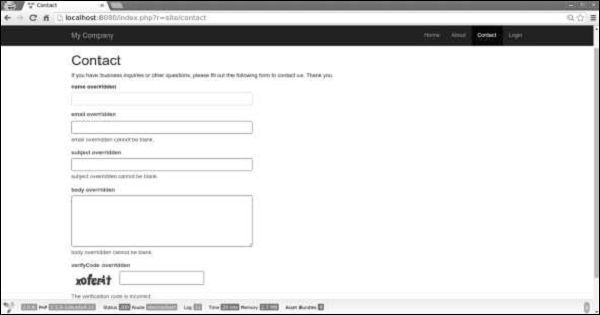
步骤 4 − 如果您在actionContact中更改模型的场景,如以下代码所示,您会发现 name 属性不再是必需的。
$model->scenario = ContactForm::SCENARIO_EMAIL_FROM_USER;
批量赋值
批量赋值是一种通过一行代码从多个输入属性创建模型的便捷方法。
代码行如下 −
$mContactForm = new \app\models\ContactForm;
$mContactForm->attributes = \Yii::$app->request->post('ContactForm');
上面给出的代码行等效于 −
$mContactForm = new \app\models\ContactForm;
$postData = \Yii::$app->request->post('ContactForm', []);
$mContactForm->name = isset($postData['name']) ? $postData['name'] : null;
$mContactForm->email = isset($postData['email']) ? $postData['email'] : null;
$mContactForm->subject = isset($postData['subject']) ? $postData['subject'] : null;
$mContactForm->body = isset($postData['body']) ? $postData['body'] : null;
前者更简洁。请注意,批量赋值仅适用于安全属性。它们只是scenario()函数中列出的当前场景属性。
数据导出
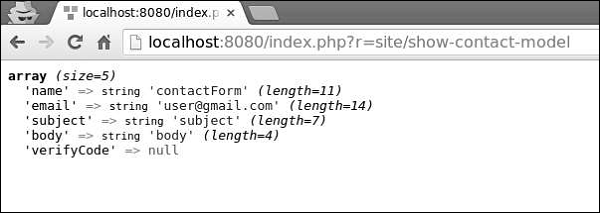
模型通常需要以不同的格式导出。要将模型转换为数组,请修改SiteController的actionShowContactModel函数 −
public function actionShowContactModel() {
   $mContactForm = new \app\models\ContactForm();
   $mContactForm->name = "contactForm";
   $mContactForm->email = "user@gmail.com";
   $mContactForm->subject = "subject";
   $mContactForm->body = "body";
   var_dump($mContactForm->attributes);
}
在地址栏中键入https://:8080/index.php?r=site/show-contact-model,您将看到以下内容 −
要将模型转换为JSON格式,请以以下方式修改actionShowContactModel函数 −
public function actionShowContactModel() {
   $mContactForm = new \app\models\ContactForm();
   $mContactForm->name = "contactForm";
   $mContactForm->email = "user@gmail.com";
   $mContactForm->subject = "subject";
   $mContactForm->body = "body";
   return \yii\helpers\Json::encode($mContactForm);
}
浏览器输出 −
{
   "name":"contactForm",
   "email":"user@gmail.com",
   "subject":"subject",
   "body":"body ",
   "verifyCode":null
}
重要事项
在设计良好的应用程序中,模型通常比控制器快得多。模型应 −
- 包含业务逻辑。
- 包含验证规则。
- 包含属性。
- 不嵌入 HTML。
- 不直接访问请求。
- 不要有太多场景。
Yii - 小部件
小部件是一个可重用的客户端代码,包含 HTML、CSS 和 JS。此代码包含最少的逻辑,并包装在yii\base\Widget对象中。我们可以轻松地将此对象插入并应用到任何视图中。
步骤 1 - 要查看小部件的实际效果,请在SiteController中创建一个actionTestWidget函数,并使用以下代码。
public function actionTestWidget() {
   return $this->render('testwidget');
}
在上面的示例中,我们只返回了一个名为“testwidget”的View。
步骤 2 - 现在,在views/site文件夹内,创建一个名为testwidget.php的View文件。
<?php
   use yii\bootstrap\Progress;
?>
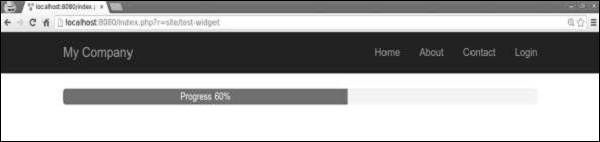
<?= Progress::widget(['percent' => 60, 'label' => 'Progress 60%']) ?>
步骤 3 - 如果您访问https://:8080/index.php?r=site/test-widget,您将看到进度条小部件。
使用小部件
要在View中使用小部件,您应该调用yii\base\Widget::widget()函数。此函数接受一个配置数组来初始化小部件。在前面的示例中,我们插入了一个进度条,并使用了配置对象的percent和labelled参数。
一些小部件需要一段内容。它应该包含在yii\base\Widget::begin()和yii\base\Widget::end()函数之间。例如,以下小部件显示了一个联系表单 -
<?php $form = ActiveForm::begin(['id' => 'contact-form']); ?>
   <?= $form->field($model, 'name') ?>
   <?= $form->field($model, 'email') ?>
   <?= $form->field($model, 'subject') ?>
   <?= $form->field($model, 'body')->textArea(['rows' => 6]) ?>
   <?= $form->field($model, 'verifyCode')->widget(Captcha::className(), [
      'template' =>
         '<div class="row">
            <div class = "col-lg-3">{image}</div>
            <div class = "col-lg-6">{input}</div>
         </div>',
   ]) ?>
   <div class = "form-group">
      <?= Html::submitButton('Submit', ['class' => 'btn btn-primary',
         'name' => 'contact-button']) ?>
   </div>
<?php ActiveForm::end(); ?>
创建小部件
要创建小部件,您应该从yii\base\Widget继承。然后,您应该覆盖yii\base\Widget::init()和yii\base\Widget::run()函数。run()函数应返回渲染结果。init()函数应规范化小部件属性。
步骤 1 - 在项目根目录中创建一个components文件夹。在该文件夹内,创建一个名为FirstWidget.php的文件,并使用以下代码。
<?php
   namespace app\components;
   use yii\base\Widget;
   class FirstWidget extends Widget {
      public $mes;
      public function init() {
         parent::init();
         if ($this->mes === null) {
            $this->mes = 'First Widget';
         }
      }
      public function run() {
         return "<h1>$this->mes</h1>";
      }
   }
?>
步骤 2 - 以以下方式修改testwidget视图。
<?php
   use app\components\FirstWidget;
?>
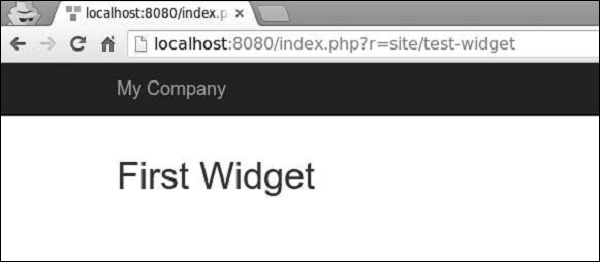
<?= FirstWidget∷widget() ?>
步骤 3 - 访问https://:8080/index.php?r=site/test-widget。您将看到以下内容。
步骤 4 - 要将内容包含在begin()和end()调用之间,您应该修改FirstWidget.php文件。
<?php
   namespace app\components;
   use yii\base\Widget;
   class FirstWidget extends Widget {
      public function init() {
         parent::init();
         ob_start();
      }
      public function run() {
         $content = ob_get_clean();
         return "<h1>$content</h1>";
      }
   }
?>
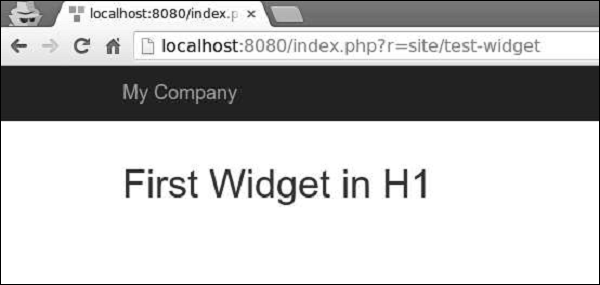
步骤 5 - 现在h1标签将包围所有内容。请注意,我们使用ob_start()函数来缓冲输出。按以下代码修改testwidget视图。
<?php
   use app\components\FirstWidget;
?>
<?php FirstWidget::begin(); ?>
   First Widget in H1
<?php FirstWidget::end(); ?>
您将看到以下输出 -
重要事项
小部件应该 -
按照MVC模式创建。您应该将表示层保留在视图中,将逻辑保留在小部件类中。
设计为自包含的。最终开发者应该能够将其设计到视图中。
Yii - 模块
模块是一个拥有自己的模型、视图、控制器以及可能的其他模块的实体。它实际上是应用程序内的应用程序。
步骤 1 - 在您的项目根目录中创建一个名为modules的文件夹。在modules文件夹内,创建一个名为hello的文件夹。这将是我们Hello模块的基本文件夹。
步骤 2 - 在hello文件夹内,创建一个名为Hello.php的文件,并使用以下代码。
<?php
   namespace app\modules\hello;
   class Hello extends \yii\base\Module {
      public function init() {
         parent::init();
      }
   }
?>
我们刚刚创建了一个模块类。它应该位于模块的基础路径下。每次访问模块时,都会创建一个对应模块类的实例。init()函数用于初始化模块的属性。
步骤 3 - 现在,在hello文件夹内添加另外两个目录 - controllers和views。将CustomController.php文件添加到controllers文件夹中。
<?php
   namespace app\modules\hello\controllers;
   use yii\web\Controller;
   class CustomController extends Controller {
      public function actionGreet() {
         return $this->render('greet');
      }
   }
?>
创建模块时,约定将控制器类放在模块基础路径的controllers目录中。我们刚刚定义了actionGreet函数,它只返回一个greet视图。
模块中的视图应放在模块基础路径的views文件夹中。如果视图由控制器渲染,则它们应该位于对应于controllerID的文件夹中。将custom文件夹添加到views文件夹中。
步骤 4 - 在custom目录内,创建一个名为greet.php的文件,并使用以下代码。
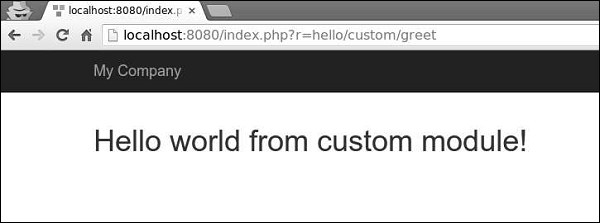
<h1>Hello world from custom module!</h1>
我们刚刚为actionGreet创建了一个View。要使用这个新创建的模块,我们应该配置应用程序。我们应该将我们的模块添加到应用程序的modules属性中。
步骤 5 - 修改config/web.php文件。
<?php
   $params = require(__DIR__ . '/params.php');
   $config = [
      'id' => 'basic',
      'basePath' => dirname(__DIR__),
      'bootstrap' => ['log'],
      'components' => [
         'request' => [
            // !!! insert a secret key in the following (if it is empty) - this is
               //required by cookie validation
            'cookieValidationKey' => 'ymoaYrebZHa8gURuolioHGlK8fLXCKjO',
         ],
         'cache' => [
            'class' => 'yii\caching\FileCache',
         ],
         'user' => [
            'identityClass' => 'app\models\User',
            'enableAutoLogin' => true,
         ],
         'errorHandler' => [
            'errorAction' => 'site/error',
         ],
         'mailer' => [
            'class' => 'yii\swiftmailer\Mailer',
            // send all mails to a file by default. You have to set
            // 'useFileTransport' to false and configure a transport
            // for the mailer to send real emails.
            'useFileTransport' => true,
         ],
         'log' => [
            'traceLevel' => YII_DEBUG ? 3 : 0,
            'targets' => [
               [
                  'class' => 'yii\log\FileTarget',
                  'levels' => ['error', 'warning'],
               ],
            ],
         ],
         'db' => require(__DIR__ . '/db.php'),
      ],
      'modules' => [
         'hello' => [
            'class' => 'app\modules\hello\Hello',
         ],
      ],
      'params' => $params,
   ];
   if (YII_ENV_DEV) {
      // configuration adjustments for 'dev' environment
      $config['bootstrap'][] = 'debug';
      $config['modules']['debug'] = [
         'class' => 'yii\debug\Module',
      ];
      $config['bootstrap'][] = 'gii';
      $config['modules']['gii'] = [
         'class' => 'yii\gii\Module',
      ];
   }
   return $config;
?>
模块控制器的路由必须以模块ID开头,后跟控制器ID和操作ID。
步骤 6 - 要在我们的应用程序中运行actionGreet,我们应该使用以下路由。
hello/custom/greet
其中hello是模块ID,custom是控制器ID,greet是操作ID。
步骤 7 - 现在,输入https://:8080/index.php?r=hello/custom/greet,您将看到以下输出。
重要事项
模块应该 -
用于大型应用程序。您应该将其功能划分为几个组。每个功能组都可以开发为一个模块。
可重用。一些常用的功能,如SEO管理或博客管理,可以开发成模块,以便您可以在将来的项目中轻松重用它们。
Yii - 视图
视图负责将数据呈现给最终用户。在Web应用程序中,View只是包含HTML和PHP代码的PHP脚本文件。
创建视图
步骤 1 - 让我们看看基本应用程序模板的“About”视图。
<?php
   /* @var $this yii\web\View */
   use yii\helpers\Html;
   $this->title = 'About';
   $this->params['breadcrumbs'][] = $this->title;
?>
<div class="site-about">
   <h1><?= Html::encode($this->title) ?></h1>
   <p>
      This is the About page. You may modify the following file to customize its content:
   </p>
   <code><?= __FILE__ ?></code>
</div>
$this变量指的是管理和渲染此视图模板的视图组件。
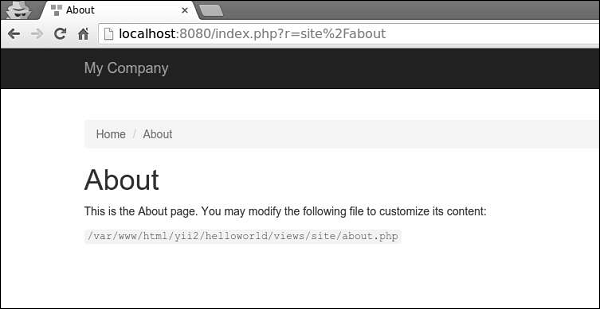
这就是“About”页面显示的样子 -
为了避免XSS攻击,对来自最终用户的数据进行编码和/或过滤非常重要。您应该始终通过调用yii\helpers\Html::encode()对纯文本进行编码,并通过调用yii\helpers\HtmlPurifier对HTML内容进行编码。
步骤 2 - 以以下方式修改“About”视图。
<?php
   /* @var $this yii\web\View */
   use yii\helpers\Html;
   use yii\helpers\HtmlPurifier;
   $this->title = 'About';
   $this->params['breadcrumbs'][] = $this->title;
?>
<div class="site-about">
   <h1><?= Html::encode($this->title) ?></h1>
   <p>
      This is the About page. You may modify the following file to customize its content:
   </p>
   <p>
      <?= Html::encode("<script>alert('alert!');</script><h1>ENCODE EXAMPLE</h1>>") ?>
   </p>
   <p>
      <?= HtmlPurifier::process("<script>alert('alert!');</script><h1> HtmlPurifier EXAMPLE</h1>") ?>
   </p>
   <code><?= __FILE__ ?></code>
</div>
步骤 3 - 现在输入https://:8080/index.php?r=site/about。您将看到以下屏幕。
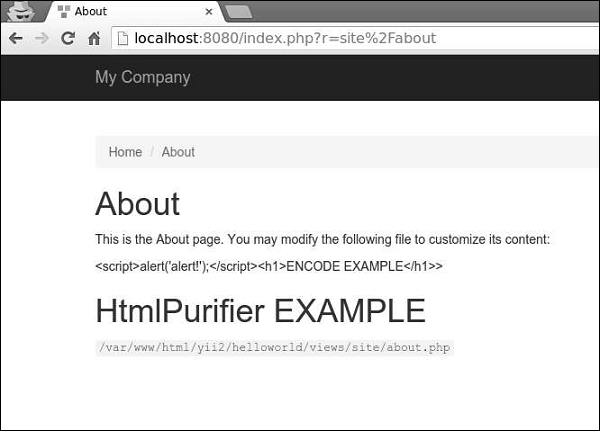
请注意,Html::encode()函数内的javascript代码显示为纯文本。HtmlPurifier::process()调用也是如此。只有h1标签显示。
视图遵循以下约定 -
由控制器渲染的视图应放在@app/views/controllerID文件夹中。
在小部件中渲染的视图应放在widgetPath/views文件夹中。
要在控制器内渲染视图,您可以使用以下方法 -
render() - 渲染视图并应用布局。
renderPartial() - 渲染视图但不应用布局。
renderAjax() - 渲染视图但不应用布局,但会注入所有已注册的js和css文件。
renderFile() - 在给定的文件路径或别名中渲染视图。
renderContent() - 渲染静态字符串并应用布局。
要在另一个视图内渲染视图,您可以使用以下方法 -
render() - 渲染视图。
renderAjax() - 渲染视图但不应用布局,但会注入所有已注册的js和css文件。
renderFile() - 在给定的文件路径或别名中渲染视图。
步骤 4 - 在views/site文件夹内,创建两个视图文件:_part1.php和_part2.php。
_part1.php -
<h1>PART 1</h1>
_part2.php -
<h1>PART 2</h1>
步骤 5 - 最后,在“About”视图中渲染这两个新创建的视图。
<?php
   /* @var $this yii\web\View */
   use yii\helpers\Html;
   $this->title = 'About';
   $this->params['breadcrumbs'][] = $this->title;
?>
<div class="site-about">
   <h1><?= Html::encode($this->title) ?></h1>
   <p>
      This is the About page. You may modify the following file to customize its content:
   </p>
   <?= $this->render("_part1") ?>
   <?= $this->render("_part2") ?>
   <code><?= __FILE__ ?></code>
</div>
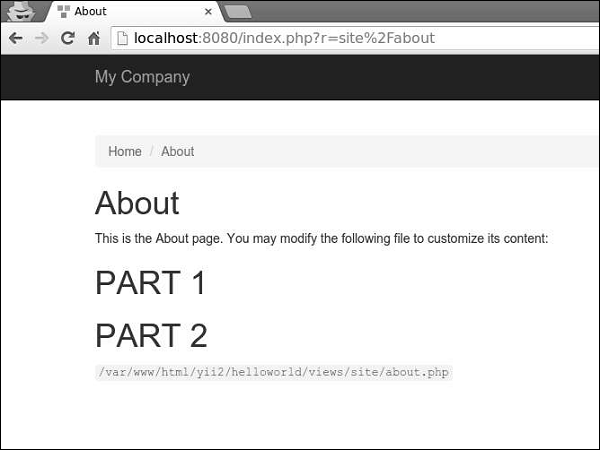
您将看到以下输出 -
渲染视图时,您可以使用视图名称或视图文件路径/别名来定义视图。视图名称按以下方式解析 -
视图名称可以省略扩展名。例如,about视图对应于about.php文件。
如果视图名称以“/”开头,那么如果当前活动模块是forum,并且视图名称是comment/post,则路径将为@app/modules/forum/views/comment/post。如果没有活动模块,则路径将为@app/views/comment/post。
如果视图名称以“//”开头,则对应的路径将为@app/views/ViewName。例如,//site/contact对应于@app/views/site/contact.php。
如果视图名称是contact,并且上下文控制器是SiteController,则路径将为@app/views/site/contact.php。
如果price视图在goods视图中渲染,则如果它在@app/views/invoice/goods.php中渲染,则price将解析为@app/views/invoice/price.php。
在视图中访问数据
要在视图中访问数据,您应该将数据作为第二个参数传递给视图渲染方法。
步骤 1 - 修改SiteController的actionAbout。
public function actionAbout() {
   $email = "admin@support.com";
   $phone = "+78007898100";
   return $this->render('about',[
      'email' => $email,
      'phone' => $phone
   ]);
}
在上面给出的代码中,我们将两个变量$email和$phone传递给About视图进行渲染。
步骤 2 - 更改about视图代码。
<?php
   /* @var $this yii\web\View */
   use yii\helpers\Html;
   $this->title = 'About';
   $this->params['breadcrumbs'][] = $this->title;
?>
<div class = "site-about">
   <h1><?= Html::encode($this->title) ?></h1>
   <p>
      This is the About page. You may modify the following file to customize its content:
   </p>
   <p>
      <b>email:</b> <?= $email ?>
   </p>
   <p>
      <b>phone:</b> <?= $phone ?>
   </p>
   <code><?= __FILE__ ?></code>
</div>
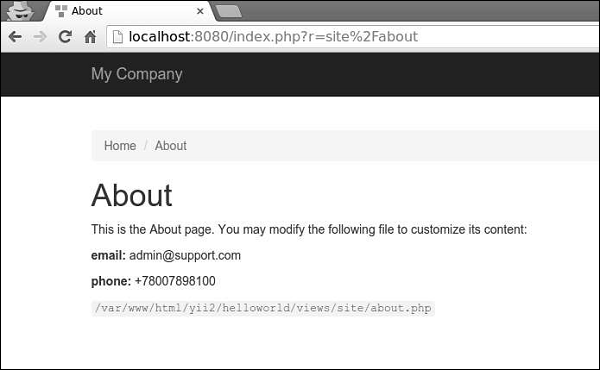
我们刚刚添加了两个从SiteController接收到的变量。
步骤 3 - 在Web浏览器中输入URLhttps://:8080/index.php?r=site/about,您将看到以下内容。
Yii - 布局
布局表示多个视图的公共部分,例如页面标题和页脚。默认情况下,布局应存储在views/layouts文件夹中。
让我们看看基本应用程序模板的主布局 -
<?php
   /* @var $this \yii\web\View */
   /* @var $content string */
   use yii\helpers\Html;
   use yii\bootstrap\Nav;
   use yii\bootstrap\NavBar;
   use yii\widgets\Breadcrumbs;
   use app\assets\AppAsset;
   AppAsset::register($this);
?>
<?php $this->beginPage() ?>
<!DOCTYPE html>
<html lang = "<?= Yii::$app->language ?>">
   <head>
      <meta charset = "<?= Yii::$app->charset ?>">
      <meta name = "viewport" content = "width = device-width, initial-scale = 1">
      <?= Html::csrfMetaTags() ?>
      <title><?= Html::encode($this->title) ?></title>
      <?php $this->head() ?>
   </head>
   <body>
      <?php $this->beginBody() ?>
         <div class = "wrap">
            <?php
               NavBar::begin([
                  'brandLabel' => 'My Company',
                  'brandUrl' => Yii::$app->homeUrl,
                  'options' => [
                     'class' => 'navbar-inverse navbar-fixed-top',
                  ],
               ]);
               echo Nav::widget([
                  'options' => ['class' => 'navbar-nav navbar-right'],
                  'items' => [
                     ['label' => 'Home', 'url' => ['/site/index']],
                     ['label' => 'About', 'url' => ['/site/about']],
                     ['label' => 'Contact', 'url' => ['/site/contact']],
                     Yii::$app->user->isGuest ?
                        ['label' => 'Login', 'url' => ['/site/login']] :
                        [
                           'label' => 'Logout (' . Yii::$app->user->identity->username.')',
                           'url' => ['/site/logout'],
                           'linkOptions' => ['data-method' => 'post']
                        ],
                  ],
               ]);
               NavBar::end();
            ?>
            <div class = "container">
               <?= Breadcrumbs::widget([
                  'links' => isset($this->params['breadcrumbs']) ? $this>params
                     ['breadcrumbs'] : [],
               ]) ?>
               <?= $content ?>
            </div>
         </div>
         <footer class = "footer">
            <div class = "container">
               <p class = "pull-left">© My Company <?= date('Y') ?></p>
               <p class = "pull-right"><?= Yii::powered() ?></p>
            </div>
         </footer>
      <?php $this->endBody() ?>
   </body>
</html>
<?php $this->endPage() ?>
此布局生成所有页面通用的HTML页面。$content变量是内容视图的渲染结果。以下方法触发有关渲染过程的事件,以便在其他地方注册的脚本和标签可以正确注入 -
head() - 应在head部分内调用。生成一个占位符,它将被替换为针对head位置注册的HTML。
beginBody() - 应在body部分开头调用。触发EVENT_BEGIN_BODY事件。生成一个占位符,它将被替换为针对body开头位置注册的HTML。
endBody() - 应在body部分末尾调用。触发EVENT_END_BODY事件。生成一个占位符,它将被替换为针对body末尾位置注册的HTML。
beginPage() - 应在布局开头调用。触发EVENT_BEGIN_PAGE事件。
endPage() - 应在布局末尾调用。触发EVENT_END_PAGE事件。
创建布局
步骤 1 - 在views/layouts目录内,创建一个名为newlayout.php的文件,并使用以下代码。
<?php
   /* @var $this \yii\web\View */
   /* @var $content string */
   use yii\helpers\Html;
   use yii\bootstrap\Nav;
   use yii\bootstrap\NavBar;
   use yii\widgets\Breadcrumbs;
   use app\assets\AppAsset;
   AppAsset::register($this);
?>
<?php $this->beginPage() ?>
<!DOCTYPE html>
<html lang = "<?= Yii::$app->language ?>">
   <head>
      <meta charset = "<?= Yii::$app->charset ?>">
      <meta name = "viewport" content = "width = device-width, initial-scale = 1">
      <? = Html::csrfMetaTags() ?>
      <title><? = Html::encode($this->title) ?></title>
      <?php $this->head() ?>
   </head>

   <body>
      <?php $this->beginBody() ?>
         <div class = "wrap">
            <div class = "container">
               <? = $content ?>
            </div>
         </div>

         <footer class = "footer">
            <div class = "container">
               <p class = "pull-left">© My Company <?= date('Y') ?></p>
               <p class = "pull-right"><? = Yii::powered() ?></p>
            </div>
         </footer>
      <?php $this->endBody() ?>
   </body>

</html>
<?php $this->endPage() ?>
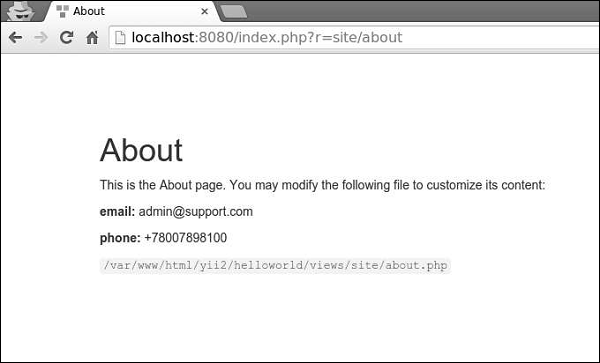
我们去掉了顶部的菜单栏。
步骤 2 - 要将此布局应用于SiteController,请将$layout属性添加到SiteController类中。
<?php
   namespace app\controllers;
   use Yii;
   use yii\filters\AccessControl;
   use yii\web\Controller;
   use yii\filters\VerbFilter;
   use app\models\LoginForm;
   use app\models\ContactForm;
   class SiteController extends Controller {
      public $layout = “newlayout”;
      /* other methods */
   }
?>
步骤 3 - 现在,如果您在Web浏览器中访问SiteController的任何视图,您将看到布局已更改。
步骤 4 - 要注册各种元标签,您可以在内容视图中调用yii\web\View::registerMetaTag()。
步骤 5 - 修改SiteController的“About”视图。
<?php
   /* @var $this yii\web\View */
   use yii\helpers\Html;
   $this->title = 'About';
   $this->params['breadcrumbs'][] = $this->title;
   $this->registerMetaTag(['name' => 'keywords', 'content' => 'yii, developing, views,
      meta, tags']);
   $this->registerMetaTag(['name' => 'description', 'content' => 'This is the description
      of this page!'], 'description');
?>
<div class="site-about">
   <h1><?= Html::encode($this->title) ?></h1>
   <p>
      This is the About page. You may modify the following file to customize its content:
   </p>
   <code><?= __FILE__ ?></code>
</div>
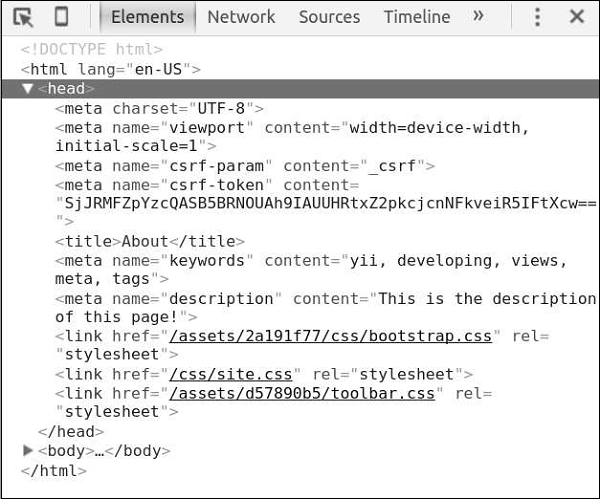
我们刚刚注册了两个元标签 - keywords和description。
步骤 6 − 现在访问 https://:8080/index.php?r=site/about, 你会在页面头部区域找到元标签,如下截图所示。
视图触发多个事件 −
EVENT_BEGIN_BODY − 在布局中,由调用 yii\web\View::beginBody() 触发。
EVENT_END_BODY − 在布局中,由调用 yii\web\View::endBody() 触发。
EVENT_BEGIN_PAGE − 在布局中,由调用 yii\web\View::beginPage() 触发。
EVENT_END_PAGE − 在布局中,由调用 yii\web\View::endPage() 触发。
EVENT_BEFORE_RENDER − 在控制器中,渲染文件开始时触发。
EVENT_AFTER_RENDER − 渲染文件后触发。
你可以响应这些事件,将内容注入到视图中。
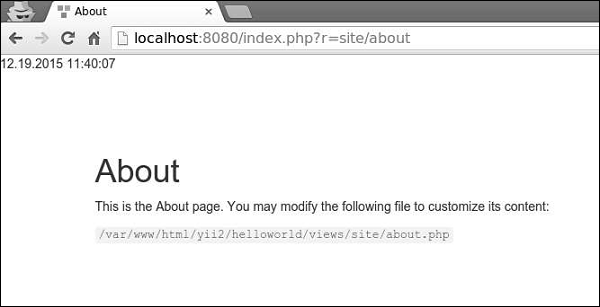
步骤 7 − 为了在 SiteController 的 actionAbout 中显示当前日期和时间,请按如下方式修改它。
public function actionAbout() {
   \Yii::$app->view->on(View::EVENT_BEGIN_BODY, function () {
      echo date('m.d.Y H:i:s');
   });
   return $this->render('about');
}
步骤 8 − 在网页浏览器的地址栏中输入 https://:8080/index.php?r=site/about,你将看到如下内容。
重要事项
为了使视图更易于管理,你应该 −
- 将复杂的视图拆分为多个较小的视图。
- 使用布局来处理通用的 HTML 部分(页眉、页脚、菜单等)。
- 使用小部件。
视图应该 −
- 包含 HTML 和简单的 PHP 代码来格式化和渲染数据。
- 不处理请求。
- 不修改模型属性。
- 不执行数据库查询。
Yii - 资源
资源文件是一个文件(css、js、视频、音频或图像等),可以在网页中引用。Yii 在**资源包**中管理资源文件。资源包的目的是将一组相关的 JS 或 CSS 文件放在代码库中,并能够通过单个 PHP 调用来注册它们。资源包还可以依赖于其他资源包。
在 assets 文件夹中,你会找到基本应用程序模板的资源包 −
<?php
   namespace app\assets;
   use yii\web\AssetBundle;
   /**
   * @author Qiang Xue <qiang.xue@gmail.com>
   * @since 2.0
   */
   class AppAsset extends AssetBundle {
      public $basePath = '@webroot';
      public $baseUrl = '@web';
      public $css = [
         'css/site.css',
      ];
      public $js = [];
      public $depends = [
         'yii\web\YiiAsset',
         'yii\bootstrap\BootstrapAsset',
      ];
   }
?>
上面的类指定资源文件位于 @webroot 文件夹内,对应于 URL @web。该包不包含任何 JS 文件,只包含一个 CSS 文件。该包依赖于其他包 −
yii\web\YiiAsset 和 yii\bootstrap\BootstrapAsset。
AssetBundle 的属性
以下是 AssetBundle 的属性。
basePath − 定义一个包含此包中资源文件的、可通过 Web 访问的目录。
baseUrl − 指定与 basePath 属性对应的 URL。
js − 定义一个包含在此包中的 JS 文件数组。
css − 定义一个包含在此包中的 CSS 文件数组。
depends − 定义一个此包所依赖的资源包数组。这意味着当前资源包的 CSS 和 JS 文件将在声明的依赖包之后包含。
sourcePath − 定义包含资源文件的根目录。如果根目录无法通过 Web 访问,则应设置此属性。否则,应设置 basePath 和 baseUrl 属性。
cssOptions − 定义将传递给 yii\web\View∷registerCssFile 函数的选项。
jsOptions − 定义将传递给 yii\web\View::registerJsFile 函数的选项。
publishOptions: 指定将传递给 yii\web\AssetManager::publish 函数的选项。
资源文件的分类
根据位置,资源文件可以分为 −
源资源文件 − 资源文件位于无法通过 Web 直接访问的目录中。为了在页面中使用源资源文件,需要将它们复制到 Web 目录中。此过程称为**资源文件发布**。
已发布的资源文件 − 资源文件位于可通过 Web 访问的目录中
外部资源文件 − 资源文件位于另一台 Web 服务器上。
使用资源包
步骤 1 − 在 assets 文件夹中,创建一个名为 DemoAsset.php 的新文件,内容如下。
<?php
   namespace app\assets;
   use yii\web\AssetBundle;
   class DemoAsset extends AssetBundle {
      public $basePath = ‘@webroot’;
      public $baseUrl = ‘@web’;
      public $js = [‘js/demo.js’];
   }
?>
步骤 2 − 我们刚刚声明了一个新的资源包,其中包含一个 demo.js 文件。现在,在 web/js 文件夹中,创建一个名为 demo.js 的文件,内容如下。
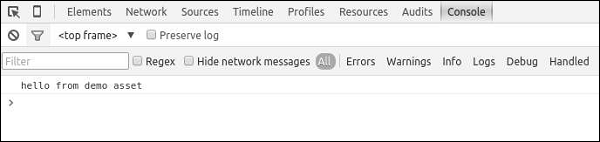
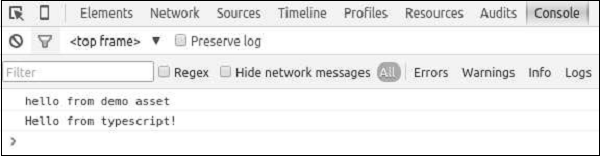
console.log("hello from demo asset");
步骤 3 − 要注册新创建的资源包,请转到 views/layouts 目录,并在 main.php 文件顶部添加以下行。
\app\assets\DemoAsset::register($this);
步骤 4 − 如果将 Web 浏览器指向 https://:8080/index.php,你应该会看到以下 Chrome 控制台输出。
你还可以定义 jsOptions 和 cssOptions 属性来自定义 CSS 和 JS 文件在页面中的包含方式。默认情况下,JS 文件在结束 body 标签之前包含。
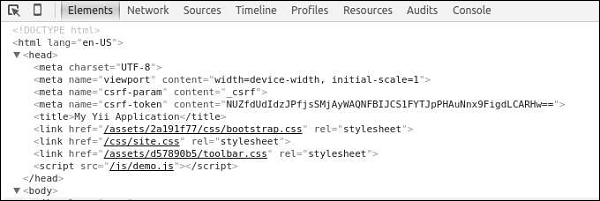
步骤 5 − 要在头部区域包含 JS 文件,请按如下方式修改 DemoAsset.php 文件。
<?php
   namespace app\assets;
   use yii\web\AssetBundle;
   use yii\web\View;
   class DemoAsset extends AssetBundle {
      public $basePath = '@webroot';
      public $baseUrl = '@web';
      public $js = ['js/demo.js'];
      public  $jsOptions = ['position' => View::POS_HEAD];
   }
?>
步骤 6 − 现在访问 https://:8080/index.php, 你应该会看到 demo.js 脚本包含在页面的头部区域。
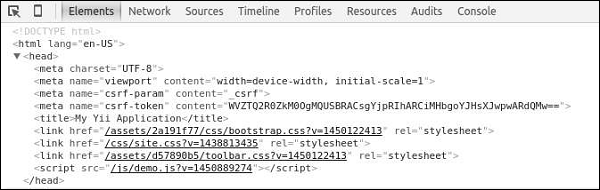
对于在生产模式下运行的 Web 应用程序,启用资源文件的 HTTP 缓存是一种常见的做法。这样做,最后修改时间戳将附加到所有已发布的资源文件中。
步骤 7 − 转到 config 文件夹并修改 web.php 文件,如下面的代码所示。
<?php
   $params = require(__DIR__ . '/params.php');
   $config = [
      'id' => 'basic',
      'basePath' => dirname(__DIR__),
      'bootstrap' => ['log'],
      'components' => [
         'assetManager' => [
            'appendTimestamp' => true,
         ],
         'request' => [
            // !!! insert a secret key in the following (if it is empty) - this is
               //required by cookie validation
            'cookieValidationKey' => 'ymoaYrebZHa8gURuolioHGlK8fLXCKjO',
         ],
         'cache' => [
            'class' => 'yii\caching\FileCache',
         ],
         'user' => [
            'identityClass' => 'app\models\User',
            'enableAutoLogin' => true,
         ],
         'errorHandler' => [
            'errorAction' => 'site/error',
         ],
         'mailer' => [
            'class' => 'yii\swiftmailer\Mailer',
            // send all mails to a file by default. You have to set
            // 'useFileTransport' to false and configure a transport
            // for the mailer to send real emails.
            'useFileTransport' => true,
         ],
         'log' => [
            'traceLevel' => YII_DEBUG ? 3 : 0,
            'targets' => [
               [
                  'class' => 'yii\log\FileTarget',
                  'levels' => ['error', 'warning'],
               ],
            ],
         ],
         'db' => require(__DIR__ . '/db.php'),
      ],
      'modules' => [
         'hello' => [
            'class' => 'app\modules\hello\Hello',
         ],
      ],
      'params' => $params,
   ];
   if (YII_ENV_DEV) {
      // configuration adjustments for 'dev' environment
      $config['bootstrap'][] = 'debug';
      $config['modules']['debug'] = [
         'class' => 'yii\debug\Module',
      ];
      $config['bootstrap'][] = 'gii';
      $config['modules']['gii'] = [
         'class' => 'yii\gii\Module',
      ];
   }
   return $config;
?>
我们添加了 AssetManager 组件并设置了 appendTimestamp 属性。
步骤 8 − 现在在 Web 浏览器的地址栏中输入 https://:8080/index.php。你会注意到所有资源文件现在都有一个时间戳,如下面的图片所示。
核心 Yii 资源包
以下是核心 Yii 资源包。
yii\web\JqueryAsset − 包含 jquery.js 文件。
yii\web\YiiAsset − 包含 yii.js 文件,该文件实现了在模块中组织 JS 代码的机制。
yii\bootstrap\BootstrapAsset − 包含来自 Twitter Bootstrap 框架的 CSS 文件。
yii\bootstrap\BootstrapPluginAsset − 包含来自 Twitter Bootstrap 框架的 JS 文件。
yii\jui\JuiAsset − 包含来自 jQuery UI 库的 CSS 和 JS 文件。
Yii - 资源转换
开发人员通常不编写 CSS 或 JS 代码,而是使用扩展语法,如 LESS、SCSS、Stylus 用于 CSS,以及 TypeScript、CoffeeScript 用于 JS。然后,他们使用特殊工具将这些文件转换为真正的 CSS 和 JS。
Yii 中的资源文件管理器会自动将扩展语法中的资源文件转换为 CSS 和 JS。渲染视图时,它将在页面中包含 CSS 和 JS 文件,而不是原始的扩展语法资源文件。
步骤 1 − 按如下方式修改 DemoAsset.php 文件。
<?php
   namespace app\assets;
   use yii\web\AssetBundle;
   use yii\web\View;
   class DemoAsset extends AssetBundle {
      public $basePath = '@webroot';
      public $baseUrl = '@web';
      public $js = [
         'js/demo.js',
         'js/greeting.ts'
      ];
      public  $jsOptions = ['position' => View::POS_HEAD];
   }
?>
我们刚刚添加了一个 TypeScript 文件。
步骤 2 − 在 web/js 目录中,创建一个名为 greeting.ts 的文件,内容如下。
class Greeter {
   constructor(public greeting: string) { }
   greet() {
      return this.greeting;
   }
};
var greeter = new Greeter("Hello from typescript!");
console.log(greeter.greet());
在上面的代码中,我们定义了一个 Greeter 类,其中包含一个 greet() 方法。我们将问候语写入 Chrome 控制台。
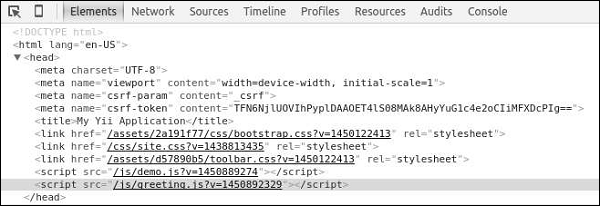
步骤 3 − 访问 URL https://:8080/index.php。你会注意到 greeting.ts 文件已转换为 greeting.js 文件,如下面的截图所示。
输出如下。
Yii - 扩展
扩展程序是专门为在 Yii 应用程序中使用而设计的程序包。你可以将自己的代码作为扩展程序共享,或者使用第三方扩展程序来为应用程序添加功能。
使用扩展程序
大多数扩展程序都作为 Composer 包分发。Composer 从 Packagist 安装包 - Composer 包的存储库。
要安装第三方扩展程序,你应该 −
将扩展程序添加到 composer.json 文件中。
运行 composer install。
添加日期和时间小部件
让我们向项目中添加一个整洁的 datetime 小部件。
步骤 1 − 按如下方式修改基本应用程序模板的 composer.json 文件。
{
   "name": "yiisoft/yii2-app-basic",
   "description": "Yii 2 Basic Project Template",
   "keywords": ["yii2", "framework", "basic", "project template"],
   "homepage": "https://yiiframework.cn/",
   "type": "project",
   "license": "BSD-3-Clause",
   "support": {
      "issues": "https://github.com/yiisoft/yii2/issues?state=open",
      "forum": "https://yiiframework.cn/forum/",
      "wiki": "https://yiiframework.cn/wiki/",
      "irc": "irc://irc.freenode.net/yii",
      "source": "https://github.com/yiisoft/yii2"
   },
   "minimum-stability": "stable",
   "require": {
      "php": ">=5.4.0",
      "yiisoft/yii2": ">=2.0.5",
      "yiisoft/yii2-bootstrap": "*",
      "yiisoft/yii2-swiftmailer": "*",
      "kartik-v/yii2-widget-datetimepicker": "*"
   },
   "require-dev": {
      "yiisoft/yii2-codeception": "*",
      "yiisoft/yii2-debug": "*",
      "yiisoft/yii2-gii": "*",
      "yiisoft/yii2-faker": "*"
   },
   "config": {
      "process-timeout": 1800
   },
   "scripts": {
      "post-create-project-cmd": [
         "yii\\composer\\Installer::postCreateProject"
      ]
   },
   "extra": {
      "yii\\composer\\Installer::postCreateProject": {
         "setPermission": [
            {
               "runtime": "0777",
               "web/assets": "0777",
               "yii": "0755"
            }
         ],
         "generateCookieValidationKey": [
            "config/web.php"
         ]
      },
      "asset-installer-paths": {
         "npm-asset-library": "vendor/npm",
         "bower-asset-library": "vendor/bower"
      }
   }
}
我们已将依赖项 "kartik-v/yii2-widget-datetimepicker": "*" 添加到 required 部分。
步骤 2 − 现在,在项目根目录中,运行 composer update 以更新所有依赖项。
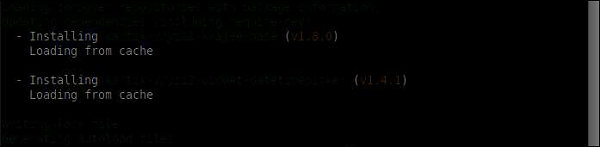
我们刚刚安装了扩展程序。你可以在 vendor/kartik-v/yii2widget-datetimepicker 文件夹中找到它。
步骤 3 − 要在页面中显示新安装的小部件,请修改 SiteController 的 actionAbout 方法的 About 视图。
<?php
   /* @var $this yii\web\View */
   use kartik\datetime\DateTimePicker;
   use yii\helpers\Html;
   $this->title = 'About';
   $this->params['breadcrumbs'][] = $this->title;
   $this->registerMetaTag(['name' => 'keywords', 'content' => 'yii, developing, views,
      meta, tags']);
   $this->registerMetaTag(['name' => 'description',
      'content' => 'This is the description of this page!'], 'description');
?>
<div class="site-about">
   <h1><?= Html::encode($this->title) ?></h1>
   <p>
      This is the About page. You may modify the following file to customize its content:
   </p>
   <?php
      echo DateTimePicker::widget([
         'name' => 'dp_1',
         'type' => DateTimePicker::TYPE_INPUT,
         'value' => '23-Feb-1982 10:10',
         'pluginOptions' => [
            'autoclose'=>true,
            'format' => 'dd-M-yyyy hh:ii'
         ]
      ]);
   ?>
</div>
步骤 4 − 现在,通过 php -S localhost:8080t web 命令从项目根目录运行内置的 php 服务器。
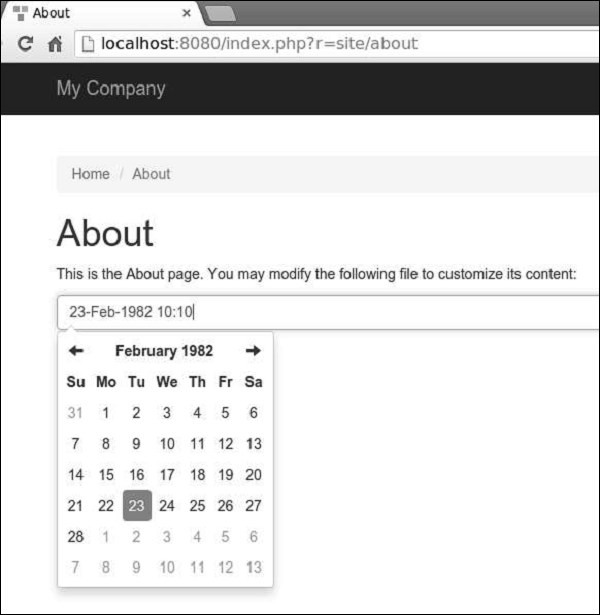
步骤 5 − 访问 https://:8080/index.php?r=site/about. 你会看到一个整洁的 datetime 选择器,如下面的截图所示。
Yii - 创建扩展
让我们创建一个简单扩展程序,显示标准的 “Hello world” 消息。此扩展程序将通过 Packagist 存储库分发。
步骤 1 − 在你的硬盘驱动器上创建一个名为 hello-world 的文件夹(但不要放在 Yii 基本应用程序模板中)。在 hello-world 目录中,创建一个名为 composer.json 的文件,内容如下。
{
    "name": "tutorialspoint/hello-world",
    "authors": [
        {
            "name": "tutorialspoint"
        }
    ],
    "require": {},
    "autoload": {
        "psr-0": {
            "HelloWorld": "src/"
        }
    }
}
我们声明了我们正在使用 PSR-0 标准,所有扩展文件都在 src 文件夹下。
步骤 2 − 创建以下目录路径:hello-world/src/HelloWorld。
步骤 3 − 在 HelloWorld 文件夹中,创建一个名为 SayHello.php 的文件,内容如下。
<?php
   namespace HelloWorld;
   class SayHello {
      public static function world() {
         return 'Hello World, Composer!';
      }
   }
?>
我们定义了一个 SayHello 类,其中包含一个 world 静态函数,该函数返回我们的 hello 消息。
步骤 4 − 扩展程序已准备就绪。现在在你的 github 帐户中创建一个空存储库,并将此扩展程序推送到那里。
在 hello-world 文件夹中运行 −
- git init
- git add
- git commit -m “initial commit”
- git remote add origin <YOUR_NEWLY_CREATED_REPOSITORY>
- git push -u origin master
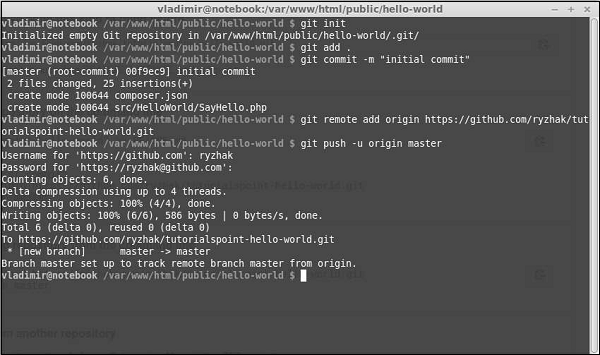
我们刚刚将扩展程序发送到 github。现在,转到 https://packagist.org.cn, 登录并点击顶部菜单中的 “提交”。
你会看到一个页面,你应该在其中输入你的 github 存储库以发布它。
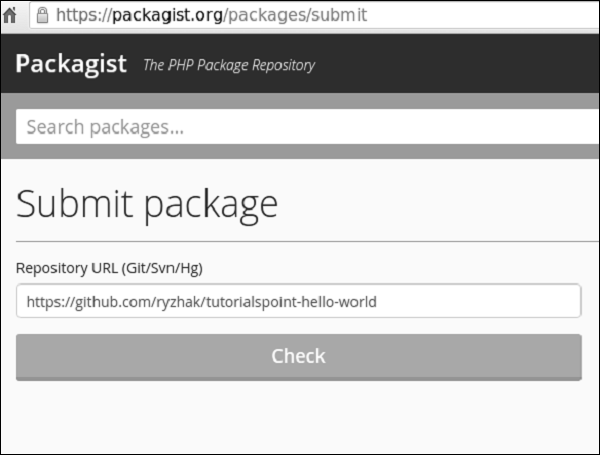
步骤 5 − 点击 “检查” 按钮,你的扩展程序就会发布。
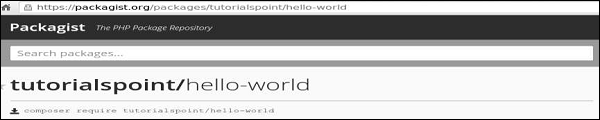
步骤 6 − 返回基本应用程序模板。将扩展程序添加到 composer.json 中。
{
   "name": "yiisoft/yii2-app-basic",
   "description": "Yii 2 Basic Project Template",
   "keywords": ["yii2", "framework", "basic", "project template"],
   "homepage": "https://yiiframework.cn/",
   "type": "project",
   "license": "BSD-3-Clause",
   "support": {
      "issues": "https://github.com/yiisoft/yii2/issues?state=open",
      "forum": "https://yiiframework.cn/forum/",
      "wiki": "https://yiiframework.cn/wiki/",
      "irc": "irc://irc.freenode.net/yii",
      "source": "https://github.com/yiisoft/yii2"
   },
   "minimum-stability": "dev",
   "prefer-stable" : true,
   "require": {
      "php": ">=5.4.0",
      "yiisoft/yii2": ">=2.0.5",
      "yiisoft/yii2-bootstrap": "*",
      "yiisoft/yii2-swiftmailer": "*",
      "kartik-v/yii2-widget-datetimepicker": "*",
      "tutorialspoint/hello-world": "*"
   },
   "require-dev": {
      "yiisoft/yii2-codeception": "*",
      "yiisoft/yii2-debug": "*",
      "yiisoft/yii2-gii": "*",
      "yiisoft/yii2-faker": "*"
   },
   "config": {
      "process-timeout": 1800
   },
   "scripts": {
      "post-create-project-cmd": [
         "yii\\composer\\Installer::postCreateProject"
      ]
   },
   "extra": {
      "yii\\composer\\Installer::postCreateProject": {
         "setPermission": [
            {
               "runtime": "0777",
               "web/assets": "0777",
               "yii": "0755"
            }
         ],
         "generateCookieValidationKey": [
            "config/web.php"
         ]
      },
      "asset-installer-paths": {
         "npm-asset-library": "vendor/npm",
         "bower-asset-library": "vendor/bower"
      }
   }
}
步骤 7 − 在项目根文件夹中,运行 composer update 以安装/更新所有依赖项。
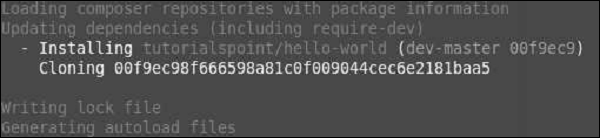
步骤 8 − 我们的扩展程序应该已安装。要使用它,请修改 SiteController 的 actionAbout 方法的 About 视图。
<?php
   /* @var $this yii\web\View */
   use yii\helpers\Html;
   $this->title = 'About';
   $this->params['breadcrumbs'][] = $this->title;
   $this->registerMetaTag(['name' => 'keywords', 'content' => 'yii, developing, views,
      meta, tags']);
   $this->registerMetaTag(['name' => 'description', 'content' => 'This is the
      description of this page!'], 'description');
?>
<div class = "site-about">
   <h1><?= Html::encode($this->title) ?></h1>
   <p>
      This is the About page. You may modify the following file to customize its content:
   </p>
   <h1><?= HelloWorld\SayHello::world();  ?></h1>
</div>
步骤 9 − 在 Web 浏览器中输入 https://:8080/index.php?r=site/about。你将看到来自我们扩展程序的 hello world 消息。
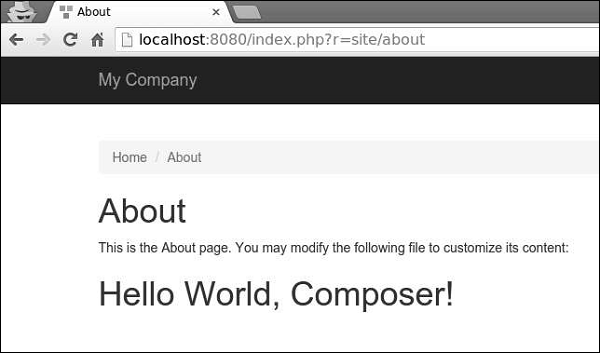
Yii - HTTP 请求
请求由 yii\web\Request 对象表示,该对象提供有关 HTTP 标头、请求参数、cookie 等信息。
get() 和 post() 方法返回请求组件的请求参数。
示例 −
$req = Yii::$app->request;
   /*
   * $get = $_GET;
   */
   $get = $req->get();

   /*
   * if(isset($_GET['id'])) {
   *     $id = $_GET['id'];
   * } else {
   *     $id = null;
   * }
   */
   $id = $req->get('id');

   /*
   * if(isset($_GET['id'])) {
   *     $id = $_GET['id'];
   * } else {
   *     $id = 1;
   * }
   */
   $id = $req->get('id', 1);

   /*
   * $post = $_POST;
	*/
   $post = $req->post();

   /*
   * if(isset($_POST['name'])) {
   *     $name = $_POST['name'];
   * } else {
   *     $name = null;
   * }
   */
   $name = $req->post('name');

   /*
   * if(isset($_POST['name'])) {
   *     $name = $_POST['name'];
   * } else {
   *     $name = '';
   * }
   */
   $name = $req->post('name', '');
步骤 1 − 将 actionTestGet 函数添加到基本应用程序模板的 SiteController 中。
public function actionTestGet() {
   var_dump(Yii::$app->request->get());
}
步骤 2 − 现在访问 https://:8080/index.php?r=site/testget&id=1&name=tutorialspoint&message=welcome,你将看到以下内容。
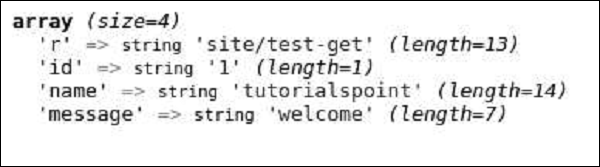
要检索其他请求方法(PATCH、DELETE 等)的参数,请使用 yii\web\Request::getBodyParam() 方法。
要获取当前请求的 HTTP 方法,请使用 Yii::$app→request→method 属性。
步骤 3 − 按如下所示修改 actionTestGet 函数。
public function actionTestGet() {
   $req = Yii::$app->request;
   if ($req->isAjax) {
      echo "the request is AJAX";
   }
   if ($req->isGet) {
      echo "the request is GET";
   }
   if ($req->isPost) {
      echo "the request is POST";
   }
   if ($req->isPut) {
      echo "the request is PUT";
   }
}
步骤 4 − 访问 https://:8080/index.php?r=site/test-get。你将看到以下内容。
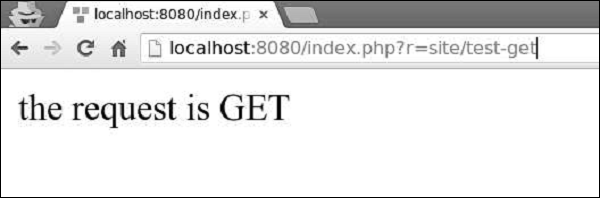
请求组件提供了许多属性来检查请求的 URL。
步骤 5 − 按如下所示修改 actionTestGet 函数。
public function actionTestGet() {
   //the URL without the host
   var_dump(Yii::$app->request->url);

   //the whole URL including the host path
   var_dump(Yii::$app->request->absoluteUrl);

   //the host of the URL
   var_dump(Yii::$app->request->hostInfo);

   //the part after the entry script and before the question mark
   var_dump(Yii::$app->request->pathInfo);

   //the part after the question mark
   var_dump(Yii::$app->request->queryString);

   //the part after the host and before the entry script
   var_dump(Yii::$app->request->baseUrl);

   //the URL without path info and query string
   var_dump(Yii::$app->request->scriptUrl);

   //the host name in the URL
   var_dump(Yii::$app->request->serverName);

   //the port used by the web server
   var_dump(Yii::$app->request->serverPort);
}
步骤 6 − 在 Web 浏览器的地址栏中,输入 https://:8080/index.php?r=site/testget&id=1&name=tutorialspoint&message=welcome,你将看到以下内容。
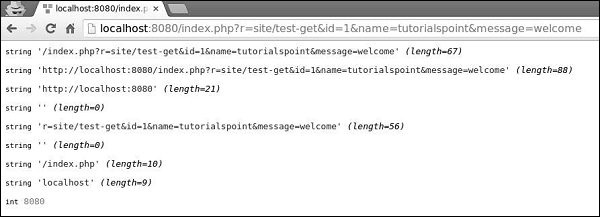
步骤 7 − 要获取 HTTP 标头信息,可以使用 yii\web\Request::$headers 属性。按如下方式修改 actionTestGet 函数。
public function actionTestGet() {
   var_dump(Yii::$app->request->headers);
}
步骤 8 − 如果访问 URL https://:8080/index.php?r=site/testget&id=1&name=tutorialspoint&message=welcome,你将看到如下所示的输出。
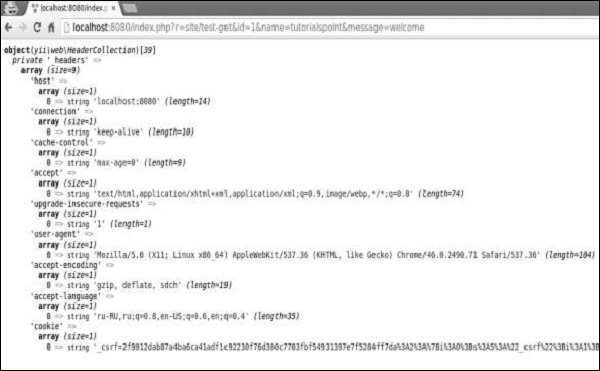
要获取客户端机器的主机名和 IP 地址,请使用 userHost 和 userIP 属性。
步骤 9 − 以这种方式修改actionTestGet 函数。
public function actionTestGet() {
   var_dump(Yii::$app->request->userHost);
   var_dump(Yii::$app->request->userIP);
}
步骤 10 − 访问地址https://:8080/index.php?r=site/test-get,您将看到以下屏幕。

Yii - 响应
当 Web 应用程序处理请求时,它会生成一个响应对象,该对象包含 HTTP 标头、正文和 HTTP 状态代码。在大多数情况下,您将使用响应应用程序组件。默认情况下,它是一个yii\web\Response的实例。
要管理响应 HTTP 状态代码,请使用yii\web\Response::$statusCode属性。yii\web\Response::$statusCode的默认值为 200。
步骤 1 − 在SiteController中添加一个名为actionTestResponse的函数。
public function actionTestResponse() {
   Yii::$app→response->statusCode = 201;
}
步骤 2 − 如果您将 Web 浏览器指向https://:8080/index.php?r=site/testresponse,您应该会注意到 201 Created 响应 HTTP 状态。

如果要指示请求不成功,可以抛出以下预定义的 HTTP 异常之一:
yii\web\BadRequestHttpException − 状态代码 400。
yii\web\UnauthorizedHttpException − 状态代码 401。
yii\web\ForbiddenHttpException − 状态代码 403。
yii\web\NotFoundHttpException − 状态代码 404。
yii\web\MethodNotAllowedHttpException − 状态代码 405。
yii\web\NotAcceptableHttpException − 状态代码 406。
yii\web\ConflictHttpException − 状态代码 409。
yii\web\GoneHttpException − 状态代码 410。
yii\web\UnsupportedMediaTypeHttpException − 状态代码 415。
yii\web\TooManyRequestsHttpException − 状态代码 429。
yii\web\ServerErrorHttpException − 状态代码 500。
步骤 3 − 按以下代码所示修改actionTestResponse函数。
public function actionTestResponse() {
   throw new \yii\web\GoneHttpException;
}
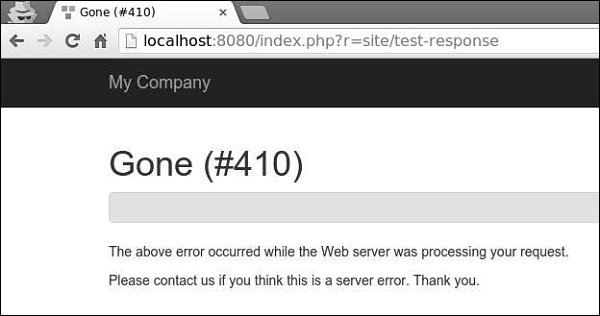
步骤 4 − 在 Web 浏览器的地址栏中键入https://:8080/index.php?r=site/test-response,您可以在以下图像中看到410 Gone响应 HTTP 状态。
步骤 5 − 您可以通过修改响应组件的headers属性来发送 HTTP 标头。要向响应添加新标头,请按以下代码中给出的方式修改actionTestResponse函数。
public function actionTestResponse() {
   Yii::$app->response->headers->add('Pragma', 'no-cache');
}
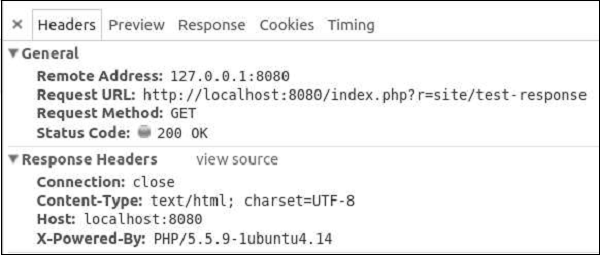
步骤 6 − 转到https://:8080/index.php?r=site/test-response,您将看到我们的 Pragma 标头。
Yii 支持以下响应格式:
HTML − 由 yii\web\HtmlResponseFormatter 实现。
XML − 由 yii\web\XmlResponseFormatter 实现。
JSON − 由 yii\web\JsonResponseFormatter 实现。
JSONP − 由 yii\web\JsonResponseFormatter 实现。
RAW − 没有任何格式化的响应。
步骤 7 − 要以JSON格式响应,请修改actionTestResponse函数。
public function actionTestResponse() {
   \Yii::$app->response->format = \yii\web\Response::FORMAT_JSON;
   return [
      'id' => '1',
      'name' => 'Ivan',
      'age' => 24,
      'country' => 'Poland',
      'city' => 'Warsaw'
   ];
}
步骤 8 − 现在,在地址栏中键入https://:8080/index.php?r=site/test-response,您将看到以下JSON响应。

Yii 通过发送 Location HTTP 标头来实现浏览器重定向。您可以调用yii\web\Response::redirect()方法将用户浏览器重定向到 URL。
步骤 9 − 以这种方式修改actionTestResponse函数。
public function actionTestResponse() {
   return $this->redirect('https://tutorialspoint.com/');
}
现在,如果您访问https://:8080/index.php?r=site/test-response,您的浏览器将重定向到TutorialsPoint网站。
发送文件
Yii 提供以下方法来支持文件发送:
yii\web\Response::sendFile() − 发送现有文件。
yii\web\Response::sendStreamAsFile() − 将现有文件流作为文件发送。
yii\web\Response::sendContentAsFile() − 将文本字符串作为文件发送。
以这种方式修改 actionTestResponse 函数:
public function actionTestResponse() {
   return \Yii::$app->response->sendFile('favicon.ico');
}
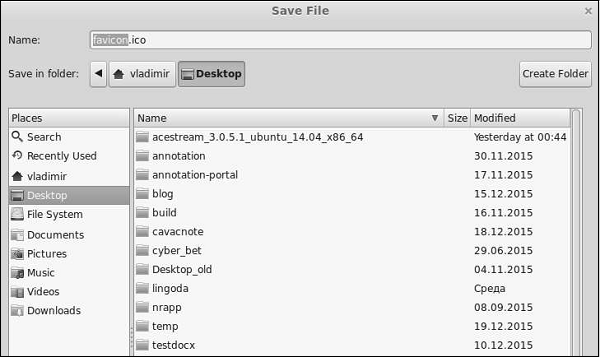
键入https://:8080/index.php?r=site/test-response,您将看到一个用于favicon.ico文件的下载对话框窗口:
在调用yii\web\Response::send()函数之前,不会发送响应。默认情况下,此方法在yii\base\Application::run()方法结束时调用。要发送响应,yii\web\Response::send()方法将执行以下步骤:
- 触发yii\web\Response::EVENT_BEFORE_SEND事件。
- 调用yii\web\Response::prepare()方法。
- 触发yii\web\Response::EVENT_AFTER_PREPARE事件。
- 调用yii\web\Response::sendHeaders()方法。
- 调用yii\web\Response::sendContent()方法。
- 触发yii\web\Response::EVENT_AFTER_SEND事件。
Yii - URL 格式
当 Yii 应用程序处理请求的 URL 时,首先,它会将 URL 解析为路由。然后,为了处理请求,此路由用于实例化相应的控制器操作。此过程称为路由。反向过程称为 URL 创建。urlManager应用程序组件负责路由和 URL 创建。它提供了两种方法:
parseRequest() − 将请求解析为路由。
createUrl() − 从给定路由创建 URL。
URL 格式
urlManager应用程序组件支持两种 URL 格式:
默认格式使用查询参数r来表示路由。例如,URL/index.php?r=news/view&id=5表示路由news/view和id查询参数 5。
漂亮的 URL 格式使用入口脚本名称的额外路径。例如,在上一个示例中,漂亮的格式将为/index.php/news/view/5。要使用此格式,您需要设置 URL 规则。
要启用漂亮的 URL 格式并隐藏入口脚本名称,请执行以下步骤:
步骤 1 − 以以下方式修改config/web.php文件。
<?php
   $params = require(__DIR__ . '/params.php');
   $config = [
      'id' => 'basic',
      'basePath' => dirname(__DIR__),
      'bootstrap' => ['log'],
      'components' => [
         'request' => [
            // !!! insert a secret key in the following (if it is empty) -
               //this is required by cookie validation
            'cookieValidationKey' => 'ymoaYrebZHa8gURuolioHGlK8fLXCKjO',
         ],
         'cache' => [
            'class' => 'yii\caching\FileCache',
         ],
         'user' => [
            'identityClass' => 'app\models\User',
            'enableAutoLogin' => true,
         ],
         'errorHandler' => [
            'errorAction' => 'site/error',
         ],
         'mailer' => [
            'class' => 'yii\swiftmailer\Mailer',
            // send all mails to a file by default. You have to set
            // 'useFileTransport' to false and configure a transport
            // for the mailer to send real emails.
            'useFileTransport' => true,
         ],
         'log' => [
            'traceLevel' => YII_DEBUG ? 3 : 0,
            'targets' => [
               [
                  'class' => 'yii\log\FileTarget',
                  'levels' => ['error', 'warning'],
               ],
            ],
         ],
         'urlManager' => [
            'showScriptName' => false,
            'enablePrettyUrl' => true
         ],
         'db' => require(__DIR__ . '/db.php'),
      ],
      'modules' => [
         'hello' => [
            'class' => 'app\modules\hello\Hello',
         ],
      ],
      'params' => $params,
   ];
   if (YII_ENV_DEV) {
      // configuration adjustments for 'dev' environment
      $config['bootstrap'][] = 'debug';
      $config['modules']['debug'] = [
         'class' => 'yii\debug\Module',
      ];
      $config['bootstrap'][] = 'gii';
      $config['modules']['gii'] = [
         'class' => 'yii\gii\Module',
      ];
   }
   return $config;
?>
我们刚刚启用了漂亮的 URL 格式并禁用了入口脚本名称。
步骤 2 − 现在,如果您在 Web 浏览器的地址栏中键入https://:8080/site/about,您将看到漂亮的 URL 正在起作用。
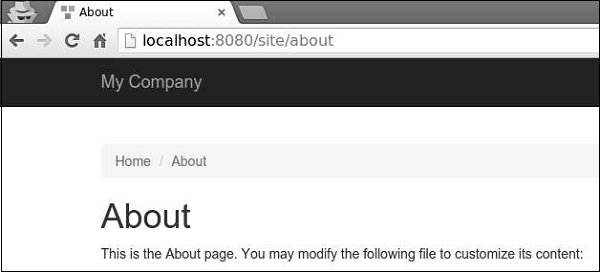
请注意,URL 不再是https://:8080/index.php?r=site/about。
Yii - URL 路由
要更改应用程序的默认路由,您应该配置defaultRoute属性。
步骤 1 − 以以下方式修改config/web.php文件。
<?php
   $params = require(__DIR__ . '/params.php');
   $config = [
      'id' => 'basic',
      'basePath' => dirname(__DIR__),
      'bootstrap' => ['log'],
      'defaultRoute' => 'site/contact',
      'components' => [
         //other code
?>
步骤 2 − 转到https://:8080/index.php。您将看到默认的contact页面。
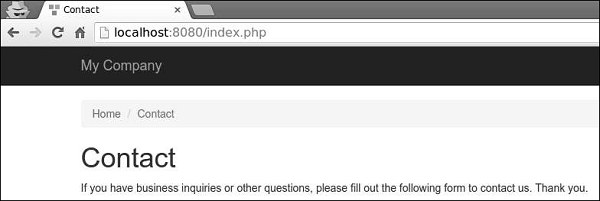
要暂时将应用程序置于维护模式,您应该配置yii\web\Application::$catchAll属性。
步骤 3 − 将以下函数添加到SiteController。
public function actionMaintenance() {
   echo "<h1>Maintenance</h1>";
}
步骤 4 − 然后,以以下方式修改config/web.php文件。
<?php
   $params = require(__DIR__ . '/params.php');
   $config = [
      'id' => 'basic',
      'basePath' => dirname(__DIR__),
      'bootstrap' => ['log'],
      'catchAll' => ['site/maintenance'],
      'components' => [
         //OTHER CODE
步骤 5 − 现在输入应用程序的任何 URL,您将看到以下内容。
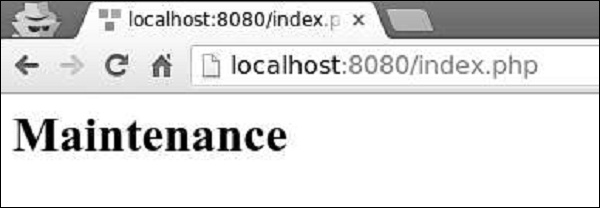
创建 URL
要创建各种类型的 URL,您可以使用yii\helpers\Url::to()辅助方法。以下示例假定正在使用默认 URL 格式。
步骤 1 − 向SiteController添加一个actionRoutes()方法。
public function actionRoutes() {
   return $this->render('routes');
}
此方法仅呈现routes视图。
步骤 2 − 在 views/site 目录中,创建一个名为routes.php的文件,内容如下。
<?php
   use yii\helpers\Url;
?>

<h4>
   <b>Url::to(['post/index']):</b>
   <?php
      // creates a URL to a route: /index.php?r = post/index
      echo Url::to(['post/index']);
   ?>
</h4>

<h4>
   <b>Url::to(['post/view', 'id' => 100]):</b>
   <?php
      // creates a URL to a route with parameters: /index.php?r = post/view&id=100
      echo Url::to(['post/view', 'id' => 100]);
   ?>
</h4>

<h4>
   <b>Url::to(['post/view', 'id' => 100, '#' => 'content']):</b>
   <?php
      // creates an anchored URL: /index.php?r = post/view&id=100#content
      echo Url::to(['post/view', 'id' => 100, '#' => 'content']);
   ?>
</h4>

<h4>
   <b>Url::to(['post/index'], true):</b>
   <?php
      // creates an absolute URL: http://www.example.com/index.php?r=post/index
      echo Url::to(['post/index'], true);
   ?>
</h4>

<h4>
   <b>Url::to(['post/index'], 'https'):</b>
   <?php
      // creates an absolute URL using the https scheme: https://www.example.com/index.php?r=post/index
      echo Url::to(['post/index'], 'https');
   ?>
</h4>
步骤 3 − 键入https://:8080/index.php?r=site/routes,您将看到to()函数的一些用法。
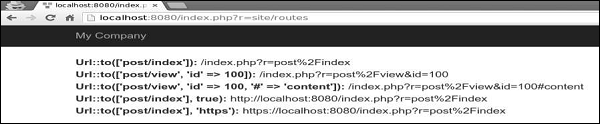
传递给yii\helpers\Url::to()方法的路由可以根据以下规则是相对的或绝对的:
如果路由为空,则将使用当前请求的路由。
如果路由没有前导斜杠,则认为它是相对于当前模块的路由。
如果路由不包含斜杠,则认为它是当前控制器的操作 ID。
yii\helpers\Url辅助类还提供了一些有用的方法。
步骤 4 − 按以下代码中给出的方式修改routes视图。
<?php
   use yii\helpers\Url;
?>

<h4>
   <b>Url::home():</b>
   <?php
      // home page URL: /index.php?r=site/index
      echo Url::home();
   ?>
</h4>

<h4>
   <b>Url::base():</b>
   <?php
      // the base URL, useful if the application is deployed in a sub-folder of the Web root
      echo Url::base();
   ?>
</h4>

<h4>
   <b>Url::canonical():</b>
   <?php
      // the canonical URL of the currently requested URL
      // see https://en.wikipedia.org/wiki/Canonical_link_element
      echo Url::canonical();
   ?>
</h4>

<h4>
   <b>Url::previous():</b>
   <?php
      // remember the currently requested URL and retrieve it back in later requests
      Url::remember();
      echo Url::previous();
   ?>
</h4>
步骤 5 − 如果您在 Web 浏览器中输入地址https://:8080/index.php?r=site/routes,您将看到以下内容。
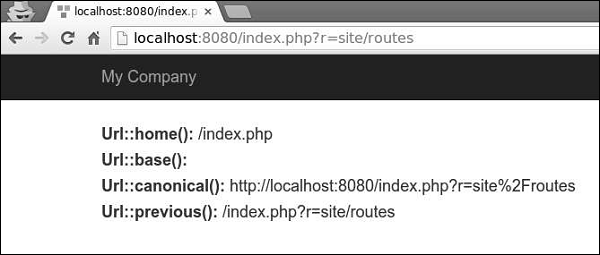
Yii - URL 规则
URL 规则是yii\web\UrlRule的一个实例。当启用漂亮的 URL 格式时,urlManager组件使用在其rules属性中声明的 URL 规则。
要解析请求,URL 管理器会按照声明的顺序获取规则并查找第一个规则。
步骤 1 − 修改config/web.php文件中的urlManager组件。
'urlManager' => [
   'showScriptName' => false,
   'enablePrettyUrl' => true,
   'rules' => [
      'about' => 'site/about',
   ]
],
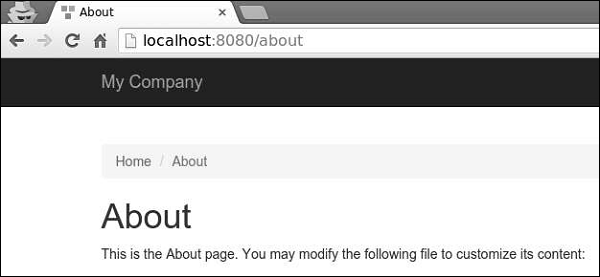
步骤 2 − 在 Web 浏览器中转到https://:8080/about,您将看到关于页面。
URL 规则可以与此模式关联的查询参数关联:
<ParamName:RegExp>,其中:
ParamName − 参数名称
RegExp − 用于匹配参数值的可选正则表达式
假设我们已声明以下 URL 规则:
[
   'articles/<year:\d{4}>/<category>' => 'article/index',
   'articles' => 'article/index',
   'article/<id:\d+>' => 'article/view',
]
当规则用于解析时:
- /index.php/articles 解析为 article/index
- /index.php/articles/2014/php 解析为 article/index
- /index.php/article/100 解析为 article/view
- /index.php/articles/php 解析为 articles/php
当规则用于创建 URL时:
Url::to(['article/index']) 创建 /index.php/articles
Url::to(['article/index', 'year' => 2014, 'category' => 'php']) 创建 /index.php/articles/2014/php
Url::to(['article/view', 'id' => 100]) 创建 /index.php/article/100
Url::to(['article/view', 'id' => 100, 'source' => 'ad']) 创建 /index.php/article/100?source=ad
Url::to(['article/index', 'category' => 'php']) 创建 /index.php/article/index?category=php
要向 URL 添加后缀,您应该配置yii\web\UrlManager::$suffix属性。
步骤 3 − 修改config/web.php文件中的urlComponent。
'urlManager' => [
   'showScriptName' => false,
   'enablePrettyUrl' => true,
   'enableStrictParsing' => true,
   'suffix' => '.html'
],
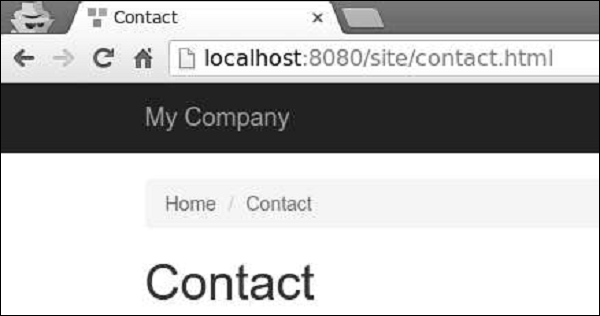
步骤 4 − 在 Web 浏览器的地址栏中键入地址https://:8080/site/contact.html,您将在屏幕上看到以下内容。请注意html后缀。
Yii - HTML 表单
当表单基于模型时,在 Yii 中创建此表单的常用方法是通过yii\widgets\ActiveForm类。在大多数情况下,表单具有相应的模型,用于数据验证。如果模型表示来自数据库的数据,则模型应派生自ActiveRecord类。如果模型捕获任意输入,则它应派生自yii\base\Model类。
让我们创建一个注册表单。
步骤 1 − 在models文件夹中,创建一个名为RegistrationForm.php的文件,内容如下。
<?php
   namespace app\models;
   use Yii;
   use yii\base\Model;
   class RegistrationForm extends Model {
      public $username;
      public $password;
      public $email;
      public $subscriptions;
      public $photos;
      /**
      * @return array customized attribute labels
      */
      public function attributeLabels() {
         return [
            'username' => 'Username',
            'password' => 'Password',
            'email' => 'Email',
            'subscriptions' => 'Subscriptions',
            'photos' => 'Photos',
         ];
      }
   }
?>
我们已为注册表单声明了一个模型,其中包含五个属性:用户名、密码、电子邮件、订阅和照片。
步骤 2 − 要显示此表单,请向SiteController添加actionRegistration方法。
public function actionRegistration() {
   $mRegistration = new RegistrationForm();
   return $this->render('registration', ['model' => $mRegistration]);
}
我们创建了一个RegistrationForm的实例,并将其传递给注册视图。现在,是时候创建视图了。
步骤 3 − 在 views/site 文件夹中,添加一个名为registration.php的文件,内容如下。
<?php
   use yii\bootstrap\ActiveForm;
   use yii\bootstrap\Html;
?>
<div class = "row">
   <div class = "col-lg-5">
      <?php $form = ActiveForm::begin(['id' => 'registration-form']); ?>
      <?= $form->field($model, 'username') ?>
      <?= $form->field($model, 'password')->passwordInput() ?>
      <?= $form->field($model, 'email')->input('email') ?>
      <?= $form->field($model, 'photos[]')->fileInput(['multiple'=>'multiple']) ?>
      <?= $form->field($model, 'subscriptions[]')->checkboxList(['a' => 'Item A',
         'b' => 'Item B', 'c' => 'Item C']) ?>
      <div class = "form-group">
         <?= Html::submitButton('Submit', ['class' => 'btn btn-primary',
            'name' => 'registration-button']) ?>
      </div>
      <?php ActiveForm::end(); ?>
   </div>
</div>
我们观察到以下内容:
ActiveForm::begin()函数标记表单的开始。ActiveForm::begin()和ActiveForm::end()函数之间的所有代码都将包装在form标签内。
要在表单中创建字段,您应该调用ActiveForm::field()方法。它创建所有input 和 label标签。输入名称会自动确定。
例如,password属性将为RegistrationForm[password]。如果希望属性采用数组,则应将[ ]附加到属性名称。
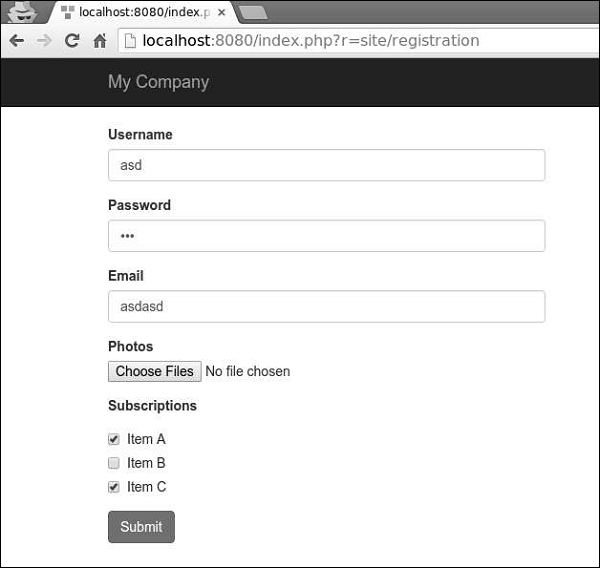
步骤 4 − 如果您转到 Web 浏览器的地址栏并键入https://:8080/index.php?r=site/registration,您将看到我们的表单。
Yii - 验证
您永远不应该信任从用户那里收到的数据。要使用用户输入验证模型,您应该调用yii\base\Model::validate()方法。如果验证成功,它将返回一个布尔值。如果存在错误,您可以从yii\base\Model::$errors属性中获取它们。
使用规则
要使validate()函数起作用,您应该覆盖yii\base\Model::rules()方法。
步骤 1 − rules()方法按以下格式返回一个数组。
[
   // required, specifies which attributes should be validated
   ['attr1', 'attr2', ...],
   // required, specifies the type a rule.
   'type_of_rule',
   // optional, defines in which scenario(s) this rule should be applied
   'on' => ['scenario1', 'scenario2', ...],
   // optional, defines additional configurations
   'property' => 'value', ...
]
对于每个规则,您至少应定义规则适用的属性以及应用的规则类型。
核心验证规则包括:boolean、captcha、compare、date、default、double、each、email、exist、file、filter、image、ip、in、integer、match、number、required、safe、string、trim、unique、url。
步骤 2 − 在models文件夹中创建一个新的模型。
<?php
   namespace app\models;
   use Yii;
   use yii\base\Model;
   class RegistrationForm extends Model {
      public $username;
      public $password;
      public $email;
      public $country;
      public $city;
      public $phone;
      public function rules() {
         return [
            // the username, password, email, country, city, and phone attributes are
            //required
            [['username' ,'password', 'email', 'country', 'city', 'phone'], 'required'],
            // the email attribute should be a valid email address
            ['email', 'email'],
         ];
      }
   }
?>
我们已经为注册表单声明了模型。该模型有五个属性:username、password、email、country、city和phone。它们都是必填项,并且email属性必须是有效的电子邮件地址。
步骤 3 − 将actionRegistration方法添加到SiteController中,我们在其中创建一个新的RegistrationForm模型并将其传递给视图。
public function actionRegistration() {
   $model = new RegistrationForm();
   return $this->render('registration', ['model' => $model]);
}
步骤 4 − 为我们的注册表单添加一个视图。在views/site文件夹中,创建一个名为registration.php的文件,内容如下。
<?php
   use yii\bootstrap\ActiveForm;
   use yii\bootstrap\Html;
?>

<div class = "row">
   <div class = "col-lg-5">
      <?php $form = ActiveForm::begin(['id' => 'registration-form']); ?>
         <?= $form->field($model, 'username') ?>
         <?= $form->field($model, 'password')->passwordInput() ?>
         <?= $form->field($model, 'email')->input('email') ?>
         <?= $form->field($model, 'country') ?>
         <?= $form->field($model, 'city') ?>
         <?= $form->field($model, 'phone') ?>
         <div class = "form-group">
            <?= Html::submitButton('Submit', ['class' => 'btn btn-primary',
               'name' => 'registration-button']) ?>
         </div>
      <?php ActiveForm::end(); ?>
   </div>
</div>
我们使用ActiveForm小部件来显示我们的注册表单。
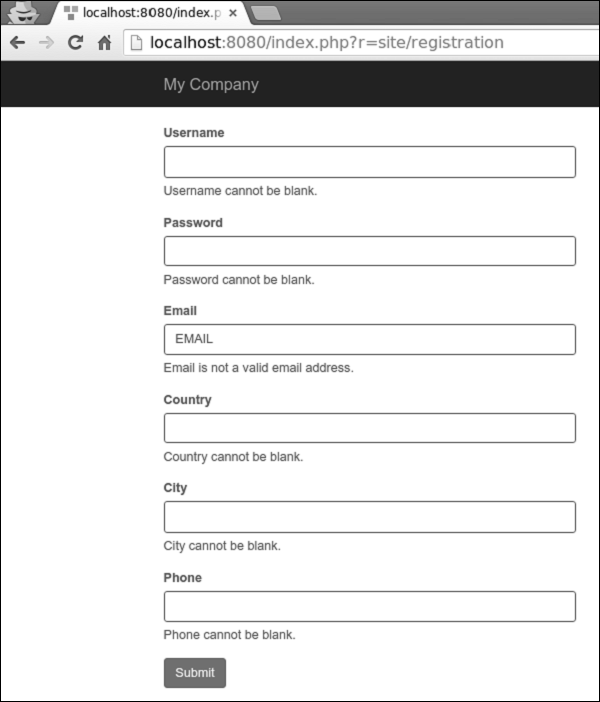
步骤 5 − 如果您访问本地主机https://:8080/index.php?r=site/registration并点击提交按钮,您将看到验证规则生效。
步骤 6 − 要自定义username属性的错误消息,请按如下方式修改RegistrationForm的rules()方法。
public function rules() {
   return [
      // the username, password, email, country, city, and phone attributes are required
      [['password', 'email', 'country', 'city', 'phone'], 'required'],
      ['username', 'required', 'message' => 'Username is required'],
      // the email attribute should be a valid email address
      ['email', 'email'],
   ];
}
步骤 7 − 访问本地主机https://:8080/index.php?r=site/registration并点击提交按钮。您会注意到username属性的错误消息已更改。
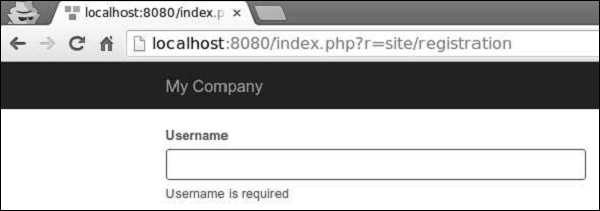
步骤 8 − 要自定义验证过程,您可以覆盖这些方法。
yii\base\Model::beforeValidate(): 触发
yii\base\Model::EVENT_BEFORE_VALIDATE事件。
yii\base\Model::afterValidate(): 触发
yii\base\Model::EVENT_AFTER_VALIDATE事件。
步骤 9 − 要修剪country属性周围的空格并将city属性的空输入转换为null,您可以使用trim和default验证器。
public function rules() {
   return [
      // the username, password, email, country, city, and phone attributes are required
      [['password', 'email', 'country', 'city', 'phone'], 'required'],
      ['username', 'required', 'message' => 'Username is required'],
      ['country', 'trim'],
      ['city', 'default'],
      // the email attribute should be a valid email address
      ['email', 'email'],
   ];
}
步骤 10 − 如果输入为空,您可以为其设置默认值。
public function rules() {
   return [
      ['city', 'default', 'value' => 'Paris'],
   ];
}
如果city属性为空,则将使用默认值“Paris”。
Yii - 特设验证
有时您需要验证与任何模型都不绑定的值。您可以使用yii\base\DynamicModel类,它支持动态定义属性和规则。
步骤 1 − 将actionAdHocValidation方法添加到SiteController中。
public function actionAdHocValidation() {
   $model = DynamicModel::validateData([
      'username' => 'John',
      'email' => 'john@gmail.com'
   ], [
      [['username', 'email'], 'string', 'max' => 12],
      ['email', 'email'],
   ]);

   if ($model->hasErrors()) {
      var_dump($model->errors);
   } else {
      echo "success";
   }
}
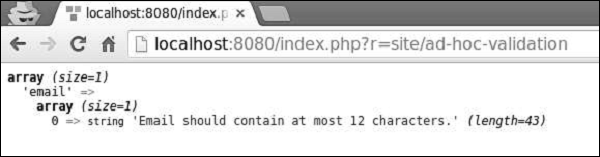
在上面的代码中,我们定义了一个具有username和email属性的“动态”模型并对其进行验证。
步骤 2 − 在网页浏览器的地址栏中输入https://:8080/index.php?r=site/ad-hoc-validation,您将看到错误消息,因为我们的电子邮件长度为14个字符。
自定义验证器
自定义验证器有两种类型:
- 内联验证器
- 独立验证器
内联验证器由模型方法或匿名函数定义。如果属性验证失败,您应该调用yii\base\Model::addError()方法来保存错误消息。
以下RegistrationForm的示例验证city属性,因此它只能接受两个值:London和Paris。
<?php
   namespace app\models;
   use Yii;
   use yii\base\Model;
   class RegistrationForm extends Model {
      public $username;
      public $password;
      public $email;
      public $country;
      public $city;
      public $phone;
      public function rules() {
         return [
            ['city', 'validateCity']
         ];
      }
      public function validateCity($attribute, $params) {
         if (!in_array($this->$attribute, ['Paris', 'London'])) {
            $this->addError($attribute, 'The city must be either "London" or "Paris".');
         }
      }
   }
?>
独立验证器扩展了yii\validators\Validator类。要实现验证逻辑,您应该覆盖yii\validators\Validator::validateAttribute()方法。
步骤 1 − 要使用独立验证器实现前面的示例,请将CityValidator.php文件添加到components文件夹中。
<?php
   namespace app\components;
   use yii\validators\Validator;
   class CityValidator extends Validator {
      public function validateAttribute($model, $attribute) {
         if (!in_array($model->$attribute, ['Paris', 'London'])) {
            $this->addError($model, $attribute, 'The city must be either "Paris"
               or "London".');
         }
      }
   }
?>
步骤 2 − 然后,按如下方式修改RegistrationForm模型。
<?php
   namespace app\models;
   use app\components\CityValidator;
   use Yii;
   use yii\base\Model;
   class RegistrationForm extends Model {
      public $username;
      public $password;
      public $email;
      public $country;
      public $city;
      public $phone;
      public function rules() {
         return [
            ['city', CityValidator::className()]
         ];
      }
   }
?>
Yii - AJAX 验证
username验证应该只在服务器端进行,因为只有服务器拥有所需的信息。在这种情况下,您可以使用基于AJAX的验证。
步骤 1 − 要启用AJAX验证,请按如下方式修改registration视图。
<?php
   use yii\bootstrap\ActiveForm;
   use yii\bootstrap\Html;
?>

<div class = "row">
   <div class = "col-lg-5">

      <?php $form = ActiveForm::begin(['id' => 'registration-form',
         'enableAjaxValidation' => true]); ?>
      <?= $form->field($model, 'username') ?>
      <?= $form->field($model, 'password')->passwordInput() ?>
      <?= $form->field($model, 'email')->input('email') ?>
      <?= $form->field($model, 'country') ?>
      <?= $form->field($model, 'city') ?>
      <?= $form->field($model, 'phone') ?>
      <div class = "form-group">
         <?= Html::submitButton('Submit', ['class' => 'btn btn-primary',
            'name' => 'registration-button']) ?>
      </div>

      <?php ActiveForm::end(); ?>
   </div>
</div>
我们还应该准备服务器,以便它可以处理AJAX请求。
步骤 2 − 按如下方式修改SiteController的actionRegistration方法。
public function actionRegistration() {
   $model = new RegistrationForm();
   if (Yii::$app->request->isAjax && $model->load(Yii::$app->request>post())) {
      Yii::$app->response->format = Response::FORMAT_JSON;
      return ActiveForm::validate($model);
   }
   return $this->render('registration', ['model' => $model]);
}
步骤 3 − 现在,访问https://:8080/index.php?r=site/registration,您会注意到表单验证是通过AJAX请求完成的。

Yii - 会话
会话使数据在各个页面之间可访问。会话在服务器上的临时目录中创建一个文件,所有会话变量都存储在其中。在特定用户访问网站期间,此数据可供网站的所有页面使用。
会话开始时,会发生以下情况:
PHP为该特定会话创建一个唯一的ID。
在客户端(浏览器)发送一个名为PHPSESSID的cookie。
服务器在临时文件夹中创建一个文件,所有会话变量都保存在其中。
当服务器想要从会话变量中检索值时,PHP会自动从PHPSESSID cookie中获取唯一的会话ID。然后,它在临时目录中查找所需的文件。
要启动会话,您应该调用session_start()函数。所有会话变量都存储在$_SESSION全局变量中。您还可以使用isset()函数检查会话变量是否已设置:
<?php
   session_start();
   if( isset( $_SESSION['number'] ) ) {
      $_SESSION['number'] += 1;
   }else {
      $_SESSION['number'] = 1;
   }
   $msg = "This page was visited ".  $_SESSION['number'];
   $msg .= "in this session.";
   echo $msg;
?>
要销毁会话,您应该调用session_destroy()函数。要销毁单个会话变量,请调用unset()函数:
<?php
   unset($_SESSION['number']);
   session_destroy();
?>
在Yii中使用会话
会话允许数据在用户请求之间持久化。在PHP中,您可以通过$_SESSION变量访问它们。在Yii中,您可以通过session应用程序组件访问会话。
步骤 1 − 将actionOpenAndCloseSession方法添加到SiteController中。
public function actionOpenAndCloseSession() {
   $session = Yii::$app->session;
   // open a session
   $session->open();
   // check if a session is already opened
   if ($session->isActive) echo "session is active";
   // close a session
   $session->close();
   // destroys all data registered to a session
   $session->destroy();
}
在上面的代码中,我们获取session应用程序组件,打开会话,检查它是否处于活动状态,关闭会话,最后销毁它。
步骤 2 − 在网页浏览器的地址栏中输入https://:8080/index.php?r=site/open-and-close-session,您将看到以下内容。
要访问会话变量,您可以使用set()和get()方法。
步骤 3 − 将actionAccessSession方法添加到SiteController中。
public function actionAccessSession() {

   $session = Yii::$app->session;

   // set a session variable
   $session->set('language', 'ru-RU');

   // get a session variable
   $language = $session->get('language');
   var_dump($language);

   // remove a session variable
   $session->remove('language');

   // check if a session variable exists
   if (!$session->has('language')) echo "language is not set";

   $session['captcha'] = [
      'value' => 'aSBS23',
      'lifetime' => 7200,
   ];
   var_dump($session['captcha']);
}
步骤 4 − 访问https://:8080/index.php?r=site/access-session,您将看到以下内容。
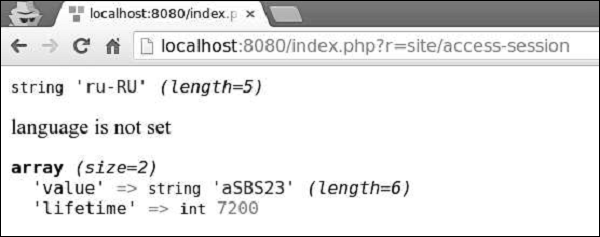
Yii - 使用闪存数据
Yii提供了闪存数据概念。闪存数据是会话数据,它:
- 在一个请求中设置。
- 仅在下一次请求中可用。
- 之后将自动删除。
步骤 1 − 将actionShowFlash方法添加到SiteController中。
public function actionShowFlash() {
   $session = Yii::$app->session;
   // set a flash message named as "greeting"
   $session->setFlash('greeting', 'Hello user!');
   return $this->render('showflash');
}
步骤 2 − 在views/site文件夹中,创建一个名为showflash.php的视图文件。
<?php
   use yii\bootstrap\Alert;
   echo Alert::widget([
      'options' => ['class' => 'alert-info'],
      'body' => Yii::$app->session->getFlash('greeting'),
   ]);
?>
步骤 3 − 当您在网页浏览器的地址栏中输入https://:8080/index.php?r=site/show-flash时,您将看到以下内容。
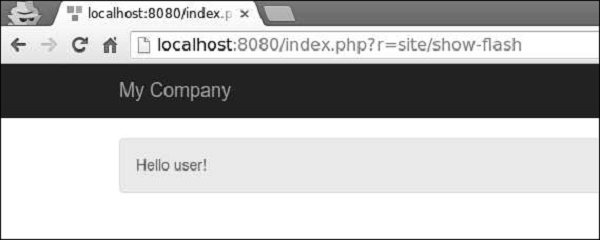
Yii还提供以下会话类:
yii\web\CacheSession − 将会话信息存储在缓存中。
yii\web\DbSession − 将会话信息存储在数据库中。
yii\mongodb\Session − 将会话信息存储在MongoDB中。
yii\redis\Session − 使用redis数据库存储会话信息。
Yii - Cookie
Cookie是存储在客户端的纯文本文件。您可以将其用于跟踪目的。
识别回头客有三个步骤:
服务器向客户端(浏览器)发送一组Cookie。例如,id或token。
浏览器将其存储。
下次浏览器向Web服务器发送请求时,它还会发送这些Cookie,以便服务器可以使用这些信息来识别用户。
Cookie通常在HTTP标头中设置,如下面的代码所示。
HTTP/1.1 200 OK
Date: Fri, 05 Feb 2015 21:03:38 GMT
Server: Apache/1.3.9 (UNIX) PHP/4.0b3
Set-Cookie: name = myname; expires = Monday, 06-Feb-16 22:03:38 GMT;
   path = /; domain = tutorialspoint.com
Connection: close
Content-Type: text/html
PHP提供setcookie()函数来设置Cookie:
setcookie(name, value, expire, path, domain, security);
其中:
name − 设置Cookie的名称,并存储在名为HTTP_COOKIE_VARS的环境变量中。
value − 设置命名变量的值。
expiry − 指定自1970年1月1日00:00:00 GMT以来的秒数的未来时间。在此时间之后,Cookie将变得不可访问。
path − 指定Cookie有效的目录。
domain − 这可用于在非常大的域中定义域名。所有Cookie仅对创建它们的宿主和域有效。
security − 如果设置为1,则表示Cookie应该只通过HTTPS发送,否则,当设置为0时,Cookie可以通过常规HTTP发送。
要访问PHP中的Cookie,您可以使用$_COOKIE或$HTTP_COOKIE_VARS变量。
<?php
   echo $_COOKIE["token"]. "<br />";
   /* is equivalent to */
   echo $HTTP_COOKIE_VARS["token"]. "<br />";
   echo $_COOKIE["id"] . "<br />";
   /* is equivalent to */
   echo $HTTP_COOKIE_VARS["id"] . "<br />";
?>
要删除Cookie,您应该将Cookie设置为已过期的日期。
<?php
   setcookie( "token", "", time()- 60, "/","", 0);
   setcookie( "id", "", time()- 60, "/","", 0);
?>
Yii - 使用 Cookie
Cookie允许数据在请求之间持久化。在PHP中,您可以通过$_COOKIE变量访问它们。Yii将Cookie表示为yii\web\Cookie类的对象。在本章中,我们描述了几种读取Cookie的方法。
步骤 1 − 在SiteController中创建一个actionReadCookies方法。
public function actionReadCookies() {
   // get cookies from the "request" component
   $cookies = Yii::$app->request->cookies;
   // get the "language" cookie value
   // if the cookie does not exist, return "ru" as the default value
   $language = $cookies->getValue('language', 'ru');
   // an alternative way of getting the "language" cookie value
   if (($cookie = $cookies->get('language')) !== null) {
      $language = $cookie->value;
   }
   // you may also use $cookies like an array
   if (isset($cookies['language'])) {
      $language = $cookies['language']->value;
   }
   // check if there is a "language" cookie
   if ($cookies->has('language')) echo "Current language: $language";
}
步骤 2 − 要查看Cookie的发送情况,请在SiteController中创建一个名为actionSendCookies的方法。
public function actionSendCookies() {
   // get cookies from the "response" component
   $cookies = Yii::$app->response->cookies;
   // add a new cookie to the response to be sent
   $cookies->add(new \yii\web\Cookie([
      'name' => 'language',
      'value' => 'ru-RU',
   ]));
   $cookies->add(new \yii\web\Cookie([
      'name' => 'username',
      'value' => 'John',
   ]));
   $cookies->add(new \yii\web\Cookie([
      'name' => 'country',
      'value' => 'USA',
   ]));
}
步骤 3 − 现在,如果您访问https://:8080/index.php?r=site/send-cookies,您会注意到Cookie已保存在浏览器中。
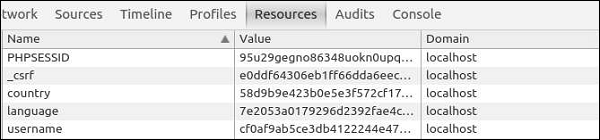
在Yii中,默认情况下,启用Cookie验证。它可以防止Cookie在客户端被修改。来自config/web.php文件的哈希字符串对每个Cookie进行签名。
<?php
   $params = require(__DIR__ . '/params.php');
   $config = [
      'id' => 'basic',
      'basePath' => dirname(__DIR__),
      'bootstrap' => ['log'],
      'components' => [
         'request' => [
            // !!! insert a secret key in the following (if it is empty) - this is
            //required by cookie validation
            'cookieValidationKey' => 'ymoaYrebZHa8gURuolioHGlK8fLXCKjO',
         ],
         'cache' => [
            'class' => 'yii\caching\FileCache',
         ],
         'user' => [
            'identityClass' => 'app\models\User',
            'enableAutoLogin' => true,
         ],
         'errorHandler' => [
            'errorAction' => 'site/error',
         ],
         'mailer' => [
            'class' => 'yii\swiftmailer\Mailer',
            // send all mails to a file by default. You have to set
            // 'useFileTransport' to false and configure a transport
            // for the mailer to send real emails.
            'useFileTransport' => true,
         ],
         'log' => [
            'traceLevel' => YII_DEBUG ? 3 : 0,
            'targets' => [
               [
                  'class' => 'yii\log\FileTarget',
                     'levels' => ['error', 'warning'],
                ],
            ],
         ],
         'urlManager' => [
            //'showScriptName' => false,
            //'enablePrettyUrl' => true,
            //'enableStrictParsing' => true,
            //'suffix' => '/'
         ],
         'db' => require(__DIR__ . '/db.php'),
      ],
      'modules' => [
         'hello' => [
            'class' => 'app\modules\hello\Hello',
         ],
      ],
      'params' => $params,
   ];
   if (YII_ENV_DEV) {
      // configuration adjustments for 'dev' environment
      $config['bootstrap'][] = 'debug';
      $config['modules']['debug'] = [
         'class' => 'yii\debug\Module',
      ];
      $config['bootstrap'][] = 'gii';
      $config['modules']['gii'] = [
         'class' => 'yii\gii\Module',
      ];
   }
   return $config;
?>
您可以通过将yii\web\Request::$enableCookieValidation属性设置为false来禁用Cookie验证。
Yii - 文件上传
您可以借助yii\web\UploadedFile、models和yii\widgets\ActiveForm轻松实现文件上传功能。
在根文件夹中创建一个名为“uploads”的目录。此目录将保存所有上传的图像。要上传单个文件,您需要创建一个模型以及用于上传文件实例的模型属性。您还应该验证文件上传。
步骤 1 − 在models文件夹中,创建一个名为UploadImageForm.php的文件,内容如下。
<?php
   namespace app\models;
   use yii\base\Model;
   class UploadImageForm extends Model {
      public $image;
      public function rules() {
         return [
            [['image'], 'file', 'skipOnEmpty' => false, 'extensions' => 'jpg, png'],
         ];
      }
      public function upload() {
         if ($this->validate()) {
            $this->image->saveAs('../uploads/' . $this->image->baseName . '.' .
               $this->image->extension);
            return true;
         } else {
            return false;
         }
      }
   }
?>
image属性用于保存文件实例。file验证规则确保文件具有png或jpg扩展名。upload函数验证文件并将其保存到服务器上。
步骤 2 − 现在,将actionUploadImage函数添加到SiteController中。
public function actionUploadImage() {
   $model = new UploadImageForm();
   if (Yii::$app->request->isPost) {
      $model->image = UploadedFile::getInstance($model, 'image');
      if ($model->upload()) {
         // file is uploaded successfully
         echo "File successfully uploaded";
         return;
     }
   }
   return $this->render('upload', ['model' => $model]);
}
步骤 3 − 当表单提交时,我们调用yii\web\UploadedFile::getInstance()函数将上传的文件表示为UploadedFile实例。然后,我们验证文件并将其保存到服务器上。
步骤 4 − 接下来,在views/site目录中创建一个upload.php视图文件。
<?php
   use yii\widgets\ActiveForm;
?>
<?php $form = ActiveForm::begin(['options' => ['enctype' => 'multipart/form-data']])?>
<?= $form->field($model, 'image')->fileInput() ?>
   <button>Submit</button>
<?php ActiveForm::end() ?>
请记住,在上传文件时添加enctype选项。fileInput()方法呈现以下html代码:
<input type = "file">
以上html代码允许用户选择和上传文件。
步骤 5 − 现在,如果您访问https://:8080/index.php?r=site/upload-image,您将看到以下内容。
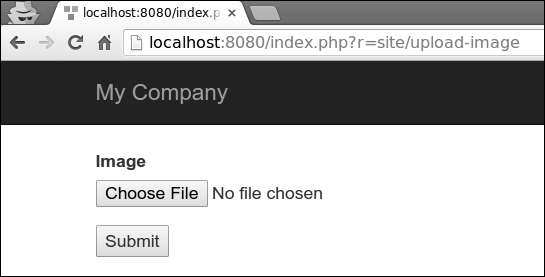
步骤 6 − 选择要上传的图像并单击“提交”按钮。该文件将保存在服务器上的'uploads'文件夹中。
Yii - 格式化
要以可读格式显示数据,您可以使用formatter应用程序组件。
步骤 1 − 将actionFormatter方法添加到SiteController中。
public function actionFormatter(){
   return $this->render('formatter');
}
在上面的代码中,我们只是渲染了formatter视图。
步骤 2 − 现在,在views/site文件夹中创建一个formatter.php视图文件。
<?php
   $formatter = \Yii::$app->formatter;
   // output: January 1, 2016
   echo $formatter->asDate('2016-01-01', 'long'),"<br>";
   // output: 51.50%
   echo $formatter->asPercent(0.515, 2),"<br>";
   // output: <a href = "mailto:test@test.com">test@test.com</a>
   echo $formatter->asEmail('test@test.com'),"<br>";
   // output: Yes
   echo $formatter->asBoolean(true),"<br>";
   // output: (Not set)
   echo $formatter->asDate(null),"<br>";
?>
步骤 3 − 访问https://:8080/index.php?r=site/formatter,您将看到以下输出。
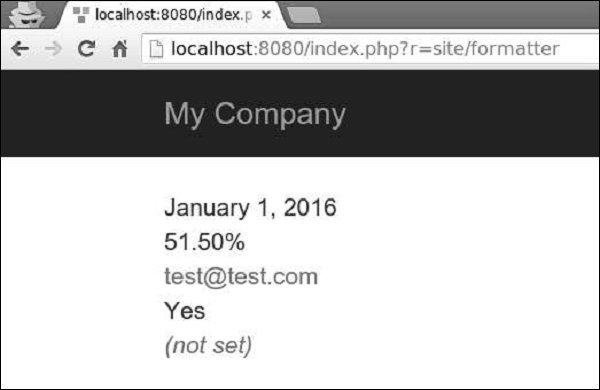
formatter组件支持以下与日期和时间相关的格式:
| 输出格式 | 示例 |
|---|---|
| date | 2016年1月1日 |
| time | 16:06 |
| datetime | 2016年1月1日 16:06 |
| timestamp | 1512609983 |
| relativeTime | 1小时前 |
| duration | 5分钟 |
步骤 4 − 以这种方式修改formatter视图。
<?php
   $formatter = \Yii::$app->formatter;
   echo $formatter->asDate(date('Y-m-d'), 'long'),"<br>";
   echo $formatter->asTime(date("Y-m-d")),"<br>";
   echo $formatter->asDatetime(date("Y-m-d")),"<br>";

   echo $formatter->asTimestamp(date("Y-m-d")),"<br>";
   echo $formatter->asRelativeTime(date("Y-m-d")),"<br>";
?>
步骤 5 − 在Web浏览器的地址栏中输入https://:8080/index.php?r=site/formatter,您将看到以下输出。
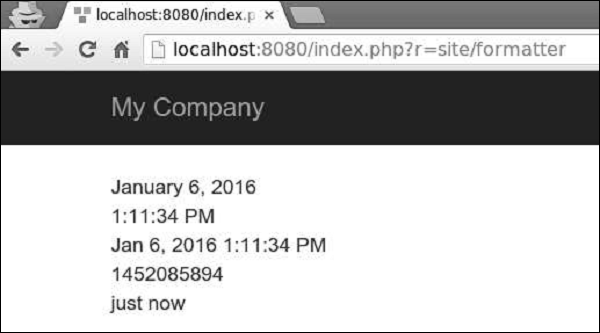
日期格式
还有四个日期格式快捷方式:short、medium、long和full。
步骤 1 − 以这种方式修改formatter视图文件。
<?php
   $formatter = \Yii::$app->formatter;
   echo $formatter->asDate(date('Y-m-d'), 'short'),"<br>";
   echo $formatter->asDate(date('Y-m-d'), 'medium'),"<br>";
   echo $formatter->asDate(date('Y-m-d'), 'long'),"<br>";
   echo $formatter->asDate(date('Y-m-d'), 'full'),"<br>";
?>
步骤 2 − 如果您访问Web浏览器并输入https://:8080/index.php?r=site/formatter,您将看到以下输出。
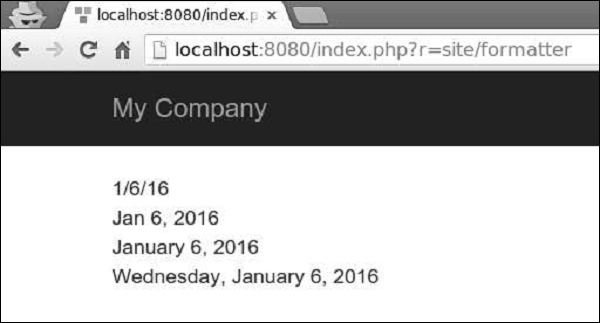
数字格式
formatter组件支持以下与数字相关的格式:
| 输出格式 | 示例 |
|---|---|
| integer | 51 |
| decimal | 105.51 |
| percent | 51% |
| scientific | 1.050000E+2 |
| currency | $105 |
| size | 105 字节 |
| shortSize | 105 B |
步骤 1 − 以这种方式修改formatter视图。
<?php
   $formatter = \Yii::$app->formatter;
   echo Yii::$app->formatter->asInteger(105),"<br>";
   echo Yii::$app->formatter->asDecimal(105.41),"<br>";
   echo Yii::$app->formatter->asPercent(0.51),"<br>";
   echo Yii::$app->formatter->asScientific(105),"<br>";
   echo Yii::$app->formatter->asCurrency(105, "$"),"<br>";
   echo Yii::$app->formatter->asSize(105),"<br>";
   echo Yii::$app->formatter->asShortSize(105),"<br>";
?>
步骤 2 − 访问https://:8080/index.php?r=site/formatter,您将看到以下输出。
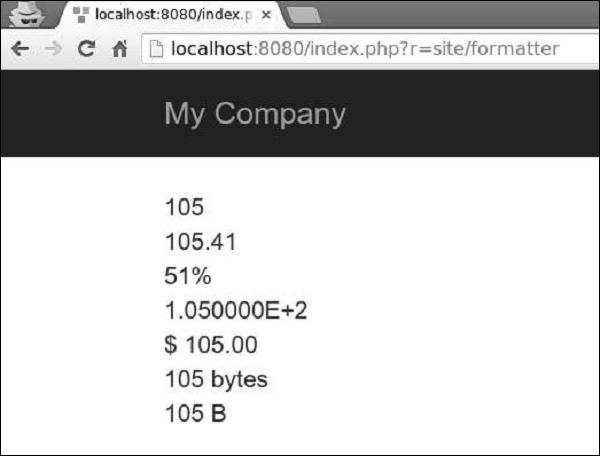
其他格式
Yii还支持其他格式:
text − 值将进行HTML编码。
raw − 值将按原样输出。
paragraphs − 值将格式化为HTML文本段落,并包装在p标签中。
ntext − 值将格式化为HTML纯文本,其中换行符将转换为换行符。
html − 值将使用HtmlPurifier进行净化,以避免XSS攻击。
image − 值将格式化为图像标签。
boolean − 值将格式化为布尔值。
url − 值将格式化为链接。
email − 值将格式化为mailto链接。
formatter可能会使用当前活动区域设置来确定如何为特定国家/地区格式化值。
以下示例显示了如何为不同的区域设置格式化日期。
<?php
   Yii::$app->formatter->locale = 'ru-RU';
   echo Yii::$app->formatter->asDate('2016-01-01'); // output: 1 января 2016 г.
   Yii::$app->formatter->locale = 'de-DE';
   // output: 1. Januar 2016
   echo Yii::$app->formatter->asDate('2016-01-01');
   Yii::$app->formatter->locale = 'en-US';
   // output: January 1, 2016
   echo Yii::$app->formatter->asDate('2016-01-01');
?>
Yii - 分页
当您有太多数据要显示在一个页面上时,您应该将其显示在多个页面上。这也被称为分页。
要显示分页的实际操作,我们需要数据。
准备数据库
步骤 1 − 创建一个新的数据库。数据库可以通过以下两种方式准备。
在终端运行mysql -u root -p
通过CREATE DATABASE helloworld CHARACTER SET utf8 COLLATE utf8_general_ci;创建一个新的数据库。
步骤 2 − 在config/db.php文件中配置数据库连接。以下配置适用于当前使用的系统。
<?php
   return [
      'class' => 'yii\db\Connection',
      'dsn' => 'mysql:host = localhost;dbname = helloworld',
      'username' => 'vladimir',
      'password' => '12345',
      'charset' => 'utf8',
   ];
?>
步骤 3 − 在根文件夹中运行 ./yii migrate/create test_table。此命令将创建一个用于管理我们数据库的数据库迁移。迁移文件应该出现在项目根目录的migrations文件夹中。
步骤 4 − 以这种方式修改迁移文件(在本例中为m160106_163154_test_table.php)。
<?php
   use yii\db\Schema;
   use yii\db\Migration;
   class m160106_163154_test_table extends Migration {
      public function safeUp() {
         $this->createTable("user", [
            "id" => Schema::TYPE_PK,
            "name" => Schema::TYPE_STRING,
            "email" => Schema::TYPE_STRING,
         ]);
         $this->batchInsert("user", ["name", "email"], [
            ["User1", "user1@gmail.com"],
            ["User2", "user2@gmail.com"],
            ["User3", "user3@gmail.com"],
            ["User4", "user4@gmail.com"],
            ["User5", "user5@gmail.com"],
            ["User6", "user6@gmail.com"],
            ["User7", "user7@gmail.com"],
            ["User8", "user8@gmail.com"],
            ["User9", "user9@gmail.com"],
            ["User10", "user10@gmail.com"],
            ["User11", "user11@gmail.com"],
         ]);
      }
      public function safeDown() {
         $this->dropTable('user');
      }
   }
?>
以上迁移创建了一个user表,其中包含以下字段:id、name和email。它还添加了一些演示用户。
步骤 5 − 在项目根目录中运行 ./yii migrate以将迁移应用于数据库。
步骤 6 − 现在,我们需要为我们的user表创建一个模型。为简单起见,我们将使用Gii代码生成工具。打开此URL:https://:8080/index.php?r=gii。然后,单击“模型生成器”标题下的“开始”按钮。填写表名(“user”)和模型类(“MyUser”),单击“预览”按钮,最后单击“生成”按钮。
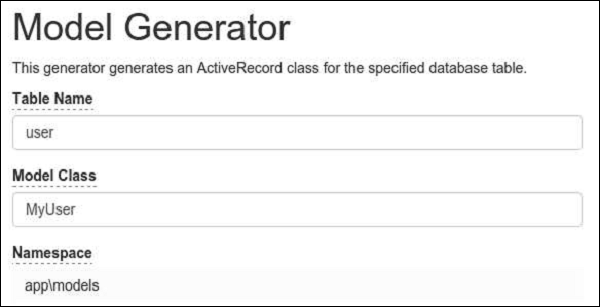
MyUser模型出现在models目录中。
分页的实际操作
步骤 1 − 将actionPagination方法添加到SiteController中。
public function actionPagination() {
   //preparing the query
   $query = MyUser::find();
   // get the total number of users
   $count = $query->count();
   //creating the pagination object
   $pagination = new Pagination(['totalCount' => $count, 'defaultPageSize' => 10]);
   //limit the query using the pagination and retrieve the users
   $models = $query->offset($pagination->offset)
      ->limit($pagination->limit)
      ->all();
   return $this->render('pagination', [
      'models' => $models,
      'pagination' => $pagination,
   ]);
}
步骤 2 − 在views/site文件夹中创建一个名为pagination.php的视图文件。
<?php
   use yii\widgets\LinkPager;
?>
<?php foreach ($models as $model): ?>
   <?= $model->id; ?>
   <?= $model->name; ?>
   <?= $model->email; ?>
   <br/>
<?php endforeach; ?>
<?php
   // display pagination
   echo LinkPager::widget([
      'pagination' => $pagination,
   ]);
?>
现在,通过Web浏览器访问本地主机https://:8080/index.php?r=site/pagination,您将看到一个分页小部件:
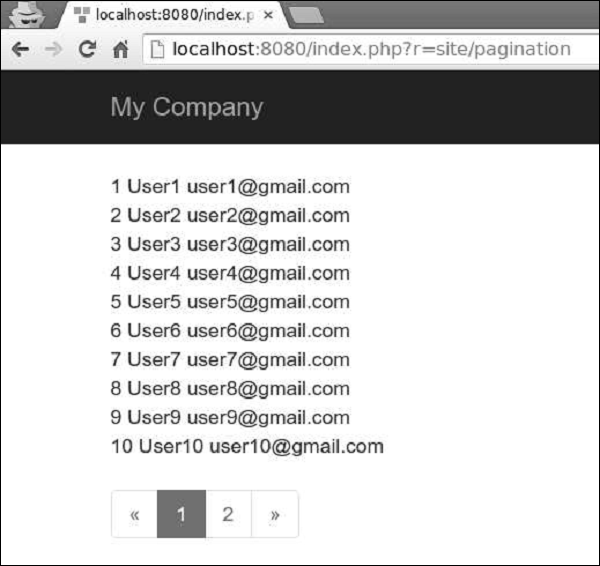
Yii - 排序
在显示大量数据时,我们通常需要对数据进行排序。Yii使用yii\data\Sort对象来表示排序方案。
要显示排序的实际操作,我们需要数据。
准备数据库
步骤 1 − 创建一个新的数据库。数据库可以通过以下两种方式准备。
在终端运行mysql -u root –p
通过CREATE DATABASE helloworld CHARACTER SET utf8 COLLATE utf8_general_ci;创建一个新的数据库。
步骤 2 − 在config/db.php文件中配置数据库连接。以下配置适用于当前使用的系统。
<?php
   return [
      'class' => 'yii\db\Connection',
      'dsn' => 'mysql:host=localhost;dbname=helloworld',
      'username' => 'vladimir',
      'password' => '12345',
      'charset' => 'utf8',
   ];
?>
步骤 3 − 在根文件夹中运行 ./yii migrate/create test_table。此命令将创建一个用于管理我们数据库的数据库迁移。迁移文件应该出现在项目根目录的migrations文件夹中。
步骤 4 − 以这种方式修改迁移文件(在本例中为m160106_163154_test_table.php)。
<?php
   use yii\db\Schema;
   use yii\db\Migration;
   class m160106_163154_test_table extends Migration {
      public function safeUp() {
         $this->createTable("user", [
            "id" => Schema::TYPE_PK,
            "name" => Schema::TYPE_STRING,
            "email" => Schema::TYPE_STRING,
         ]);
         $this->batchInsert("user", ["name", "email"], [
            ["User1", "user1@gmail.com"],
            ["User2", "user2@gmail.com"],
            ["User3", "user3@gmail.com"],
            ["User4", "user4@gmail.com"],
            ["User5", "user5@gmail.com"],
            ["User6", "user6@gmail.com"],
            ["User7", "user7@gmail.com"],
            ["User8", "user8@gmail.com"],
            ["User9", "user9@gmail.com"],
            ["User10", "user10@gmail.com"],
            ["User11", "user11@gmail.com"],
         ]);
      }
      public function safeDown() {
         $this->dropTable('user');
      }
   }
?>
以上迁移创建了一个user表,其中包含以下字段:id、name和email。它还添加了一些演示用户。
步骤 5 − 在项目根目录中运行 ./yii migrate以将迁移应用于数据库。
步骤 6 − 现在,我们需要为我们的user表创建一个模型。为简单起见,我们将使用Gii代码生成工具。打开此URL:https://:8080/index.php?r=gii。然后,单击“模型生成器”标题下的“开始”按钮。填写表名(“user”)和模型类(“MyUser”),单击“预览”按钮,最后单击“生成”按钮。
MyUser模型应该出现在models目录中。
排序的实际操作
步骤 1 − 将actionSorting方法添加到SiteController中。
public function actionSorting() {
   //declaring the sort object
   $sort = new Sort([
      'attributes' => ['id', 'name', 'email'],
   ]);
   //retrieving all users
   $models = MyUser::find()
      ->orderBy($sort->orders)
      ->all();
   return $this->render('sorting', [
      'models' => $models,
      'sort' => $sort,
   ]);
}
步骤 2 − 在views/site文件夹中创建一个名为sorting inside的视图文件。
<?php
   // display links leading to sort actions
   echo $sort->link('id') . ' | ' . $sort->link('name') . ' | ' . $sort->link('email');
?><br/>
<?php foreach ($models as $model): ?>
   <?= $model->id; ?>
   <?= $model->name; ?>
   <?= $model->email; ?>
   <br/>
<?php endforeach; ?>
步骤 3 − 现在,如果您在Web浏览器中输入https://:8080/index.php?r=site/sorting,您会看到id、name和email字段是可排序的,如下面的图像所示。
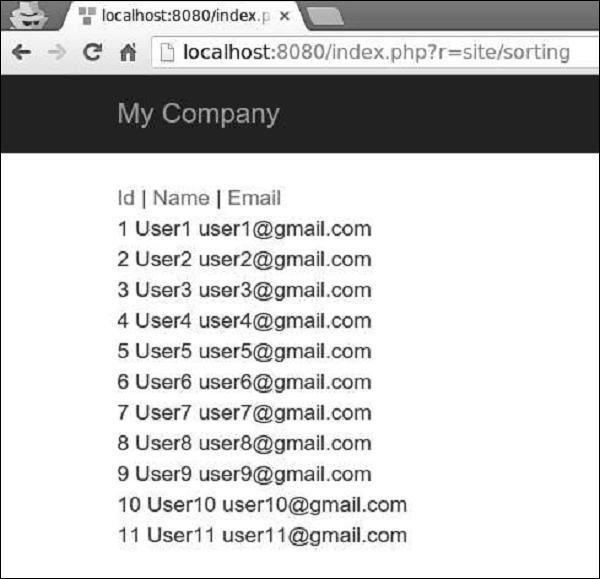
Yii - 属性
PHP中的类成员变量也称为属性。它们表示类实例的状态。Yii引入了一个名为yii\base\Object的类。它支持通过getter或setter类方法定义属性。
getter方法以get开头。setter方法以set开头。您可以像使用类成员变量一样使用由getter和setter定义的属性。
当读取属性时,将调用getter方法。当分配属性时,将调用setter方法。如果未定义setter,则由getter定义的属性为只读。
步骤 1 − 在components文件夹中创建一个名为Taxi.php的文件。
<?php
   namespace app\components;
   use yii\base\Object;
   class Taxi extends Object {
      private $_phone;
      public function getPhone() {
         return $this->_phone;
      }
      public function setPhone($value) {
         $this->_phone = trim($value);
      }
   }
?>
在上面的代码中,我们定义了从Object类派生的Taxi类。我们设置了一个getter – getPhone()和一个setter – setPhone()。
步骤 2 − 现在,将actionProperties方法添加到SiteController中。
public function actionProperties() {
   $object = new Taxi();
   // equivalent to $phone = $object->getPhone();
   $phone = $object->phone;
   var_dump($phone);
   // equivalent to $object->setLabel('abc');
   $object->phone = '79005448877';
   var_dump($object);
}
在上面的函数中,我们创建了一个Taxi对象,尝试通过getter访问phone属性,并通过setter设置phone属性。
步骤 3 − 在您的Web浏览器中,输入https://:8080/index.php?r=site/properties,在地址栏中,您应该看到以下输出。
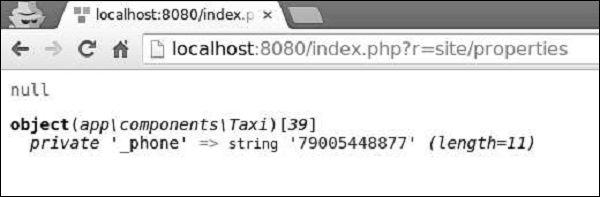
Yii - 数据提供者
Yii提供了一组数据提供程序类,它们封装了分页和排序。数据提供程序实现yii\data\DataProviderInterface。它支持检索排序和分页的数据。数据提供程序通常与数据小部件一起使用。
Yii包含:
ActiveDataProvider − 使用yii\db\ActiveQuery或yii\db\Query从数据库查询数据。
SqlDataProvider − 执行SQL并返回数据作为数组。
ArrayDataProvider − 获取一个大数组并返回其中的一部分。
您可以通过配置其pagination和sort属性来定义数据提供程序的排序和分页行为。数据小部件(例如yii\grid\GridView)具有一个名为dataProvider的属性,该属性接受数据提供程序实例并在屏幕上显示数据。
准备数据库
步骤 1 − 创建一个新的数据库。数据库可以通过以下两种方式准备。
在终端运行mysql -u root –p。
通过CREATE DATABASE helloworld CHARACTER SET utf8 COLLATE utf8_general_ci;创建一个新的数据库。
步骤 2 − 在config/db.php文件中配置数据库连接。以下配置适用于当前使用的系统。
<?php
   return [
      'class' => 'yii\db\Connection',
      'dsn' => 'mysql:host = localhost;dbname = helloworld',
      'username' => 'vladimir',
      'password' => '12345',
      'charset' => 'utf8',
   ];
?>
步骤 3 − 在根文件夹中运行 ./yii migrate/create test_table。此命令将创建一个用于管理我们数据库的数据库迁移。迁移文件应该出现在项目根目录的migrations文件夹中。
步骤 4 − 以这种方式修改迁移文件(在本例中为m160106_163154_test_table.php)。
<?php
   use yii\db\Schema;
   use yii\db\Migration;
   class m160106_163154_test_table extends Migration {
      public function safeUp() {
         $this->createTable("user", [
            "id" => Schema::TYPE_PK,
            "name" => Schema::TYPE_STRING,
            "email" => Schema::TYPE_STRING,
         ]);
         $this->batchInsert("user", ["name", "email"], [
            ["User1", "user1@gmail.com"],
            ["User2", "user2@gmail.com"],
            ["User3", "user3@gmail.com"],
            ["User4", "user4@gmail.com"],
            ["User5", "user5@gmail.com"],
            ["User6", "user6@gmail.com"],
            ["User7", "user7@gmail.com"],
            ["User8", "user8@gmail.com"],
            ["User9", "user9@gmail.com"],
            ["User10", "user10@gmail.com"],
            ["User11", "user11@gmail.com"],
         ]);
      }
      public function safeDown() {
         $this->dropTable('user');
      }
   }
?>
以上迁移创建了一个user表,其中包含以下字段:id、name和email。它还添加了一些演示用户。
步骤 5 − 在项目根目录中运行 ./yii migrate以将迁移应用于数据库。
步骤 6 − 现在,我们需要为我们的user表创建一个模型。为简单起见,我们将使用Gii代码生成工具。打开此URL:https://:8080/index.php?r=gii。然后,单击“模型生成器”标题下的“开始”按钮。填写表名(“user”)和模型类(“MyUser”),单击“预览”按钮,最后单击“生成”按钮。
MyUser模型应该出现在models目录中。
活动数据提供程序
步骤 1 − 在SiteController中创建一个名为actionDataProvider的函数。
public function actionDataProvider(){
   $query = MyUser::find();
   $provider = new ActiveDataProvider([
      'query' => $query,
      'pagination' => [
         'pageSize' => 2,
      ],
   ]);
   // returns an array of users objects
   $users = $provider->getModels();
   var_dump($users);
}
在上面的代码中,我们定义了一个ActiveDataProvider类的实例,并显示第一页的用户。yii\data\ActiveDataProvider类使用DB应用程序组件作为DB连接。
步骤 2 − 如果您输入本地主机地址https://:8080/index.php?r=site/dataprovider,您将看到以下输出。
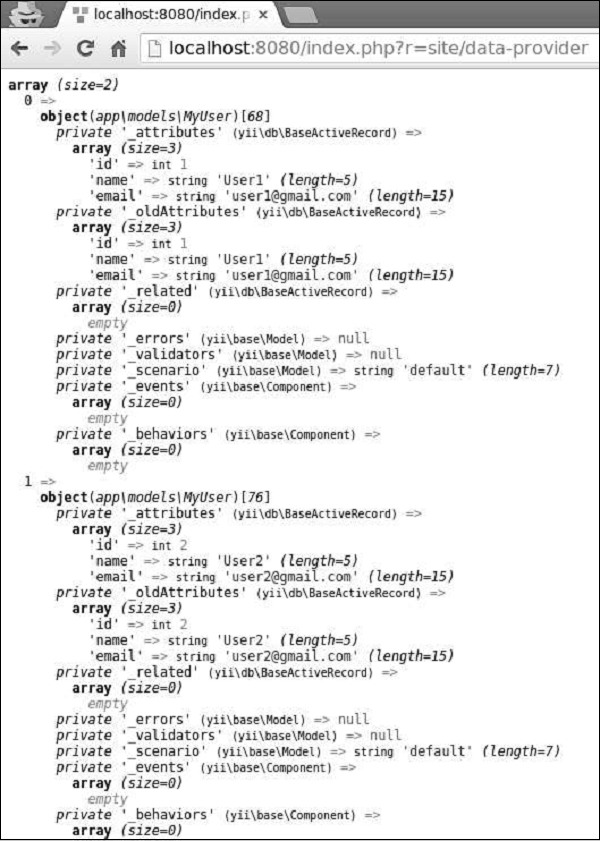
SQL数据提供程序
yii\data\SqlDataProvider类与原始SQL语句一起使用。
步骤 1 − 以这种方式修改actionDataProvider方法。
public function actionDataProvider() {
   $count = Yii::$app->db->createCommand('SELECT COUNT(*) FROM user')->queryScalar();
   $provider = new SqlDataProvider([
      'sql' => 'SELECT * FROM user',
      'totalCount' => $count,
      'pagination' => [
         'pageSize' => 5,
      ],
      'sort' => [
         'attributes' => [
            'id',
            'name',
            'email',
         ],
      ],
   ]);
   // returns an array of data rows
   $users = $provider->getModels();
   var_dump($users);
}
步骤 2 − 在Web浏览器的地址栏中输入https://:8080/index.php?r=site/data-provider,您将看到以下输出。
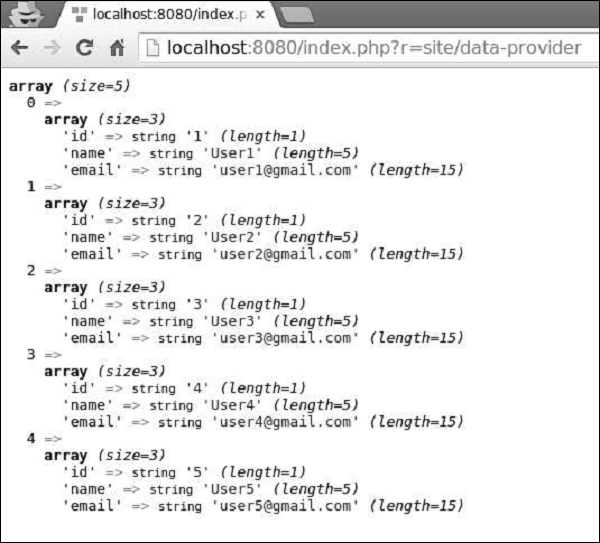
数组数据提供程序
yii\data\ArrayDataProvider类最适合处理大型数组。此数组中的元素可以是DAO或Active Record实例的查询结果。
步骤 1 − 以这种方式修改actionDataProvider方法。
public function actionDataProvider() {
   $data = MyUser::find()->asArray()->all();
   $provider = new ArrayDataProvider([
      'allModels' => $data,
      'pagination' => [
         'pageSize' => 3,
      ],
      'sort' => [
         'attributes' => ['id', 'name'],
      ],
   ]);
   // get the rows in the currently requested page
   $users = $provider->getModels();
   var_dump($users);
}
步骤 2 − 如果您通过Web浏览器访问地址https://:8080/index.php?r=site/data-provider,您将看到以下输出。
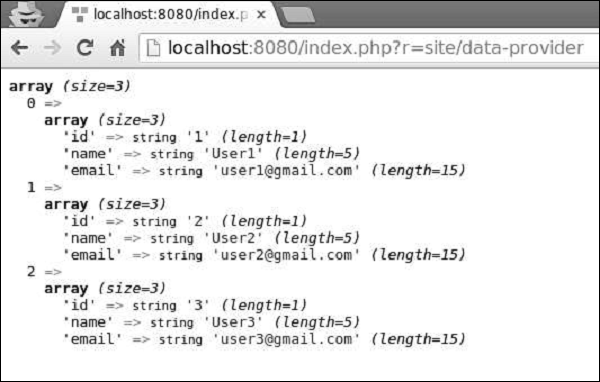
请注意,与SQL数据提供程序和活动数据提供程序不同,数组数据提供程序将所有数据加载到内存中,因此效率较低。
Yii - 数据小部件
Yii提供了一组用于显示数据的小部件。您可以使用DetailView小部件显示单个记录。ListView小部件以及GridView可用于显示具有过滤、排序和分页等功能的记录表。
准备数据库
步骤 1 − 创建一个新的数据库。数据库可以通过以下两种方式准备。
在终端运行mysql -u root –p
通过CREATE DATABASE helloworld CHARACTER SET utf8 COLLATE utf8_general_ci;创建一个新的数据库。
步骤 2 − 在config/db.php文件中配置数据库连接。以下配置适用于当前使用的系统。
<?php
   return [
      'class' => 'yii\db\Connection',
      'dsn' => 'mysql:host=localhost;dbname=helloworld',
      'username' => 'vladimir',
      'password' => '12345',
      'charset' => 'utf8',
   ];
?>
步骤 3 − 在根文件夹中运行 ./yii migrate/create test_table。此命令将创建一个用于管理我们数据库的数据库迁移。迁移文件应该出现在项目根目录的migrations文件夹中。
步骤 4 − 以这种方式修改迁移文件(在本例中为m160106_163154_test_table.php)。
<?php
   use yii\db\Schema;
   use yii\db\Migration;
   class m160106_163154_test_table extends Migration {
      public function safeUp() {
         $this->createTable("user", [
            "id" => Schema::TYPE_PK,
            "name" => Schema::TYPE_STRING,
            "email" => Schema::TYPE_STRING,
         ]);
         $this->batchInsert("user", ["name", "email"], [
            ["User1", "user1@gmail.com"],
            ["User2", "user2@gmail.com"],
            ["User3", "user3@gmail.com"],
            ["User4", "user4@gmail.com"],
            ["User5", "user5@gmail.com"],
            ["User6", "user6@gmail.com"],
            ["User7", "user7@gmail.com"],
            ["User8", "user8@gmail.com"],
            ["User9", "user9@gmail.com"],
            ["User10", "user10@gmail.com"],
            ["User11", "user11@gmail.com"],
         ]);
      }
      public function safeDown() {
         $this->dropTable('user');
      }
   }
?>
以上迁移创建了一个user表,其中包含以下字段:id、name和email。它还添加了一些演示用户。
步骤 5 − 在项目根目录中运行 ./yii migrate以将迁移应用于数据库。
步骤 6 − 现在,我们需要为我们的user表创建一个模型。为简单起见,我们将使用Gii代码生成工具。打开此URL:https://:8080/index.php?r=gii。然后,单击“模型生成器”标题下的“开始”按钮。填写表名(“user”)和模型类(“MyUser”),单击“预览”按钮,最后单击“生成”按钮。
MyUser模型应该出现在models目录中。
DetailView小部件
DetailView小部件显示单个模型的数据。$attributes属性定义了要显示哪些模型属性。
步骤 1 − 将actionDataWidget方法添加到SiteController中。
public function actionDataWidget() {
   $model = MyUser::find()->one();
   return $this->render('datawidget', [
      'model' => $model
   ]);
}
在上面的代码中,我们找到第一个MyUser模型并将其传递给datawidget视图。
步骤 2 − 在views/site文件夹中创建一个名为datawidget.php的文件。
<?php
   use yii\widgets\DetailView;
   echo DetailView::widget([
      'model' => $model,
      'attributes' => [
         'id',
         //formatted as html
         'name:html',
         [
            'label' => 'e-mail',
            'value' => $model->email,
         ],
      ],
   ]);
?>
步骤 3 − 如果您访问https://:8080/index.php?r=site/data-widget,您将看到DetailView小部件的典型用法。
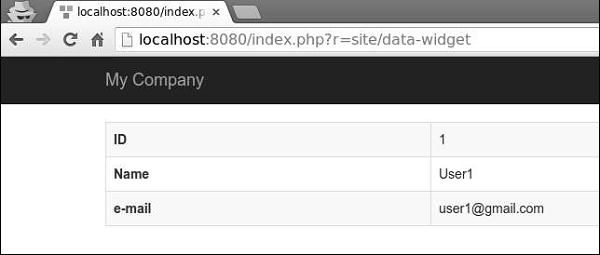
Yii - ListView 小部件
ListView小部件使用数据提供程序来显示数据。每个模型都使用指定的视图文件进行渲染。
步骤 1 − 以这种方式修改actionDataWidget()方法。
public function actionDataWidget() {
   $dataProvider = new ActiveDataProvider([
      'query' => MyUser::find(),
      'pagination' => [
         'pageSize' => 20,
      ],
   ]);
   return $this->render('datawidget', [
      'dataProvider' => $dataProvider
   ]);
}
在上面的代码中,我们创建了一个数据提供程序并将其传递给datawidget视图。
步骤 2 − 以这种方式修改datawidget视图文件。
<?php
   use yii\widgets\ListView;
   echo ListView::widget([
      'dataProvider' => $dataProvider,
      'itemView' => '_user',
   ]);
?>
我们渲染ListView小部件。每个模型都在_user视图中渲染。
步骤 3 − 在views/site文件夹中创建一个名为_user.php的文件。
<?php
   use yii\helpers\Html;
   use yii\helpers\HtmlPurifier;
?>
<div class = "user">
   <?= $model->id ?>
   <?= Html::encode($model->name) ?>
   <?= HtmlPurifier::process($model->email) ?>
</div>
步骤 4 − 在Web浏览器的地址栏中输入https://:8080/index.php?r=site/data-widget,您将看到以下内容。
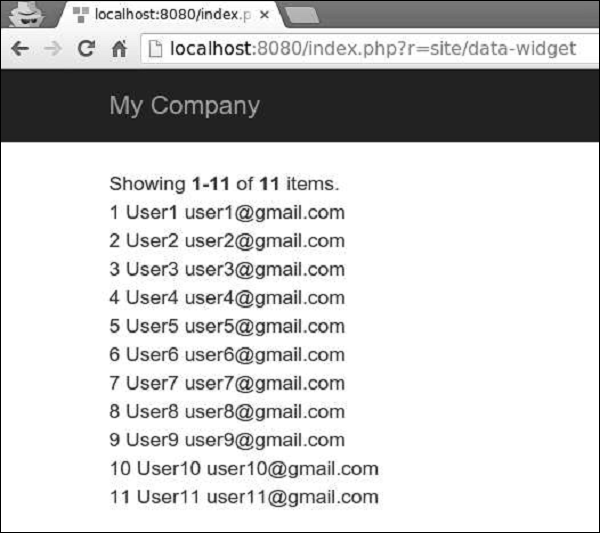
Yii - GridView 小部件
GridView小部件从数据提供程序获取数据,并以表格形式呈现数据。表的每一行表示单个数据项,而每一列表示该项的一个属性。
步骤 1 − 以这种方式修改datawidget视图。
<?php
   use yii\grid\GridView;
   echo GridView::widget([
      'dataProvider' => $dataProvider,
   ]);
?>
步骤 2 − 访问https://:8080/index.php?r=site/data-widget,您将看到DataGrid小部件的典型用法。
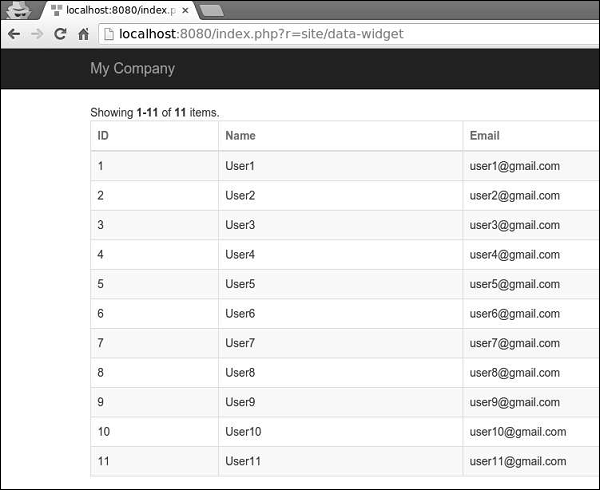
DataGrid 小部件的列是根据yii\grid\Column 类配置的。它表示模型属性,并且可以进行过滤和排序。
步骤 3 - 要向网格添加自定义列,请按以下方式修改datawidget视图。
<?php
   yii\grid\GridView;
   echo GridView::widget([
      'dataProvider' => $dataProvider,
      'columns' => [
         'id',
         [
            'class' => 'yii\grid\DataColumn', // can be omitted, as it is the default
            'label' => 'Name and email',
            'value' => function ($data) {
               return $data->name . " writes from " . $data->email;
            },
         ],
      ],
   ]);
?>
步骤 4 - 如果您访问地址https://:8080/index.php?r=site/data-widget,您将看到如下所示的输出。
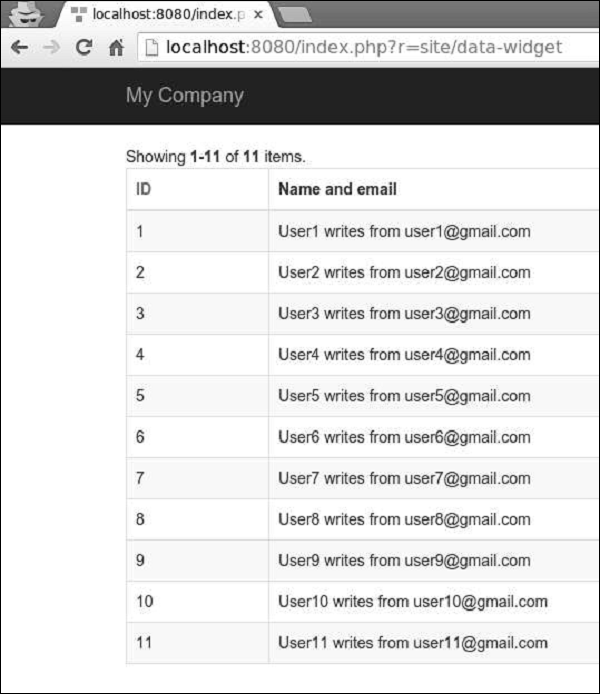
可以使用不同的列类(如 yii\grid\SerialColumn、yii\grid\ActionColumn 和 yii\grid\CheckboxColumn)来自定义网格列。
步骤 5 - 请按以下方式修改datawidget视图。
<?php
   use yii\grid\GridView;
   echo GridView::widget([
      'dataProvider' => $dataProvider,
      'columns' => [
         ['class' => 'yii\grid\SerialColumn'], 'name',
         ['class' => 'yii\grid\ActionColumn'],
         ['class' => 'yii\grid\CheckboxColumn'],
      ],
   ]);
?>
步骤 6 - 访问https://:8080/index.php?r=site/data-widget,您将看到以下内容。
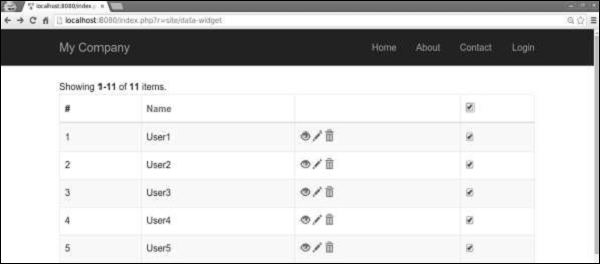
Yii - 事件
您可以使用事件在某些执行点注入自定义代码。您可以将自定义代码附加到事件,当事件被触发时,代码将被执行。例如,当新用户在您的网站上注册时,日志记录器对象可能会触发userRegistered事件。如果某个类需要触发事件,则应从 yii\base\Component 类扩展它。
事件处理程序是一个 PHP 回调函数。您可以使用以下回调函数 -
以字符串形式指定的全局 PHP 函数。
匿名函数。
类名和方法的数组(以字符串形式),例如 ['ClassName', 'methodName']
对象和方法的数组(以字符串形式),例如 [$obj, 'methodName']
步骤 1 - 要将处理程序附加到事件,您应该调用yii\base\Component::on()方法。
$obj = new Obj;
// this handler is a global function
$obj->on(Obj::EVENT_HELLO, 'function_name');
// this handler is an object method
$obj->on(Obj::EVENT_HELLO, [$object, 'methodName']);
// this handler is a static class method
$obj->on(Obj::EVENT_HELLO, ['app\components\MyComponent', 'methodName']);
// this handler is an anonymous function

$obj->on(Obj::EVENT_HELLO, function ($event) {
   // event handling logic
});
您可以将一个或多个处理程序附加到事件。附加的处理程序将按照它们附加到事件的顺序调用。
步骤 2 - 要停止处理程序的调用,您应该将yii\base\Event::$handled 属性设置为true。
$obj->on(Obj::EVENT_HELLO, function ($event) {
   $event->handled = true;
});
步骤 3 - 要在队列的开头插入处理程序,您可以调用yii\base\Component::on(),并将第四个参数传递为 false。
$obj->on(Obj::EVENT_HELLO, function ($event) {
   // ...
}, $data, false);
步骤 4 - 要触发事件,请调用yii\base\Component::trigger()方法。
namespace app\components;
use yii\base\Component;
use yii\base\Event;
class Obj extends Component {
   const EVENT_HELLO = 'hello';
   public function triggerEvent() {
      $this->trigger(self::EVENT_HELLO);
   }
}
步骤 5 - 要从事件中分离处理程序,您应该调用yii\base\Component::off()方法。
$obj = new Obj;
// this handler is a global function
$obj->off(Obj::EVENT_HELLO, 'function_name');
// this handler is an object method
$obj->off(Obj::EVENT_HELLO, [$object, 'methodName']);
// this handler is a static class method
$obj->off(Obj::EVENT_HELLO, ['app\components\MyComponent', 'methodName']);
// this handler is an anonymous function

$obj->off(Obj::EVENT_HELLO, function ($event) {
   // event handling logic
});
Yii - 创建事件
在本章中,我们将了解如何在 Yii 中创建事件。为了展示事件的实际应用,我们需要数据。
准备数据库
步骤 1 − 创建一个新的数据库。数据库可以通过以下两种方式准备。
在终端运行mysql -u root –p
通过CREATE DATABASE helloworld CHARACTER SET utf8 COLLATE utf8_general_ci;创建一个新的数据库。
步骤 2 − 在config/db.php文件中配置数据库连接。以下配置适用于当前使用的系统。
<?php
   return [
      'class' => 'yii\db\Connection',
      'dsn' => 'mysql:host=localhost;dbname=helloworld',
      'username' => 'vladimir',
      'password' => '12345',
      'charset' => 'utf8',
   ];
?>
步骤 3 − 在根文件夹中运行 ./yii migrate/create test_table。此命令将创建一个用于管理我们数据库的数据库迁移。迁移文件应该出现在项目根目录的migrations文件夹中。
步骤 4 − 以这种方式修改迁移文件(在本例中为m160106_163154_test_table.php)。
<?php
   use yii\db\Schema;
   use yii\db\Migration;
   class m160106_163154_test_table extends Migration {
      public function safeUp() {
         $this->createTable("user", [
            "id" => Schema::TYPE_PK,
            "name" => Schema::TYPE_STRING,
            "email" => Schema::TYPE_STRING,
         ]);
         $this->batchInsert("user", ["name", "email"], [
            ["User1", "user1@gmail.com"],
            ["User2", "user2@gmail.com"],
            ["User3", "user3@gmail.com"],
            ["User4", "user4@gmail.com"],
            ["User5", "user5@gmail.com"],
            ["User6", "user6@gmail.com"],
            ["User7", "user7@gmail.com"],
            ["User8", "user8@gmail.com"],
            ["User9", "user9@gmail.com"],
            ["User10", "user10@gmail.com"],
            ["User11", "user11@gmail.com"],
         ]);
      }
      public function safeDown() {
         $this->dropTable('user');
      }
   }
?>
以上迁移创建了一个user表,其中包含以下字段:id、name和email。它还添加了一些演示用户。
步骤 5 − 在项目根目录中运行 ./yii migrate以将迁移应用于数据库。
步骤 6 − 现在,我们需要为我们的user表创建一个模型。为简单起见,我们将使用Gii代码生成工具。打开此URL:https://:8080/index.php?r=gii。然后,单击“模型生成器”标题下的“开始”按钮。填写表名(“user”)和模型类(“MyUser”),单击“预览”按钮,最后单击“生成”按钮。
MyUser模型应该出现在models目录中。
创建事件
假设我们希望在每次新用户注册到我们的网站时向管理员发送电子邮件。
步骤 1 - 请按以下方式修改models/MyUser.php文件。
<?php
   namespace app\models;
   use Yii;
   /**
   * This is the model class for table "user".
   *
   * @property integer $id
   * @property string $name
   * @property string $email
   */
   class MyUser extends \yii\db\ActiveRecord {
      const EVENT_NEW_USER = 'new-user';
      public function init() {
         // first parameter is the name of the event and second is the handler.
         $this->on(self::EVENT_NEW_USER, [$this, 'sendMailToAdmin']);
      }
      /**
      * @inheritdoc
      */
      public static function tableName() {
         return 'user';
      }
      /**
      * @inheritdoc
      */
      public function rules() {
         return [
            [['name', 'email'], 'string', 'max' => 255]
         ];
      }
      /**
      * @inheritdoc
      */
      public function attributeLabels() {
         return [
            'id' => 'ID',
            'name' => 'Name',
            'email' => 'Email',
         ];
      }
      public function sendMailToAdmin($event) {
         echo 'mail sent to admin using the event';
      }
   }
?>
在上面的代码中,我们定义了一个“new-user”事件。然后,在 init() 方法中,我们将sendMailToAdmin函数附加到“new-user”事件。现在,我们需要触发此事件。
步骤 2 - 在 SiteController 中创建一个名为actionTestEvent的方法。
public function actionTestEvent() {
   $model = new MyUser();
   $model->name = "John";
   $model->email = "john@gmail.com";
   if($model->save()) {
      $model->trigger(MyUser::EVENT_NEW_USER);
   }
}
在上面的代码中,我们创建了一个新用户并触发了“new-user”事件。
步骤 3 - 现在键入https://:8080/index.php?r=site/test-event,您将看到以下内容。
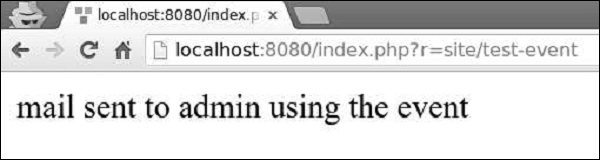
Yii - 行为
行为是 yii\base\Behavior 类的实例。行为将其方法和属性注入到它所附加的组件中。行为还可以响应组件触发的事件。
步骤 1 - 要定义行为,请扩展yii\base\Behavior类。
namespace app\components;
use yii\base\Behavior;
class MyBehavior extends Behavior {
   private $_prop1;
   public function getProp1() {
      return $this->_prop1;
   }
   public function setProp1($value) {
      $this->_prop1 = $value;
   }
   public function myFunction() {
      // ...
   }
}
上面的代码定义了一个行为,它具有一个属性 (prop1) 和一个方法 (myFunction)。当此行为附加到组件时,该组件也将具有prop1属性和myFunction方法。
要访问行为附加到的组件,您可以使用yii\base\Behavior::$owner 属性。
步骤 2 - 如果您希望行为响应组件事件,则应覆盖yii\base\Behavior::events()方法。
namespace app\components;
use yii\db\ActiveRecord;
use yii\base\Behavior;
class MyBehavior extends Behavior {
   public function events() {
      return [
         ActiveRecord::EVENT_AFTER_VALIDATE => 'afterValidate',
      ];
   }
   public function afterValidate($event) {
      // ...
   }
}
步骤 3 - 要附加行为,您应该覆盖组件类的behaviors()方法。
namespace app\models;
use yii\db\ActiveRecord;
use app\components\MyBehavior;
class MyUser extends ActiveRecord {
   public function behaviors() {
      return [
         // anonymous behavior, behavior class name only
         MyBehavior::className(),
         // named behavior, behavior class name only
         'myBehavior2' => MyBehavior::className(),
         // anonymous behavior, configuration array
         [
            'class' => MyBehavior::className(),
            'prop1' => 'value1',
            'prop2' => 'value2',
            'prop3' => 'value3',
         ],
         // named behavior, configuration array
         'myBehavior4' => [
            'class' => MyBehavior::className(),
            'prop1' => 'value1'
         ]
      ];
   }
}
步骤 4 - 要分离行为,请调用yii\base\Component::detachBehavior()方法。
$component->detachBehavior('myBehavior');
为了展示行为的实际应用,我们需要数据。
准备数据库
步骤 1 − 创建一个新的数据库。数据库可以通过以下两种方式准备。
在终端运行mysql -u root –p。
通过CREATE DATABASE helloworld CHARACTER SET utf8 COLLATE utf8_general_ci;创建一个新的数据库。
步骤 2 − 在config/db.php文件中配置数据库连接。以下配置适用于当前使用的系统。
<?php
   return [
      'class' => 'yii\db\Connection',
      'dsn' => 'mysql:host = localhost;dbname = helloworld',
      'username' => 'vladimir',
      'password' => '12345',
      'charset' => 'utf8',
   ];
?>
步骤 3 − 在根文件夹中运行 ./yii migrate/create test_table。此命令将创建一个用于管理我们数据库的数据库迁移。迁移文件应该出现在项目根目录的migrations文件夹中。
步骤 4 − 以这种方式修改迁移文件(在本例中为m160106_163154_test_table.php)。
<?php
   use yii\db\Schema;
   use yii\db\Migration;
   class m160106_163154_test_table extends Migration {
      public function safeUp() {
         $this->createTable("user", [
            "id" => Schema::TYPE_PK,
            "name" => Schema::TYPE_STRING,
            "email" => Schema::TYPE_STRING,
         ]);
         $this->batchInsert("user", ["name", "email"], [
            ["User1", "user1@gmail.com"],
            ["User2", "user2@gmail.com"],
            ["User3", "user3@gmail.com"],
            ["User4", "user4@gmail.com"],
            ["User5", "user5@gmail.com"],
            ["User6", "user6@gmail.com"],
            ["User7", "user7@gmail.com"],
            ["User8", "user8@gmail.com"],
            ["User9", "user9@gmail.com"],
            ["User10", "user10@gmail.com"],
            ["User11", "user11@gmail.com"],
         ]);
      }
      public function safeDown() {
         $this->dropTable('user');
      }
   }
?>
以上迁移创建了一个user表,其中包含以下字段:id、name和email。它还添加了一些演示用户。
步骤 5 - 在项目根目录中运行 ./yii migrate以将迁移应用到数据库。
步骤 6 - 现在,我们需要为我们的user 表创建一个模型。为简单起见,我们将使用Gii代码生成工具。打开此URL:https://:8080/index.php?r=gii。然后,单击“模型生成器”标题下的“开始”按钮。填写表名(“user”)和模型类(“MyUser”),单击“预览”按钮,最后单击“生成”按钮。
MyUser模型应该出现在models目录中。
Yii - 创建行为
假设我们希望创建一个行为,该行为将行为附加到的组件的“name”属性大写。
步骤 1 - 在 components 文件夹中,创建一个名为UppercaseBehavior.php的文件,其中包含以下代码。
<?php
   namespace app\components;
   use yii\base\Behavior;
   use yii\db\ActiveRecord;
   class UppercaseBehavior extends Behavior {
      public function events() {
         return [
            ActiveRecord::EVENT_BEFORE_VALIDATE => 'beforeValidate',
         ];
      }
      public function beforeValidate($event) {
         $this->owner->name = strtoupper($this->owner->name);
     }
   }
?>
在上面的代码中,我们创建了UppercaseBehavior,它在触发“beforeValidate”事件时将 name 属性大写。
步骤 2 - 要将此行为附加到MyUser模型,请按以下方式修改它。
<?php
   namespace app\models;
   use app\components\UppercaseBehavior;
   use Yii;
   /**
   * This is the model class for table "user".
   *
   * @property integer $id
   * @property string $name
   * @property string $email
   */
   class MyUser extends \yii\db\ActiveRecord {
      public function behaviors() {
         return [
            // anonymous behavior, behavior class name only
            UppercaseBehavior::className(),
         ];
      }
      /**
      * @inheritdoc
      */
      public static function tableName() {
         return 'user';
      }
      /**
      * @inheritdoc
      */
      public function rules() {
         return [
            [['name', 'email'], 'string', 'max' => 255]
         ];
      }
      /**
      * @inheritdoc
      */
      public function attributeLabels() {
         return [
            'id' => 'ID',
            'name' => 'Name',
            'email' => 'Email',
         ];
      }
   }
现在,无论何时创建或更新用户,其 name 属性都将大写。
步骤 3 - 向SiteController添加一个actionTestBehavior函数。
public function actionTestBehavior() {
   //creating a new user
   $model = new MyUser();
   $model->name = "John";
   $model->email = "john@gmail.com";
   if($model->save()){
      var_dump(MyUser::find()->asArray()->all());
   }
}
步骤 4 - 在地址栏中键入https://:8080/index.php?r=site/test-behavior,您将看到新创建的MyUser模型的name属性大写。
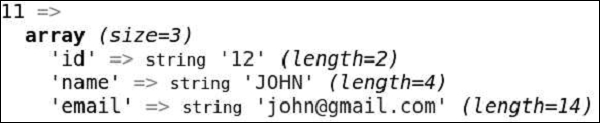
Yii - 配置
配置用于创建新对象或初始化现有对象。配置通常包含类名和初始值列表。它们还可以包含事件处理程序和行为列表。
以下是数据库配置示例 -
<?php
   $config = [
      'class' => 'yii\db\Connection',
      'dsn' => 'mysql:host = localhost;dbname = helloworld',
      'username' => 'vladimir',
      'password' => '12345',
      'charset' => 'utf8',
   ];
   $db = Yii::createObject($config);
?>
Yii::createObject()方法接受一个配置数组,并根据配置中命名的类创建一个对象。
配置的格式 -
[
   //a fully qualified class name for the object being created
   'class' => 'ClassName',
   //initial values for the named property
   'propertyName' => 'propertyValue',
   //specifies what handlers should be attached to the object's events
   'on eventName' => $eventHandler,
   //specifies what behaviors should be attached to the object
   'as behaviorName' => $behaviorConfig,
]
基本应用程序模板的配置文件是最复杂的之一 -
<?php
   $params = require(__DIR__ . '/params.php');
   $config = [
      'id' => 'basic',
      'basePath' => dirname(__DIR__),
      'bootstrap' => ['log'],
      'components' => [
         'request' => [
            // !!! insert a secret key in the following (if it is empty) - this
               //is required by cookie validation
            'cookieValidationKey' => 'ymoaYrebZHa8gURuolioHGlK8fLXCKjO',
         ],
         'cache' => [
            'class' => 'yii\caching\FileCache',
         ],
         'user' => [
            'identityClass' => 'app\models\User',
            'enableAutoLogin' => true,
         ],
         'errorHandler' => [
            'errorAction' => 'site/error',
         ],
         'mailer' => [
            'class' => 'yii\swiftmailer\Mailer',
            // send all mails to a file by default. You have to set
            // 'useFileTransport' to false and configure a transport
            // for the mailer to send real emails.
            'useFileTransport' => true,
         ],
         'log' => [
            'traceLevel' => YII_DEBUG ? 3 : 0,
            'targets' => [
               [
                  'class' => 'yii\log\FileTarget',
                  'levels' => ['error', 'warning'],
               ],
            ],
         ],
         'urlManager' => [
            //'showScriptName' => false,
            //'enablePrettyUrl' => true,
            //'enableStrictParsing' => true,
            //'suffix' => '/'
         ],
         'db' => require(__DIR__ . '/db.php'),
      ],
      'modules' => [
         'hello' => [
            'class' => 'app\modules\hello\Hello',
         ],
      ],
      'params' => $params,
   ];
   if (YII_ENV_DEV) {
      // configuration adjustments for 'dev' environment
      $config['bootstrap'][] = 'debug';
      $config['modules']['debug'] = [
         'class' => 'yii\debug\Module',
      ];
      $config['bootstrap'][] = 'gii';
      $config['modules']['gii'] = [
         'class' => 'yii\gii\Module',
      ];
   }
   return $config;
?>
在上面的配置文件中,我们没有定义类名。这是因为我们已经在index.php文件中定义了它 -
<?php
   //defining global constans
   defined('YII_DEBUG') or define('YII_DEBUG', true);
   defined('YII_ENV') or define('YII_ENV', 'dev');
   //register composer autoloader
   require(__DIR__ . '/../vendor/autoload.php');
   //include yii files
   require(__DIR__ . '/../vendor/yiisoft/yii2/Yii.php');
   //load application config
   $config = require(__DIR__ . '/../config/web.php');
   //create, config, and process request
   (new yii\web\Application($config))->run();
?>
许多小部件也使用配置,如下面的代码所示。
<?php
   NavBar::begin([
      'brandLabel' => 'My Company',
      'brandUrl' => Yii::$app->homeUrl,
      'options' => [
         'class' => 'navbar-inverse navbar-fixed-top',
      ],
   ]);
   echo Nav::widget([
      'options' => ['class' => 'navbar-nav navbar-right'],
      'items' => [
         ['label' => 'Home', 'url' => ['/site/index']],
         ['label' => 'About', 'url' => ['/site/about']],
         ['label' => 'Contact', 'url' => ['/site/contact']],
         Yii::$app->user->isGuest ?
         ['label' => 'Login', 'url' => ['/site/login']] :
         [
            'label' => 'Logout (' . Yii::$app->user->identity->username . ')',
            'url' => ['/site/logout'],
            'linkOptions' => ['data-method' => 'post']
         ],
      ],
   ]);
   NavBar::end();
?>
当配置过于复杂时,一种常见的做法是创建一个 PHP 文件,该文件返回一个数组。请查看config/console.php配置文件 -
<?php
   Yii::setAlias('@tests', dirname(__DIR__) . '/tests');

   $params = require(__DIR__ . '/params.php');
   $db = require(__DIR__ . '/db.php');

   return [
      'id' => 'basic-console',
      'basePath' => dirname(__DIR__),
      'bootstrap' => ['log', 'gii'],
      'controllerNamespace' => 'app\commands',
      'modules' => [
         'gii' => 'yii\gii\Module',
      ],
      'components' => [
         'cache' => [
            'class' => 'yii\caching\FileCache',
         ],
         'log' => [
            'targets' => [
               [
                  'class' => 'yii\log\FileTarget',
                  'levels' => ['error', 'warning'],
               ],
            ],
         ],
         'db' => $db,
      ],
      'params' => $params,
   ];
?>
可以通过调用Yii::$container->set()方法来指定默认配置。它允许您在通过Yii::createObject()方法调用指定类的所有实例时,为它们应用默认配置。
例如,要自定义yii\widgets\LinkPager类,以便所有链接分页器最多显示三个按钮,您可以使用以下代码。
\Yii::$container->set('yii\widgets\LinkPager', [
   'maxButtonCount' => 3,
]);
Yii - 依赖注入
DI(依赖注入)容器是一个知道如何实例化和配置对象的容器。Yii 通过yii\di\Container 类提供 DI 容器。
它支持以下类型的 DI -
- Setter 和属性注入
- PHP 可调用注入
- 构造函数注入
- 控制器操作注入
DI 容器在类型提示的帮助下支持构造函数注入 -
class Object1 {
   public function __construct(Object2 $object2) {

   }
}
$object1 = $container->get('Object1');
// which is equivalent to the following:
$object2 = new Object2;
$object1 = new Object1($object2);
属性和 setter 注入通过配置支持 -
<?php
   use yii\base\Object;
   class MyObject extends Object {
      public $var1;
      private $_var2;
      public function getVar2() {
         return $this->_var2;
      }
      public function setVar2(MyObject2 $var2) {
         $this->_var2 = $var2;
      }
   }
   $container->get('MyObject', [], [
      'var1' => $container->get('MyOtherObject'),
      'var2' => $container->get('MyObject2'),
   ]);
?>
在 PHP 可调用注入的情况下,容器将使用注册的 PHP 回调函数来构建类的新的实例 -
$container->set('Object1', function () {
   $object1 = new Object1(new Object2);
   return $object1;
});
$object1 = $container->get('Object1');
控制器操作注入是一种 DI 类型,其中依赖项使用类型提示声明。它有助于保持 MVC 控制器精简轻量级和精简 -
public function actionSendToAdmin(EmailValidator $validator, $email) {
   if ($validator->validate($email)) {
      // sending email
   }
}
您可以使用yii\db\Container::set()方法注册依赖项 -
<?php
   $container = new \yii\di\Container;
   // register a class name as is. This can be skipped.
   $container->set('yii\db\Connection');
   // register an alias name. You can use $container->get('MyObject')
   // to create an instance of Connection
   $container->set('MyObject', 'yii\db\Connection');
   // register an interface
   // When a class depends on the interface, the corresponding class
   // will be instantiated as the dependent object
   $container->set('yii\mail\MailInterface', 'yii\swiftmailer\Mailer');
   // register an alias name with class configuration
   // In this case, a "class" element is required to specify the class
   $container->set('db', [
      'class' => 'yii\db\Connection',
      'dsn' => 'mysql:host=127.0.0.1;dbname = helloworld',
      'username' => 'vladimir',
      'password' => '12345',
      'charset' => 'utf8',
   ]);
   // register a class with configuration. The configuration
   // will be applied when the class is instantiated by get()
   $container->set('yii\db\Connection', [
      'dsn' => 'mysql:host=127.0.0.1;dbname = helloworld',
      'username' => 'vladimir',
      'password' => '12345',
      'charset' => 'utf8',
   ]);
   // register a PHP callable
   // The callable will be executed each time when $container->get('db') is called
   $container->set('db', function ($container, $params, $config) {
      return new \yii\db\Connection($config);
   });
   // register a component instance
   // $container->get('pageCache') will return the same instance each time when it
      //is called
   $container->set('pageCache', new FileCache);
?>
使用 DI
步骤 1 - 在components文件夹中,创建一个名为MyInterface.php的文件,其中包含以下代码。
<?php
   namespace app\components;
   interface MyInterface {
      public function test();
   }
?>
步骤 2 - 在 components 文件夹中,创建两个文件。
First.php -
<?php
   namespace app\components;
   use app\components\MyInterface;
   class First implements MyInterface {
      public function test() {
         echo "First class <br>";
      }
   }
?>
Second.php -
<?php
   app\components;
   use app\components\MyInterface;
      class Second implements MyInterface {
      public function test() {
         echo "Second class <br>";
      }
   }
?>
步骤 3 - 现在,向 SiteController 添加一个actionTestInterface。
public function actionTestInterface() {
   $container = new \yii\di\Container();
   $container->set
      ("\app\components\MyInterface","\app\components\First");
   $obj = $container->get("\app\components\MyInterface");
   $obj->test(); // print "First class"
   $container->set
      ("\app\components\MyInterface","\app\components\Second");
   $obj = $container->get("\app\components\MyInterface");
   $obj->test(); // print "Second class"
}
步骤 4 - 访问https://:8080/index.php?r=site/test-interface,您应该会看到以下内容。
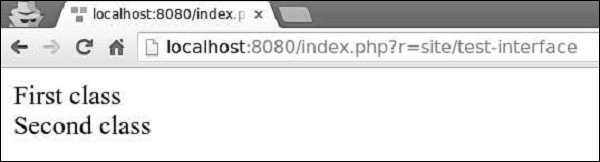
这种方法很方便,因为我们可以在一个地方设置类,其他代码将自动使用新类。
Yii - 数据库访问
Yii DAO(数据库访问对象)提供了一个用于访问数据库的 API。它也是其他数据库访问方法的基础:活动记录和查询构建器。
Yii DAO 支持以下数据库 -
- MySQL
- MSSQL
- SQLite
- MariaDB
- PostgreSQL
- ORACLE
- CUBRID
创建数据库连接
步骤 1 - 要创建数据库连接,您需要创建 yii\db\Connection 类的实例。
$mydb = new yii\db\Connection([
   'dsn' => 'mysql:host=localhost;dbname=mydb',
   'username' => 'username',
   'password' => 'password',
   'charset' => 'utf8',
]);
一种常见的做法是在应用程序组件中配置 DB 连接。例如,在基本应用程序模板中,DB 连接配置位于config/db.php文件中,如下面的代码所示。
<?php
   return [
      'class' => 'yii\db\Connection',
      'dsn' => 'mysql:host = localhost;dbname = helloworld',
      'username' => 'vladimir',
      'password' => '123574896',
      'charset' => 'utf8',
   ];
?>
步骤 2 - 要访问 DB 连接,您可以使用此表达式。
Yii::$app->db
要配置 DB 连接,您应该通过dsn属性指定其 DSN(数据源名称)。不同数据库的 DSN 格式各不相同 -
MySQL、MariaDB - mysql:host = localhost;dbname = mydb
PostgreSQL - pgsql:host = localhost;port = 5432;dbname = mydb
SQLite - sqlite:/path/to/db/file
MS SQL Server(通过 sqlsrv 驱动程序) - sqlsrv:Server = localhost;Database = mydb
MS SQL Server(通过 mssql 驱动程序) - mssql:host = localhost;dbname = mydb
MS SQL Server(通过 dblib 驱动程序) - dblib:host = localhost;dbname = mydb
CUBRID - cubrid:dbname = mydb;host = localhost;port = 33000
Oracle - oci:dbname = //:1521/mydb
为了展示数据库查询的实际应用,我们需要数据。
准备数据库
步骤 1 − 创建一个新的数据库。数据库可以通过以下两种方式准备。
在终端运行mysql -u root –p。
通过CREATE DATABASE helloworld CHARACTER SET utf8 COLLATE utf8_general_ci;创建一个新的数据库。
步骤 2 − 在config/db.php文件中配置数据库连接。以下配置适用于当前使用的系统。
<?php
   return [
      'class' => 'yii\db\Connection',
      'dsn' => 'mysql:host = localhost;dbname = helloworld',
      'username' => 'vladimir',
      'password' => '12345',
      'charset' => 'utf8',
   ];
?>
步骤 3 − 在根文件夹中运行 ./yii migrate/create test_table。此命令将创建一个用于管理我们数据库的数据库迁移。迁移文件应该出现在项目根目录的migrations文件夹中。
步骤 4 − 以这种方式修改迁移文件(在本例中为m160106_163154_test_table.php)。
<?php
   use yii\db\Schema;
   use yii\db\Migration;
   class m160106_163154_test_table extends Migration {
      public function safeUp() {
         $this->createTable("user", [
            "id" => Schema::TYPE_PK,
            "name" => Schema::TYPE_STRING,
            "email" => Schema::TYPE_STRING,
         ]);
         $this->batchInsert("user", ["name", "email"], [
            ["User1", "user1@gmail.com"],
            ["User2", "user2@gmail.com"],
            ["User3", "user3@gmail.com"],
            ["User4", "user4@gmail.com"],
            ["User5", "user5@gmail.com"],
            ["User6", "user6@gmail.com"],
            ["User7", "user7@gmail.com"],
            ["User8", "user8@gmail.com"],
            ["User9", "user9@gmail.com"],
            ["User10", "user10@gmail.com"],
            ["User11", "user11@gmail.com"],
         ]);
      }
      public function safeDown() {
         $this->dropTable('user');
      }
   }
?>
以上迁移创建了一个user表,其中包含以下字段:id、name和email。它还添加了一些演示用户。
步骤 5 − 在项目根目录中运行 ./yii migrate以将迁移应用于数据库。
步骤 6 − 现在,我们需要为我们的user表创建一个模型。为简单起见,我们将使用Gii代码生成工具。打开此URL:https://:8080/index.php?r=gii。然后,单击“模型生成器”标题下的“开始”按钮。填写表名(“user”)和模型类(“MyUser”),单击“预览”按钮,最后单击“生成”按钮。
MyUser模型应该出现在models目录中。
Yii - 数据访问对象
要执行SQL 查询,您应该按照以下步骤操作 -
- 使用 SQL 查询创建一个yii\db\Command。
- 绑定参数(非必需)
- 执行命令。
步骤 1 - 在 SiteController 中创建一个名为actionTestDb的函数。
public function actionTestDb(){
   // return a set of rows. each row is an associative array of column names and values.
   // an empty array is returned if the query returned no results
   $users = Yii::$app->db->createCommand('SELECT * FROM user LIMIT 5')
      ->queryAll();
   var_dump($users);
   // return a single row (the first row)
   // false is returned if the query has no result
   $user = Yii::$app->db->createCommand('SELECT * FROM user WHERE id=1')
      ->queryOne();
   var_dump($user);
   // return a single column (the first column)
   // an empty array is returned if the query returned no results
   $userName = Yii::$app->db->createCommand('SELECT name FROM user')
      ->queryColumn();
   var_dump($userName);
   // return a scalar value
   // false is returned if the query has no result
   $count = Yii::$app->db->createCommand('SELECT COUNT(*) FROM user')
      ->queryScalar();
   var_dump($count);
}
上面的示例展示了从 DB 中获取数据的各种方法。
步骤 2 - 访问地址https://:8080/index.php?r=site/test-db,您将看到以下输出。
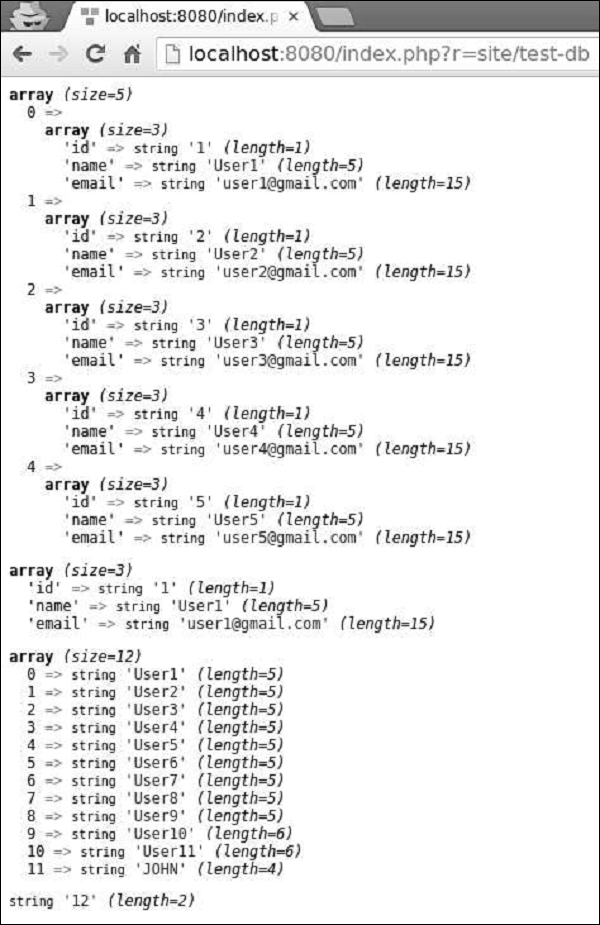
创建 SQL 命令
要使用参数创建 SQL 命令,您应该始终使用绑定参数的方法来防止 SQL 注入。
步骤 1 - 请按以下方式修改actionTestDb方法。
public function actionTestDb() {
   $firstUser = Yii::$app->db->createCommand('SELECT * FROM user WHERE id = :id')
      ->bindValue(':id', 1)
      ->queryOne();
   var_dump($firstUser);
   $params = [':id' => 2, ':name' => 'User2'];
   $secondUser = Yii::$app->db->createCommand('SELECT * FROM user WHERE
      id = :id AND name = :name')
      ->bindValues($params)
      ->queryOne();
   var_dump($secondUser);
      //another approach
   $params = [':id' => 3, ':name' => 'User3'];
   $thirdUser = Yii::$app->db->createCommand('SELECT * FROM user WHERE
      id = :id AND name = :name', $params)
      ->queryOne();
   var_dump($thirdUser);
}
在上面的代码中 -
bindValue() - 绑定单个参数值。
bindValues() - 绑定多个参数值。
步骤 2 - 如果您访问地址https://:8080/index.php?r=site/test-db,您将看到以下输出。
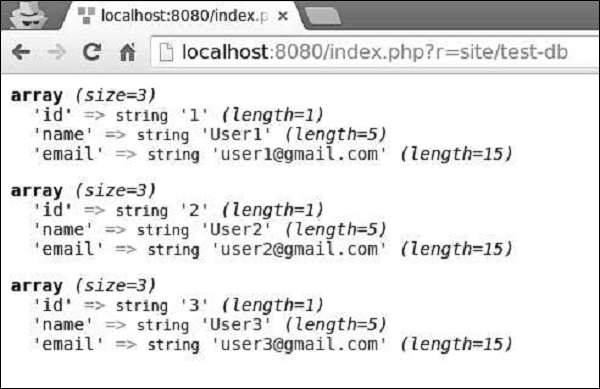
INSERT、UPDATE 和 DELETE 查询
对于 INSERT、UPDATE 和 DELETE 查询,您可以调用 insert()、update() 和 delete() 方法。
步骤 1 - 请按以下方式修改actionTestDb方法。
public function actionTestDb() {
   public function actionTestDb(){
      // INSERT (table name, column values)
      Yii::$app->db->createCommand()->insert('user', [
         'name' => 'My New User',
         'email' => 'mynewuser@gmail.com',
      ])->execute();
      $user = Yii::$app->db->createCommand('SELECT * FROM user WHERE name = :name')
         ->bindValue(':name', 'My New User')
         ->queryOne();
      var_dump($user);
      // UPDATE (table name, column values, condition)
      Yii::$app->db->createCommand()->update('user', ['name' => 'My New User
         Updated'], 'name = "My New User"')->execute();
      $user = Yii::$app->db->createCommand('SELECT * FROM user WHERE name = :name')
         ->bindValue(':name', 'My New User Updated')
         ->queryOne();
      var_dump($user);
      // DELETE (table name, condition)
      Yii::$app->db->createCommand()->delete('user', 'name = "My New User
         Updated"')->execute();
      $user = Yii::$app->db->createCommand('SELECT * FROM user WHERE name = :name')
         ->bindValue(':name', 'My New User Updated')
         ->queryOne();
      var_dump($user);
   }
}
步骤 2 - 在 Web 浏览器的地址栏中键入 URLhttps://:8080/index.php?r=site/test-db,您将看到以下输出。
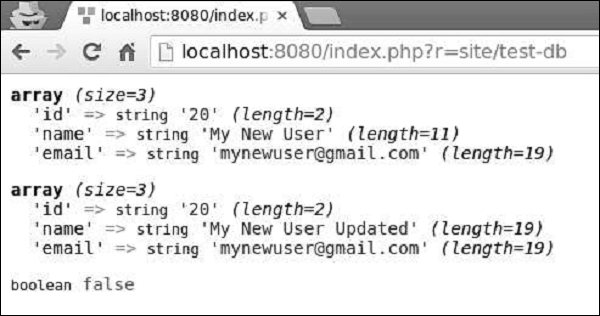
Yii - 查询构建器
查询构建器允许您以编程方式创建 SQL 查询。查询构建器可帮助您编写更易读的 SQL 相关代码。
要使用查询构建器,您应该按照以下步骤操作 -
- 构建一个 yii\db\Query 对象。
- 执行查询方法。
要构建yii\db\Query对象,您应该调用不同的查询构建器函数来定义 SQL 查询的不同部分。
步骤 1 - 为了展示查询构建器的典型用法,请按以下方式修改actionTestDb方法。
public function actionTestDb() {
   //generates "SELECT id, name, email FROM user WHERE name = 'User10';"
   $user = (new \yii\db\Query())
      ->select(['id', 'name', 'email'])
      ->from('user')
      ->where(['name' => 'User10'])
      ->one();
   var_dump($user);
}
步骤 2 - 访问https://:8080/index.php?r=site/test-db,您将看到以下输出。
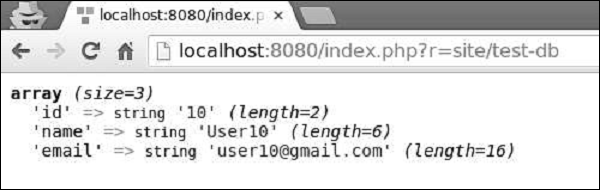
Where() 函数
where()函数定义查询的 WHERE 片段。要指定WHERE条件,您可以使用三种格式。
字符串格式 - 'name = User10'
哈希格式 - ['name' => 'User10', 'email => user10@gmail.com']
运算符格式 - ['like', 'name', 'User']
字符串格式示例
public function actionTestDb() {
   $user = (new \yii\db\Query())
      ->select(['id', 'name', 'email'])
      ->from('user')
      ->where('name = :name', [':name' => 'User11'])
      ->one();
   var_dump($user);
}
输出如下。
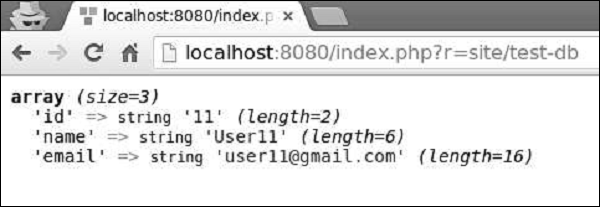
哈希格式示例
public function actionTestDb() {
   $user = (new \yii\db\Query())
      ->select(['id', 'name', 'email'])
      ->from('user')
      ->where([
         'name' => 'User5',
         'email' => 'user5@gmail.com'
      ])
      ->one();
   var_dump($user);
}
输出如下。
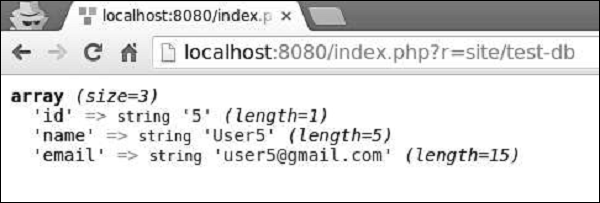
运算符格式允许您以以下格式定义任意条件 -
[operator, operand1, operand2]
操作符可以是 −
and − ['and', 'id = 1', 'id = 2'] 将生成 id = 1 AND id = 2 或者:类似于 and 操作符
between − ['between', 'id', 1, 15] 将生成 id BETWEEN 1 AND 15
not between − 类似于 between 操作符,但 BETWEEN 被替换为 NOT BETWEEN
in − ['in', 'id', [5,10,15]] 将生成 id IN (5,10,15)
not in − 类似于 in 操作符,但 IN 被替换为 NOT IN
like − ['like', 'name', 'user'] 将生成 name LIKE '%user%'
or like − 类似于 like 操作符,但使用 OR 分隔 LIKE 谓词
not like − 类似于 like 操作符,但 LIKE 被替换为 NOT LIKE
or not like − 类似于 not like 操作符,但使用 OR 连接 NOT LIKE 谓词
exists − 需要一个操作数,该操作数必须是 yii\db\Query 类的实例
not exists − 类似于 exists 操作符,但构建 NOT EXISTS (子查询) 表达式
<, <=, >, >=, 或任何其他数据库操作符:['<', 'id', 10] 将生成 id<10
操作符格式示例
public function actionTestDb() {
   $users = (new \yii\db\Query())
      ->select(['id', 'name', 'email'])
      ->from('user')
      ->where(['between', 'id', 5, 7])
      ->all();
   var_dump($users);
}
输出如下。
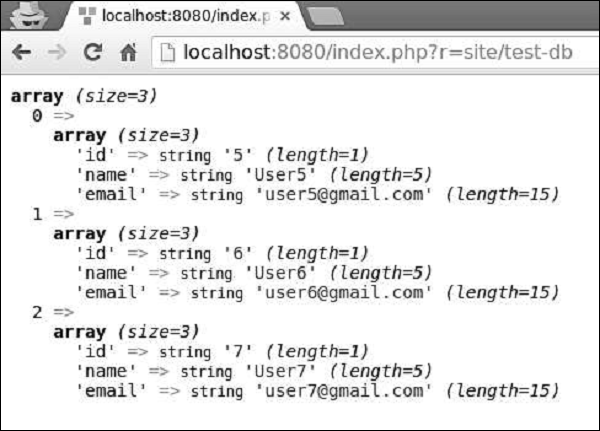
OrderBy() 函数
orderBy() 函数定义 ORDER BY 片段。
示例 −
public function actionTestDb() {
   $users = (new \yii\db\Query())
      ->select(['id', 'name', 'email'])
      ->from('user')
      ->orderBy('name DESC')
      ->all();
   var_dump($users);
}
输出如下。
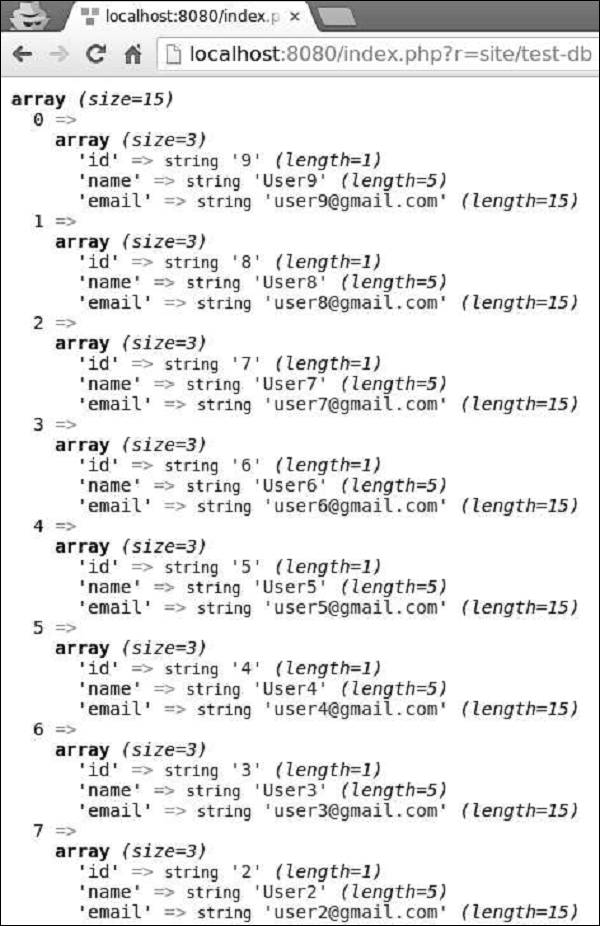
groupBy() 函数
groupBy() 函数定义 GROUP BY 片段,而 having() 方法指定 HAVING 片段。
示例 −
public function actionTestDb() {
   $users = (new \yii\db\Query())
      ->select(['id', 'name', 'email'])
      ->from('user')
      ->groupBy('name')
      ->having('id < 5')
      ->all();
   var_dump($users);
}
输出如下。
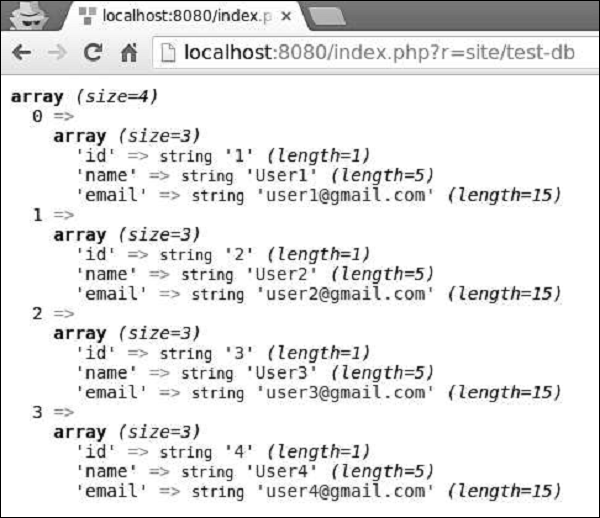
limit() 和 offset() 方法定义 LIMIT 和 OFFSET 片段。
示例 −
public function actionTestDb() {
   $users = (new \yii\db\Query())
      ->select(['id', 'name', 'email'])
      ->from('user')
      ->limit(5)
      ->offset(5)
      ->all();
   var_dump($users);
}
您可以看到以下输出 −
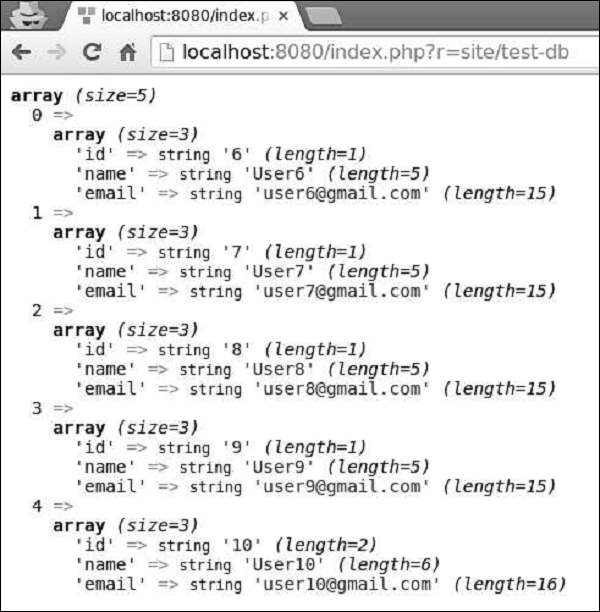
yii\db\Query 类提供了一组用于不同目的的方法 −
all() − 返回一个包含名称-值对的行数组。
one() − 返回第一行。
column() − 返回第一列。
scalar() − 返回结果集第一行第一列的标量值。
exists() − 返回一个值,指示查询是否包含任何结果
count() 返回 COUNT 查询的结果
其他聚合查询方法 − 包括 sum($q)、average($q)、max($q)、min($q)。$q 参数可以是列名或数据库表达式。
Yii - 活动记录
Active Record 提供了一个面向对象的 API 用于访问数据。一个 Active Record 类与一个数据库表关联。
Yii 为以下关系型数据库提供了 Active Record 支持 −
- MySQL 4.1 或更高版本
- SQLite 2 和 3
- PostgreSQL 7.3 或更高版本
- Microsoft SQL Server 2008 或更高版本
- CUBRID 9.3 或更高版本
- Oracle
- ElasticSearch
- Sphinx
此外,Active Record 类还支持以下 NoSQL 数据库 −
- Redis 2.6.12 或更高版本
- MongoDB 1.3.0 或更高版本
为单独的数据库表声明一个 Active Record 类(在本例中为 MyUser 模型)后,您应该按照以下步骤从该表中查询数据 −
- 使用 yii\db\ActiveRecord::find() 方法创建一个新的查询对象。
- 构建查询对象。
- 调用查询方法以检索数据。
步骤 1 − 以这种方式修改 actionTestDb() 方法。
public function actionTestDb() {
   // return a single user whose ID is 1
   // SELECT * FROM `user` WHERE `id` = 1
   $user = MyUser::find()
      ->where(['id' => 1])
      ->one();
   var_dump($user);
   // return the number of users
   // SELECT COUNT(*) FROM `user`
   $users = MyUser::find()
      ->count();
   var_dump($users);
   // return all users and order them by their IDs
   // SELECT * FROM `user` ORDER BY `id`
   $users = MyUser::find()
      ->orderBy('id')
      ->all();
   var_dump($users);
}
上面给出的代码展示了如何使用 ActiveQuery 查询数据。
步骤 2 - 访问https://:8080/index.php?r=site/test-db,您将看到以下输出。
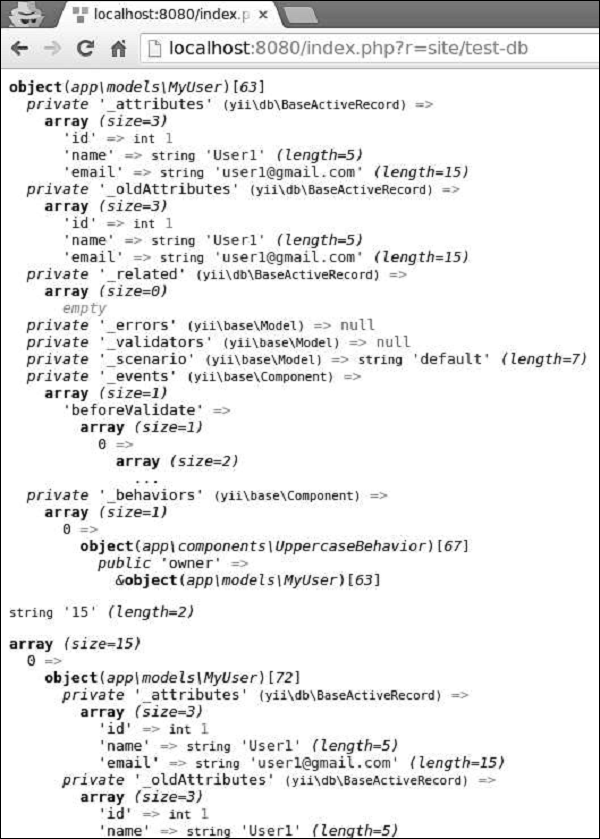
按主键值或一组列值进行查询是一项常见的任务,因此 Yii 提供了以下方法 −
yii\db\ActiveRecord::findOne() − 返回单个 Active Record 实例
yi\db\ActiveRecord::findAll() − 返回一个 Active Record 实例数组
示例 −
public function actionTestDb() {
   // returns a single customer whose ID is 1
   // SELECT * FROM `user` WHERE `id` = 1
   $user = MyUser::findOne(1);
   var_dump($user);
   // returns customers whose ID is 1,2,3, or 4
   // SELECT * FROM `user` WHERE `id` IN (1,2,3,4)
   $users = MyUser::findAll([1, 2, 3, 4]);
   var_dump($users);
   // returns a user whose ID is 5
   // SELECT * FROM `user` WHERE `id` = 5
   $user = MyUser::findOne([
      'id' => 5
   ]);
   var_dump($user);
}
将数据保存到数据库
要将数据保存到数据库,您应该调用 yii\db\ActiveRecord::save() 方法。
步骤 1 − 以这种方式修改 actionTestDb() 方法。
public function actionTestDb() {
   // insert a new row of data
   $user = new MyUser();
   $user->name = 'MyCustomUser2';
   $user->email = 'mycustomuser@gmail.com';
   $user->save();
   var_dump($user->attributes);

   // update an existing row of data
   $user = MyUser::findOne(['name' => 'MyCustomUser2']);
   $user->email = 'newemail@gmail.com';
   $user->save();
   var_dump($user->attributes);
}
步骤 2 - 访问https://:8080/index.php?r=site/test-db,您将看到以下输出。
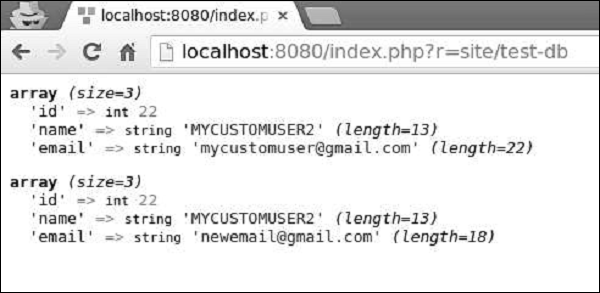
要删除一行数据,您应该 −
检索 Active Record 实例
调用 yii\db\ActiveRecord::delete() 方法
步骤 1 − 以这种方式修改 actionTestDb() 方法。
public function actionTestDb() {
   $user = MyUser::findOne(2);
   if($user->delete()) {
      echo "deleted";
   }
}
步骤 2 − 在 Web 浏览器的地址栏中键入 https://:8080/index.php?r=site/test-db,您将看到以下输出。
步骤 3 − 您还可以调用 yii\db\ActiveRecord::deleteAll() 方法删除多行数据,例如。
public function actionTestDb() {
    MyUser::deleteAll('id >= 20');
}
Yii - 数据库迁移
在开发数据库驱动的应用程序期间,数据库结构会随着源代码而发展。Yii 提供了 数据库迁移功能,允许您跟踪数据库更改。
Yii 提供了以下迁移命令行工具 −
- 创建新的迁移
- 回滚迁移
- 应用迁移
- 重新应用迁移
- 显示迁移状态和历史记录
创建迁移
让我们创建一个新的数据库迁移。
步骤 1 − 在基本应用程序模板的项目根目录中打开控制台窗口并运行。
./yii migrate/create add_news_table
上述命令将在 migrations 文件夹中创建一个新的迁移文件(在本例中为 m160113_102634_add_news_table.php)。
该文件包含以下代码 −
<?php
   use yii\db\Schema;
   use yii\db\Migration;
   class m160113_102634_add_news_table extends Migration {
      public function up() {

      }
      public function down() {
         echo "m160113_102634_add_news_table cannot be reverted.\n";
         return false;
      }
      /*
      // Use safeUp/safeDown to run migration code within a transaction
      public function safeUp() {

      }
      public function safeDown() {

      }
      */
   }
?>
每个数据库迁移都是一个扩展 yii\db\Migration 类的 PHP 类。类名按以下格式生成 −
m<YYMMDD_HHMMSS>_<Name>
其中 <YYMMDD_HMMSS> 是执行迁移命令时的 UTC 日期时间,<Name> 是您在控制台命令中提供的参数。
当您升级数据库时会调用 up() 方法,而当您降级数据库时会调用 down() 方法。
步骤 2 − 要向数据库添加新表,请按这种方式修改迁移文件。
<?php
   use yii\db\Schema;
   use yii\db\Migration;
   class m160113_102634_add_news_table extends Migration {
      public function up() {
         $this->createTable("news", [
            "id" => Schema::TYPE_PK,
            "title" => Schema::TYPE_STRING,
            "content" => Schema::TYPE_TEXT,
         ]);
      }
      public function down() {
         $this->dropTable('news');
      }
      /*
      // Use safeUp/safeDown to run migration code within a transaction
      public function safeUp() {

      }
      public function safeDown() {

      }
      */
   }
?>
在上面的代码中,我们在 up() 方法中创建了一个名为 news 的新表,并在 down() 方法中删除了该表。
news 表包含三个字段:id、title 和 content。在创建表或列时,我们应该使用抽象类型,以便迁移独立于数据库类型。例如,在 MySQL 的情况下,TYPE_PK 将转换为 int(11) NOT NUL AUTO_INCREMETN PRIMARY KEY。
步骤 3 − 要升级数据库,请运行此命令。
./yii migrate
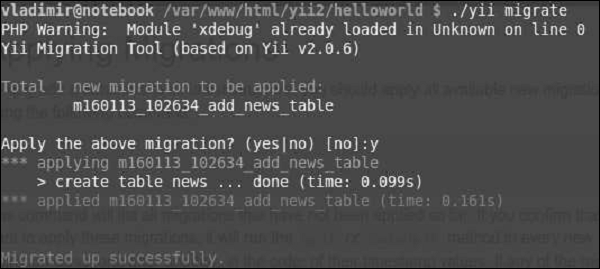
上述命令将列出所有尚未应用的可用迁移。然后,如果您确认要应用迁移,它将在所有新的迁移类中运行 safeUp() 或 up()。
步骤 4 − 要仅应用三个可用的迁移,您可以运行。
./yii migrate 3
步骤 5 − 您还可以定义数据库应迁移到的特定迁移。
# 使用时间戳指定迁移
yii migrate/to 160202_195501
# 使用可以由 strtotime() 解析的字符串
yii migrate/to "2016-01-01 19:55:01"
# 使用完整名称
yii migrate/to m160202_195501_create_news_table
# 使用 UNIX 时间戳
yii migrate/to 1393964718
步骤 6 − 要回滚迁移(执行 down() 或 safeDown() 方法),请运行。
./yii migrate/down
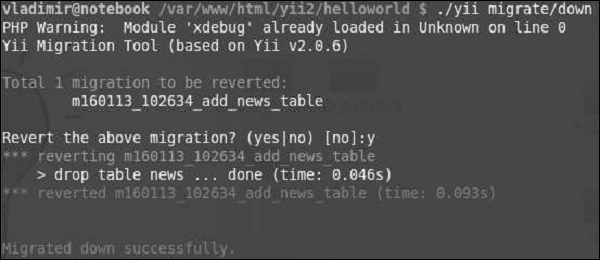
步骤 7 − 要回滚最近应用的五个迁移,您可以运行。
./yii migrate/down 5
步骤 8 − 要重做(回滚然后重新应用)迁移,请运行。
./yii migrate/redo
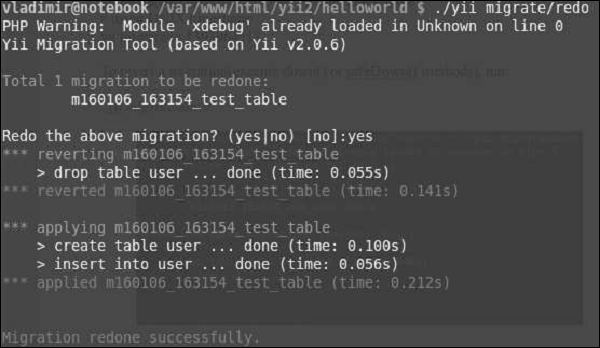
要列出已应用的迁移,请使用以下命令 −
yii migrate/new # 显示前 10 个新的迁移
yii migrate/new 3 # 显示前 3 个新的迁移
yii migrate/new all # 显示所有新的迁移
yii migrate/history # 显示最后 10 个应用的迁移
yii migrate/history 20 # 显示最后 20 个应用的迁移
yii migrate/history all # 显示所有应用的迁移
有时您需要从特定表中添加或删除列。您可以使用 addColumn() 和 dropColumn() 方法。
步骤 1 − 创建一个新的迁移。
./yii migrate/create add_category_to_news
步骤 2 − 按这种方式修改新创建的迁移文件。
<?php
   use yii\db\Schema;
   use yii\db\Migration;
   class m160113_110909_add_category_to_news extends Migration {
      public function up() {
         $this->addColumn('news', 'category', $this->integer());
      }
      public function down() {
         $this->dropColumn('news', 'category');
      }
   }
?>
现在,如果您运行 ./yii migrate,category 列应该会添加到 news 表中。相反,如果您运行 ./yii migrate/down 1,category 列应该会被删除。
在执行数据库迁移时,务必确保每个迁移都成功或失败。建议将数据库操作包含在事务中。要实现事务性迁移,您只需将迁移代码放在 safeUp() 和 safeDown() 方法中即可。如果这些方法中的任何操作失败,则所有先前操作都将回滚。
“事务方式”中的先前示例将为 −
<?php
   use yii\db\Schema;
   use yii\db\Migration;
   class m160113_110909_add_category_to_news extends Migration {
      public function safeUp() {
         $this->addColumn('news', 'category', $this->integer());
      }
      public function safeDown() {
         $this->dropColumn('news', 'category');
      }
   }
?>
yii\db\Migration 类提供以下用于操作数据库的方法 −
execute() − 执行原始 SQL 语句
createTable() − 创建表
renameTable() − 重命名表
insert() − 插入一行
batchInsert() − 插入多行
update() − 更新行
delete() − 删除行
addColumn() − 添加列
renameColumn() − 重命名列
dropColumn() − 删除列
alterColumn() − 修改列
dropTable() − 删除表
truncateTable() − 删除表中的所有行
createIndex() − 创建索引
dropIndex() − 删除索引
addPrimaryKey() − 添加主键
dropPrimaryKey() − 删除主键
addForeignKey() − 添加外键
dropForeignKey() − 删除外键
Yii - 主题
主题化可帮助您用另一个主题替换一组视图,而无需修改原始视图文件。您应该设置视图应用程序组件的 theme 属性以使用主题化。
您还应该定义以下属性 −
yii\base\Theme::$basePath − 定义 CSS、JS、图像等的基目录。
yii\base\Theme::$baseUrl − 定义主题资源的基 URL。
yii\base\Theme::$pathMap − 定义替换规则。
例如,如果您在 UserController 中调用 $this->render('create'),则将呈现 @app/views/user/create.php 视图文件。但是,如果您像在以下应用程序配置中一样启用主题化,则将呈现视图文件 @app/themes/basic/user/create.php,而不是。
步骤 1 − 以这种方式修改 config/web.php 文件。
<?php
   $params = require(__DIR__ . '/params.php');
   $config = [
      'id' => 'basic',
      'basePath' => dirname(__DIR__),
      'bootstrap' => ['log'],
      'components' => [
         'request' => [
            // !!! insert a secret key in the following (if it is empty) - this
               //is required by cookie validation
            'cookieValidationKey' => 'ymoaYrebZHa8gURuolioHGlK8fLXCKjO',
         ],
         'cache' => [
            'class' => 'yii\caching\FileCache',
         ],
         'user' => [
            'identityClass' => 'app\models\User',
            'enableAutoLogin' => true,
         ],
         'errorHandler' => [
            'errorAction' => 'site/error',
         ],
         'mailer' => [
            'class' => 'yii\swiftmailer\Mailer',
            // send all mails to a file by default. You have to set
            // 'useFileTransport' to false and configure a transport
            // for the mailer to send real emails.
            'useFileTransport' => true,
         ],
         'log' => [
            'traceLevel' => YII_DEBUG ? 3 : 0,
            'targets' => [
               [
                  'class' => 'yii\log\FileTarget',
                  'levels' => ['error', 'warning'],
               ],
            ],
         ],
         'view' => [
            'theme' => [
               'basePath' => '@app/themes/basic',
               'baseUrl' => '@web/themes/basic',
               'pathMap' => [
                  '@app/views' => '@app/themes/basic',
               ],
            ],
         ],
         'db' => require(__DIR__ . '/db.php'),
      ],
      'modules' => [
         'hello' => [
            'class' => 'app\modules\hello\Hello',
         ],
      ],
      'params' => $params,
   ];
   if (YII_ENV_DEV) {
      // configuration adjustments for 'dev' environment
      $config['bootstrap'][] = 'debug';
      $config['modules']['debug'] = [
         'class' => 'yii\debug\Module',
      ];
      $config['bootstrap'][] = 'gii';
      $config['modules']['gii'] = [
         'class' => 'yii\gii\Module',
      ];
   }
   return $config;
?>
我们添加了视图应用程序组件。
步骤 2 − 现在创建 web/themes/basic 目录结构和 themes/basic/site。在 themes/basic/site 文件夹中创建一个名为 about.php 的文件,其中包含以下代码。
<?php
/* @var $this yii\web\View */
use yii\helpers\Html;
$this->title = 'About';
$this->params['breadcrumbs'][] = $this->title;
$this->registerMetaTag(['name' => 'keywords', 'content' => 'yii, developing,
views, meta, tags']);
$this->registerMetaTag(['name' => 'description', 'content' => 'This is the
description of this page!'], 'description');
?>
<div class = "site-about">
<h1><?= Html::encode($this->title) ?></h1>
<p style = "color: red;">
This is the About page. You may modify the following file to customize its content:
</p>
</div>
步骤 3 − 现在,转到 https://:8080/index.php?r=site/about,将呈现 themes/basic/site/about.php 文件,而不是 views/site/about.php。
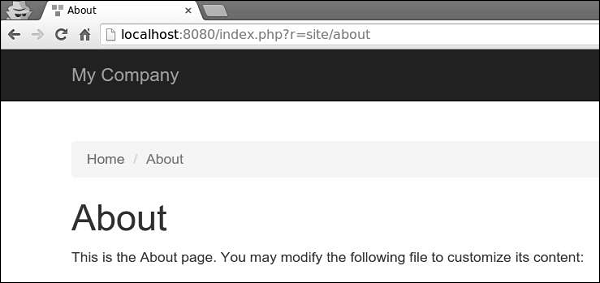
步骤 4 − 要主题化模块,请按这种方式配置 yii\base\Theme::$pathMap 属性。
'pathMap' => [ '@app/views' => '@app/themes/basic', '@app/modules' => '@app/themes/basic/modules', ],
步骤 5 − 要主题化小部件,请按这种方式配置 yii\base\Theme::$pathMap 属性。
'pathMap' => [ '@app/views' => '@app/themes/basic', '@app/widgets' => '@app/themes/basic/widgets', // <-- !!! ],
有时您需要指定一个基本主题,该主题包含应用程序的基本外观和风格。为了实现此目标,您可以使用主题继承。
步骤 6 − 以这种方式修改视图应用程序组件。
'view' => [
'theme' => [
'basePath' => '@app/themes/basic',
'baseUrl' => '@web/themes/basic',
'pathMap' => [
'@app/views' => [
'@app/themes/christmas',
'@app/themes/basic',
],
]
],
],
在上述配置中,@app/views/site/index.php 视图文件将被主题化为 @app/themes/christmas/site/index.php 或 @app/themes/basic/site/index.php,具体取决于哪个文件存在。如果两个文件都存在,则将使用第一个文件。
步骤 7 − 创建 themes/christmas/site 目录结构。
步骤 8 − 现在,在 themes/christmas/site 文件夹中,创建一个名为 about.php 的文件,其中包含以下代码。
<?php
/* @var $this yii\web\View */
use yii\helpers\Html;
$this->title = 'About';
$this->params['breadcrumbs'][] = $this->title;
$this->registerMetaTag(['name' => 'keywords', 'content' => 'yii, developing,
views, meta, tags']);
$this->registerMetaTag(['name' => 'description', 'content' => 'This is the
description of this page!'], 'description');
?>
<div class = "site-about">
<h2>Christmas theme</h2>
<img src = "http://pngimg.com/upload/fir_tree_PNG2514.png" alt = ""/>
<p style = "color: red;">
This is the About page. You may modify the following file to customize its content:
</p>
</div>
步骤 9 − 如果您转到 https://:8080/index.php?r=site/about,您将看到使用圣诞主题更新的关于页面。
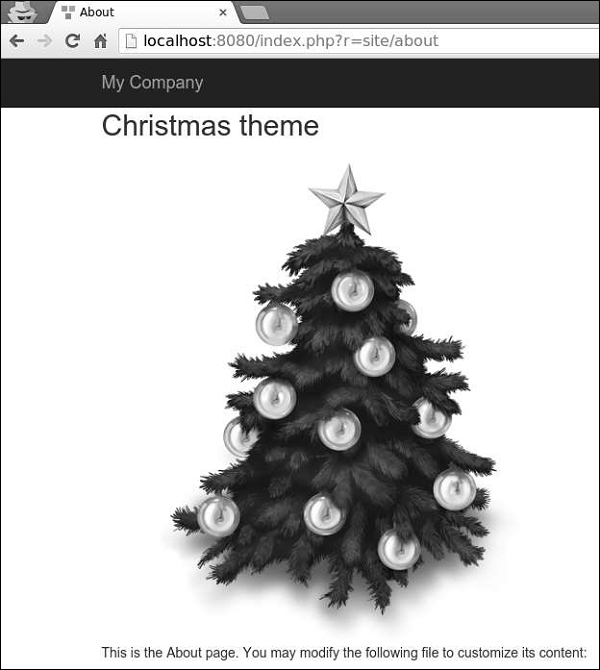
Yii - RESTful API
Yii 提供了以下用于实现 RESTful API 的有用功能 −
- 快速原型设计
- 可自定义的对象序列化
- 响应格式(默认支持 JSON 和 XML)
- 集合数据和验证错误的格式化
- 高效路由
- 支持 HATEOAS
- 对 OPTIONS 和 HEAD 动词的内置支持
- 数据缓存和 HTTP 缓存
- 身份验证和授权
- 速率限制
要展示 RESTful API 的实际应用,我们需要数据。
准备数据库
步骤 1 − 创建一个新的数据库。数据库可以通过以下两种方式准备。
在终端运行mysql -u root –p。
通过CREATE DATABASE helloworld CHARACTER SET utf8 COLLATE utf8_general_ci;创建一个新的数据库。
步骤 2 − 在config/db.php文件中配置数据库连接。以下配置适用于当前使用的系统。
<?php
return [
'class' => 'yii\db\Connection',
'dsn' => 'mysql:host = localhost;dbname = helloworld',
'username' => 'vladimir',
'password' => '12345',
'charset' => 'utf8',
];
?>
步骤 3 − 在根文件夹中运行 ./yii migrate/create test_table。此命令将创建一个用于管理我们数据库的数据库迁移。迁移文件应该出现在项目根目录的migrations文件夹中。
步骤 4 − 以这种方式修改迁移文件(在本例中为m160106_163154_test_table.php)。
<?php
use yii\db\Schema;
use yii\db\Migration;
class m160106_163154_test_table extends Migration {
public function safeUp() {
$this->createTable("user", [
"id" => Schema::TYPE_PK,
"name" => Schema::TYPE_STRING,
"email" => Schema::TYPE_STRING,
]);
$this->batchInsert("user", ["name", "email"], [
["User1", "user1@gmail.com"],
["User2", "user2@gmail.com"],
["User3", "user3@gmail.com"],
["User4", "user4@gmail.com"],
["User5", "user5@gmail.com"],
["User6", "user6@gmail.com"],
["User7", "user7@gmail.com"],
["User8", "user8@gmail.com"],
["User9", "user9@gmail.com"],
["User10", "user10@gmail.com"],
["User11", "user11@gmail.com"],
]);
}
public function safeDown() {
$this->dropTable('user');
}
}
?>
以上迁移创建了一个user表,其中包含以下字段:id、name和email。它还添加了一些演示用户。
步骤 5 − 在项目根目录中运行 ./yii migrate以将迁移应用于数据库。
步骤 6 − 现在,我们需要为我们的user表创建一个模型。为简单起见,我们将使用Gii代码生成工具。打开此URL:https://:8080/index.php?r=gii。然后,单击“模型生成器”标题下的“开始”按钮。填写表名(“user”)和模型类(“MyUser”),单击“预览”按钮,最后单击“生成”按钮。
MyUser模型应该出现在models目录中。
安装 Postman
在开发 RESTful 服务时,Postman 是一款方便的工具。它提供了一个用于构建请求的有用界面。
您可以在 https://chrome.google.com/webstore/detail/postman/fhbjgbiflinjbdggehcddcbncdddomop?hl=en 找到此工具。
要安装它,请按“添加到 Chrome”按钮。
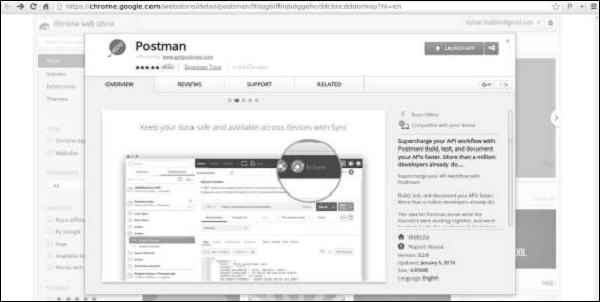
Yii - RESTful API 实战
控制器类继承自yii\rest\ActiveController类,该类实现了常见的 RESTful 操作。我们指定$modelClass属性,以便控制器知道要使用哪个模型来操作数据。
步骤 1 - 在 controllers 文件夹内创建一个名为UserController.php的文件。
<?php
namespace app\controllers;
use yii\rest\ActiveController;
class UserController extends ActiveController {
public $modelClass = 'app\models\MyUser';
}
?>
接下来,我们需要设置 urlManager 组件,以便可以使用有意义的 HTTP 动词和漂亮的 URL 访问和操作用户数据。为了让 API 以 JSON 格式访问数据,我们应该配置request应用程序组件的 parsers 属性。
步骤 2 - 以这种方式修改config/web.php文件 -
<?php
$params = require(__DIR__ . '/params.php');
$config = [
'id' => 'basic',
'basePath' => dirname(__DIR__),
'bootstrap' => ['log'],
'components' => [
'request' => [
// !!! insert a secret key in the following (if it is empty) - this is
//required by cookie validation
'cookieValidationKey' => 'ymoaYrebZHa8gURuolioHGlK8fLXCKjO',
],
'cache' => [
'class' => 'yii\caching\FileCache',
],
'user' => [
'identityClass' => 'app\models\User',
'enableAutoLogin' => true,
],
'errorHandler' => [
'errorAction' => 'site/error',
],
'mailer' => [
'class' => 'yii\swiftmailer\Mailer',
// send all mails to a file by default. You have to set
// 'useFileTransport' to false and configure a transport
// for the mailer to send real emails.
'useFileTransport' => true,
],
'log' => [
'traceLevel' => YII_DEBUG ? 3 : 0,
'targets' => [
[
'class' => 'yii\log\FileTarget',
'levels' => ['error', 'warning'],
],
],
],
'urlManager' => [
'enablePrettyUrl' => true,
'enableStrictParsing' => true,
'showScriptName' => false,
'rules' => [
['class' => 'yii\rest\UrlRule', 'controller' => 'user'],
],
],
'request' => [
'parsers' => [
'application/json' => 'yii\web\JsonParser',
]
],
'db' => require(__DIR__ . '/db.php'),
],
'modules' => [
'hello' => [
'class' => 'app\modules\hello\Hello',
],
],
'params' => $params,
];
if (YII_ENV_DEV) {
// configuration adjustments for 'dev' environment
$config['bootstrap'][] = 'debug';
$config['modules']['debug'] = [
'class' => 'yii\debug\Module',
];
$config['bootstrap'][] = 'gii';
$config['modules']['gii'] = [
'class' => 'yii\gii\Module',
];
}
return $config;
?>
只需付出最少的努力,我们就构建了一个用于访问用户数据的 RESTful API。这些 API 包括 -
GET /users - 分页列出所有用户
HEAD /users - 显示用户列表的概述信息
POST /users - 创建一个新用户
GET /users/20 - 返回用户 20 的详细信息
HEAD /users/20 - 显示用户 20 的概述信息
PATCH /users/ 20 和 PUT /users/20 - 更新用户 20
DELETE /users/20 - 删除用户 20
OPTIONS /users - 显示关于端点 /users 的支持的动词
OPTIONS /users/20 - 显示关于端点 /users/ 20 的支持的动词
注意,Yii 会自动将控制器名称变为复数。
步骤 3 - 现在,打开 Postman,输入https://:8080/users,然后点击“发送”。您将看到以下内容。
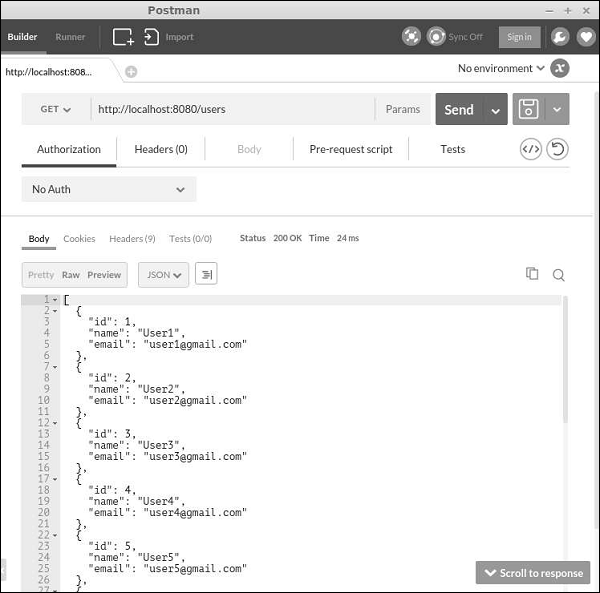
步骤 4 - 要创建一个新用户,请将请求类型更改为 POST,添加两个主体参数:name 和 email,然后点击“发送”。
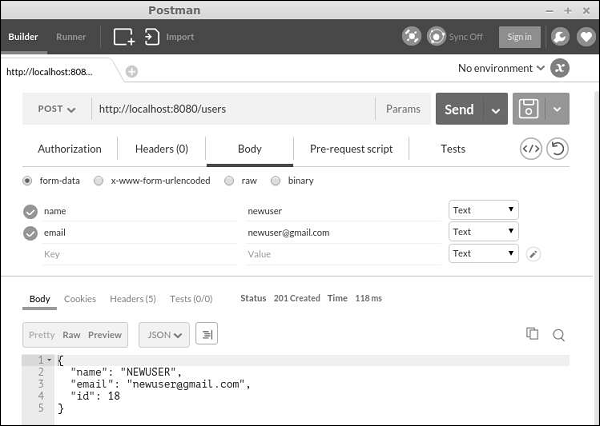
步骤 5 - 您可以使用fields参数指定结果中应包含哪些字段。例如,URLhttps://:8080/users?fields=id, name 仅返回id和name字段,如下面的屏幕截图所示。
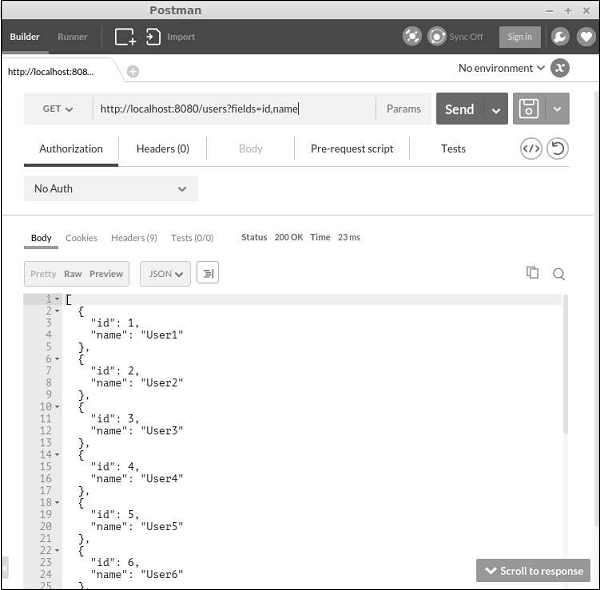
Yii - 字段
通过覆盖fields() 和 extraFields()方法,您可以定义可以在响应中放入哪些数据。这两种方法之间的区别在于,前者定义了默认的字段集,这些字段集应包含在响应中,而后者定义了其他字段,如果最终用户通过expand查询参数请求这些字段,则可以将其包含在响应中。
步骤 1 - 以这种方式修改MyUser模型。
<?php
namespace app\models;
use app\components\UppercaseBehavior;
use Yii;
/**
* This is the model class for table "user".
*@property integer $id
* @property string $name
* @property string $email
*/
class MyUser extends \yii\db\ActiveRecord {
public function fields() {
return [
'id',
'name',
//PHP callback
'datetime' => function($model) {
return date("d:m:Y H:i:s");
}
];
}
/**
* @inheritdoc
*/
public static function tableName() {
return 'user';
}
/**
* @inheritdoc
*/
public function rules() {
return [
[['name', 'email'], 'string', 'max' => 255]
];
}
/**
* @inheritdoc
*/
public function attributeLabels() {
return [
'id' => 'ID',
'name' => 'Name',
'email' => 'Email',
];
}
}
?>
除了默认字段:id 和 name 之外,我们还添加了一个自定义字段 - datetime。
步骤 2 - 在 Postman 中,运行 URLhttps://:8080/users。
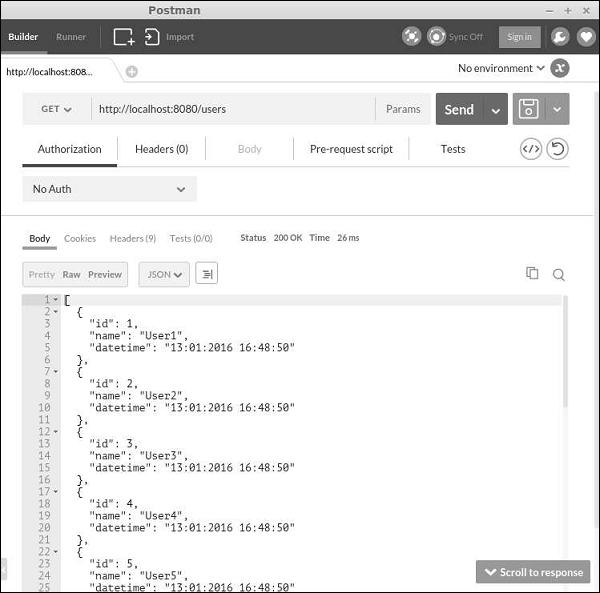
步骤 3 - 现在,以这种方式修改MyUser模型。
<?php
namespace app\models;
use app\components\UppercaseBehavior;
use Yii;
/**
* This is the model class for table "user".
*
* @property integer $id
* @property string $name
* @property string $email
*/
class MyUser extends \yii\db\ActiveRecord {
public function fields() {
return [
'id',
'name',
];
}
public function extraFields() {
return ['email'];
}
/**
* @inheritdoc
*/
public static function tableName() {
return 'user';
}
/**
* @inheritdoc
*/
public function rules() {
return [
[['name', 'email'], 'string', 'max' => 255]
];
}
/**
* @inheritdoc
*/
public function attributeLabels() {
return [
'id' => 'ID',
'name' => 'Name',
'email' => 'Email',
];
}
}
?>
注意,email 字段由extraFields()方法返回。
步骤 4 - 要获取包含此字段的数据,请运行https://:8080/users?expand=email。
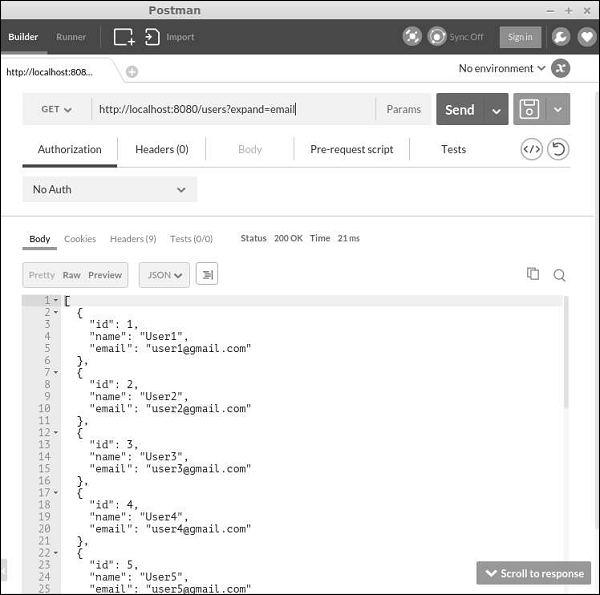
自定义操作
yii\rest\ActiveController类提供以下操作 -
Index - 分页列出资源
View - 返回指定资源的详细信息
Create - 创建一个新资源
Update - 更新现有资源
Delete - 删除指定的资源
Options - 返回支持的 HTTP 方法
所有上述操作都在 actions 方法() 中声明。
要禁用“delete”和“create”操作,请以这种方式修改UserController -
<?php
namespace app\controllers;
use yii\rest\ActiveController;
class UserController extends ActiveController {
public $modelClass = 'app\models\MyUser';
public function actions() {
$actions = parent::actions();
// disable the "delete" and "create" actions
unset($actions['delete'], $actions['create']);
return $actions;
}
}
?>
处理错误
在获取 RESTful API 请求时,如果请求中存在错误或服务器上发生意外情况,您可以简单地抛出一个异常。如果您可以识别错误的原因,则应抛出一个异常以及适当的 HTTP 状态代码。Yii REST 使用以下状态 -
200 - OK。
201 - 响应 POST 请求成功创建了一个资源。Location 标头包含指向新创建资源的 URL。
204 - 请求已成功处理,并且响应不包含内容。
304 - 资源未修改。
400 - 错误请求。
401 - 身份验证失败。
403 - 已认证的用户无权访问指定的 API 端点。
404 - 资源不存在。
405 - 方法不允许。
415 - 不支持的媒体类型。
422 - 数据验证失败。
429 - 请求过多。
500 - 内部服务器错误。
Yii - 测试
当我们编写 PHP 类时,我们会逐步调试它或使用 die 或 echo 语句来验证它的工作方式。如果我们开发一个 Web 应用程序,我们会将测试数据输入表单中以确保页面按预期工作。此测试过程可以自动化。
自动测试方法对于长期项目很有意义,这些项目 -
- 复杂且庞大
- 不断发展
- 在失败成本方面过于昂贵
如果您的项目没有变得复杂,并且相对简单,或者它只是一个一次性项目,那么自动化测试可能有点过头了。
准备测试
步骤 1 - 安装 Codeception 框架。运行以下代码。
composer global require "codeception/codeception = 2.0.*" composer global require "codeception/specify = *" composer global require "codeception/verify = *"
步骤 2 - 运行以下命令。
composer global status
输出为“Changed current directory to <directory>”。您应该将'<directory>/vendor/bin'添加到您的 PATH 变量中。在这种情况下,运行以下代码 -
export PATH = $PATH:~/.composer/vendor/bin
步骤 3 - 创建一个名为'yii2_basic_tests'的新数据库。
步骤 4 - 在 tests 目录中运行。
codeception/bin/yii migrate
数据库配置可以在tests/codeception/config/config.php中找到。
步骤 5 - 通过以下命令构建测试套件。
codecept build
Fixture
Fixture 的主要目的是在未知状态下设置环境,以便您的测试以预期的方式运行。Yii 提供了一个近似 Fixture 框架。Yii Fixture 框架的一个关键概念是 Fixture 对象。它表示测试环境的特定方面。Fixture 对象是yii\test\Fixture 类的实例。
要定义一个 Fixture,您应该创建一个新类并将其扩展自 yii\test\Fixture 或 yii\test\ActiveFixture。前者更适合通用 Fixture,而后者专门设计用于与数据库和 ActiveRecord 一起使用。
单元测试
单元测试可以帮助您测试单个函数。例如,模型函数或组件类。
步骤 1 - 在tests/codeception/fixtures目录下的名为ExampleFixture.php的文件中创建一个新的 Fixture。
<?php
namespace app\tests\codeception\fixtures;
use yii\test\ActiveFixture;
class ExampleFixture extends ActiveFixture {
public $modelClass = ‘app⊨’MyUser';
}
?>
步骤 2 - 然后,在 tests/codeception/unit/models 文件夹中创建一个名为 ExampleTest.php 的新测试文件。
<?php
namespace tests\codeception\unit\models;
use app\models\MyUser;
use yii\codeception\TestCase;
class ExampleTest extends TestCase {
public function testCreateMyUser() {
$m = new MyUser();
$m->name = "myuser";
$m->email = "myser@email.com";
$this->assertTrue($m->save());
}
public function testUpdateMyUser() {
$m = new MyUser();
$m->name = "myuser2";
$m->email = "myser2@email.com";
$this->assertTrue($m->save());
$this->assertEquals("myuser2", $m->name);
}
public function testDeleteMyUser() {
$m = MyUser::findOne(['name' => 'myuser2']);
$this->assertNotNull($m);
MyUser::deleteAll(['name' => $m->name]);
$m = MyUser::findOne(['name' => 'myuser2']);
$this->assertNull($m);
}
}
?>
在上面的代码中,我们定义了三个测试 -
- testCreateMyUser,
- testUpdateMyUser 和
- testDeleteMyUser。
我们刚刚创建了一个新用户,更新了他的姓名,并尝试删除他。我们根据 yii2_basic_tests 数据库管理 MyUser 模型,它是我们真实数据库的完整副本。
步骤 3 - 要启动测试,请移动到 tests 文件夹并运行。
codecept run unit models/ExampleTest
它应该通过所有测试。您将看到以下内容 -
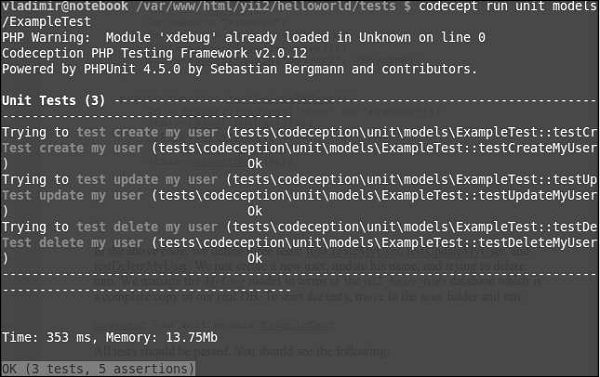
功能测试
功能测试可以帮助您 -
- 使用浏览器模拟器测试应用程序
- 验证函数是否正常工作
- 与数据库交互
- 将数据提交到服务器端脚本
在 tests 文件夹中运行 -
generate:cept functional AboutPageCept
以上命令在 tests/codeception/functional 文件夹下创建AboutPageCept.php文件。在这个功能测试中,我们将检查我们的about页面是否存在。
步骤 1 - 修改AboutPageCept.php文件。
<?php
$I = new FunctionalTester($scenario);
$I->wantTo('perform actions and see result');
$I->amOnPage('site/about');
$I->see('about');
$I->dontSee('apple');
?>
在上面给出的代码中,我们检查了我们是否在 about 页面上。显然,我们应该在页面上看到“about”这个词,而没有“apple”。
步骤 2 - 通过以下命令运行测试。
run functional AboutPageCept
您将看到以下输出 -
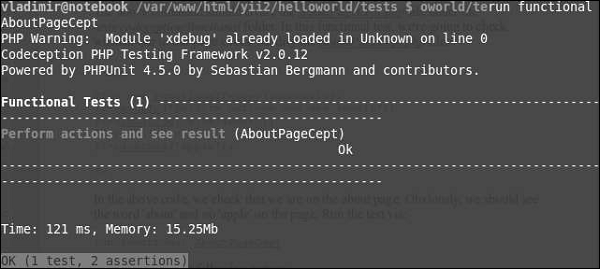
Yii - 缓存
缓存是提高应用程序性能的有效方法。缓存机制将静态数据存储在缓存中,并在请求时从缓存中获取。在服务器端,您可以使用缓存来存储基本数据,例如最近新闻列表。您还可以存储页面片段或整个网页。在客户端,您可以使用 HTTP 缓存将最近访问的页面保存在浏览器缓存中。
准备数据库
步骤 1 − 创建一个新的数据库。数据库可以通过以下两种方式准备。
在终端运行mysql -u root –p
.通过CREATE DATABASE helloworld CHARACTER SET utf8 COLLATE utf8_general_ci;创建一个新的数据库。
步骤 2 − 在config/db.php文件中配置数据库连接。以下配置适用于当前使用的系统。
<?php
return [
'class' => 'yii\db\Connection',
'dsn' => 'mysql:host=localhost;dbname=helloworld',
'username' => 'vladimir',
'password' => '12345',
'charset' => 'utf8',
];
?>
步骤 3 − 在根文件夹中运行 ./yii migrate/create test_table。此命令将创建一个用于管理我们数据库的数据库迁移。迁移文件应该出现在项目根目录的migrations文件夹中。
步骤 4 − 以这种方式修改迁移文件(在本例中为m160106_163154_test_table.php)。
<?php
use yii\db\Schema;
use yii\db\Migration;
class m160106_163154_test_table extends Migration {
public function safeUp()\ {
$this->createTable("user", [
"id" => Schema::TYPE_PK,
"name" => Schema::TYPE_STRING,
"email" => Schema::TYPE_STRING,
]);
$this->batchInsert("user", ["name", "email"], [
["User1", "user1@gmail.com"],
["User2", "user2@gmail.com"],
["User3", "user3@gmail.com"],
["User4", "user4@gmail.com"],
["User5", "user5@gmail.com"],
["User6", "user6@gmail.com"],
["User7", "user7@gmail.com"],
["User8", "user8@gmail.com"],
["User9", "user9@gmail.com"],
["User10", "user10@gmail.com"],
["User11", "user11@gmail.com"],
]);
}
public function safeDown() {
$this->dropTable('user');
}
}
?>
以上迁移创建了一个user表,其中包含以下字段:id、name和email。它还添加了一些演示用户。
步骤 5 − 在项目根目录中运行 ./yii migrate以将迁移应用于数据库。
步骤 6 − 现在,我们需要为我们的user表创建一个模型。为简单起见,我们将使用Gii代码生成工具。打开此URL:https://:8080/index.php?r=gii。然后,单击“模型生成器”标题下的“开始”按钮。填写表名(“user”)和模型类(“MyUser”),单击“预览”按钮,最后单击“生成”按钮。
MyUser模型应该出现在models目录中。
数据缓存
数据缓存可以帮助您将 PHP 变量存储在缓存中并在以后检索它们。数据缓存依赖于缓存组件,这些组件通常注册为应用程序组件。要访问应用程序组件,您可以调用Yii::$app → cache。您可以注册多个缓存应用程序组件。
Yii 支持以下缓存存储 -
yii\caching\DbCache - 使用数据库表存储缓存数据。您必须创建一个表,如 yii\caching\DbCache::$cacheTable 中所指定。
yii\caching\ApcCache - 使用 PHP APC 扩展。
yii\caching\FileCache - 使用文件存储缓存数据。
yii\caching\DummyCache - 充当缓存占位符,不执行任何实际缓存。此组件的目的是简化需要检查缓存可用性的代码。
yii\caching\MemCache - 使用 PHP memcache 扩展。
yii\caching\WinCache - 使用 PHP WinCache 扩展。
yii\redis\Cache - 实现一个基于 Redis 数据库的缓存组件。
yii\caching\XCache - 使用 PHP XCache 扩展。
所有缓存组件都支持以下 API -
get() - 使用指定的键从缓存中检索数据值。如果数据值已过期/失效或未找到,则将返回 false 值。
add() - 如果缓存中未找到键,则将由键标识的数据值存储在缓存中。
set() - 将由键标识的数据值存储在缓存中。
multiGet() - 使用指定的键从缓存中检索多个数据值。
multiAdd() - 将多个数据值存储在缓存中。每个项目都由一个键标识。如果缓存中已存在键,则将跳过数据值。
multiSet() - 将多个数据值存储在缓存中。每个项目都由一个键标识。
exists() - 返回一个值,指示缓存中是否找到了指定的键。
flush() - 从缓存中删除所有数据值。
delete() - 从缓存中删除由键标识的数据值。
存储在缓存中的数据值将永远保留在那里,除非将其删除。要更改此行为,您可以在调用 set() 方法存储数据值时设置过期参数。
缓存的数据值也可以通过缓存依赖项的变化来失效 -
yii\caching\DbDependency - 如果指定 SQL 语句的查询结果发生更改,则依赖项将发生更改。
yii\caching\ChainedDependency - 如果链上的任何依赖项发生更改,则依赖项将发生更改。
yii\caching\FileDependency - 如果文件的最后修改时间发生变化,则依赖项也会发生变化。
yii\caching\ExpressionDependency - 如果指定 PHP 表达式的结果发生变化,则依赖项也会发生变化。
现在,将cache应用程序组件添加到您的应用程序中。
步骤 1 - 修改config/web.php文件。
<?php
$params = require(__DIR__ . '/params.php');
$config = [
'id' => 'basic',
'basePath' => dirname(__DIR__),
'bootstrap' => ['log'],
'components' => [
'request' => [
// !!! insert a secret key in the following (if it is empty) - this
//is required by cookie validation
'cookieValidationKey' => 'ymoaYrebZHa8gURuolioHGlK8fLXCKjO',
],
'cache' => [
'class' => 'yii\caching\FileCache',
],
'user' => [
'identityClass' => 'app\models\User',
'enableAutoLogin' => true,
],
'errorHandler' => [
'errorAction' => 'site/error',
],
'mailer' => [
'class' => 'yii\swiftmailer\Mailer',
// send all mails to a file by default. You have to set
// 'useFileTransport' to false and configure a transport
// for the mailer to send real emails.
'useFileTransport' => true,
],
'log' => [
'traceLevel' => YII_DEBUG ? 3 : 0,
'targets' => [
[
'class' => 'yii\log\FileTarget',
'levels' => ['error', 'warning'],
],
],
],
'db' => require(__DIR__ . '/db.php'),
],
'modules' => [
'hello' => [
'class' => 'app\modules\hello\Hello',
],
],
'params' => $params,
];
if (YII_ENV_DEV) {
// configuration adjustments for 'dev' environment
$config['bootstrap'][] = 'debug';
$config['modules']['debug'] = [
'class' => 'yii\debug\Module',
];
$config['bootstrap'][] = 'gii';
$config['modules']['gii'] = [
'class' => 'yii\gii\Module',
];
}
return $config;
?>
步骤 2 - 在 SiteController 中添加一个名为actionTestCache()的新函数。
public function actionTestCache() {
$cache = Yii::$app->cache;
// try retrieving $data from cache
$data = $cache->get("my_cached_data");
if ($data === false) {
// $data is not found in cache, calculate it from scratch
$data = date("d.m.Y H:i:s");
// store $data in cache so that it can be retrieved next time
$cache->set("my_cached_data", $data, 30);
}
// $data is available here
var_dump($data);
}
步骤 3 - 在 Web 浏览器的地址栏中键入https://:8080/index.php?r=site/test-cache,您将看到以下内容。
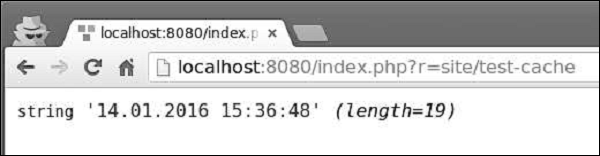
步骤 4 - 如果您重新加载页面,您应该会注意到日期没有更改。日期值被缓存,缓存将在 30 秒内过期。30 秒后重新加载页面。
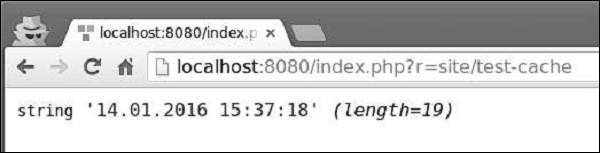
查询缓存
查询缓存为您提供了缓存数据库查询结果的功能。查询缓存需要一个 DB 连接和 cache 应用程序组件。
步骤 1 - 在 SiteController 中添加一个名为actionQueryCaching()的新方法。
public function actionQueryCaching() {
$duration = 10;
$result = MyUser::getDb()->cache(function ($db) {
return MyUser::find()->count();
}, $duration);
var_dump($result);
$user = new MyUser();
$user->name = "cached user name";
$user->email = "cacheduseremail@gmail.com";
$user->save();
echo "==========";
var_dump(MyUser::find()->count());
}
在上面的代码中,我们缓存了数据库查询,添加了一个新用户,并显示了用户数量。
步骤 2 - 访问 URLhttps://:8080/index.php?r=site/query-caching并重新加载页面。
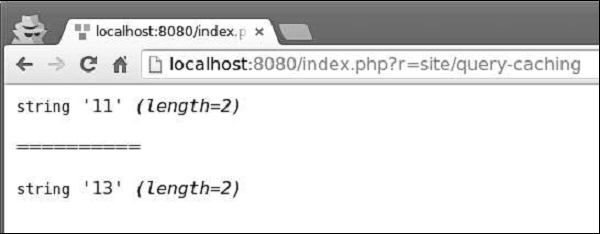
当我们第一次打开页面时,我们会缓存 DB 查询并显示所有用户的数量。当我们重新加载页面时,缓存的 DB 查询的结果与之前相同,因为数据库查询被缓存了。
您可以使用以下命令从控制台刷新缓存 -
yii cache - 显示可用的缓存组件。
yii cache/flush cache1 cache2 cache3 - 刷新缓存组件 cache1、cache2 和 cache3。
yii cache/flush-all - 刷新所有缓存组件。
步骤 3 - 在应用程序的项目根目录下运行./yii cache/flush-all。

Yii - 片段缓存
片段缓存提供网页片段的缓存功能。
步骤 1 - 在 SiteController 中添加一个名为actionFragmentCaching()的新函数。
public function actionFragmentCaching() {
$user = new MyUser();
$user->name = "cached user name";
$user->email = "cacheduseremail@gmail.com";
$user->save();
$models = MyUser::find()->all();
return $this->render('cachedview', ['models' => $models]);
}
在上面的代码中,我们创建了一个新用户并显示了一个cachedview视图文件。
步骤 2 - 现在,在views/site文件夹中创建一个名为cachedview.php的新文件。
<?php if ($this->beginCache('cachedview')) { ?>
<?php foreach ($models as $model): ?>
<?= $model->id; ?>
<?= $model->name; ?>
<?= $model->email; ?>
<br/>
<?php endforeach; ?>
<?php $this->endCache(); } ?>
<?php echo "Count:", \app\models\MyUser::find()->count(); ?>
我们将内容生成逻辑包含在一对 beginCache() 和 endCache() 方法中。如果缓存中找到了内容,beginCache() 方法将呈现它。
步骤 3 - 访问 URLhttps://:8080/index.php?r=site/fragment-caching并重新加载页面。输出如下。
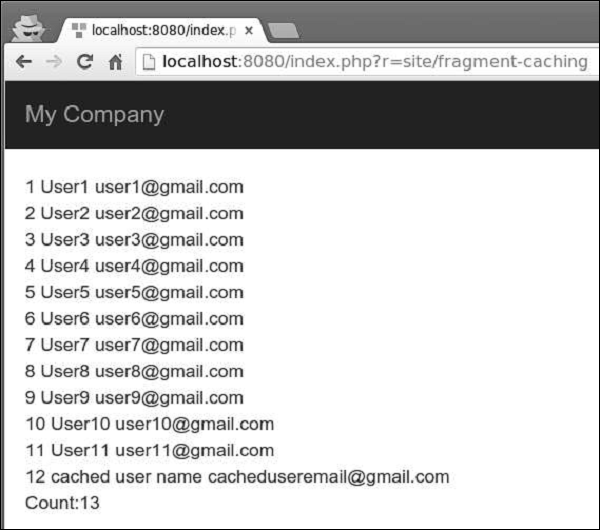
请注意,beginCache() 和 endCache() 方法之间的内容被缓存了。在数据库中,我们有 13 个用户,但只显示了 12 个。
页面缓存
页面缓存提供整个网页内容的缓存功能。页面缓存由yii\filter\PageCache支持。
步骤 1 - 修改 SiteController 的behaviors()函数。
public function behaviors() {
return [
'access' => [
'class' => AccessControl::className(),
'only' => ['logout'],
'rules' => [
[
'actions' => ['logout'],
'allow' => true,
'roles' => ['@'],
],
],
],
'verbs' => [
'class' => VerbFilter::className(),
'actions' => [
'logout' => ['post'],
],
],
[
'class' => 'yii\filters\PageCache',
'only' => ['index'],
'duration' => 60
],
];
}
上面的代码将索引页面缓存 60 秒。
步骤 2 - 访问 URLhttps://:8080/index.php?r=site/index。然后,修改索引视图文件的祝贺消息。如果重新加载页面,您将不会注意到任何更改,因为页面被缓存了。等待一分钟,然后再次重新加载页面。
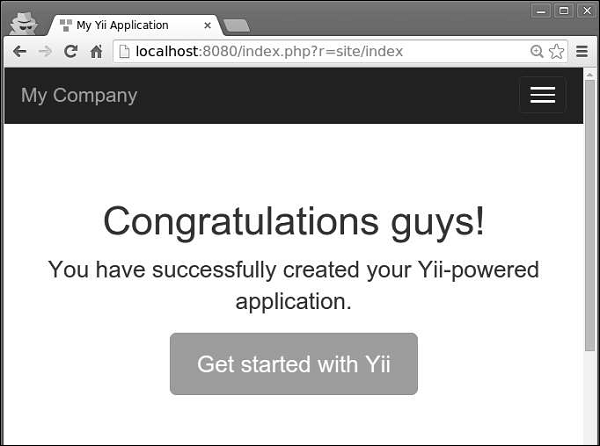
HTTP 缓存
Web 应用程序还可以使用客户端缓存。要使用它,您可以为控制器操作配置yii\filter\HttpCache过滤器。
Last-Modified 标头使用时间戳来指示页面是否已修改。
步骤 1 - 要启用发送 Last-Modified 标头,请配置 yii\filter\HttpCache::$lastModified 属性。
public function behaviors() {
return [
[
'class' => 'yii\filters\HttpCache',
'only' => ['index'],
'lastModified' => function ($action, $params) {
$q = new \yii\db\Query();
return $q->from('news')->max('created_at');
},
],
];
}
在上面的代码中,我们仅为索引页面启用了 HTTP 缓存。当浏览器第一次打开索引页面时,页面将在服务器端生成并发送到浏览器。第二次,如果没有创建新闻,服务器将不会重新生成页面。
Etag 标头提供一个表示页面内容的哈希值。如果页面发生更改,哈希值也会发生更改。
步骤 2 - 要启用发送 Etag 标头,请配置yii\filters\HttpCache::$etagSeed属性。
public function behaviors() {
return [
[
'class' => 'yii\filters\HttpCache',
'only' => ['index'],
'etagSeed' => function ($action, $params) {
$user = $this->findModel(\Yii::$app->request->get('id'));
return serialize([$user->name, $user->email]);
},
],
];
}
在上面的代码中,我们仅为index操作启用了 HTTP 缓存。它应该根据用户的姓名和电子邮件生成 Etag HTTP 标头。当浏览器第一次打开索引页面时,页面将在服务器端生成并发送到浏览器。第二次,如果姓名或电子邮件没有更改,服务器将不会重新生成页面。
Yii - 别名
别名可以帮助您避免在项目中硬编码绝对路径或 URL。别名以 @ 字符开头。
要定义别名,您应该调用Yii::setAlias()方法 -
// an alias of a file path
Yii::setAlias('@alias', '/path/to/alias');
// an alias of a URL
Yii::setAlias('@urlAlias', 'http://www.google.com');
您还可以从现有别名派生一个新别名 -
Yii::setAlias('@pathToSomewhere', '@alias/path/to/somewhere');
您可以在入口脚本或应用程序配置中名为 aliases 的可写属性中调用 Yii::setAlias() 方法 -
$config = [
'id' => 'basic',
'basePath' => dirname(__DIR__),
'bootstrap' => ['log'],
'components' => [
'aliases' => [
'@alias' => '/path/to/somewhere',
'@urlAlias' => 'http://www.google.com',
],
//other components...
]
]
要解析别名,您应该调用 Yii::getAlias() 方法。
Yii 预定义了以下别名 -
@app - 应用程序的基本路径。
@yii - BaseYii.php 文件所在的文件夹。
@webroot - 应用程序的 Web 根目录。
@web - 应用程序的基本 URL。
@runtime - 应用程序的运行时路径。默认为 @app/runtime。
@vendor - Composer 供应商目录。默认为 @app/vendor。
@npm - npm 包的根目录。默认为 @vendor/npm。
@bower - bower 包的根目录。默认为 @vendor/bower。
现在,在 SiteController 中添加一个名为actionAliases()的新函数 -
public function actionAliases() {
Yii::setAlias("@components", "@app/components");
Yii::setAlias("@imagesUrl", "@web/images");
var_dump(Yii::getAlias("@components"));
var_dump(Yii::getAlias("@imagesUrl"));
}
在上面的代码中,我们创建了两个别名:@components 用于应用程序组件,@imagesUrl 用于存储所有应用程序图像的 URL。
键入 https://:8080/index.php?r=site/aliases,您将看到以下输出 -
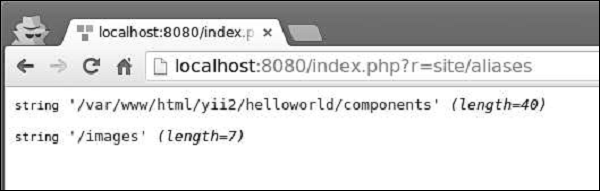
Yii - 日志记录
Yii 提供了一个高度可定制和可扩展的框架。借助此框架,您可以轻松记录各种类型的消息。
要记录消息,您应该调用以下方法之一 -
Yii::error() - 记录致命错误消息。
Yii::warning() - 记录警告消息。
Yii::info() - 记录包含一些有用信息的消息。
Yii::trace() - 记录消息以跟踪代码片段的运行方式。
以上方法在不同的类别中记录日志消息。它们共享以下函数签名 -
function ($message, $category = 'application')
其中:
$message - 要记录的日志消息
$category - 日志消息的类别
一种简单方便的命名方案是使用 PHP __METHOD__ 魔术常量。例如 -
Yii::info('this is a log message', __METHOD__);
日志目标是 yii\log\Target 类的实例。它按类别过滤所有日志消息,并将它们导出到文件、数据库和/或电子邮件中。
步骤 1 - 您也可以注册多个日志目标,例如。
return [
// the "log" component is loaded during bootstrapping time
'bootstrap' => ['log'],
'components' => [
'log' => [
'targets' => [
[
'class' => 'yii\log\DbTarget',
'levels' => ['error', 'warning', 'trace', 'info'],
],
[
'class' => 'yii\log\EmailTarget',
'levels' => ['error', 'warning'],
'categories' => ['yii\db\*'],
'message' => [
'from' => ['log@mydomain.com'],
'to' => ['admin@mydomain.com', 'developer@mydomain.com'],
'subject' => 'Application errors at mydomain.com',
],
],
],
],
],
];
在上面的代码中,注册了两个目标。第一个目标选择所有错误、警告、跟踪和信息消息,并将它们保存在数据库中。第二个目标将所有错误和警告消息发送到管理员电子邮件。
Yii 提供了以下内置日志目标 -
yii\log\DbTarget - 将日志消息存储在数据库中。
yii\log\FileTarget - 将日志消息保存在文件中。
yii\log\EmailTarget - 将日志消息发送到预定义的电子邮件地址。
yii\log\SyslogTarget - 通过调用 PHP 函数 syslog() 将日志消息保存到 syslog 中。
默认情况下,日志消息格式如下 -
Timestamp [IP address][User ID][Session ID][Severity Level][Category] Message Text
步骤 2 - 要自定义此格式,您应该配置yii\log\Target::$prefix属性。例如。
[
'class' => 'yii\log\FileTarget',
'prefix' => function ($message) {
$user = Yii::$app->has('user', true) ? Yii::$app->get('user') :
'undefined user';
$userID = $user ? $user->getId(false) : 'anonym';
return "[$userID]";
}
]
上面的代码片段配置了一个日志目标,以便在所有日志消息前添加当前用户 ID。
默认情况下,日志消息包含以下全局 PHP 变量的值:$_GET、$_POST、$_SESSION、$_COOKIE、$_FILES 和 $_SERVER。要修改此行为,您应该使用要包含的变量的名称配置yii\log\Target::$logVars属性。
所有日志消息都由日志记录器对象保存在数组中。日志记录器对象每次数组累积一定数量的消息(默认为 1000)时,就会将记录的消息刷新到日志目标。
步骤 3 - 要自定义此数字,您应该调用flushInterval 属性。
return [
'bootstrap' => ['log'],
'components' => [
'log' => [
'flushInterval' => 50, // default is 1000
'targets' => [...],
],
],
];
即使日志记录器对象将日志消息刷新到日志目标,它们也不会立即导出。导出发生在日志目标累积一定数量的消息(默认为 1000)时。
步骤 4 - 要自定义此数字,您应该配置exportInterval属性。
[ 'class' => 'yii\log\FileTarget', 'exportInterval' => 50, // default is 1000 ]
步骤 5 - 现在,以这种方式修改config/web.php文件。
<?php
$params = require(__DIR__ . '/params.php');
$config = [
'id' => 'basic',
'basePath' => dirname(__DIR__),
'bootstrap' => ['log'],
'components' => [
'request' => [
// !!! insert a secret key in the following (if it is empty) - this
//is required by cookie validation
'cookieValidationKey' => 'ymoaYrebZHa8gURuolioHGlK8fLXCKjO',
],
'cache' => [
'class' => 'yii\caching\FileCache',
],
'user' => [
'identityClass' => 'app\models\User',
'enableAutoLogin' => true,
],
'errorHandler' => [
'errorAction' => 'site/error',
],
'mailer' => [
'class' => 'yii\swiftmailer\Mailer',
// send all mails to a file by default. You have to set
// 'useFileTransport' to false and configure a transport
// for the mailer to send real emails.
'useFileTransport' => true,
],
'log' => [
'flushInterval' => 1,
'traceLevel' => YII_DEBUG ? 3 : 0,
'targets' => [
[
'class' => 'yii\log\FileTarget',
'exportInterval' => 1,
'logVars' => []
],
],
],
'db' => require(__DIR__ . '/db.php'),
],
'modules' => [
'hello' => [
'class' => 'app\modules\hello\Hello',
],
],
'params' => $params,
];
if (YII_ENV_DEV) {
// configuration adjustments for 'dev' environment
$config['bootstrap'][] = 'debug';
$config['modules']['debug'] = [
'class' => 'yii\debug\Module',
];
$config['bootstrap'][] = 'gii';
$config['modules']['gii'] = [
'class' => 'yii\gii\Module',
];
}
return $config;
?>
在上面的代码中,我们定义了 log 应用程序组件,将flushInterval和exportInteval属性设置为 1,以便所有日志消息立即出现在日志文件中。我们还省略了日志目标的 levels 属性。这意味着所有类别的日志消息(错误、警告、信息、跟踪)都将出现在日志文件中。
步骤 6 - 然后,在 SiteController 中创建一个名为 actionLog() 的函数。
public function actionLog() {
Yii::trace('trace log message');
Yii::info('info log message');
Yii::warning('warning log message');
Yii::error('error log message');
}
在上面的代码中,我们只是将四条不同类别的日志消息写入日志文件。
步骤 7 - 在 Web 浏览器的地址栏中键入 URLhttps://:8080/index.php?r=site/log。日志消息应出现在 app/runtime/logs 目录下的 app.log 文件中。
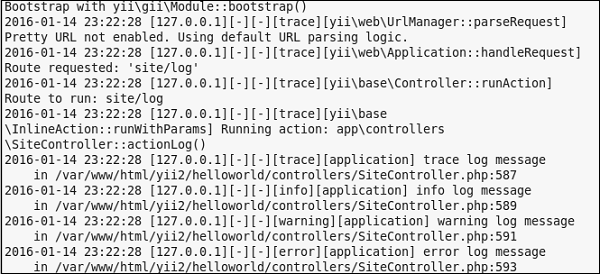
Yii - 错误处理
Yii 包含一个内置的错误处理程序。Yii 错误处理程序执行以下操作 -
- 将所有非致命 PHP 错误转换为可捕获的异常。
- 显示所有错误和异常以及详细的调用堆栈。
- 支持不同的错误格式。
- 支持使用控制器操作显示错误。
要禁用错误处理程序,您应该在入口脚本中将 YII_ENABLE_ERROR_HANDLER 常量定义为 false。错误处理程序注册为应用程序组件。
步骤 1 - 您可以按以下方式配置它。
return [
'components' => [
'errorHandler' => [
'maxSourceLines' => 10,
],
],
];
上述配置将要显示的源代码行数设置为 10。错误处理程序将所有非致命 PHP 错误转换为可捕获的异常。
步骤 2 - 在 SiteController 中添加一个名为actionShowError()的新函数。
public function actionShowError() {
try {
5/0;
} catch (ErrorException $e) {
Yii::warning("Ooops...division by zero.");
}
// execution continues...
}
步骤 3 - 访问 URLhttps://:8080/index.php?r=site/show-error。您将看到一条警告消息。
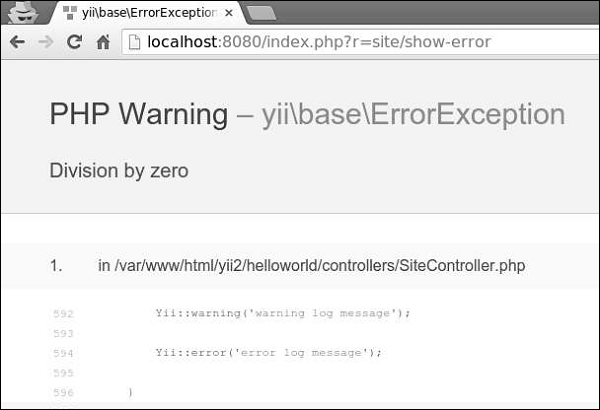
如果要向用户显示其请求无效,可以抛出yii\web\NotFoundHttpException异常。
步骤 4 − 修改actionShowError()函数。
public function actionShowError() {
throw new NotFoundHttpException("Something unexpected happened");
}
步骤 5 − 在地址栏中输入地址https://:8080/index.php?r=site/show-error。您将看到以下 HTTP 错误。
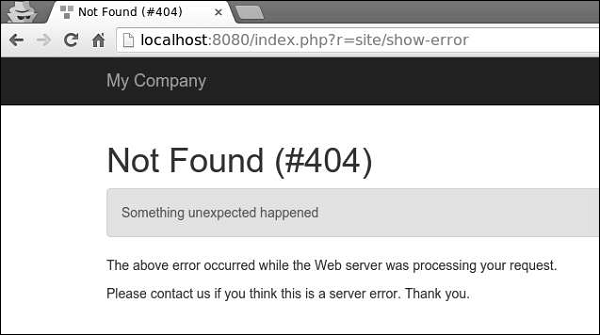
当 YII_DEBUG 常量为 true 时,错误处理程序将显示带有详细调用堆栈的错误。当常量为 false 时,只会显示错误消息。默认情况下,错误处理程序使用以下视图显示错误:
@yii/views/errorHandler/exception.php − 当应显示带有调用堆栈信息的错误时,使用此视图文件。
@yii/views/errorHandler/error.php − 当应显示不带调用堆栈信息的错误时,使用此视图文件。
您可以使用专用的错误操作来自定义错误显示。
步骤 6 − 修改config/web.php文件中的errorHandler应用组件。
<?php
$params = require(__DIR__ . '/params.php');
$config = [
'id' => 'basic',
'basePath' => dirname(__DIR__),
'bootstrap' => ['log'],
'components' => [
'request' => [
// !!! insert a secret key in the following (if it is empty) - this
//is required by cookie validation
'cookieValidationKey' => 'ymoaYrebZHa8gURuolioHGlK8fLXCKjO',
],
'cache' => [
'class' => 'yii\caching\FileCache',
],
'user' => [
'identityClass' => 'app\models\User',
'enableAutoLogin' => true,
],
'errorHandler' => [
'errorAction' => 'site/error',
],
//other components...
'db' => require(__DIR__ . '/db.php'),
],
'modules' => [
'hello' => [
'class' => 'app\modules\hello\Hello',
],
],
'params' => $params,
];
if (YII_ENV_DEV) {
// configuration adjustments for 'dev' environment
$config['bootstrap'][] = 'debug';
$config['modules']['debug'] = [
'class' => 'yii\debug\Module',
];
$config['bootstrap'][] = 'gii';
$config['modules']['gii'] = [
'class' => 'yii\gii\Module',
];
}
return $config;
?>
上述配置定义了当需要显示不带调用堆栈的错误时,将执行site/error操作。
步骤 7 − 修改 SiteController 的actions()方法。
public function actions() {
return [
'error' => [
'class' => 'yii\web\ErrorAction',
],
];
}
以上代码定义了,当发生error时,将渲染错误视图。
步骤 8 − 在 views/site 目录下创建一个名为error.php的文件。
<?php
/* @var $this yii\web\View */
/* @var $name string */
/* @var $message string */
/* @var $exception Exception */
use yii\helpers\Html;
$this->title = $name;
?>
<div class = "site-error">
<h2>customized error</h2>
<h1><?= Html::encode($this->title) ?></h1>
<div class = "alert alert-danger">
<?= nl2br(Html::encode($message)) ?>
</div>
<p>
The above error occurred while the Web server was processing your request.
</p>
<p>
Please contact us if you think this is a server error. Thank you.
</p>
</div>
步骤 9 − 访问地址https://:8080/index.php?r=site/show-error,您将看到自定义的错误视图。
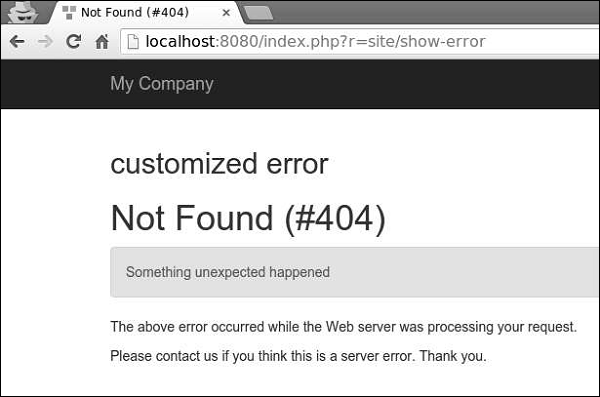
Yii - 身份验证
验证用户身份的过程称为身份验证。它通常使用用户名和密码来判断用户是否是他声称的那个人。
要使用 Yii 身份验证框架,您需要:
- 配置用户应用程序组件。
- 实现 yii\web\IdentityInterface 接口。
基本应用程序模板带有一个内置的身份验证系统。它使用用户应用程序组件,如下面的代码所示:
<?php
$params = require(__DIR__ . '/params.php');
$config = [
'id' => 'basic',
'basePath' => dirname(__DIR__),
'bootstrap' => ['log'],
'components' => [
'request' => [
// !!! insert a secret key in the following (if it is empty) - this
//is required by cookie validation
'cookieValidationKey' => 'ymoaYrebZHa8gURuolioHGlK8fLXCKjO',
],
'cache' => [
'class' => 'yii\caching\FileCache',
],
'user' => [
'identityClass' => 'app\models\User',
'enableAutoLogin' => true,
],
//other components...
'db' => require(__DIR__ . '/db.php'),
],
'modules' => [
'hello' => [
'class' => 'app\modules\hello\Hello',
],
],
'params' => $params,
];
if (YII_ENV_DEV) {
// configuration adjustments for 'dev' environment
$config['bootstrap'][] = 'debug';
$config['modules']['debug'] = [
'class' => 'yii\debug\Module',
];
$config['bootstrap'][] = 'gii';
$config['modules']['gii'] = [
'class' => 'yii\gii\Module',
];
}
return $config;
?>
在上述配置中,用户的身份类配置为 app\models\User。
身份类必须实现yii\web\IdentityInterface,并包含以下方法:
findIdentity() − 使用指定的 User ID 查找身份类的实例。
findIdentityByAccessToken() − 使用指定的访问令牌查找身份类的实例。
getId() − 返回用户的 ID。
getAuthKey() − 返回用于验证基于 Cookie 的登录的密钥。
validateAuthKey() − 实现验证基于 Cookie 的登录密钥的逻辑。
基本应用程序模板中的 User 模型实现了以上所有功能。用户数据存储在$users属性中:
<?php
namespace app\models;
class User extends \yii\base\Object implements \yii\web\IdentityInterface {
public $id;
public $username;
public $password;
public $authKey;
public $accessToken;
private static $users = [
'100' => [
'id' => '100',
'username' => 'admin',
'password' => 'admin',
'authKey' => 'test100key',
'accessToken' => '100-token',
],
'101' => [
'id' => '101',
'username' => 'demo',
'password' => 'demo',
'authKey' => 'test101key',
'accessToken' => '101-token',
],
];
/**
* @inheritdoc
*/
public static function findIdentity($id) {
return isset(self::$users[$id]) ? new static(self::$users[$id]) : null;
}
/**
* @inheritdoc
*/
public static function findIdentityByAccessToken($token, $type = null) {
foreach (self::$users as $user) {
if ($user['accessToken'] === $token) {
return new static($user);
}
}
return null;
}
/**
* Finds user by username
*
* @param string $username
* @return static|null
*/
public static function findByUsername($username) {
foreach (self::$users as $user) {
if (strcasecmp($user['username'], $username) === 0) {
return new static($user);
}
}
return null;
}
/**
* @inheritdoc
*/
public function getId() {
return $this->id;
}
/**
* @inheritdoc
*/
public function getAuthKey() {
return $this->authKey;
}
/**
* @inheritdoc
*/
public function validateAuthKey($authKey) {
return $this->authKey === $authKey;
}
/**
* Validates password
*
* @param string $password password to validate
* @return boolean if password provided is valid for current user
*/
public function validatePassword($password) {
return $this->password === $password;
}
}
?>
步骤 1 − 访问 URL https://:8080/index.php?r=site/login,并使用 admin 作为登录名和密码登录网站。
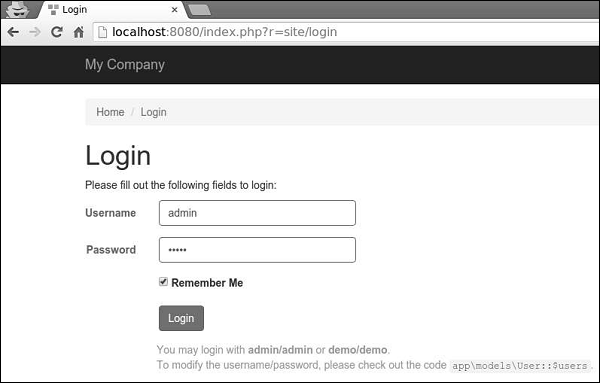
步骤 2 − 然后,在 SiteController 中添加一个名为actionAuth()的新函数。
public function actionAuth(){
// the current user identity. Null if the user is not authenticated.
$identity = Yii::$app->user->identity;
var_dump($identity);
// the ID of the current user. Null if the user not authenticated.
$id = Yii::$app->user->id;
var_dump($id);
// whether the current user is a guest (not authenticated)
$isGuest = Yii::$app->user->isGuest;
var_dump($isGuest);
}
步骤 3 − 在 Web 浏览器中输入地址https://:8080/index.php?r=site/auth,您将看到有关admin用户的详细信息。
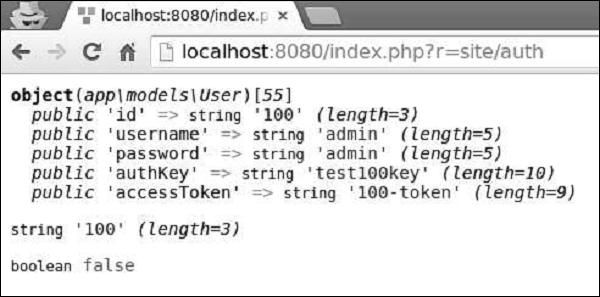
步骤 4 − 要登录和注销用户,可以使用以下代码。
public function actionAuth() {
// whether the current user is a guest (not authenticated)
var_dump(Yii::$app->user->isGuest);
// find a user identity with the specified username.
// note that you may want to check the password if needed
$identity = User::findByUsername("admin");
// logs in the user
Yii::$app->user->login($identity);
// whether the current user is a guest (not authenticated)
var_dump(Yii::$app->user->isGuest);
Yii::$app->user->logout();
// whether the current user is a guest (not authenticated)
var_dump(Yii::$app->user->isGuest);
}
首先,我们检查用户是否已登录。如果返回值为false,则通过Yii::$app → user → login()调用登录用户,并使用Yii::$app → user → logout()方法注销他。
步骤 5 − 访问 URL https://:8080/index.php?r=site/auth,您将看到以下内容。
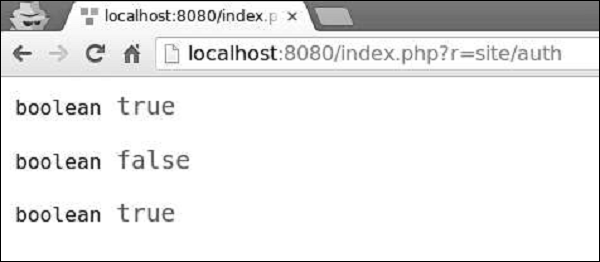
yii\web\User类引发以下事件:
EVENT_BEFORE_LOGIN − 在yii\web\User::login()开始时引发
EVENT_AFTER_LOGIN − 成功登录后引发
EVENT_BEFORE_LOGOUT − 在yii\web\User::logout()开始时引发
EVENT_AFTER_LOGOUT − 成功注销后引发
Yii - 授权
验证用户是否有足够权限执行某些操作的过程称为授权。Yii 提供了一个 ACF(访问控制过滤器),这是一种作为yii\filters\AccessControl实现的授权方法。修改 SiteController 的 behaviors() 函数:
public function behaviors() {
return [
'access' => [
'class' => AccessControl::className(),
'only' => ['about', 'contact'],
'rules' => [
[
'allow' => true,
'actions' => ['about'],
'roles' => ['?'],
],
[
'allow' => true,
'actions' => ['contact', 'about'],
'roles' => ['@'],
],
],
],
];
}
在上述代码中,ACF 作为行为附加。only 属性指定 ACF 仅应用于 about 和 contact 操作。所有其他操作都不受访问控制。rules 属性列出了访问规则。所有访客(具有“?”角色)都允许访问about操作。所有已认证的用户(具有“@”角色)都允许访问 contact 和 about 操作。
如果您访问 URL https://:8080/index.php?r=site/about,您将看到页面,但如果您打开 URL https://:8080/index.php?r=site/contact,您将被重定向到登录页面,因为只有已认证的用户才能访问contact操作。
访问规则支持许多选项:
allow − 定义这是“允许”规则还是“拒绝”规则。
actions − 定义此规则匹配哪些操作。
controllers − 定义此规则匹配哪些控制器。
roles − 定义此规则匹配的用户角色。识别两个特殊角色:
? − 匹配访客用户。
@ − 匹配已认证的用户。
ips − 定义此规则匹配的 IP 地址。
verbs − 定义此规则匹配的请求方法(POST、GET、PUT 等)。
matchCallback − 定义应调用的 PHP 可调用函数,以检查是否应应用此规则。
denyCallback − 定义当此规则拒绝访问时应调用的 PHP 可调用函数。
密码
步骤 1 − Yii 提供了以下用于处理密码的便捷方法。
public function actionAuth() {
$password = "asd%#G3";
//generates password hasg
$hash = Yii::$app->getSecurity()->generatePasswordHash($password);
var_dump($hash);
//validates password hash
if (Yii::$app->getSecurity()->validatePassword($password, $hash)) {
echo "correct password";
} else {
echo "incorrect password";
}
//generate a token
$key = Yii::$app->getSecurity()->generateRandomString();
var_dump($key);
//encrypt data with a secret key
$encryptedData = Yii::$app->getSecurity()->encryptByPassword("mydata", $key);
var_dump($encryptedData);
//decrypt data with a secret key
$data = Yii::$app->getSecurity()->decryptByPassword($encryptedData, $key);
var_dump($data);
//hash data with a secret key
$data = Yii::$app->getSecurity()->hashData("mygenuinedata", $key);
var_dump($data);
//validate data with a secret key
$data = Yii::$app->getSecurity()->validateData($data, $key);
var_dump($data);
}
步骤 2 − 输入 URL https://:8080/index.php?r=site/auth,您将看到以下内容。
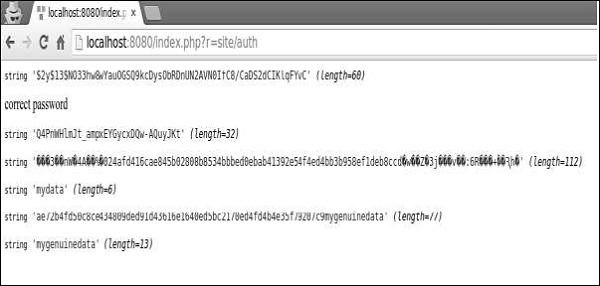
Yii - 本地化
I18N(国际化)是设计可适应各种语言的应用程序的过程。Yii 提供了全方位的 I18N 功能。
语言环境是一组参数,用于指定用户的语言和国家/地区。例如,en-US 代表英语语言环境和美国。Yii 提供两种类型的语言:源语言和目标语言。源语言是应用程序中所有文本消息的编写语言。目标语言是应用于向最终用户显示内容的语言。
消息翻译组件将文本消息从源语言翻译成目标语言。要翻译消息,消息翻译服务必须在消息源中查找它。
要使用消息翻译服务,您应该:
- 将要翻译的文本消息包装在 Yii::t() 方法中。
- 配置消息源。
- 在消息源中存储消息。
步骤 1 − Yii::t() 方法可以这样使用。
echo \Yii::t('app', 'This is a message to translate!');
在上面的代码片段中,“app”代表消息类别。
步骤 2 − 现在,修改config/web.php文件。
<?php
$params = require(__DIR__ . '/params.php');
$config = [
'id' => 'basic',
'basePath' => dirname(__DIR__),
'bootstrap' => ['log'],
'components' => [
'request' => [
// !!! insert a secret key in the following (if it is empty) - this
//is required by cookie validation
'cookieValidationKey' => 'ymoaYrebZHa8gURuolioHGlK8fLXCKjO',
],
'cache' => [
'class' => 'yii\caching\FileCache',
],
'i18n' => [
'translations' => [
'app*' => [
'class' => 'yii\i18n\PhpMessageSource',
'fileMap' => [
'app' => 'app.php'
],
],
],
],
'user' => [
'identityClass' => 'app\models\User',
'enableAutoLogin' => true,
],
'errorHandler' => [
'errorAction' => 'site/error',
],
'mailer' => [
'class' => 'yii\swiftmailer\Mailer',
// send all mails to a file by default. You have to set
// 'useFileTransport' to false and configure a transport
// for the mailer to send real emails.
'useFileTransport' => true,
],
'log' => [
'flushInterval' => 1,
'traceLevel' => YII_DEBUG ? 3 : 0,
'targets' => [
[
'class' => 'yii\log\FileTarget',
'exportInterval' => 1,
'logVars' => [],
],
],
],
'db' => require(__DIR__ . '/db.php'),
],
// set target language to be Russian
'language' => 'ru-RU',
// set source language to be English
'sourceLanguage' => 'en-US',
'modules' => [
'hello' => [
'class' => 'app\modules\hello\Hello',
],
],
'params' => $params,
];
if (YII_ENV_DEV) {
// configuration adjustments for 'dev' environment
$config['bootstrap'][] = 'debug';
$config['modules']['debug'] = [
'class' => 'yii\debug\Module',
];
$config['bootstrap'][] = 'gii';
$config['modules']['gii'] = [
'class' => 'yii\gii\Module',
];
}
return $config;
?>
在上述代码中,我们定义了源语言和目标语言。我们还指定了一个由yii\i18n\PhpMessageSource支持的消息源。app* 模式表示以 app 开头的所有消息类别都必须使用此特定消息源进行翻译。在上述配置中,所有俄语翻译都将位于 messages/ru-RU/app.php 文件中。
步骤 3 − 现在,创建 messages/ru-RU 目录结构。在 ru-RU 文件夹内创建一个名为 app.php 的文件。这将存储所有 EN → RU 翻译。
<?php
return [
'This is a string to translate!' => 'Эта строка для перевода!'
];
?>
步骤 4 − 在 SiteController 中创建一个名为 actionTranslation() 的函数。
public function actionTranslation() {
echo \Yii::t('app', 'This is a string to translate!');
}
步骤 5 − 在 Web 浏览器中输入 URL https://:8080/index.php?r=site/translation,您将看到以下内容。
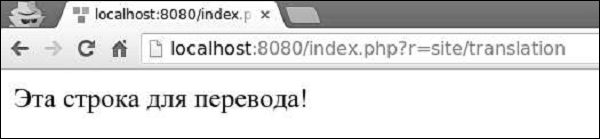
该消息已翻译成俄语,因为我们将目标语言设置为 ru-RU。我们可以动态更改应用程序的语言。
步骤 6 − 修改actionTranslation()方法。
public function actionTranslation() {
\Yii::$app->language = 'en-US';
echo \Yii::t('app', 'This is a string to translate!');
}
现在,消息以英语显示:
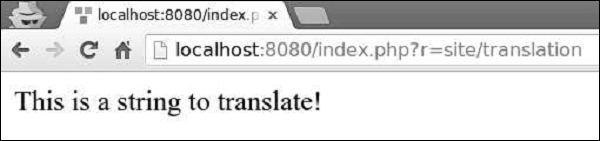
步骤 7 − 在翻译后的消息中,您可以插入一个或多个参数。
public function actionTranslation() {
$username = 'Vladimir';
// display a translated message with username being "Vladimir"
echo \Yii::t('app', 'Hello, {username}!', [
'username' => $username,
]), "<br>";
$username = 'John';
// display a translated message with username being "John"
echo \Yii::t('app', 'Hello, {username}!', [
'username' => $username,
]), "<br>";
$price = 150;
$count = 3;
$subtotal = 450;
echo \Yii::t('app', 'Price: {0}, Count: {1}, Subtotal: {2}', [$price, $count, $subtotal]);
}
输出如下。
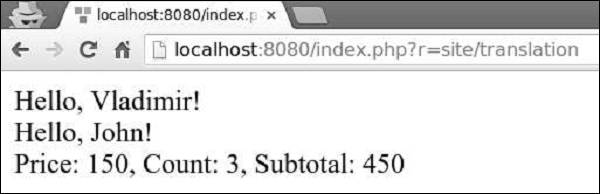
您可以翻译整个视图脚本,而不是翻译单个文本消息。例如,如果目标语言为 ru-RU,并且您想翻译 views/site/index.php 视图文件,则应翻译该视图并将其保存在 views/site/ru-RU 目录下。
步骤 8 − 创建 views/site/ru-RU 目录结构。然后,在 ru-RU 文件夹内创建一个名为 index.php 的文件,其中包含以下代码。
<?php
/* @var $this yii\web\View */
$this->title = 'My Yii Application';
?>
<div class = "site-index">
<div class = "jumbotron">
<h1>Добро пожаловать!</h1>
</div>
</div>
步骤 9 − 目标语言为 ru-RU,因此,如果您输入 URL https://:8080/index.php?r=site/index,您将看到包含俄语翻译的页面。
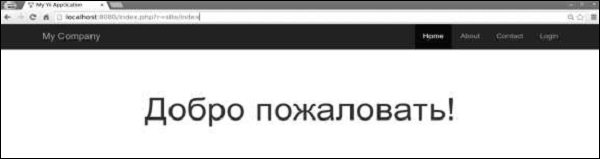
Yii - Gii
Gii 是一个扩展,它提供了一个基于 Web 的代码生成器,用于生成模型、表单、模块、CRUD 等。
默认情况下,以下生成器可用:
模型生成器 − 为指定的数据库表生成 ActiveRecord 类。
CRUD 生成器 − 生成一个控制器和视图,这些控制器和视图为指定的模型实现 CRUD(创建、读取、更新、删除)操作。
控制器生成器 − 生成一个新的控制器类,其中包含一个或多个控制器操作及其相应的视图。
表单生成器 − 生成一个视图脚本文件,该文件显示一个表单以收集指定的模型类的输入。
模块生成器 − 生成 Yii 模块所需的代码框架。
扩展生成器 − 生成 Yii 扩展所需的文件。
要打开 gii 生成工具,请在 Web 浏览器的地址栏中输入https://:8080/index.php?r=gii:。
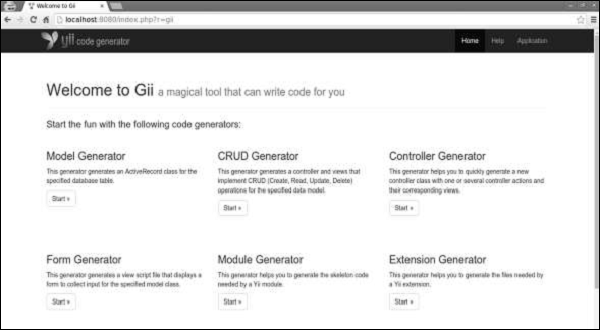
准备数据库
步骤 1 − 创建一个新的数据库。可以通过以下两种方式准备数据库:
在终端运行mysql -u root –p
通过CREATE DATABASE helloworld CHARACTER SET utf8 COLLATE utf8_general_ci;创建一个新的数据库。
步骤 2 − 在config/db.php文件中配置数据库连接。以下配置适用于当前使用的系统。
<?php
return [
'class' => 'yii\db\Connection',
'dsn' => 'mysql:host=localhost;dbname=helloworld',
'username' => 'vladimir',
'password' => '12345',
'charset' => 'utf8',
];
?>
步骤 3 − 在根文件夹中运行 ./yii migrate/create test_table。此命令将创建一个用于管理我们数据库的数据库迁移。迁移文件应该出现在项目根目录的migrations文件夹中。
步骤 4 − 以这种方式修改迁移文件(在本例中为m160106_163154_test_table.php)。
<?php
use yii\db\Schema;
use yii\db\Migration;
class m160106_163154_test_table extends Migration {
public function safeUp() {
$this->createTable("user", [
"id" => Schema::TYPE_PK,
"name" => Schema::TYPE_STRING,
"email" => Schema::TYPE_STRING,
]);
$this->batchInsert("user", ["name", "email"], [
["User1", "user1@gmail.com"],
["User2", "user2@gmail.com"],
["User3", "user3@gmail.com"],
["User4", "user4@gmail.com"],
["User5", "user5@gmail.com"],
["User6", "user6@gmail.com"],
["User7", "user7@gmail.com"],
["User8", "user8@gmail.com"],
["User9", "user9@gmail.com"],
["User10", "user10@gmail.com"],
["User11", "user11@gmail.com"],
]);
}
public function safeDown() {
$this->dropTable('user');
}
}
?>
以上迁移创建了一个user表,其中包含以下字段:id、name和email。它还添加了一些演示用户。
步骤 5 − 在项目根目录中运行 ./yii migrate以将迁移应用于数据库。
步骤 6 − 现在,我们需要为我们的user表创建一个模型。为简单起见,我们将使用Gii代码生成工具。打开此URL:https://:8080/index.php?r=gii。然后,单击“模型生成器”标题下的“开始”按钮。填写表名(“user”)和模型类(“MyUser”),单击“预览”按钮,最后单击“生成”按钮。
MyUser模型应该出现在models目录中。
Gii - 创建模型
要在 Gii 中创建模型:
<?php
namespace app\models;
use app\components\UppercaseBehavior;
use Yii;
/**
* This is the model class for table "user".
*
* @property integer $id
* @property string $name
* @property string $email
*/
class MyUser extends \yii\db\ActiveRecord {
/**
* @inheritdoc
*/
public static function tableName() {
return 'user';
}
/**
* @inheritdoc
*/
public function rules() {
return [
[['name', 'email'], 'string', 'max' => 255]
];
}
/**
* @inheritdoc
*/
public function attributeLabels() {
return [
'id' => 'ID',
'name' => 'Name',
'email' => 'Email',
];
}
}
?>
生成 CRUD
让我们为 MyUser 模型生成 CRUD。
步骤 1 − 打开 CRUD 生成器界面,填写表单。
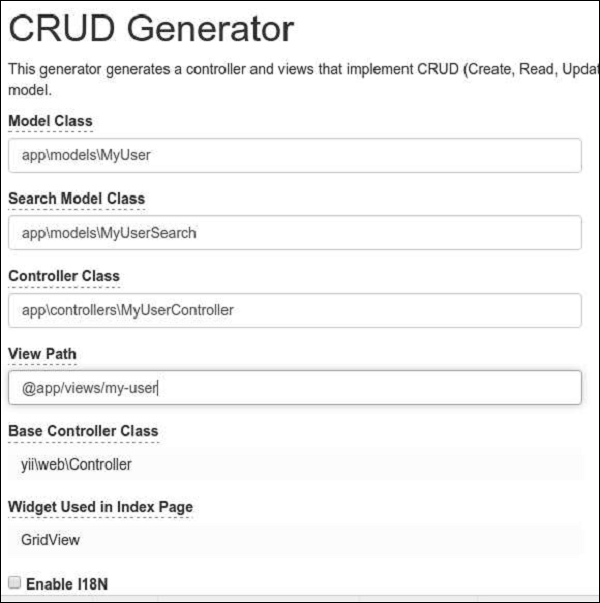
步骤 2 − 然后,单击“预览”按钮和“生成”。访问 URL https://:8080/index.php?r=my-user,您将看到所有用户的列表。
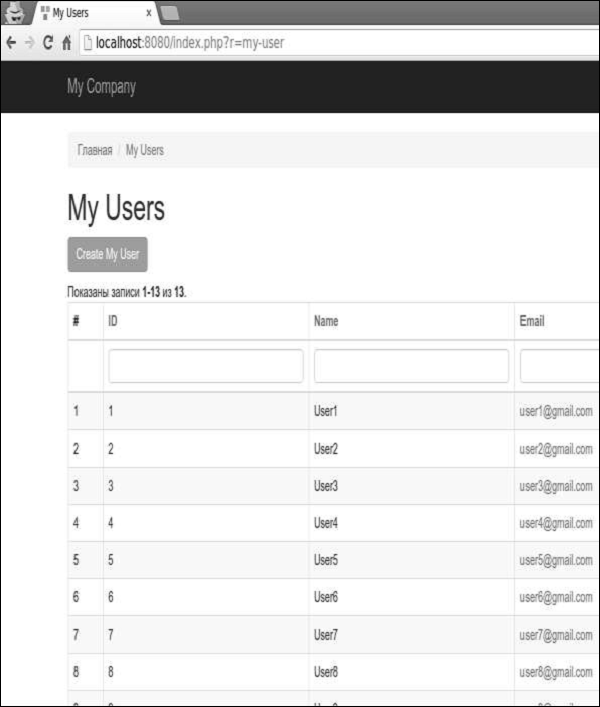
步骤 3 − 打开 URL https://:8080/index.php?r=my-user/create。您应该看到一个用户创建表单。
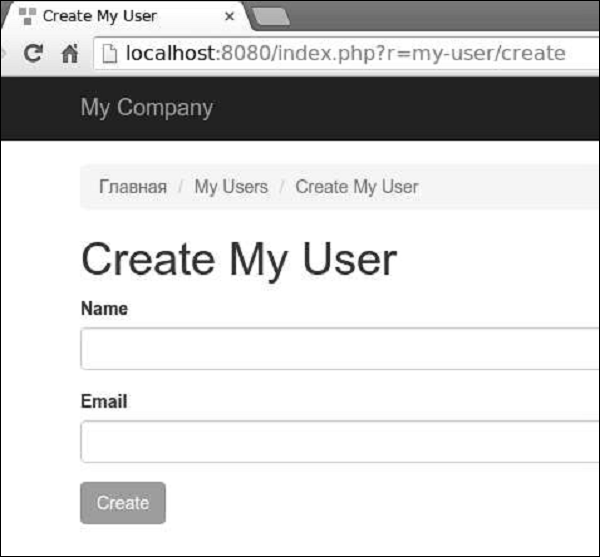
Gii - 生成控制器
让我们看看如何生成控制器。
步骤 1 − 要生成一个包含多个操作的控制器,打开控制器生成器界面并填写表单。
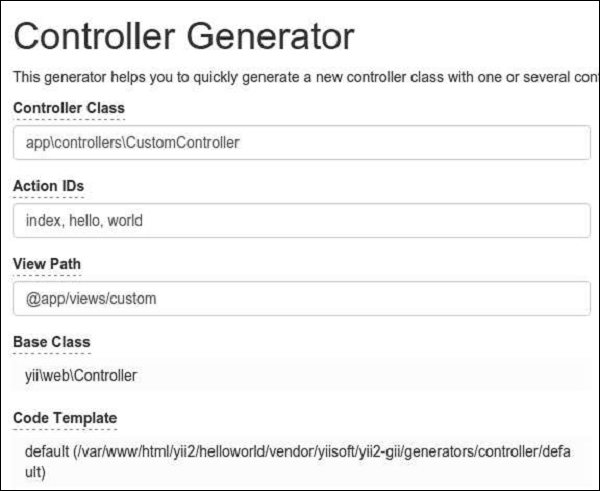
步骤 2 − 然后,点击“预览”按钮和“生成”。包含 index、hello 和 world 操作的 CustomController.php 文件将生成在 controllers 文件夹中。
<?php
namespace app\controllers;
class CustomController extends \yii\web\Controller {
public function actionHello() {
return $this->render('hello');
}
public function actionIndex() {
return $this->render('index');
}
public function actionWorld() {
return $this->render('world');
}
}
?>
表单生成
步骤 1 − 要从现有的模型生成视图文件,打开表单生成界面并填写表单。
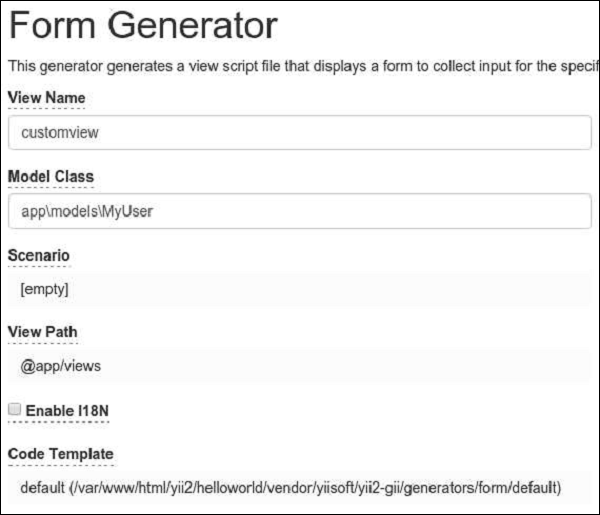
然后,点击“预览”按钮和“生成”。customview 视图文件将生成在 view 文件夹中。
步骤 2 − 要显示它,请在 CustomController 中添加一个新方法。
public function actionView() {
$model = new MyUser();
return $this->render('/customview', [
'model' => $model,
]);
}
步骤 3 − 要查看生成的视图文件,打开 URL https://:8080/index.php?r=custom/view。
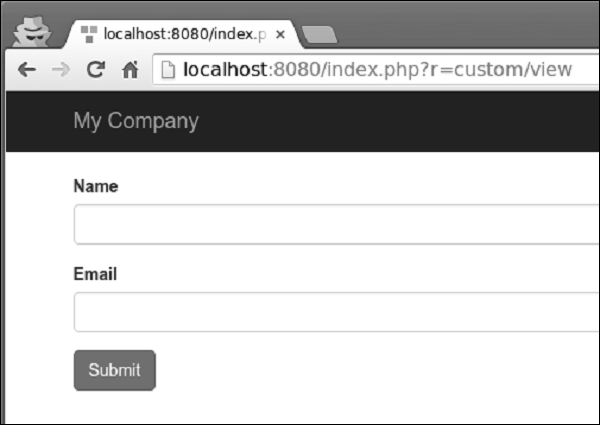
Gii - 生成模块
让我们看看如何生成一个模块。
步骤 1 − 要生成一个模块,打开模块生成界面并填写表单。
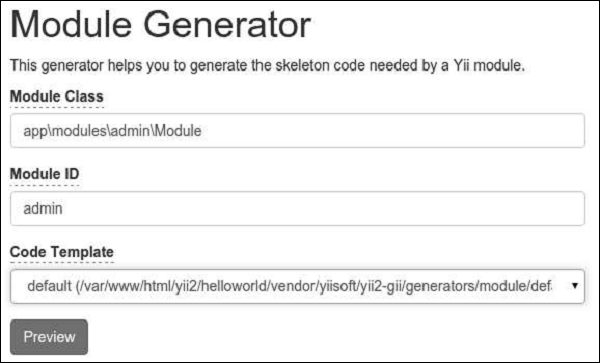
步骤 2 − 然后,点击“预览”按钮和“生成”。
步骤 3 − 我们需要激活该模块。修改 config/web.php 文件中的 modules 应用程序组件。
'modules' => [
'admin' => [
'class' => 'app\modules\admin\Module',
],
],
步骤 4 − 要检查我们新生成的模块是否有效,请在 Web 浏览器中输入 UR https://:8080/index.php?r=admin/default/index。