

- Windows 10 教程
- Windows 10 - 主页
- Windows 10 - 概述
- Windows 10 - 安装
- Windows 10 - 入门
- Windows 10 - GUI 基础知识
- Windows 10 - 导航
- Windows 10 - 开始菜单
- Windows 10 - 任务栏
- Windows 10 - 平板电脑模式
- Windows 10 - 文件资源管理器
- Windows 10 - Cortana
- Windows 10 - 通知
- Windows 10 - 快速操作
- Windows 10 - 云
- Windows 10 - 通用应用程序
- Windows 10 - 多个桌面
- Windows 10 - 用户管理
- Windows 10 - 安全
- Windows 10 - 家长控制
- Windows 10 - 应用程序
- Windows 10 - 网页浏览
- Windows 10 - 网络
- Windows 10 - 虚拟化
- Windows 10 - 远程访问
- Windows 10 - 备份和恢复
- Windows 10 - 斯巴达项目
- Windows 10 - 应用程序管理
- Windows 10 - 电子邮件管理
- Windows 10 - 键盘快捷键
- Windows 10 - 系统托盘
- Windows 10 - 媒体管理
- Windows 10 - 收藏设置
- Windows 10 - 快捷方式
- Windows 10 - 手机
- Windows 10 有用资源
- Windows 10 - 快速指南
- Windows 10 - 有用资源
- Windows 10 - 讨论
Windows 10 - 通用应用程序
借助 Windows 10,Microsoft 已发起了一项倡议,让应用程序在其不同平台上“通用”。这意味着为您的计算机设计的应用程序还可以在 Windows 手机、Xbox 或任何其他兼容 Windows 的设备上运行。
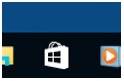
为了实现此目的,Windows 开发了通用 Windows 平台 (UWP) 并改进了Windows 应用商店,使其成为所有 Windows 应用程序的统一店面。要访问 Windows 应用商店,用户可以单击任务栏上的图标。这将打开 Windows 应用商店,允许用户浏览其想要的所有应用程序。
Windows 还允许“交叉购买”,这意味着在一种设备上购买应用程序的许可证也将适用于用户拥有的任何其他兼容设备。

广告