- Google AMP 教程
- Google AMP - 首页
- Google AMP - 概述
- Google AMP - 简介
- Google AMP - 图片
- Google AMP - 表单
- Google AMP - 内嵌框架
- Google AMP - 视频
- Google AMP - 按钮
- Google AMP - Timeago
- Google AMP - Mathml
- Google AMP - 适应文本
- Google AMP - 日期倒计时
- Google AMP - 日期选择器
- Google AMP - 故事
- Google AMP - 选择器
- Google AMP - 链接
- Google AMP - 字体
- Google AMP - 列表
- Google AMP - 用户通知
- Google AMP - 下一页
- Google AMP - 属性
- 样式和自定义 CSS
- Google AMP - 动态 CSS 类
- Google AMP - 操作和事件
- Google AMP - 动画
- Google AMP - 数据绑定
- Google AMP - 布局
- Google AMP - 广告
- Google AMP - 分析
- Google AMP - 社交部件
- Google AMP - 媒体
- HTML 页面到 AMP 页面
- Google AMP - 基本语法
- Google AMP - 验证
- Google AMP - 缓存
- Google AMP - 自定义 JavaScript
- Google AMP - CORS
- Google AMP 有用资源
- Google AMP - 快速指南
- Google AMP - 有用资源
- Google AMP - 讨论
Google AMP - 社交部件
AMP 提供支持,可以在页面上显示社交部件,而无需加载任何外部库。在本章中,我们将讨论此处列出的一些流行的社交部件:
Google AMP - Facebook
Google AMP - Twitter
Google AMP - Pinterest
Google Amp - Facebook
使用 amp-facebook 组件,我们可以连接到 Facebook 并显示帖子、视频、评论在 AMP 页面中。
要使用 amp-facebook,我们需要将以下脚本添加到页面中:
<script async custom-element = "amp-facebook"
   src = "https://cdn.ampproject.org/v0/amp-facebook-0.1.js">
</script>
Amp-facebook 标签格式
<amp-facebook
   width = "552"
   height = "310"
   layout = "responsive"
   data-href = "https://#/tutorialspointindia/
   posts/1784197988358159">
</amp-facebook>
此处显示了一个 amp-facebook 的工作示例:
示例:显示来自 Facebook 的帖子
<!doctype html>
<html amp lang = "en">
   <head>
      <meta charset = "utf-8">
      <script async src = "https://cdn.ampproject.org/v0.js">
      </script>
      <title>Google AMP - Amp Facebook</title>
      <link rel = "canonical" href =
      "http://example.ampproject.org/article-metadata.html">
      <meta name = "viewport" content = "width = device-width,
      minimum-scale = 1,initial-scale = 1">

      <style amp-boilerplate>
         body{
            -webkit-animation:
            -amp-start 8s steps(1,end) 0s 1 normal both;-moz-animation:
            -amp-start 8s steps(1,end) 0s 1 normal both;-ms-animation:
            -amp-start 8s steps(1,end) 0s 1 normal both;animation:
            -amp-start 8s steps(1,end) 0s 1 normal both
         }
         @-webkit-keyframes
         -amp-start{from{visibility:hidden}to{visibility:visible}}@-moz-keyframes
         -amp-start{from{visibility:hidden}to{visibility:visible}}@-ms-keyframes
         -amp-start{from{visibility:hidden}to{visibility:visible}}@-o-keyframes
         -amp-start{from{visibility:hidden}to{visibility:visible}}@keyframes
         -amp-start{from{visibility:hidden}to{visibility:visible}}
      </style>
      <noscript>
         <style amp-boilerplate>
            body{
               -webkit-animation:none;
               -moz-animation:none;
               -ms-animation:none;
               animation:none}
         </style>
      </noscript>
      <script async custom-element = "amp-facebook"
         src = "https://cdn.ampproject.org/v0/amp-facebook-0.1.js">
      </script>
   </head>
   <body>
      <h3>Google AMP - Amp Facebook</h3>
      <h2>Learn Python webscrapping</h2>
      <amp-facebook
         width = "552"
         height = "310"
         layout = "responsive"
         data-href = "https://#/tutorialspointindia/posts/1784197988358159">
      </amp-facebook>
   </body>
</html>
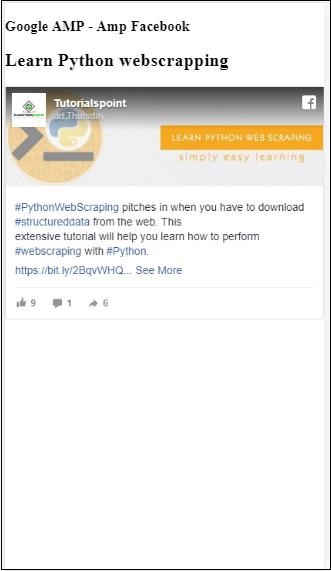
输出
示例:显示来自 Facebook 的视频
<!doctype html>
<html amp lang = "en">
   <head>
      <meta charset = "utf-8">
      <script async src = "https://cdn.ampproject.org/v0.js">
      </script>
      <title>Google AMP - Amp Facebook>/title>
      <link rel = "canonical" href =
      "http://example.ampproject.org/article-metadata.html">
      <meta name = "viewport" content = "width = device-width,
      minimum-scale = 1,initial-scale = 1">

      <style amp-boilerplate>
         body{
            -webkit-animation:
            -amp-start 8s steps(1,end) 0s 1 normal both;-moz-animation:
            -amp-start 8s steps(1,end) 0s 1 normal both;-ms-animation:
            -amp-start 8s steps(1,end) 0s 1 normal both;animation:
            -amp-start 8s steps(1,end) 0s 1 normal both
         }
         @-webkit-keyframes
         -amp-start{from{visibility:hidden}to{visibility:visible}}@-moz-keyframes
         -amp-start{from{visibility:hidden}to{visibility:visible}}@-ms-keyframes
         -amp-start{from{visibility:hidden}to{visibility:visible}}@-o-keyframes
         -amp-start{from{visibility:hidden}to{visibility:visible}}@keyframes
         -amp-start{from{visibility:hidden}to{visibility:visible}}
      </style>
      <noscript>
         <style amp-boilerplate>
            body{
               -webkit-animation:none;
               -moz-animation:none;
               -ms-animation:none;
               animation:none}
         </style>
      </noscript>
      <script async custom-element = "amp-facebook"
         src = "https://cdn.ampproject.org/v0/amp-facebook-0.1.js">
      </script>
   </head>
   <body>
      <h3<Google AMP - Amp Facebook Video</h3>
      <h2<Learn Python</h2>
      <amp-facebook
         width = "476"
         height = "316"
         layout = "responsive"
         data-embed-as = "video"
         data-href = "https://#/thetutorialkings/videos/701545820223256">
      </amp-facebook>
   </body>
</html>
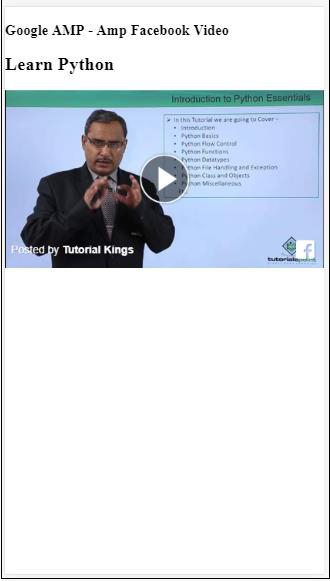
输出
示例:显示 Facebook 帖子的评论
<!doctype html>
<html amp lang = "en">
   <head>
      <meta charset = "utf-8">
      <script async src = "https://cdn.ampproject.org/v0.js">
      </script>
      <title>Google AMP - Amp Facebook</title>
      <link rel = "canonical" href =
      "http://example.ampproject.org/article-metadata.html">
      <meta name = "viewport" content = "width = device-width,
      minimum-scale = 1,initial-scale = 1">

      <style amp-boilerplate>
         body{
            -webkit-animation:
            -amp-start 8s steps(1,end) 0s 1 normal both;-moz-animation:
            -amp-start 8s steps(1,end) 0s 1 normal both;-ms-animation:
            -amp-start 8s steps(1,end) 0s 1 normal both;animation:
            -amp-start 8s steps(1,end) 0s 1 normal both
         }
         @-webkit-keyframes
         -amp-start{from{visibility:hidden}to{visibility:visible}}@-moz-keyframes
         -amp-start{from{visibility:hidden}to{visibility:visible}}@-ms-keyframes
         -amp-start{from{visibility:hidden}to{visibility:visible}}@-o-keyframes
         -amp-start{from{visibility:hidden}to{visibility:visible}}@keyframes
         -amp-start{from{visibility:hidden}to{visibility:visible}}
      </style>
      <noscript>
         <style amp-boilerplate>
            body{
               -webkit-animation:none;
               -moz-animation:none;
               -ms-animation:none;
               animation:none}
         </style>
      </noscript>
      <script async custom-element = "amp-facebook"
         src = "https://cdn.ampproject.org/v0/amp-facebook-0.1.js">
      </script>
   </head>
   <body>
      <h3>Google AMP - Amp Facebook comment for post</h3>
      <h2>Learn Microprocessor</h2>
      <amp-facebook
         width = "552"
         height = "500"
         layout = "responsive"
         data-embed-type = "comment"
         data-href = "https://#/tutorialspointindia/posts/1744145745696717?
         comment_id=1744179789026646&include_parent=false">
      </amp-facebook>
   </body>
</html>
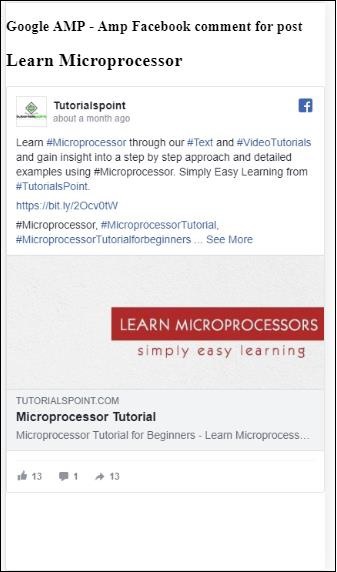
输出
amp-facebook 上可用的属性为
data-href(必填) - 在此处,您需要指定 Facebook URL。
data-embed-as - 可用的选项为帖子、视频和评论。默认情况下,它是帖子。
data-locale(必填) - 它以本地语言显示,您可以根据自己的选择进行更改。
data-include-comment-parent - 它接受 true 或 false 值。默认情况下为 false。当您将 data-embed-as 选项用作评论时,如果您需要对评论的父回复,则可以将此选项设置为 true。
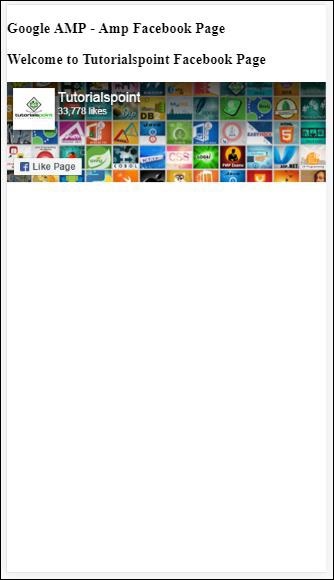
到目前为止,我们已经了解了如何将帖子/视频和评论添加到 AMP 页面。如果我们需要添加 Facebook 页面,AMP 有一个名为 amp-facebook-page 的组件。
AMP Facebook 页面插件
Amp-facebook-page 组件为我们提供了我们想要的 Facebook 页面详细信息。要使用 amp-facebook-page,我们需要添加以下脚本:
<script async custom-element = "amp-facebook-page" src = "
   https://cdn.ampproject.org/v0/amp-facebook-page-0.1.js">
</script>
此处显示了一个使用 amp-facebook-page 的工作示例:
示例
<!doctype html>
<html amp lang = "en">
   <head>
      <meta charset = "utf-8">
      <script async src = "https://cdn.ampproject.org/v0.js">
      </script>
      <title>Google AMP - Amp Facebook</title>
      <link rel = "canonical" href =
      "http://example.ampproject.org/article-metadata.html">
      <meta name = "viewport" content = "width = device-width,
      minimum-scale = 1,initial-scale = 1">

      <style amp-boilerplate>
         body{
            -webkit-animation:
            -amp-start 8s steps(1,end) 0s 1 normal both;-moz-animation:
            -amp-start 8s steps(1,end) 0s 1 normal both;-ms-animation:
            -amp-start 8s steps(1,end) 0s 1 normal both;animation:
            -amp-start 8s steps(1,end) 0s 1 normal both
         }
         @-webkit-keyframes
         -amp-start{from{visibility:hidden}to{visibility:visible}}@-moz-keyframes
         -amp-start{from{visibility:hidden}to{visibility:visible}}@-ms-keyframes
         -amp-start{from{visibility:hidden}to{visibility:visible}}@-o-keyframes
         -amp-start{from{visibility:hidden}to{visibility:visible}}@keyframes
         -amp-start{from{visibility:hidden}to{visibility:visible}}
      </style>
      <noscript>
         <style amp-boilerplate>
            body{
               -webkit-animation:none;
               -moz-animation:none;
               -ms-animation:none;
               animation:none}
         </style>
      </noscript>
      <script async custom-element = "amp-facebook-page"
         src = "https://cdn.ampproject.org/v0/amp-facebook-page-0.1.js">
      </script>
   </head>
   <body>
      <h3>Google AMP - Amp Facebook Page</h3>
      <h3>Welcome to Tutorialspoint Facebook Page</h3>
      <amp-facebook-page
         width = "340"
         height = "130"
         layout = "responsive"
         data-href = "https://#/tutorialspointindia/">
      </amp-facebook-page>
   </body>
</html>
输出
Amp-facebook-like
要嵌入 Facebook 页面喜欢按钮插件,我们可以使用 amp-facebook-like 组件。要使用 amp-facebook-like,我们需要添加以下脚本:
"<script async custom-element = "amp-facebook-like"
   src = "https://cdn.ampproject.org/v0/amp-facebook-like-0.1.js">
</script>
示例
<!doctype html>
<html amp lang = "en">
   <head>
      <meta charset = "utf-8">
      <script async src = "https://cdn.ampproject.org/v0.js">
      </script>
      <title>Google AMP - Amp Facebook</title>
      <link rel = "canonical"
      href = "http://example.ampproject.org/article-metadata.html">
      <meta name = "viewport" content = "width = device-width,
      minimum-scale = 1,initial-scale = 1">

      <style amp-boilerplate>
         body{
            -webkit-animation:
            -amp-start 8s steps(1,end) 0s 1 normal both;-moz-animation:
            -amp-start 8s steps(1,end) 0s 1 normal both;-ms-animation:
            -amp-start 8s steps(1,end) 0s 1 normal both;animation:
            -amp-start 8s steps(1,end) 0s 1 normal both
         }
         @-webkit-keyframes
         -amp-start{from{visibility:hidden}to{visibility:visible}}@-moz-keyframes
         -amp-start{from{visibility:hidden}to{visibility:visible}}@-ms-keyframes
         -amp-start{from{visibility:hidden}to{visibility:visible}}@-o-keyframes
         -amp-start{from{visibility:hidden}to{visibility:visible}}@keyframes
         -amp-start{from{visibility:hidden}to{visibility:visible}}
      </style>
      <noscript>
         <style amp-boilerplate>
            body{
               -webkit-animation:none;
               -moz-animation:none;
               -ms-animation:none;
               animation:none}
         </style>
      </noscript>
      <script async custom-element = "amp-facebook-like"
         src = "https://cdn.ampproject.org/v0/amp-facebook-like-0.1.js">
      </script>
      <style amp-custom>
         amp-facebook-like {
            margin: 1rem
         }
      </style>
   </head>
   <body>
      <h3>Google AMP - Amp Facebook Likes</h3>
      <h3>Welcome to Tutorialspoint Facebook Likes</h3>
      <amp-facebook-like
         width = "110"
         height = "20"
         layout = "fixed"
         data-layout = "button_count"
         data-href = "https://#/tutorialspointindia">
      </amp-facebook-like>
   </body>
</html>
输出
AMP Facebook 评论插件
Amp-facebook-comments 组件将提供给定页面的评论。
要使用 amp-facebook-comments,我们需要添加以下脚本:
<script async custom-element = "amp-facebook-comments"
   src = "https://cdn.ampproject.org/v0/amp-facebook-comments-0.1.js">
</script>
示例
<!doctype html>
<html amp lang = "en">
   <head>
      <meta charset = "utf-8">
      <script async src = "https://cdn.ampproject.org/v0.js">
      </script>
      <title>Google AMP - Amp Facebook</title>
      <link rel = "canonical" href =
      "http://example.ampproject.org/article-metadata.html">
      <meta name = "viewport" content = "width = device-width,
      minimum-scale = 1,initial-scale = 1">

      <style amp-boilerplate>
         body{
            -webkit-animation:
            -amp-start 8s steps(1,end) 0s 1 normal both;-moz-animation:
            -amp-start 8s steps(1,end) 0s 1 normal both;-ms-animation:
            -amp-start 8s steps(1,end) 0s 1 normal both;animation:
            -amp-start 8s steps(1,end) 0s 1 normal both
         }
         @-webkit-keyframes
         -amp-start{from{visibility:hidden}to{visibility:visible}}@-moz-keyframes
         -amp-start{from{visibility:hidden}to{visibility:visible}}@-ms-keyframes
         -amp-start{from{visibility:hidden}to{visibility:visible}}@-o-keyframes
         -amp-start{from{visibility:hidden}to{visibility:visible}}@keyframes
         -amp-start{from{visibility:hidden}to{visibility:visible}}
      </style>
      <noscript>
         <style amp-boilerplate>
            body{
               -webkit-animation:none;
               -moz-animation:none;
               -ms-animation:none;
               animation:none}
         </style>
      </noscript>
      <script async custom-element = "amp-facebook-comments"
         src = "https://cdn.ampproject.org/v0/amp-facebook-comments-0.1.js">
      </script>
      <style amp-custom>
         amp-facebook-like {
            margin: 1rem
         }
      </style>
   </head>
   <body>
      <h3>Google AMP - Amp Facebook Likes</h3>
      <amp-facebook-comments
         width = 486
         height = 657
         layout = "responsive"
         data-numposts = "2"
         data-href = "https://developers.facebook.com/docs/plugins/comments">
      </amp-facebook-comments>
   </body>
</html>
输出
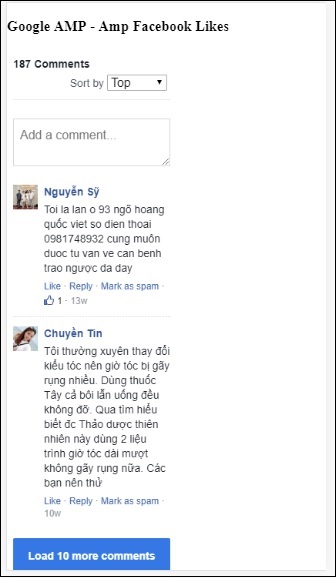
属性 data-numposts 决定屏幕上显示的评论数量。如果您想获取所有评论,则可以删除该属性。
Google AMP - Pinterest
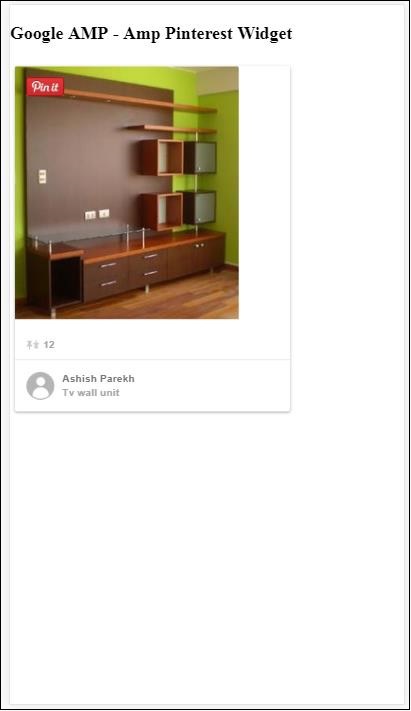
AMP 使用 amp-pinterest 组件提供 Pinterest 小部件。我们可以使用此组件来显示 Pinterest 小部件、Pinterest 保存按钮和 Pinterest 关注按钮。
要开始使用 amp-pinterest,我们需要添加以下脚本:
<script async custom-element="amp-pinterest" src="https://cdn.ampproject.org/v0/amp-pinterest-0.1.js">
</script>
Amp-pinterest 标签
<amp-pinterest width = 300 height = 450 data-do = "embedPin"
   data-url = "https://in.pinterest.com/pin/856739529089490354/">
</amp-pinterest>
Pinterest 小部件
示例
要显示 Pinterest 小部件,我们需要使用属性 data-do="embedPin"。此处显示了一个相同的工作示例:
<!doctype html>
<html amp lang = "en">
   <head>
      <meta charset = "utf-8">
      <script async src = "https://cdn.ampproject.org/v0.js">
      </script>
      <title>Google AMP - Amp Pinterest Widget</title>
      <link rel = "canonical" href =
      "http://example.ampproject.org/article-metadata.html">
      <meta name = "viewport" content = "width = device-width,
      minimum-scale = 1,initial-scale = 1">

      <style amp-boilerplate>
         body{
            -webkit-animation:
            -amp-start 8s steps(1,end) 0s 1 normal both;-moz-animation:
            -amp-start 8s steps(1,end) 0s 1 normal both;-ms-animation:
            -amp-start 8s steps(1,end) 0s 1 normal both;animation:
            -amp-start 8s steps(1,end) 0s 1 normal both}@-webkit-keyframes
            -amp-start 8s steps(1,end) 0s 1 normal both
         }
         @-webkit-keyframes
         -amp-start{from{visibility:hidden}to{visibility:visible}}@-moz-keyframes
         -amp-start{from{visibility:hidden}to{visibility:visible}}@-ms-keyframes
         -amp-start{from{visibility:hidden}to{visibility:visible}}@-o-keyframes
         -amp-start{from{visibility:hidden}to{visibility:visible}}@keyframes
         -amp-start{from{visibility:hidden}to{visibility:visible}}
      </style>
      <noscript>
         <style amp-boilerplate>
            body{
            -webkit-animation:none;
            -moz-animation:none;
            -ms-animation:none;
            animation:none}
         </style>
      </noscript>
      <script async custom-element = "amp-pinterest"
         src = "https://cdn.ampproject.org/v0/amp-pinterest-0.1.js">
      </script>
      <style amp-custom>
         amp-facebook-like {
            margin: 1rem
         }
      </style>
   </head>
   <body>
      <h3>Google AMP - Amp Pinterest Widget</h3>
      <amp-pinterest
         width = 300
         height = 450
         data-do = "embedPin"
         data-url = "https://in.pinterest.com/pin/856739529089490354/">
      </amp-pinterest>
   </body>
</html>
输出
Pinterest 保存按钮
要显示 Pinterest 的保存按钮,我们需要使用属性 data-do="buttonPin"。此处显示了一个 Pinterest 保存按钮的工作示例:
示例
<!doctype html>
<html amp lang = "en">
   <head>
      <meta charset = "utf-8">
      <script async src = "https://cdn.ampproject.org/v0.js">
      </script>
      <title>Google AMP - Amp Pinterest Widget</title>
      <link rel = "canonical" href =
      "http://example.ampproject.org/article-metadata.html">
      <meta name = "viewport" content = "width = device-width,
      minimum-scale = 1,initial-scale = 1">

      <style amp-boilerplate>
         body{
            -webkit-animation:
            -amp-start 8s steps(1,end) 0s 1 normal both;-moz-animation:
            -amp-start 8s steps(1,end) 0s 1 normal both;-ms-animation:
            -amp-start 8s steps(1,end) 0s 1 normal both;animation:
            -amp-start 8s steps(1,end) 0s 1 normal both
         }
         @-webkit-keyframes
         -amp-start{from{visibility:hidden}to{visibility:visible}}@-moz-keyframes
         -amp-start{from{visibility:hidden}to{visibility:visible}}@-ms-keyframes
         -amp-start{from{visibility:hidden}to{visibility:visible}}@-o-keyframes
         -amp-start{from{visibility:hidden}to{visibility:visible}}@keyframes
         -amp-start{from{visibility:hidden}to{visibility:visible}}
      </style>
      <noscript>
         <style amp-boilerplate>
            body{
               -webkit-animation:none;
               -moz-animation:none;
               -ms-animation:none;
               animation:none}
         </style>
      </noscript>
      <script async custom-element = "amp-pinterest"
         src = "https://cdn.ampproject.org/v0/amp-pinterest-0.1.js">
      </script>
      <style amp-custom>
         amp-facebook-like {
            margin: 1rem
         }
      </style>
   </head>
   <body>
      <h3>Google AMP - Amp Pinterest Save Button</h3>
      <h3>TutorialsPoint - ReactJS</h3>
      <amp-img
         src = "images/reactjs.png"
         width = "100"
         height = "100"
         alt = "blockchain image">
      </amp-img>
      <amp-pinterest
         height = "18"
         width = "56"
         data-do = "buttonPin"
         data-url = "https://tutorialspoint.com/"
         data-media = "https://tutorialspoint.com/images/tp-logo-diamond.png"
         data-description = "amp-pinterest in action">
      </amp-pinterest>
   </body>
</html>
输出
Pinterest 关注按钮
要显示 Pinterest 的保存关注按钮,我们需要使用属性 data-do="buttonFollow"。此处显示了一个 Pinterest 保存按钮的工作示例:
示例
<!doctype html>
<html amp lang = "en">
   <head>
      <meta charset = "utf-8">
      <script async src = "https://cdn.ampproject.org/v0.js">
      </script>
      <title>Google AMP - Amp Pinterest Widget</title>
      <link rel = "canonical" href =
      "http://example.ampproject.org/article-metadata.html">
      <meta name = "viewport" content = "width = device-width,
      minimum-scale = 1,initial-scale = 1">

      <style amp-boilerplate>
         body{
            -webkit-animation:
            -amp-start 8s steps(1,end) 0s 1 normal both;-moz-animation:
            -amp-start 8s steps(1,end) 0s 1 normal both;-ms-animation:
            -amp-start 8s steps(1,end) 0s 1 normal both;animation:
            -amp-start 8s steps(1,end) 0s 1 normal both
         }
         @-webkit-keyframes
         -amp-start{from{visibility:hidden}to{visibility:visible}}@-moz-keyframes
         -amp-start{from{visibility:hidden}to{visibility:visible}}@-ms-keyframes
         -amp-start{from{visibility:hidden}to{visibility:visible}}@-o-keyframes
         -amp-start{from{visibility:hidden}to{visibility:visible}}@keyframes
         -amp-start{from{visibility:hidden}to{visibility:visible}}
      </style>
       <noscript>
         <style amp-boilerplate>
            body{
               -webkit-animation:none;
               -moz-animation:none;
               -ms-animation:none;
               animation:none}
         </style>
      </noscript>
      <script async custom-element = "amp-pinterest"
         src = "https://cdn.ampproject.org/v0/amp-pinterest-0.1.js">
      </script>
      <style amp-custom>
         amp-facebook-like {
            margin: 1rem
         }
      </style>
   </head>
   <body>
      <h3>Google AMP - Amp Pinterest Follow Button</h3>
      <amp-pinterest
         height = 50
         width = 130
         data-do = "buttonFollow"
         data-href = "https://in.pinterest.com/wedgehairstyles/"
         data-label = "wedgehairstyles">
      </amp-pinterest>
   </body>
</html>
输出
Google Amp - Twitter
AMP 有一个组件可以使用 amp-twitter 显示 Twitter 提要。
要使用 amp-twitter,我们需要添加以下脚本:
<script async custom-element = "amp-twitter"
src = "https://cdn.ampproject.org/v0/amp-twitter-0.1.js">
</script>
Amp-twitter 标签
<amp-twitter width = "375" height = "472"
   layout = "responsive" data-tweetid = "885634330868850689">
</amp-twitter>
此处显示了一个显示推文的工作示例
示例
<!doctype html>
<html amp lang = "en">
   <head>
      <meta charset = "utf-8">
      <script async src = "https://cdn.ampproject.org/v0.js">
      </script>
      <title>Google AMP - Amp Twitter</title>
      <link rel = "canonical" href =
      "http://example.ampproject.org/article-metadata.html">
      <meta name = "viewport" content = "width = device-width,
      minimum-scale = 1,initial-scale = 1">

      <style amp-boilerplate>
         body{
            -webkit-animation:
            -amp-start 8s steps(1,end) 0s 1 normal both;-moz-animation:
            -amp-start 8s steps(1,end) 0s 1 normal both;-ms-animation:
            -amp-start 8s steps(1,end) 0s 1 normal both;animation:
            -amp-start 8s steps(1,end) 0s 1 normal both
         }
         @-webkit-keyframes
         -amp-start{from{visibility:hidden}to{visibility:visible}}@-moz-keyframes
         -amp-start{from{visibility:hidden}to{visibility:visible}}@-ms-keyframes
         -amp-start{from{visibility:hidden}to{visibility:visible}}@-o-keyframes
         -amp-start{from{visibility:hidden}to{visibility:visible}}@keyframes
         -amp-start{from{visibility:hidden}to{visibility:visible}}
      </style>
      <noscript>
         <style amp-boilerplate>
            body{
               -webkit-animation:none;
               -moz-animation:none;
               -ms-animation:none;
               animation:none}
         </style>
      </noscript>
      <script async custom-element = "amp-twitter" src =
         "https://cdn.ampproject.org/v0/amp-twitter-0.1.js">
      </script>
      <style amp-custom>
         amp-facebook-like {
            margin: 1rem
         }
      </style>
   </head>
   <body>
      <h3>Google AMP - Amp Twitter</h3>
      <amp-twitter
         width = "375"
         height = "472"
         layout = "responsive"
         data-tweetid = "885634330868850689">
      </amp-twitter>
   </body>
</html>
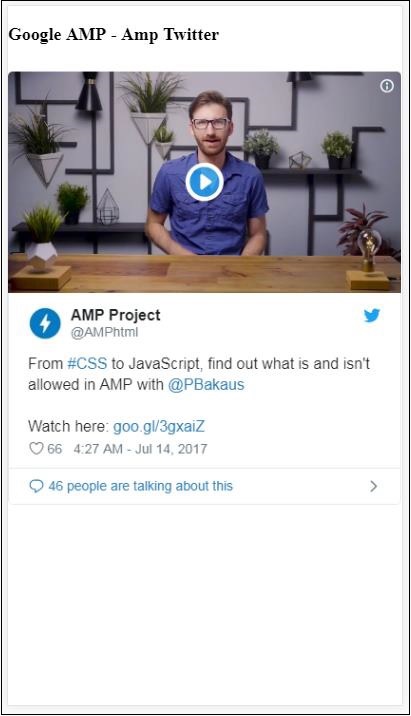
输出