- Mahotas 教程
- Mahotas - 首页
- Mahotas - 简介
- Mahotas - 计算机视觉
- Mahotas - 历史
- Mahotas - 特性
- Mahotas - 安装
- Mahotas 图像处理
- Mahotas - 图像处理
- Mahotas - 加载图像
- Mahotas - 以灰度加载图像
- Mahotas - 显示图像
- Mahotas - 显示图像形状
- Mahotas - 保存图像
- Mahotas - 图像质心
- Mahotas - 图像卷积
- Mahotas - 创建 RGB 图像
- Mahotas - 图像欧拉数
- Mahotas - 图像中零的比例
- Mahotas - 获取图像矩
- Mahotas - 图像局部最大值
- Mahotas - 图像椭圆轴
- Mahotas - 图像拉伸 RGB
- Mahotas 颜色空间转换
- Mahotas - 颜色空间转换
- Mahotas - RGB 转灰度转换
- Mahotas - RGB 转 LAB 转换
- Mahotas - RGB 转棕褐色
- Mahotas - RGB 转 XYZ 转换
- Mahotas - XYZ 转 LAB 转换
- Mahotas - XYZ 转 RGB 转换
- Mahotas - 增加伽马校正
- Mahotas - 拉伸伽马校正
- Mahotas 标签图像函数
- Mahotas - 标签图像函数
- Mahotas - 图像标记
- Mahotas - 过滤区域
- Mahotas - 边界像素
- Mahotas - 形态学运算
- Mahotas - 形态学算子
- Mahotas - 查找图像平均值
- Mahotas - 裁剪图像
- Mahotas - 图像离心率
- Mahotas - 图像叠加
- Mahotas - 图像圆度
- Mahotas - 调整图像大小
- Mahotas - 图像直方图
- Mahotas - 图像膨胀
- Mahotas - 图像腐蚀
- Mahotas - 分水岭算法
- Mahotas - 图像开运算
- Mahotas - 图像闭运算
- Mahotas - 填充图像空洞
- Mahotas - 条件膨胀图像
- Mahotas - 条件腐蚀图像
- Mahotas - 图像条件分水岭算法
- Mahotas - 图像局部最小值
- Mahotas - 图像区域最大值
- Mahotas - 图像区域最小值
- Mahotas - 高级概念
- Mahotas - 图像阈值化
- Mahotas - 设置阈值
- Mahotas - 软阈值
- Mahotas - Bernsen 局部阈值化
- Mahotas - 小波变换
- 制作图像小波中心
- Mahotas - 距离变换
- Mahotas - 多边形工具
- Mahotas - 局部二值模式
- 阈值邻域统计
- Mahotas - Haralic 特征
- 标记区域的权重
- Mahotas - Zernike 特征
- Mahotas - Zernike 矩
- Mahotas - 排序滤波器
- Mahotas - 二维拉普拉斯滤波器
- Mahotas - 多数滤波器
- Mahotas - 均值滤波器
- Mahotas - 中值滤波器
- Mahotas - Otsu 方法
- Mahotas - 高斯滤波
- Mahotas - Hit & Miss 变换
- Mahotas - 标记最大值数组
- Mahotas - 图像平均值
- Mahotas - SURF 密集点
- Mahotas - SURF 积分图像
- Mahotas - Haar 变换
- 突出显示图像最大值
- 计算线性二值模式
- 获取标签边界
- 反转 Haar 变换
- Riddler-Calvard 方法
- 标记区域的大小
- Mahotas - 模板匹配
- 加速鲁棒特征
- 去除带边框的标记
- Mahotas - Daubechies 小波
- Mahotas - Sobel 边缘检测
Mahotas - 加载图像
要对图像执行任何操作,我们首先需要将其加载到内存中。图像加载后,我们可以访问其像素并对其应用各种操作。
加载图像指的是将图像文件从存储设备(如硬盘、U盘或网络位置)读取到内存中。
在 Mahotas 中加载图像
要使用 Mahotas 加载图像,我们可以使用 **imread()** 函数,该函数读取图像文件并将其作为 NumPy 数组返回。
NumPy 数组是一个网格,其所有值都具有相同的类型,并由非负整数元组索引。对于图像而言,该数组表示图像的像素值。
使用 imread() 函数
imread() 函数是 Mahotas 中读取和加载图像的核心方法。它接受文件路径作为输入,并返回表示已加载图像的 NumPy 数组。此函数可以读取各种图像文件格式,例如 JPEG、PNG、BMP、TIFF 等。
以下是 Mahotas 中 imread() 函数的基本语法:
mahotas.imread('image.file_format')
其中,**'image.file_format'** 是您要加载图像的实际路径和格式。
示例
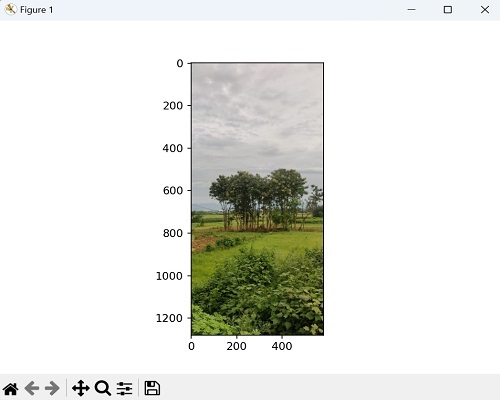
在下面的示例中,我们使用 imread() 函数从当前目录加载名为“nature.jpeg”的图像文件。生成的图像作为 NumPy 数组存储在“image”变量中:
import mahotas as mh
from pylab import imshow, show
# Loading the image using Mahotas
image = mh.imread('nature.jpeg')
# displaying the original image
imshow(image)
show()
输出
上述代码的输出如下:
加载不同图像格式
图像格式指的是用于以数字方式存储和编码图像的不同文件格式。每种格式都有其自身的规范、特性和压缩方法。
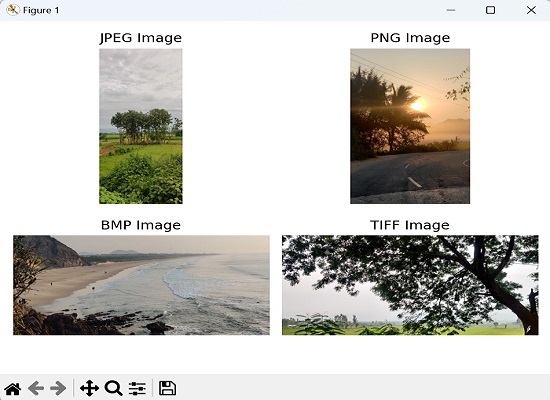
Mahotas 提供各种图像格式,包括 JPEG、PNG、BMP、TIFF 和 GIF 等常用格式。我们可以将这些格式中任何一种图像的文件路径传递给 imread() 函数。
示例
在此示例中,我们通过使用 imread() 函数加载不同格式的图像来演示 Mahotas 的多功能性。每个加载的图像都存储在单独的变量中:
import mahotas as ms
import matplotlib.pyplot as mtplt
# Loading JPEG image
image_jpeg = ms.imread('nature.jpeg')
# Loading PNG image
image_png = ms.imread('sun.png')
# Loading BMP image
image_bmp = ms.imread('sea.bmp')
# Loading TIFF image
image_tiff = ms.imread('tree.tiff')
# Creating a figure and subplots
fig, axes = mtplt.subplots(2, 2)
# Displaying JPEG image
axes[0, 0].imshow(image_jpeg)
axes[0, 0].axis('off')
axes[0, 0].set_title('JPEG Image')
# Displaying PNG image
axes[0, 1].imshow(image_png)
axes[0, 1].axis('off')
axes[0, 1].set_title('PNG Image')
# Displaying BMP image
axes[1, 0].imshow(image_bmp)
axes[1, 0].axis('off')
axes[1, 0].set_title('BMP Image')
# Displaying TIFF image
axes[1, 1].imshow(image_tiff)
axes[1, 1].axis('off')
axes[1, 1].set_title('TIFF Image')
# Adjusting the spacing and layout
mtplt.tight_layout()
# Showing the figure
mtplt.show()
输出
显示的图像是:
加载彩色图像
彩色图像是我们通常看到的图像,包含各种颜色。它们由三个颜色通道组成:红色、绿色和蓝色。每个像素的颜色由这三个通道的组合决定。彩色图像可以表示各种颜色,类似于我们用眼睛看到的内容。
在 Mahotas 中加载彩色图像意味着读取包含颜色信息的图像文件。生成的图像表示为一个 3D 数组,其中每个元素表示红色、绿色和蓝色通道中每个像素的颜色值。
以下是 Mahotas 中加载灰度图像的基本语法:
mahotas.imread('image.file_format')
其中,**'image.file_format'** 是您要加载图像的实际路径和格式。
示例
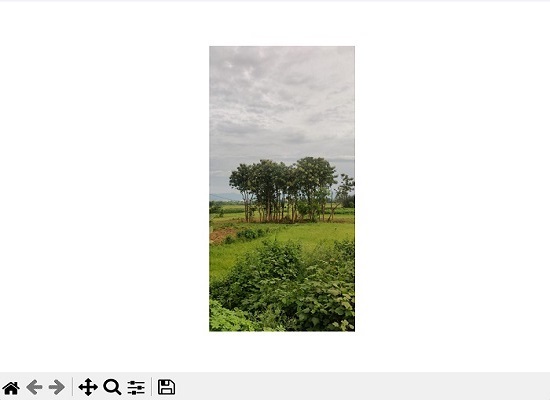
以下是 Mahotas 中加载彩色图像的示例:
import mahotas as ms
import matplotlib.pyplot as mtplt
# Loading colored image
colored_image = ms.imread('nature.jpeg')
# Displaying colored image
mtplt.imshow(colored_image)
mtplt.axis('off')
mtplt.show()
输出
上述代码的输出如下:
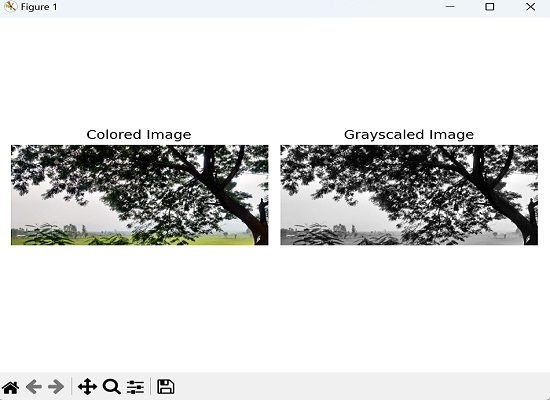
加载彩色和灰度图像
要在 mahotas 中加载灰度图像,我们需要将 'as_grey=True' 参数传递给 imread() 函数。
示例
在下面的示例中,我们尝试使用 Mahotas 同时加载灰度图像和彩色图像:
import mahotas as ms
import matplotlib.pyplot as mtplt
# Loading color image
color_image = ms.imread('tree.tiff')
# Loading grayscale image
grayscale_image = ms.imread('tree.tiff', as_grey=True)
# Creating a figure and subplots
fig, axes = mtplt.subplots(1, 2)
# Displaying colored image
axes[0].imshow(color_image)
axes[0].axis('off')
axes[0].set_title('Colored Image')
# Displaying grayscale image
axes[1].imshow(grayscale_image, cmap='gray')
axes[1].axis('off')
axes[1].set_title('Grayscaled Image')
# Adjusting the spacing and layout
mtplt.tight_layout()
# Showing the figure
mtplt.show()
输出
输出如下所示: