
- Kivy 教程
- Kivy - 首页
- Kivy 基础
- Kivy - 开始
- Kivy - 安装
- Kivy - 架构
- Kivy - 文件语法
- Kivy - 应用
- Kivy - Hello World
- Kivy - 应用生命周期
- Kivy - 事件
- Kivy - 属性
- Kivy - 输入
- Kivy - 行为
- Kivy 按钮
- Kivy - 按钮
- Kivy - 按钮事件
- Kivy - 按钮颜色
- Kivy - 按钮大小
- Kivy - 按钮位置
- Kivy - 圆形按钮
- Kivy - 禁用按钮
- Kivy - 图片按钮
- Kivy 组件
- Kivy - 组件
- Kivy - 标签
- Kivy - 文本输入
- Kivy - 画布
- Kivy - 线
- Kivy - 复选框
- Kivy - 下拉列表
- Kivy - 窗口
- Kivy - 滚动视图
- Kivy - 旋转木马
- Kivy - 滑块
- Kivy - 图片
- Kivy - 弹出窗口
- Kivy - 开关
- Kivy - 微调器
- Kivy - 分隔器
- Kivy - 进度条
- Kivy - 气泡
- Kivy - 标签面板
- Kivy - 散点图
- Kivy - 手风琴
- Kivy - 文件选择器
- Kivy - 颜色选择器
- Kivy - 代码输入
- Kivy - 模态视图
- Kivy - 切换按钮
- Kivy - 相机
- Kivy - 树视图
- Kivy - reStructuredText
- Kivy - 动作栏
- Kivy - 视频播放器
- Kivy - 模板视图
- Kivy - 虚拟键盘
- Kivy - 触摸涟漪
- Kivy - 音频
- Kivy - 视频
- Kivy - 拼写
- Kivy - 效果
- Kivy - 输入记录器
- Kivy - OpenGL
- Kivy - 文本
- Kivy - 文本标记
- Kivy - 设置
- Kivy 布局
- Kivy - 布局
- Kivy - 浮动布局
- Kivy - 网格布局
- Kivy - 箱式布局
- Kivy - 堆叠布局
- Kivy - 锚点布局
- Kivy - 相对布局
- Kivy - 页面布局
- Kivy - 回收布局
- Kivy - 布局嵌套
- Kivy 高级概念
- Kivy - 配置对象
- Kivy - 图集
- Kivy - 数据加载器
- Kivy - 缓存管理器
- Kivy - 控制台
- Kivy - 动画
- Kivy - 多笔画
- Kivy - 时钟
- Kivy - SVG
- Kivy - UrlRequest
- Kivy - 剪贴板
- Kivy - 工厂
- Kivy - 手势
- Kivy - 语言
- Kivy - 图形
- Kivy - 绘图
- Kivy - 打包
- Kivy - Garden
- Kivy - 存储
- Kivy - 矢量
- Kivy - 工具
- Kivy - 检查器
- Kivy - 工具
- Kivy - 日志记录器
- Kivy - 帧缓冲区
- Kivy 应用和项目
- Kivy - 绘图应用
- Kivy - 计算器应用
- Kivy - 计时器应用
- Kivy - 相机处理
- Kivy - 图片查看器
- Kivy - 贝塞尔曲线
- Kivy - 画布压力测试
- Kivy - 圆形绘制
- Kivy - 组件动画
- Kivy - 其他
- Kivy 有用资源
- Kivy - 快速指南
- Kivy - 有用资源
- Kivy - 讨论
Kivy - 相对布局
相对布局的行为与浮动布局非常相似。两者主要区别在于,相对布局中子组件的位置坐标是相对于布局大小的,而不是像浮动布局那样相对于窗口大小。
为了理解这意味着什么,请考虑以下使用 FloatLayout 设计的 UI。
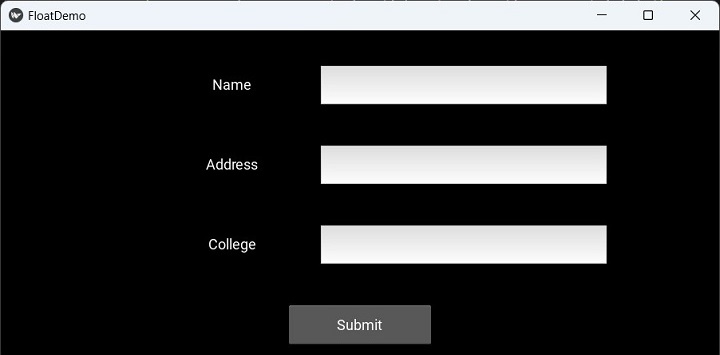
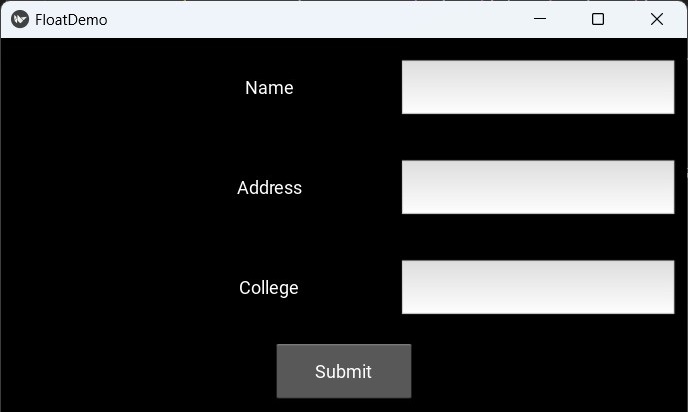
当您调整窗口大小时,由于浮动布局中的绝对定位,组件的位置与调整后的窗口不成比例。结果,界面设计不一致。
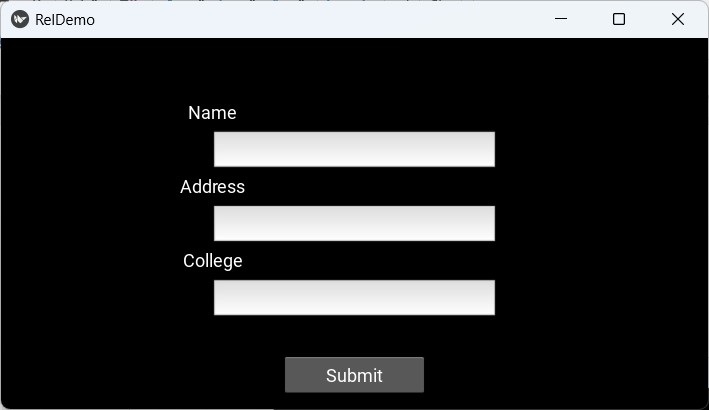
相对布局没有这种效果,因为组件的大小和位置是相对于布局的。
当将位置为 (0,0) 的组件添加到 RelativeLayout 时,如果 RelativeLayout 的位置发生变化,子组件也会移动。子组件的坐标始终相对于父布局。
RelativeLayout 类定义在 "kivy.uix.relativelayout" 模块中。
from kivy.uix.relativelayout import RelativeLayout
rlo = RelativeLayout(**kwargs)
示例
以下代码在 RelativeLayout 中组合标签、文本框和提交按钮。
from kivy.app import App
from kivy.uix.label import Label
from kivy.uix.button import Button
from kivy.uix.textinput import TextInput
from kivy.uix.relativelayout import RelativeLayout
from kivy.core.window import Window

Window.size = (720, 400)

class RelDemoApp(App):
   def build(self):
      rlo = RelativeLayout()

      l1 = Label(
         text="Name", size_hint=(.2, .1),
         pos_hint={'x': .2, 'y': .75}
      )
      rlo.add_widget(l1)
      t1 = TextInput(
         size_hint=(.4, .1), pos_hint={'x': .3, 'y': .65}
      )
      rlo.add_widget(t1)
      l2 = Label(
         text="Address", size_hint=(.2, .1),
         pos_hint={'x': .2, 'y': .55}
      )
      rlo.add_widget(l2)
      t2 = TextInput(
         multiline=True, size_hint=(.4, .1),
         pos_hint={'x': .3, 'y': .45}
      )
      rlo.add_widget(t2)
      l3 = Label(
         text="College", size_hint=(.2, .1),
         pos_hint={'x': .2, 'y': .35}
      )
      rlo.add_widget(l3)
      t3 = TextInput(
         size_hint=(.4, .1), pos=(400, 150),
         pos_hint={'x': .3, 'y': .25}
      )
      rlo.add_widget(t3)
      b1 = Button(
         text='Submit', size_hint=(.2, .1),
         pos_hint={'center_x': .5, 'center_y': .09}
      )
      rlo.add_widget(b1)
      return rlo

RelDemoApp().run()
输出
执行以上代码后,应用程序窗口将显示如下 UI:
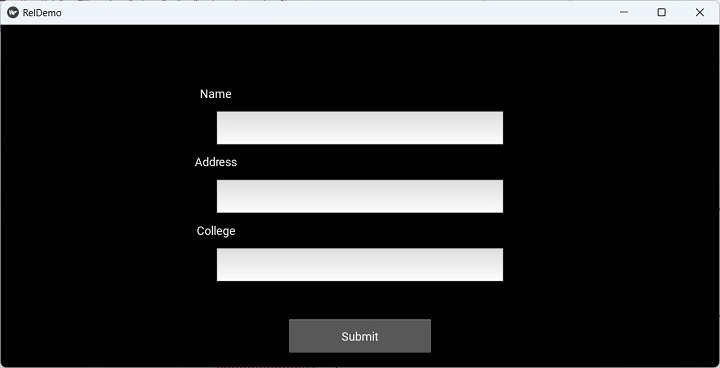
请注意,与 FloatLayout 不同,调整窗口大小不会改变组件的比例大小和位置。
"kv" 设计语言脚本
用于生成上述 UI 的 "kv" 文件(而不是 App 类中的 build() 方法)如下:
RelativeLayout:
   Label:
      text:"Name"
      size_hint:(.2, .1)
      pos_hint:{'x':.2, 'y':.75}

   TextInput:
      size_hint:(.4, .1)
      pos_hint:{'x':.3, 'y':.65}

   Label:
      text:"Address"
      size_hint:(.2, .1)
      pos_hint:{'x':.2, 'y':.55}

   TextInput:
      multiline:True
      size_hint:(.4, .1)
      pos_hint:{'x':.3, 'y':.45}

   Label:
      text:"College"
      size_hint:(.2, .1)
      pos_hint:{'x':.2, 'y':.35}

   TextInput:
      size_hint:(.4, .1)
      pos:(400, 150)
      pos_hint:{'x':.3, 'y':.25}

   Button:
      text:'Submit'
      size_hint : (.2, .1)
      pos_hint : {'center_x':.5, 'center_y':.09}
广告