- JavaFX 教程
- JavaFX - 首页
- JavaFX - 概述
- JavaFX 安装和架构
- JavaFX - 环境
- JavaFX - 使用 Netbeans 安装
- JavaFX - 使用 Eclipse 安装
- JavaFX - 使用 Visual Studio Code 安装
- JavaFX - 架构
- JavaFX - 应用程序
- JavaFX 2D 形状
- JavaFX - 2D 形状
- JavaFX - 绘制直线
- JavaFX - 绘制矩形
- JavaFX - 绘制圆角矩形
- JavaFX - 绘制圆形
- JavaFX - 绘制椭圆
- JavaFX - 绘制多边形
- JavaFX - 绘制折线
- JavaFX - 绘制三次贝塞尔曲线
- JavaFX - 绘制二次贝塞尔曲线
- JavaFX - 绘制弧形
- JavaFX - 绘制 SVGPath
- JavaFX 2D 对象的属性
- JavaFX - 描边类型属性
- JavaFX - 描边宽度属性
- JavaFX - 描边填充属性
- JavaFX - 描边属性
- JavaFX - 描边连接属性
- JavaFX - 描边斜接限制属性
- JavaFX - 描边端点属性
- JavaFX - 平滑属性
- JavaFX 路径对象
- JavaFX - 路径对象
- JavaFX - LineTo 路径对象
- JavaFX - HLineTo 路径对象
- JavaFX - VLineTo 路径对象
- JavaFX - QuadCurveTo 路径对象
- JavaFX - CubicCurveTo 路径对象
- JavaFX - ArcTo 路径对象
- JavaFX 颜色和纹理
- JavaFX - 颜色
- JavaFX - 线性渐变图案
- JavaFX - 径向渐变图案
- JavaFX 文本
- JavaFX - 文本
- JavaFX 效果
- JavaFX - 效果
- JavaFX - 颜色调整效果
- JavaFX - 颜色输入效果
- JavaFX - 图像输入效果
- JavaFX - 混合效果
- JavaFX - 辉光效果
- JavaFX - 发光效果
- JavaFX - 方框模糊效果
- JavaFX - 高斯模糊效果
- JavaFX - 运动模糊效果
- JavaFX - 反射效果
- JavaFX - 棕褐色效果
- JavaFX - 阴影效果
- JavaFX - 投影效果
- JavaFX - 内阴影效果
- JavaFX - 照明效果
- JavaFX - Light.Distant 效果
- JavaFX - Light.Spot 效果
- JavaFX - Point.Spot 效果
- JavaFX - 位移映射
- JavaFX - 透视变换
- JavaFX 动画
- JavaFX - 动画
- JavaFX - 旋转过渡
- JavaFX - 缩放过渡
- JavaFX - 平移过渡
- JavaFX - 淡入淡出过渡
- JavaFX - 填充过渡
- JavaFX - 描边过渡
- JavaFX - 顺序过渡
- JavaFX - 并行过渡
- JavaFX - 暂停过渡
- JavaFX - 路径过渡
- JavaFX 图像
- JavaFX - 图像
- JavaFX 3D 形状
- JavaFX - 3D 形状
- JavaFX - 创建立方体
- JavaFX - 创建圆柱体
- JavaFX - 创建球体
- 3D 对象的属性
- JavaFX - 剔除面属性
- JavaFX - 绘制模式属性
- JavaFX - 材质属性
- JavaFX 事件处理
- JavaFX - 事件处理
- JavaFX - 使用便捷方法
- JavaFX - 事件过滤器
- JavaFX - 事件处理程序
- JavaFX UI 控件
- JavaFX - UI 控件
- JavaFX - ListView
- JavaFX - Accordion
- JavaFX - ButtonBar
- JavaFX - ChoiceBox
- JavaFX - HTMLEditor
- JavaFX - MenuBar
- JavaFX - Pagination
- JavaFX - ProgressIndicator
- JavaFX - ScrollPane
- JavaFX - Separator
- JavaFX - Slider
- JavaFX - Spinner
- JavaFX - SplitPane
- JavaFX - TableView
- JavaFX - TabPane
- JavaFX - ToolBar
- JavaFX - TreeView
- JavaFX - Label
- JavaFX - CheckBox
- JavaFX - RadioButton
- JavaFX - TextField
- JavaFX - PasswordField
- JavaFX - FileChooser
- JavaFX - Hyperlink
- JavaFX - Tooltip
- JavaFX - Alert
- JavaFX - DatePicker
- JavaFX - TextArea
- JavaFX 图表
- JavaFX - 图表
- JavaFX - 创建饼图
- JavaFX - 创建折线图
- JavaFX - 创建面积图
- JavaFX - 创建柱状图
- JavaFX - 创建气泡图
- JavaFX - 创建散点图
- JavaFX - 创建堆叠面积图
- JavaFX - 创建堆叠柱状图
- JavaFX 布局窗格
- JavaFX - 布局窗格
- JavaFX - HBox 布局
- JavaFX - VBox 布局
- JavaFX - BorderPane 布局
- JavaFX - StackPane 布局
- JavaFX - TextFlow 布局
- JavaFX - AnchorPane 布局
- JavaFX - TilePane 布局
- JavaFX - GridPane 布局
- JavaFX - FlowPane 布局
- JavaFX CSS
- JavaFX - CSS
- JavaFX 中的多媒体
- JavaFX - 处理多媒体
- JavaFX - 播放视频
- JavaFX 有用资源
- JavaFX - 快速指南
- JavaFX - 有用资源
- JavaFX - 讨论
JavaFX - 淡入淡出过渡
淡入淡出过渡是一种几何过渡,它改变对象的透明度属性。使用淡入淡出过渡,您可以降低或提高对象的透明度。这种过渡被称为几何过渡,因为它涉及对象的几何形状。
在 JavaFX 中,淡入淡出过渡用于在指定持续时间内将节点的透明度从起始值过渡到结束值。这可以通过使用属于 **javafx.animation** 包的 **FadeTransition** 类来完成。
JavaFX 中的淡入淡出过渡
您可以使用 FadeTransition 类的属性将淡入淡出过渡应用于 JavaFX 对象。您必须使用 *fromValue* 和 *toValue* 设置过渡的起始值和结束值。当未指定 fromValue 时,默认情况下会考虑节点的当前透明度值;当未指定 toValue 时,byValue 会添加到起始值。
**请注意过渡属性** - fromValue、toValue 和 byValue,在过渡运行期间不能更改。但是,如果您尝试在过渡运行期间更改属性,则该更改将被忽略。因此,必须停止并重新启动动画才能将新的属性值分配给过渡。也不会抛出任何异常。
FadeTransition 类包含以下属性:
**byValue** - 指定此 FadeTransition 从开始处的增量停止透明度值。
**duration** - 此 FadeTransition 的持续时间。
**fromValue** - 指定此 FadeTransition 的起始透明度值。
**node** - 此过渡的目标节点。
**toValue** - 指定此 FadeTransition 的停止透明度值。
示例
以下程序演示了 JavaFX 中的淡入淡出过渡。将此代码保存在名为 **FadeTransitionExample.java** 的文件中。
import javafx.animation.FadeTransition;
import javafx.application.Application;
import javafx.scene.Group;
import javafx.scene.Scene;
import javafx.scene.paint.Color;
import javafx.scene.shape.Circle;
import javafx.stage.Stage;
import javafx.util.Duration;

public class FadeTransitionExample extends Application {
   @Override
   public void start(Stage stage) {
      //Drawing a Circle
      Circle circle = new Circle();

      //Setting the position of the circle
      circle.setCenterX(300.0f);
      circle.setCenterY(135.0f);

      //Setting the radius of the circle
      circle.setRadius(100.0f);

      //Setting the color of the circle
      circle.setFill(Color.BROWN);

      //Setting the stroke width of the circle
      circle.setStrokeWidth(20);

      //Creating the fade Transition
      FadeTransition fadeTransition = new FadeTransition(Duration.millis(1000));

      //Setting the node for Transition
      fadeTransition.setNode(circle);

      //Setting the property fromValue of the transition (opacity)
      fadeTransition.setFromValue(1.0);

      //Setting the property toValue of the transition (opacity)
      fadeTransition.setToValue(0.3);

      //Setting the cycle count for the transition
      fadeTransition.setCycleCount(50);

      //Setting auto reverse value to false
      fadeTransition.setAutoReverse(false);

      //Playing the animation
      fadeTransition.play();

      //Creating a Group object
      Group root = new Group(circle);

      //Creating a scene object
      Scene scene = new Scene(root, 600, 300);

      //Setting title to the Stage
      stage.setTitle("Fade transition example");

      //Adding scene to the stage
      stage.setScene(scene);

      //Displaying the contents of the stage
      stage.show();
   }
   public static void main(String args[]){
      launch(args);
   }
}
使用以下命令从命令提示符编译并执行保存的 Java 文件。
javac --module-path %PATH_TO_FX% --add-modules javafx.controls FadeTransitionExample.java
java --module-path %PATH_TO_FX% --add-modules javafx.controls FadeTransitionExample
输出
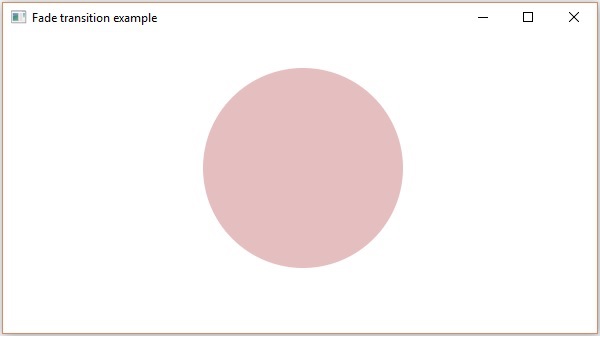
执行后,上述程序将生成一个如下图所示的 JavaFX 窗口。